How to print text messages with the date and time on each one
By Flavio
Messages on the Mac can show the time of a message and print a conversation, but Apple doesn't say whether the times end up on paper. Here's what Apple's guide says, and how to get a PDF with the date and time on every message, down to the second.
Someone asked for your text messages “with the dates and times”. A lawyer, an insurer, a school, a court file. Screenshots from a phone show a time now and then, and lose it on most messages.
The short answer: in Messages on the Mac you can show the times and print the conversation to a PDF, but Apple’s guide doesn’t say whether the times are in the printout. Chat to PDF for iMessage puts the sender and time on every message, a heading for every day, and the dates on the first page, with seconds if you want them.
This doesn’t tell you what a court or a lawyer accepts. It says what ends up on the page, so you can ask them with the PDF in hand.
Show the times in Messages, then print
These steps come from Apple’s Messages User Guide for macOS Sequoia. The test Mac for this tutorial had no Apple Account signed in, and Messages showed only its sign-in window, so they couldn’t be tried there.
To see when a message was sent, Apple’s page “View photos, videos, and audio in Messages on Mac” says:
- Control-click the message in the conversation and choose Show Times.
- Or, with a trackpad or a Magic Mouse, swipe left with two fingers on the message.
The guide to saving a conversation as a PDF covers File › Print and Save as PDF, from Apple’s printing guide. Apple doesn’t say whether the times shown on screen are printed. Open the saved PDF and check whether each message has the date and time you need.
A time on every message with the app
Chat to PDF for iMessage is a Mac app I made that turns a conversation from Messages into a PDF. It isn’t made by, affiliated with or endorsed by Apple. It costs $20, paid once.
Use the conversation-to-PDF guide to open your Messages history, choose the date range and set the names. Here the app read a made-up Messages folder on macOS 15 Sequoia: Anna Rossi, Sam and their messages are invented.
Before saving, turn on Seconds if you need that precision. The times under the bubbles now include seconds:
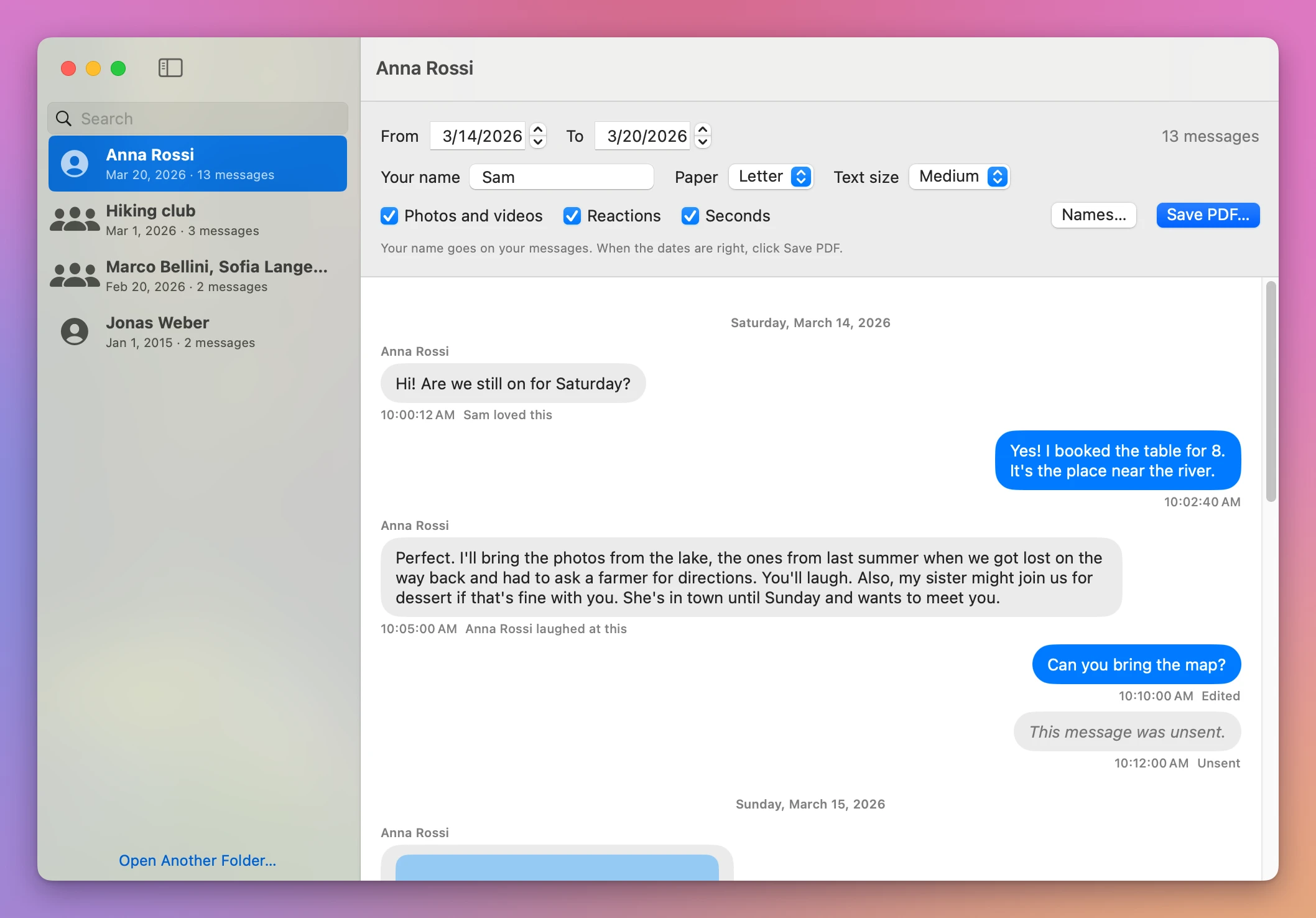
With Seconds set the way you want, click Save PDF…, choose a name and folder, then click Save. Open the saved file to check the times on the page.
Does the saved PDF keep the seconds?
Each message in the PDF has the sender’s name and the time at the top of its bubble, under a heading with the full date of the day. With Seconds on, the times read like “10:00:12 AM”:
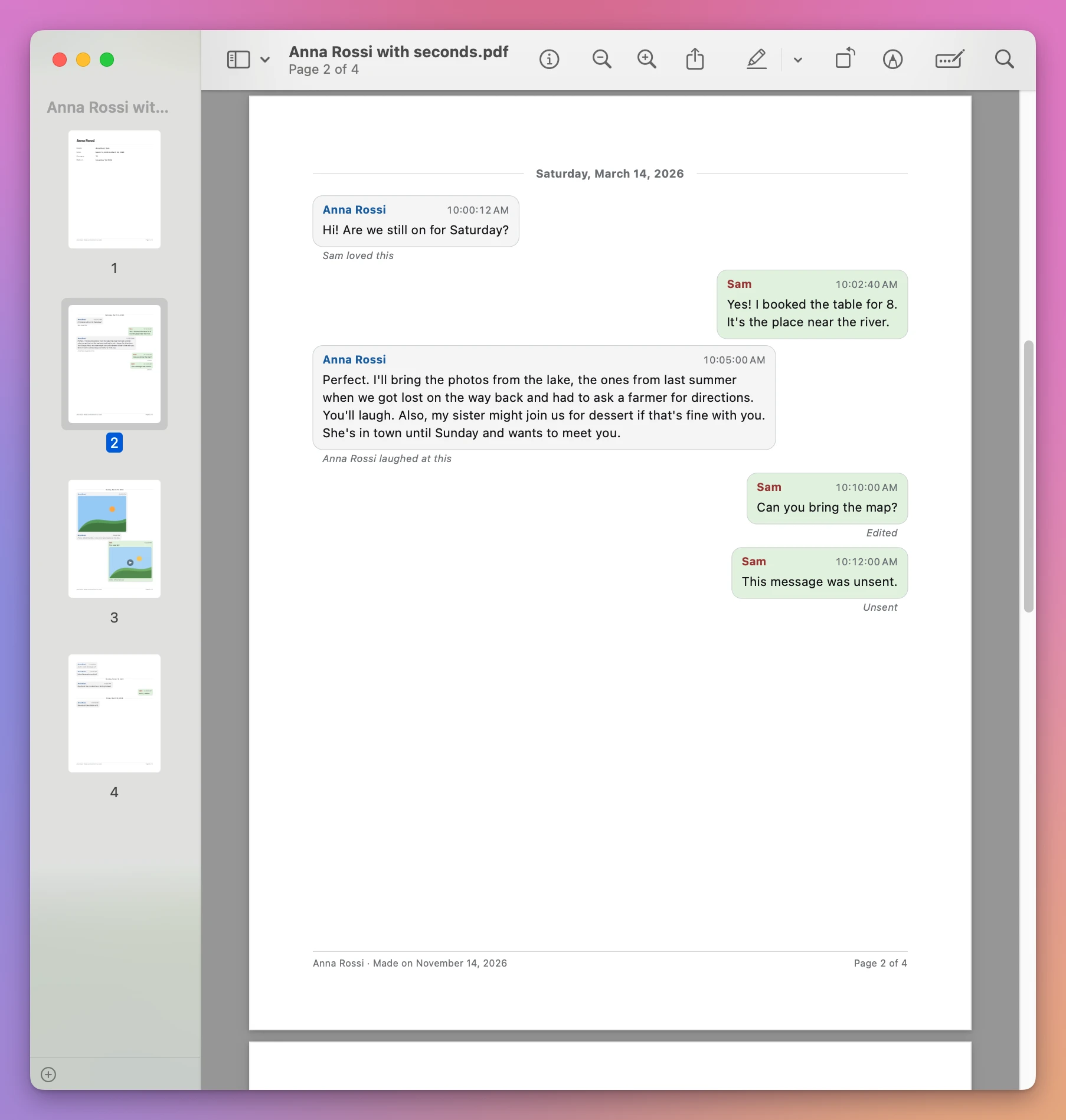
Here are the same five messages, as they came out:
| Message | App’s PDF, Seconds off | App’s PDF, Seconds on | Messages’ printout |
|---|---|---|---|
| Anna Rossi: “Hi! Are we still on for Saturday?“ | 10:00 AM | 10:00:12 AM | Not stated by Apple |
| Sam: “Yes! I booked the table for 8.” | 10:02 AM | 10:02:40 AM | Not stated by Apple |
| Anna Rossi: “Perfect. I’ll bring the photos…“ | 10:05 AM | 10:05:00 AM | Not stated by Apple |
| Sam: “Can you bring the map?” (edited) | 10:10 AM, “Edited” | 10:10:00 AM, “Edited” | Not stated by Apple |
| Sam: a message that was unsent | 10:12 AM, “This message was unsent.” and “Unsent” | 10:12:00 AM, the same two lines | Not stated by Apple |
The date is in the heading above them, “Saturday, March 14, 2026”, once for the whole day. A reaction is a small line under its message, like “Sam loved this”. An edited message says “Edited”, and an unsent one says “This message was unsent.” where the text was.
On the first page, “March 14, 2026 to March 20, 2026” describes the whole conversation. Look at the individual bubbles on the following pages for each message’s time. The first page also lists the people, the number of messages and the day the PDF was made:
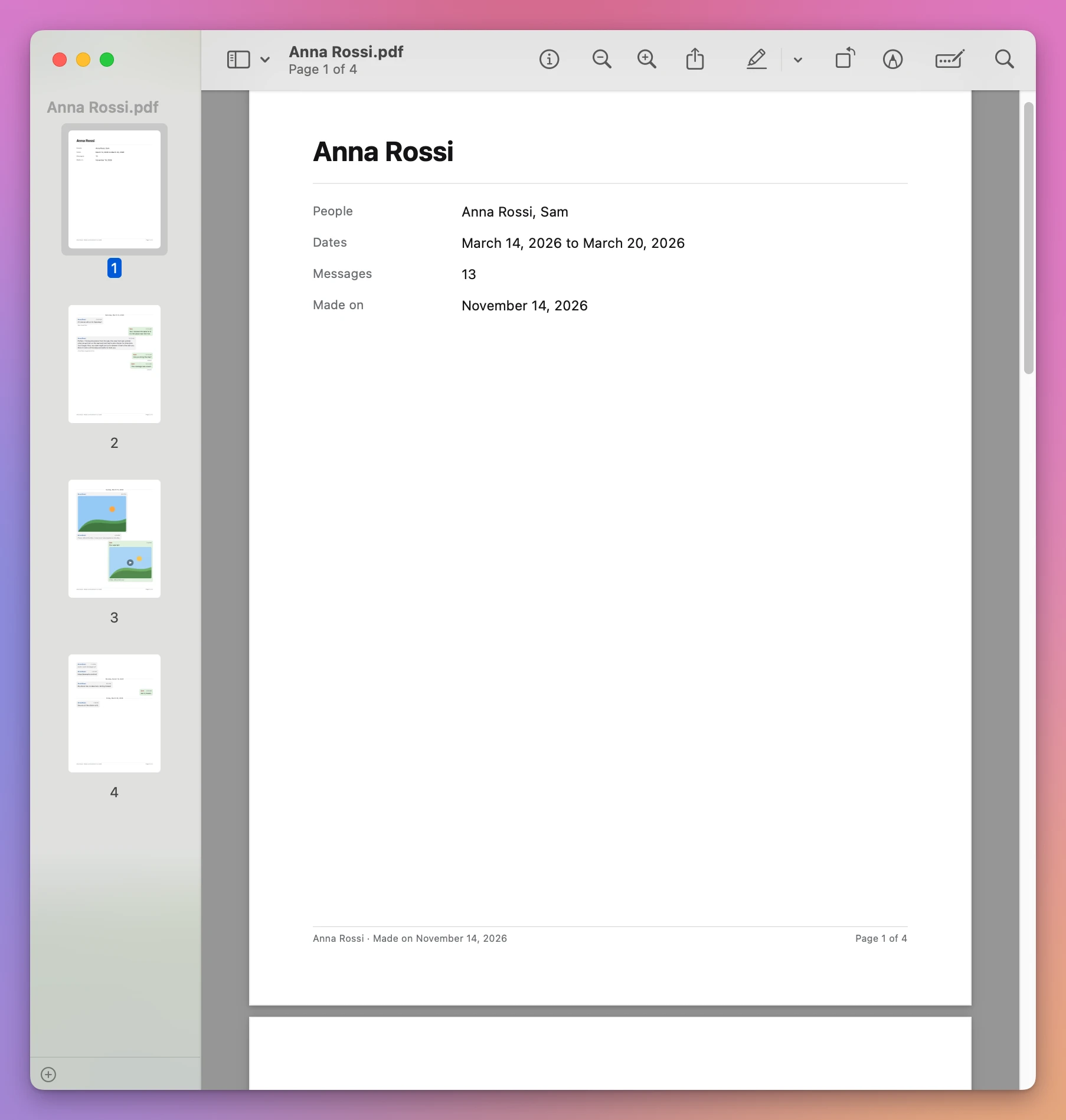
Every page ends with the conversation’s name, the day the PDF was made and “Page 2 of 4”, so a loose page can be put back in order.
As the app’s page says, the PDF is a faithful copy of what’s on your Mac, not a certified one. If someone needs more than that, ask your lawyer what they accept. I tested the app on made-up conversations, not on years of real ones, so read the PDF before you hand it over.
Get Chat to PDF for iMessage
Turn an iMessage or text message conversation into a clean PDF: every message with its sender, date and time, the photos where they were sent, reactions and edits marked, and page numbers. For a court case, a custody file, a lawyer, or to keep.
See Chat to PDF for iMessage → · Read the docs · $20. See the app page for tax details.
Want me to talk about your product? You can sponsor this site.