How to print wallet size photos on a Mac
By Flavio
A wallet photo is 2.5×3.5 inches. In Photos you duplicate the photo, select the copies and print them with the Custom size set to 2.5 by 3.5. Here's what that printed, and how to fit nine wallets on one sheet with cut marks.
You want a few wallet size prints of one photo, for the grandparents or for a card. A wallet photo is 2.5×3.5 inches, and you want several of them on one sheet so you can cut them out.
The Photos app can do it. Apple’s Photos guide gives the trick: make as many duplicates of the photo as you need, select them all, and print them with a custom size. Here’s that way step by step, what it printed, and a quicker way with Photo Print Sheet.
The picture is a drawing made for this tutorial, a meadow of 3000×2000 pixels. All screenshots are from macOS 15 Sequoia, on a test Mac with no printer. Each print went to a PDF with the print panel’s PDF › Save as PDF, and the photos were measured on those PDFs.
How do I print wallet photos from Photos?
Photos prints one copy of each selected photo, so you need one photo in the library for every wallet you want.
- Select the photo and choose Image › Duplicate 1 Photo, or press Command-D. Do it three times for four wallets.
- Select the original and the three copies, with Command-click.
- Choose File › Print….
- Pick Custom in the list of layouts on the right.
- In Photo Size, type 2.5 and 3.5, with in next to them.
- Click Print, then pick your printer, or PDF › Save as PDF to keep a file.
The Custom layout was already selected here, from an earlier try. The window’s title changed to “Print 4 Photos on One Page”:
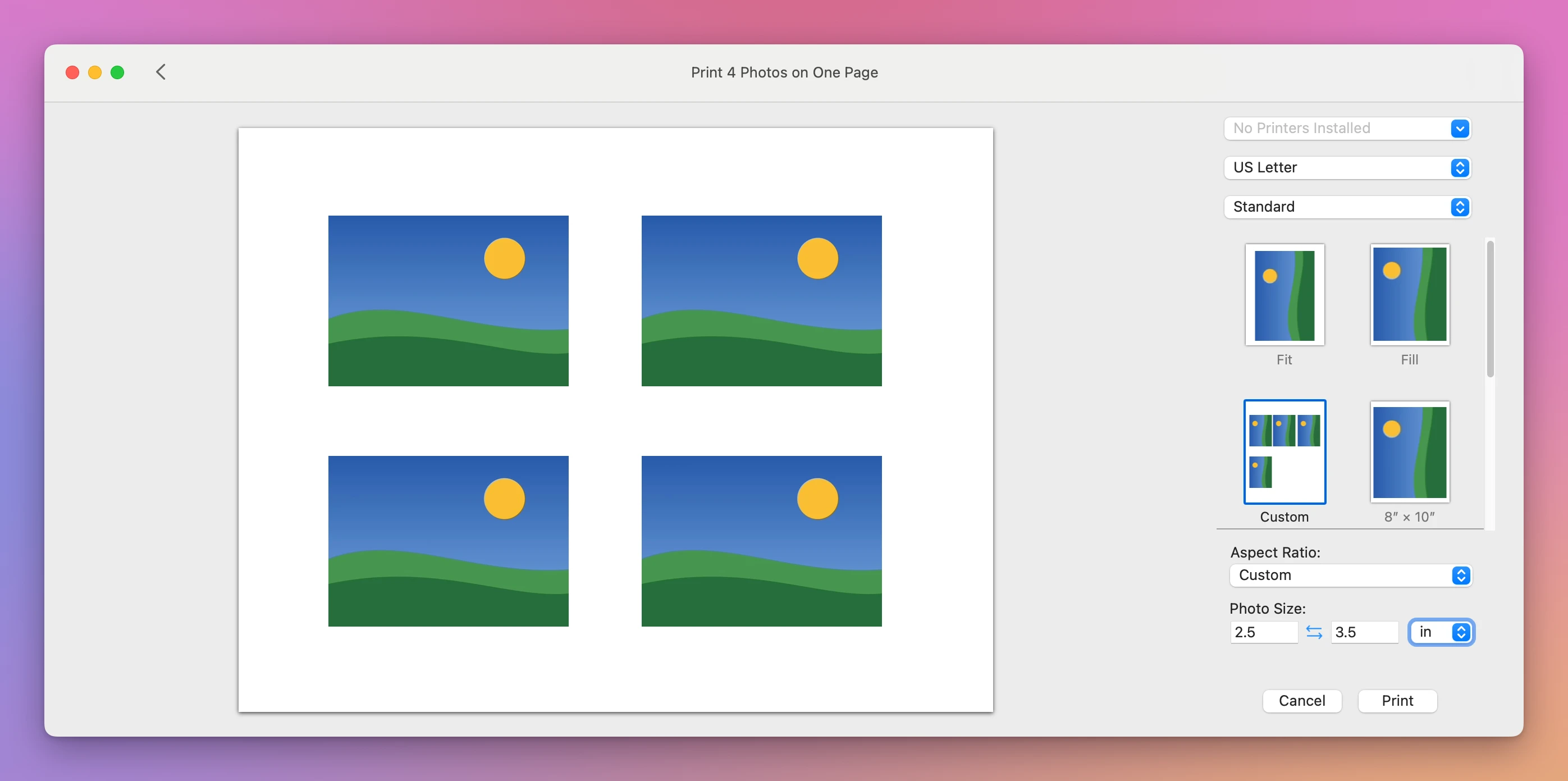
On the PDF, the four wallets measured exactly 2.5×3.5 inches. The window had shown them wide, in two rows of two. The PDF had them standing, three in a row and one below, with the meadow turned on its side inside each one. Turn them back when you cut, and don’t count on the window’s preview for the layout.
Two things to know about this way. The duplicates stay in your library until you delete them. And there are no cut marks: you cut along the edges of the photos, with white gaps of different widths around them.
How many wallets fit on a sheet?
Letter paper is 8.5×11 inches. Three wallets standing take 7.5 inches across, and three rows take 10.5 inches down, so nine fit if the gaps between them are small.
Here’s how Photos and the app compared for four wallets of the same meadow:
| Photos, Custom 2.5×3.5 | Photo Print Sheet | |
|---|---|---|
| Exact 2.5×3.5 in | Yes | Yes |
| Copies | One duplicate per wallet, in your library | A number next to the size |
| Most on one Letter sheet | Not checked beyond four | 9 |
| Cut marks | No | Yes, in the gaps |
Is there a quicker way?
Photo Print Sheet is a Mac app I made for printing photos at exact sizes. It costs $19, paid once. It’s my own app, not made by, affiliated with or endorsed by Apple or any printer or paper maker. The several photos tutorial mixes sizes on one sheet. For wallets of one photo:
- Click Add Photos… and pick the photo.
- Choose Wallet, 2.5×3.5 in from its size menu.
- Click the up arrow next to 1 copy until it says the number of copies you want.
The meadow is wider than tall, so its wallets print 3.5 inches across and 2.5 down. With four copies, the app laid them in a column and left the rest of the sheet free:
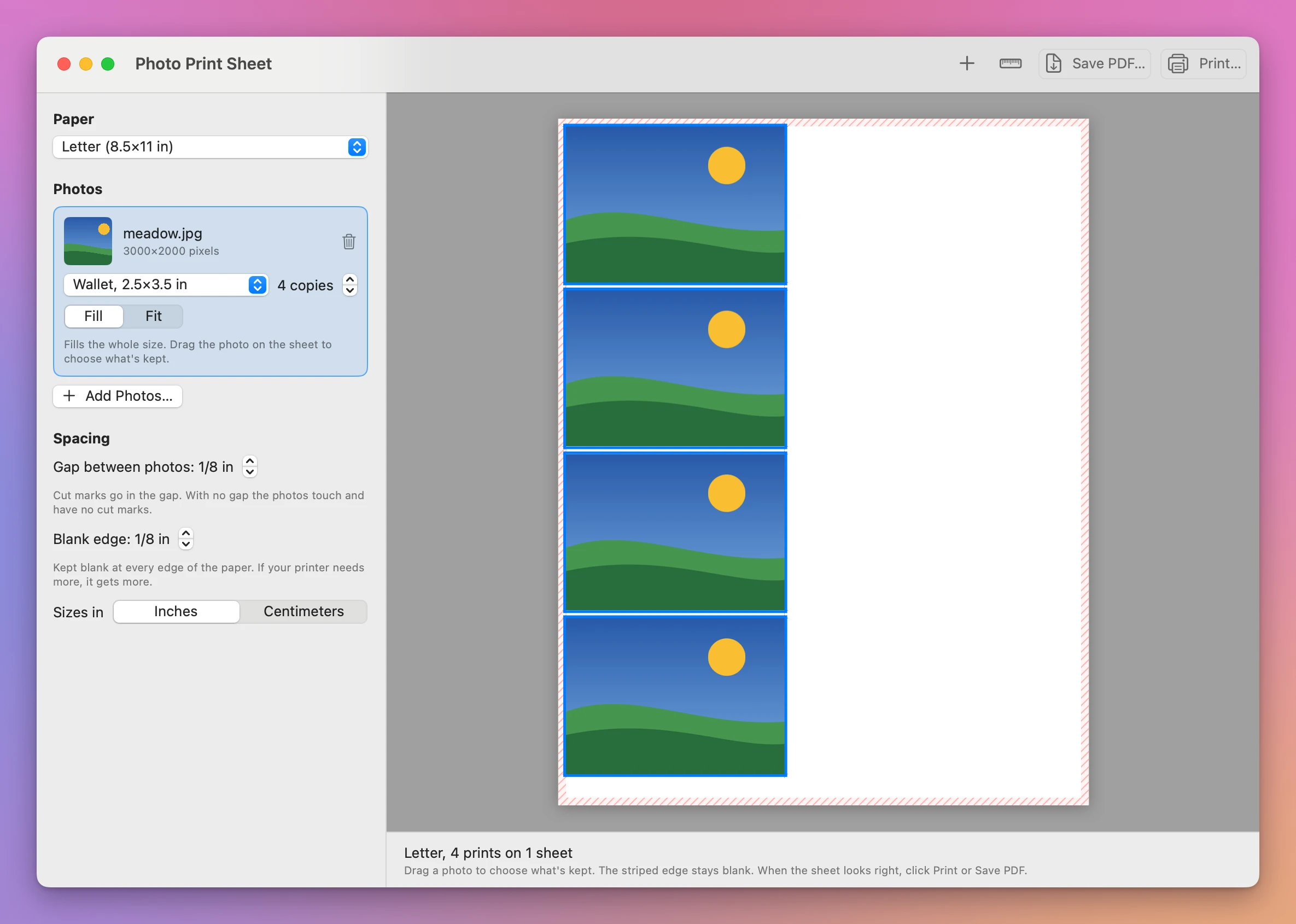
Save PDF… wrote four boxes of 3.5×2.5 inches. Every copy shares one crop: drag the photo on the sheet to choose what’s kept, and all four follow.
Going up one copy at a time, the line under the sheet said “Letter, 9 prints on 1 sheet” at nine copies, with the gap at its standard 1/8 inch. At nine the wallets stand in three rows of three, with the meadow turned inside each one:
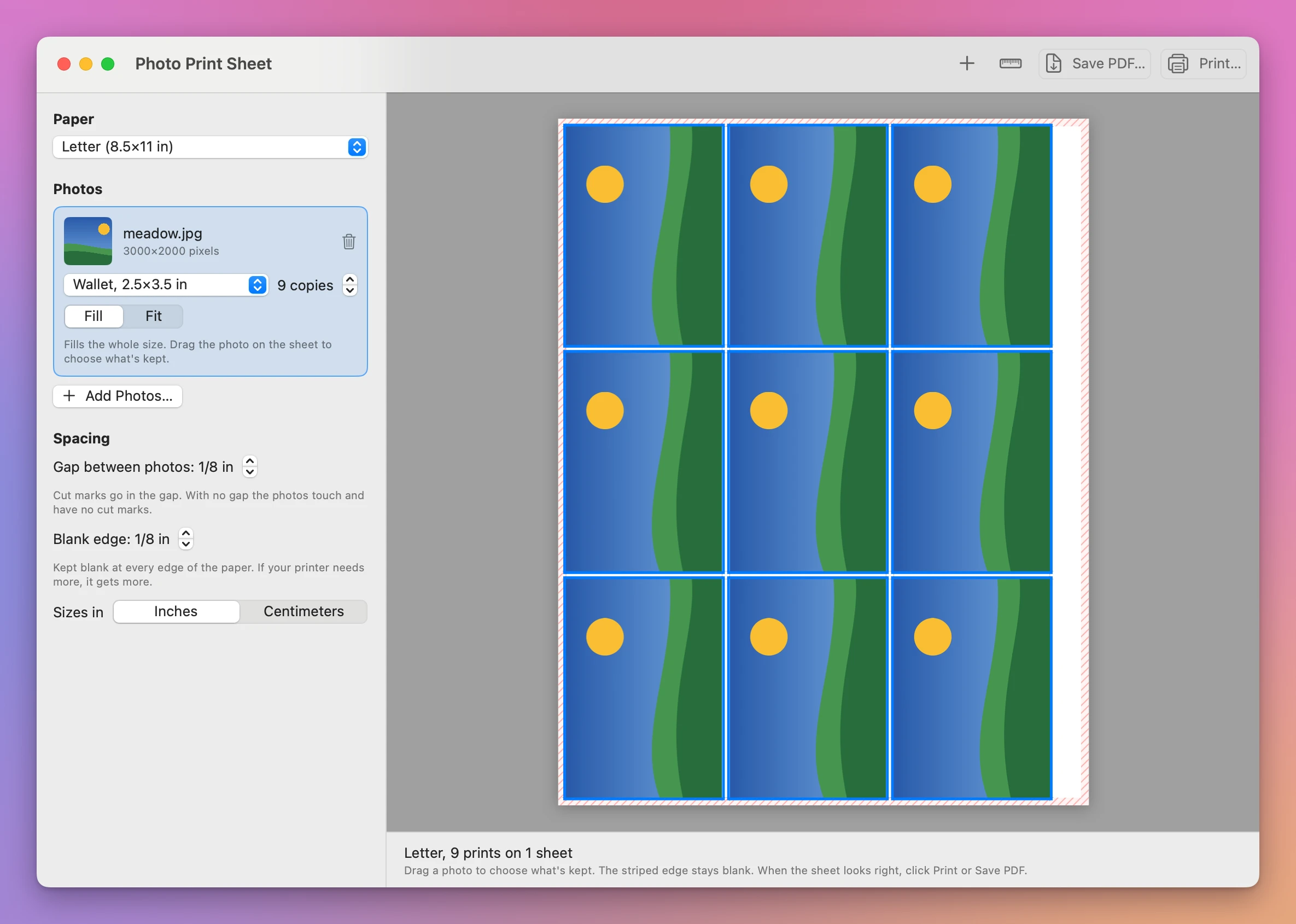
Ten copies needed a second sheet, even with Gap between photos at 0. So nine is the most for wallets on Letter. With a gap, thin cut marks sit between the photos. With the gap at 0 the photos touch and there are no marks, so you cut along their edges.
If your prints come out a little small, the printer may be shrinking the page. The actual size tutorial shows the test ruler that checks it.
Get Photo Print Sheet
Put several photos on one sheet of paper, each at the exact size you pick: wallet photos, a 5×7 for a frame, a few small ones for a locket. Arranged on as few sheets as possible, with cut marks. Print at 100% or save a PDF.
See Photo Print Sheet → · Read the docs · $19. See the app page for tax details.
Want me to talk about your product? You can sponsor this site.