How to get back a deleted voicemail on an iPhone
By Flavio
A deleted voicemail goes to Deleted Messages in the Phone app first, and you can undelete it from there. If it's gone from the phone, a backup made on your Mac while it was still in Deleted Messages may still have it.
You deleted a voicemail on your iPhone and now you want it back. Maybe you deleted it by mistake, or only later understood it mattered.
First look in the Phone app’s Deleted Messages: a deleted voicemail goes there, and you can undelete it. If it isn’t there anymore, the next place is a backup of the iPhone made on your Mac while the voicemail was still on the phone, deleted or not.
Look in Deleted Messages first
These steps are from Apple’s iPhone User Guide, the page “Check your voicemail on iPhone”. There was no iPhone for this tutorial, so they’re Apple’s, not something tried here:
- Open the Phone app and go to your voicemails: Voicemail with the classic layout, or Calls with the newer one.
- Tap Deleted Messages.
- Tap the voicemail, then tap the Undelete button.
Apple’s page also has a warning: “In some countries or regions, deleted messages may be permanently erased by your carrier. Your voice messages may also be deleted if you change your SIM card.” The page doesn’t say how long a voicemail stays in Deleted Messages, so if you find the one you want there, undelete it today.
Once it’s back, save a copy outside the phone. The tutorial on saving a voicemail from your iPhone to your Mac shows the Share button and what to do with the file.
If it’s gone from the phone
A backup of the iPhone is a copy of the phone as it was on the day of the backup. A voicemail that was still in Deleted Messages that day may be in that backup too, even after it was erased from the phone.
A backup made after the voicemail was erased doesn’t have it. And when the Finder makes a new backup of the same phone, it replaces the old one, unless you archived it. So if the voicemail is gone from the phone, don’t make a new backup before you’ve looked in the old one.
| Where the deleted voicemail is | How to get it back |
|---|---|
| In Deleted Messages on the iPhone | Deleted Messages, then Undelete, in the Phone app |
| Erased from the phone, but in a backup on your Mac made before that | Open that backup with an app that reads voicemails |
| Erased by the carrier or after a SIM change, with no backup from before | Nowhere that this tutorial can show |
Apple’s support page “Locate and manage backups of your iPhone, iPad, and iPod touch” says where backups are and how to archive one so “later backups don’t replace it”. The tutorial on where iPhone backups are stored on a Mac opens that folder in the Finder.
Find it in the backup
The backup’s files have coded names, so you can’t spot a voicemail in the Finder. Voicemail Keeper is a Mac app I made that reads an iPhone backup on your Mac, lists the voicemails in it, plays them and saves them as sound files. It’s my own app, not made by, affiliated with or endorsed by Apple. It costs $19, paid once.
It was tested on backups made for the purpose, and not yet on a real iPhone backup, so I can’t promise what it will find in yours. The backups below are made up too, and so are the numbers. The recordings are test sound, a buzz as long as the voicemail, not a voice.
After Find Backups on This Mac and Open next to Anna’s iPhone, the list showed six voicemails. One had a Deleted label, and the line above the list explains it: “Voicemails marked Deleted were in the iPhone’s Deleted Messages list. They can be played and saved like the others.”
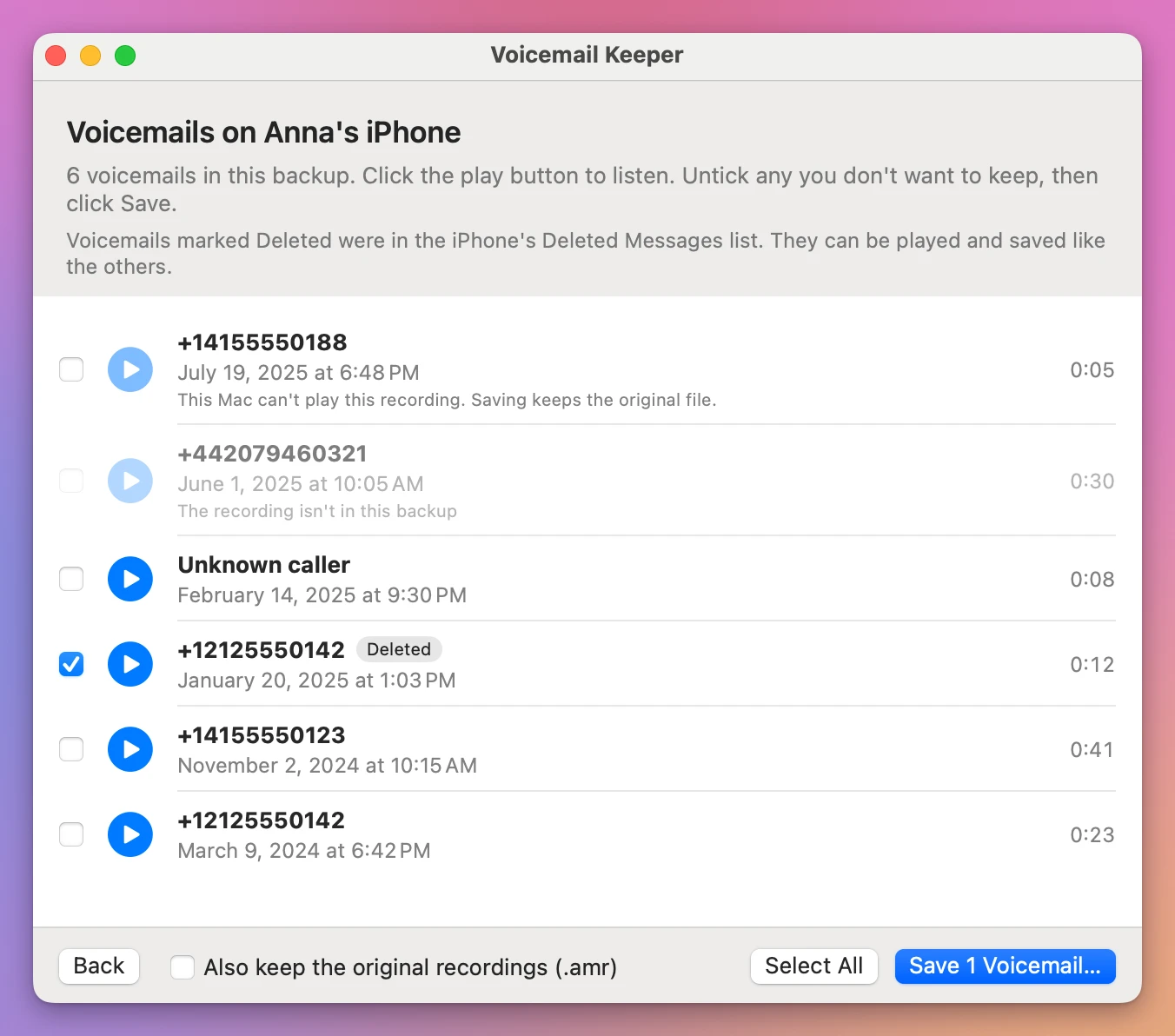
To keep only that one:
- Click Select None at the bottom.
- Tick the voicemail marked Deleted.
- Click its play button to listen. While it plays, the button turns into a stop button.
- Click Save 1 Voicemail…, choose a folder and click Save Here.
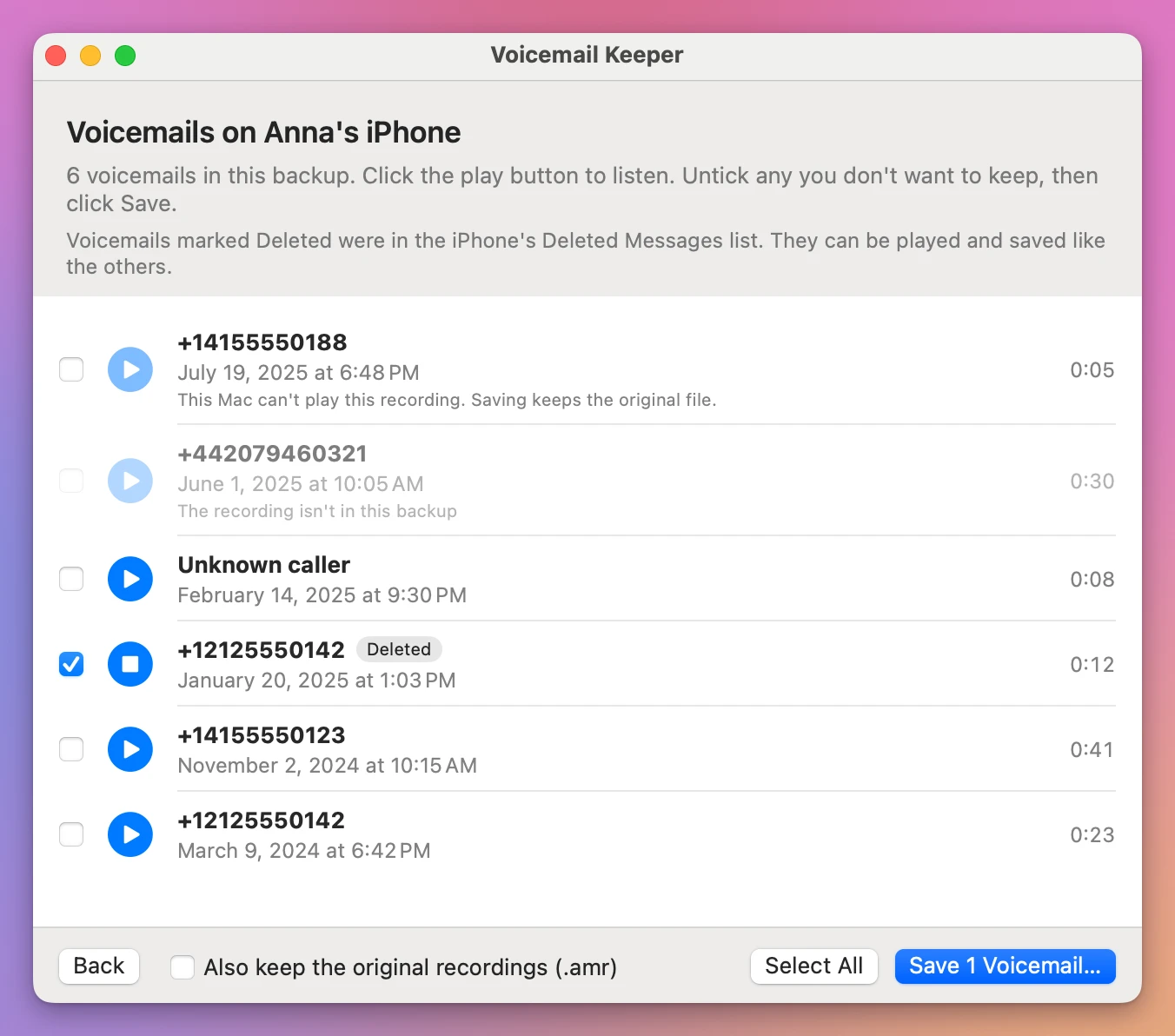
The report said it was saved, and checked by playing the file back from the disk:
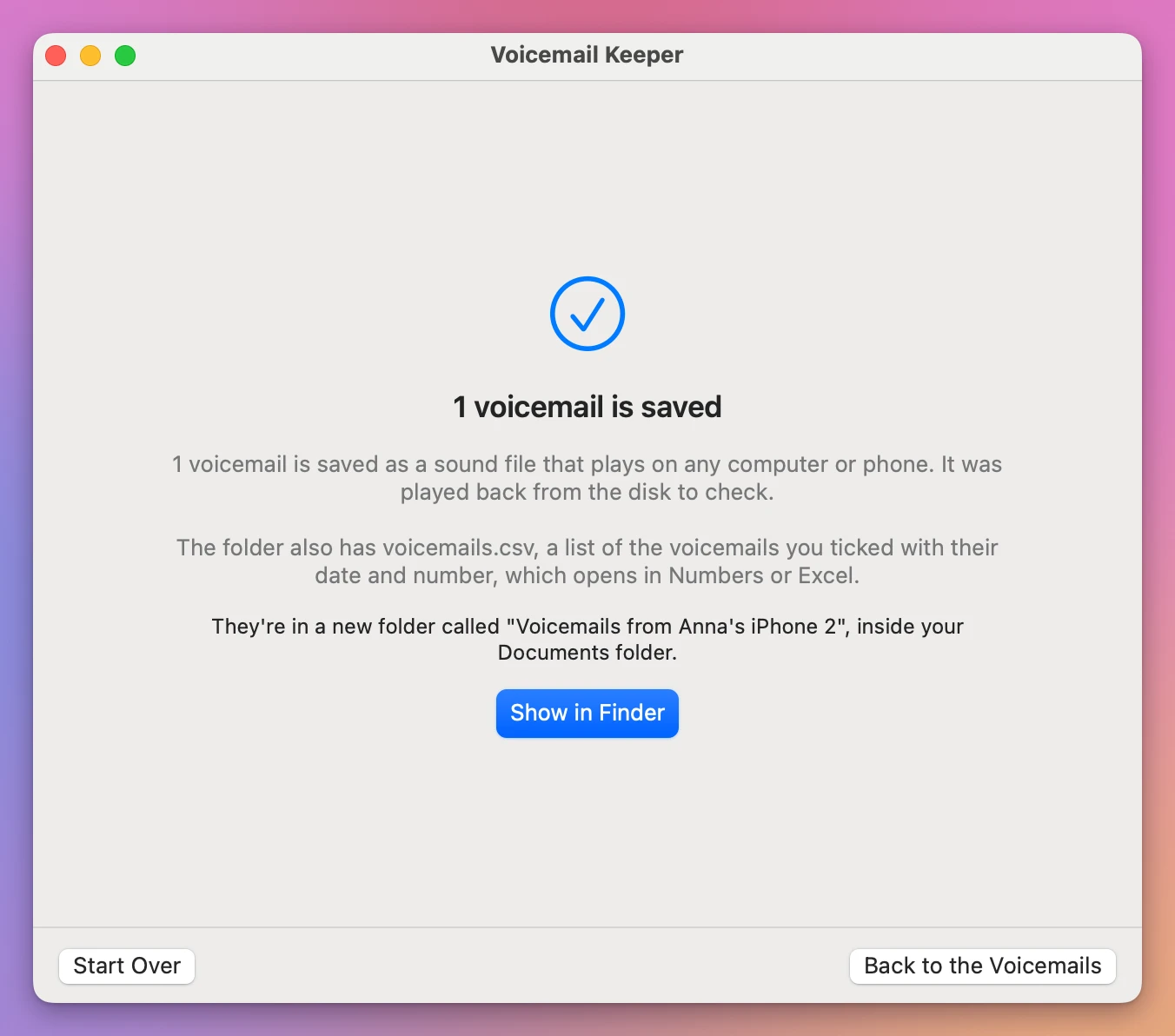
An earlier save had already made “Voicemails from Anna’s iPhone” in Documents, so this one went into “Voicemails from Anna’s iPhone 2”: the app never writes into a folder that’s already there. Inside is 2025-01-20 13.03 +12125550142.m4a, dated January 20, 2025 in the Finder, and voicemails.csv says yes in its was_deleted column.
Anna’s backup also lists a voicemail from June 1, 2025 without its recording. The list says “The recording isn’t in this backup” next to it and it can’t be ticked, so there’s nothing to save. A voicemail erased before the backup was made won’t show up at all.
Get Voicemail Keeper
Find the voicemails in an iPhone backup on your Mac, listen to them, and save each one as a sound file that plays anywhere, with the date of the call. For the voicemail you can't lose.
See Voicemail Keeper → · Read the docs · $19. See the app page for tax details.
Want me to talk about your product? You can sponsor this site.