Turn posts on X into a clean slideshow you can record over
By Flavio
Updated
Show posts from X in a video with screenshots, a browser recording or Post Slide Deck. Compare what appears in the frame, then build a slideshow with title slides, the posts in order and a closing slide.
You want to make a video about a few posts on X: a title at the start, the posts in the order you’ll talk about them, and a last slide to close.
The free way is a screenshot of each post, played in Preview’s slideshow, with no title slide unless you make a picture of one. Post Slide Deck builds it all in one window: a click under each post on X, a text slide at each end, a drag to set the order, and Play.
I record videos where I talk about posts on X. Recording X itself puts the timeline, the replies, the ads and the sidebar in the frame, and I scroll around looking for the next post while I’m talking. The app doesn’t record anything. Your screen recorder does, and how I record videos is my setup.
Can I do it with screenshots and Preview?
Yes, for the posts. Press Shift-Command-4 and drag around a post, and a picture of it lands on your Desktop. Repeat for each post.
The X page here is made up, and so are the people on it. Everything ran on a test Mac with macOS 15 Sequoia, and the screenshots are from there.
Each picture is as big as your drag, so four posts gave four heights, from 200 to 884 pixels. Every one has the row of reply, repost, like and view counts under the post.
Select the pictures in the Finder and press Command-O. Preview opens them in one window, in the order you took them. Drag the thumbnails in the sidebar to change it, then choose View › Slideshow. Preview goes full screen, shows each post with black above and below it, and moves to the next one on its own.
Can I use Quick Look instead of Preview?
Select the pictures in the Finder and press Space. Quick Look opens the one you clicked last, with arrows in its title bar to go to the others. Click the full screen button at the top left of the Quick Look window, and the left and right arrow keys move between the pictures. Press Esc to come back.
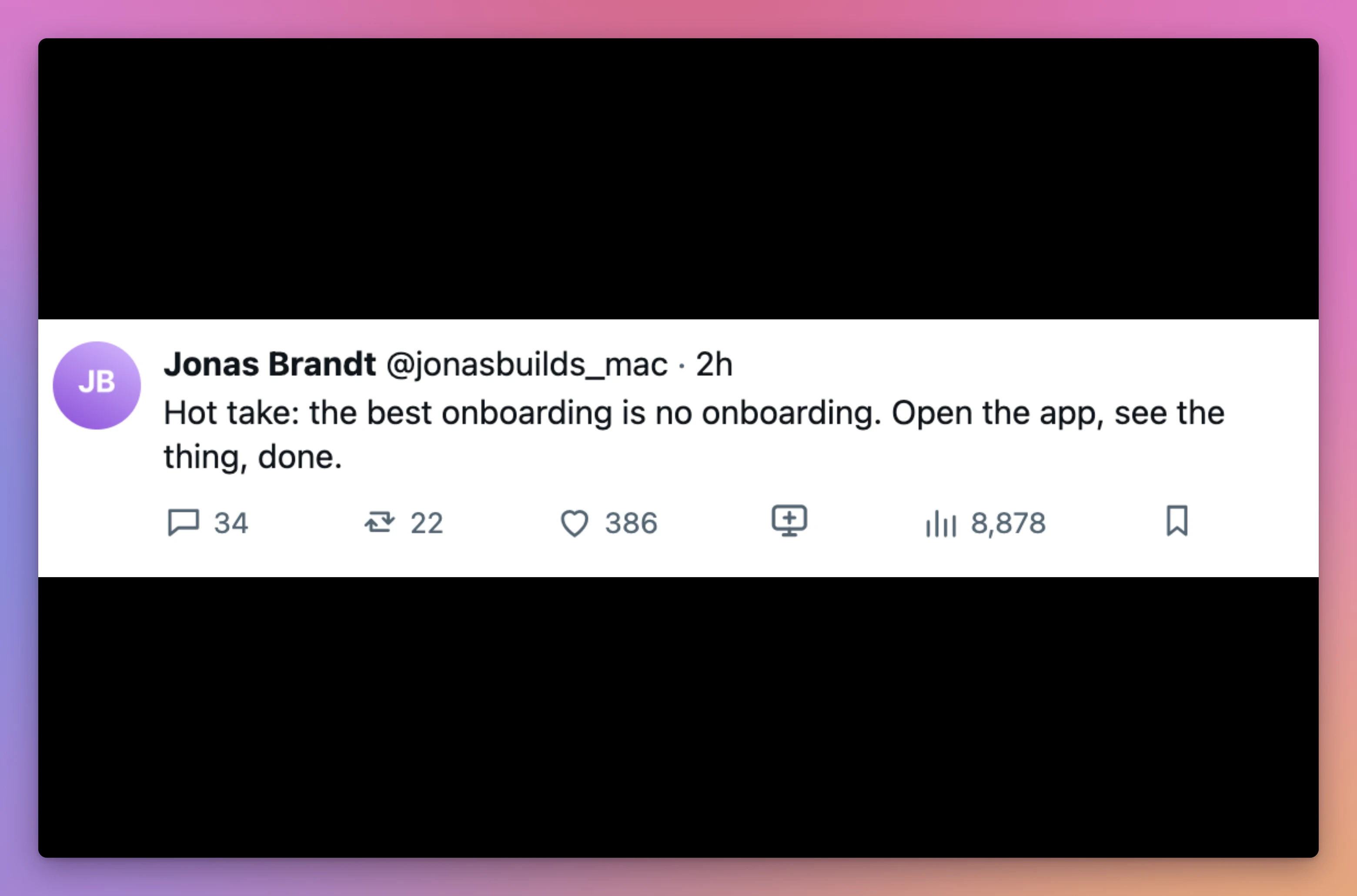
Full screen, Quick Look makes each picture as big as it fits, and fills the rest with black. The tall post with an image had black bars on the left and right. The short post, a single line of text, became a white band across the middle of a black screen.
What if I record the browser instead?
Press Shift-Command-5 and the screenshot toolbar appears at the bottom of the screen. Click Record Selected Portion, drag the box over the browser, and click Record. Scroll the timeline while you talk, then click the stop button in the menu bar. The video lands on your Desktop as a .mov file: 26 seconds of it took 9 MB.
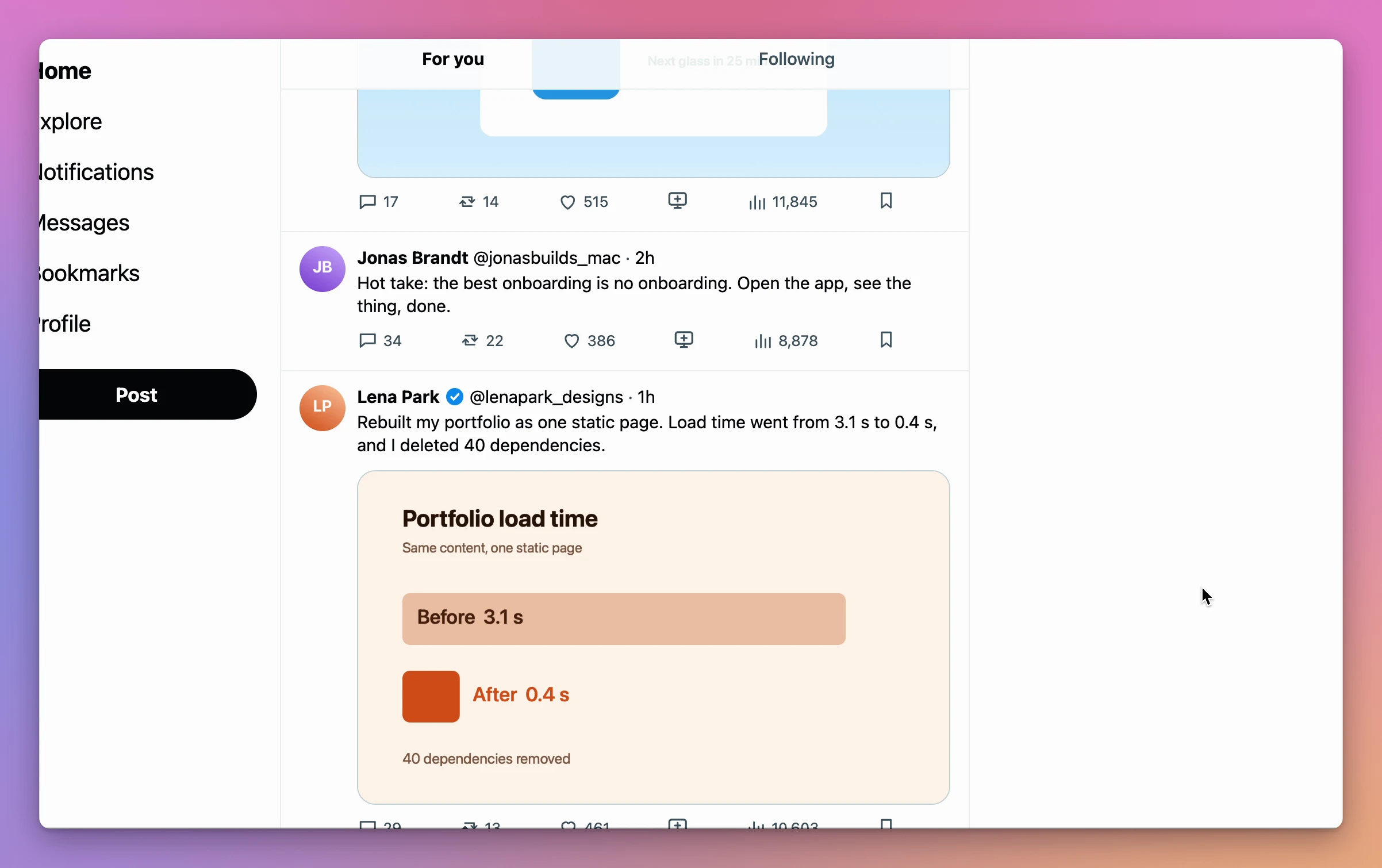
The frame has everything the box covered. In the test recording that was X’s menu on the left (Home, Explore, Notifications and the rest), the For you and Following tabs at the top with a post sliding under them, posts cut in half at the bottom edge, the like and view counts, and the mouse pointer.
Which way should I pick?
| Screenshots in Quick Look or Preview | Recording the browser | Post Slide Deck | |
|---|---|---|---|
| What’s in the frame | The post with its counts, and black around it | The timeline, menus, counts and pointer inside your recording area | The author, text, pictures and date, on the theme’s color |
| Moving to the next post | Arrow keys in Quick Look; Preview’s slideshow advances on its own | Scroll and look for it | Arrow keys, in the order you set |
| Setting the order | Drag thumbnails in Preview’s sidebar | Follow the timeline or open posts yourself | Drag slides in the middle column |
| Title and closing slides | Pictures you make elsewhere | Whatever you open in the browser | Text slides, typed in the window |
| With the X page gone | The pictures stay on your Mac | You can’t record the missing page again | The saved slides still show, pictures included |
What do I need for the app?
Post Slide Deck is a Mac app I built for those videos, with an extension for Chrome. It costs $20, paid once.
The extension isn’t in the Chrome Web Store. You install it once from the folder that comes with the app: open chrome://extensions in Chrome, turn on Developer mode at the top right, click Load unpacked and pick the Post Slide Deck Extension folder. Chrome says “Extension loaded” and lists Post Slide Deck. The app’s page has the steps.
How do I start with a title slide?
Click + at the top of the sidebar. A new slideshow appears as “Untitled Slideshow”, with its name ready to change: type one, like “This week’s Mac apps”, and press Return.
Then click the button with the lines at the top of the slides column, or choose File › New Text Slide (Command-T). A text slide appears with two spots to fill, Title and Smaller text below, and the cursor already in the title. Type the title, press Tab, and type the smaller line. Here that was “This week’s Mac apps” and “Four apps people shipped”.
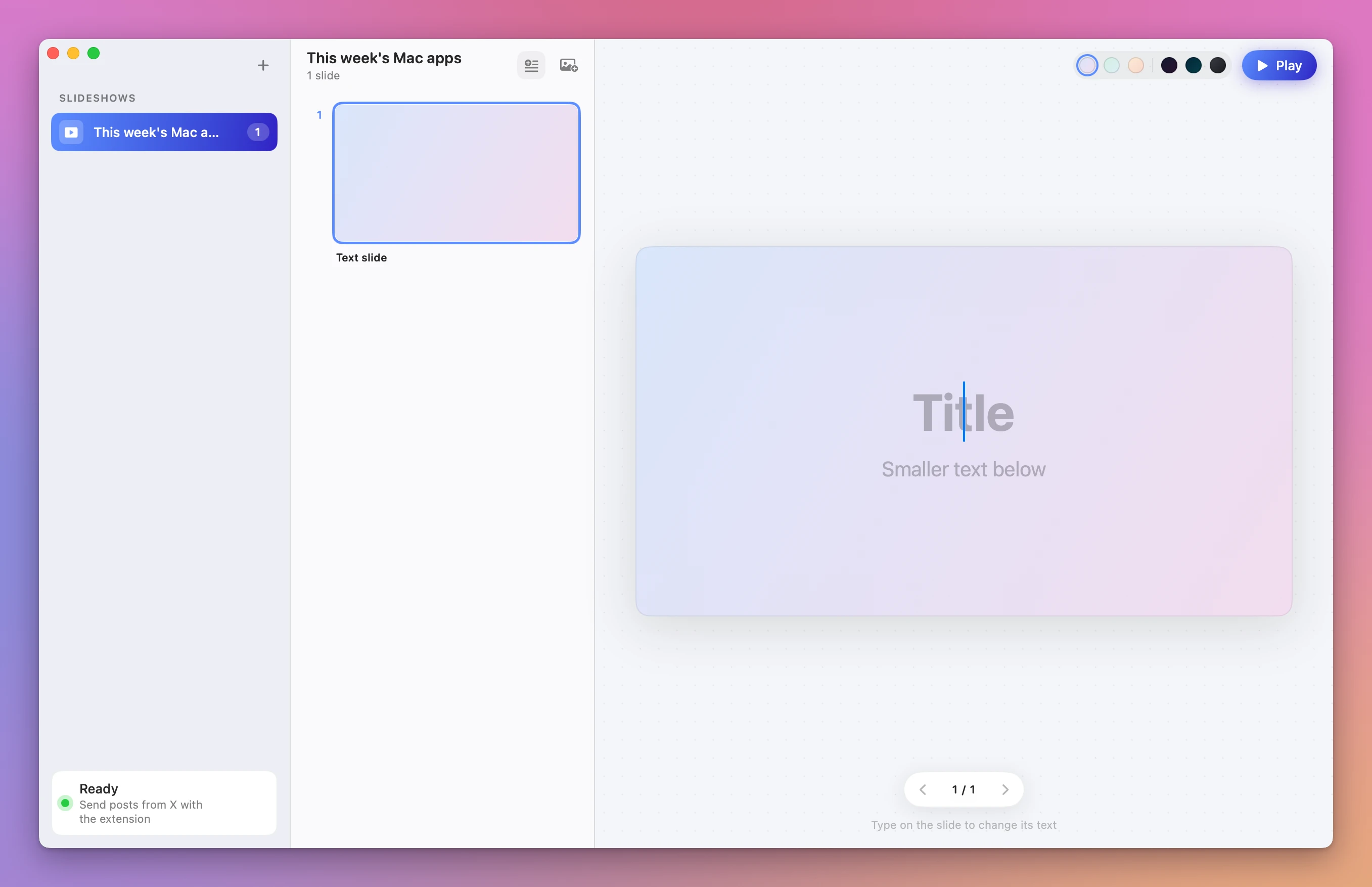
A text slide has those two lines and nothing else. To change it later, click the slide and type on it, as the hint under the preview says.
How do I add the posts from X?
Keep the app open with the slideshow selected, and browse X in Chrome. Each post now has a small slide icon between the like count and the views, labeled “Add to Post Slide Deck” when you hover it. Click it, the icon turns green, and a message at the bottom of the page says where the post went.
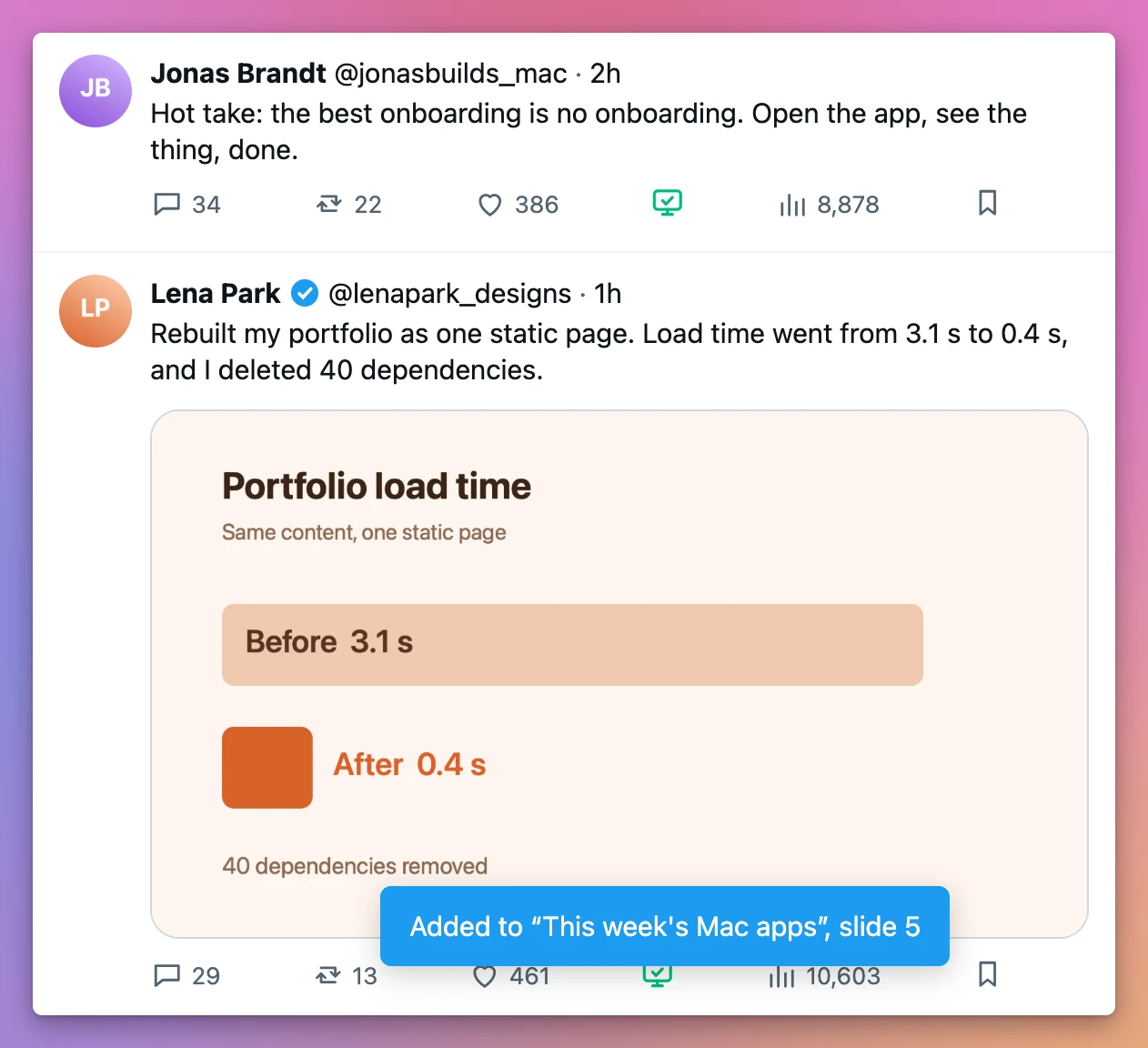
Each post lands at the end of the slideshow. The messages seen here:
| Message | What happened |
|---|---|
| Added to “This week’s Mac apps”, slide 5 | The post became slide 5, the last one |
| Already in “This week’s Mac apps” | That post was clicked a second time, and nothing was added |
| Post Slide Deck isn’t running. Open the app and click again. | The app was quit |
How do I put the slides in order?
Drag a slide up or down in the middle column. Here Theo’s question went in third and belonged first, so one drag moved it right under the title slide.
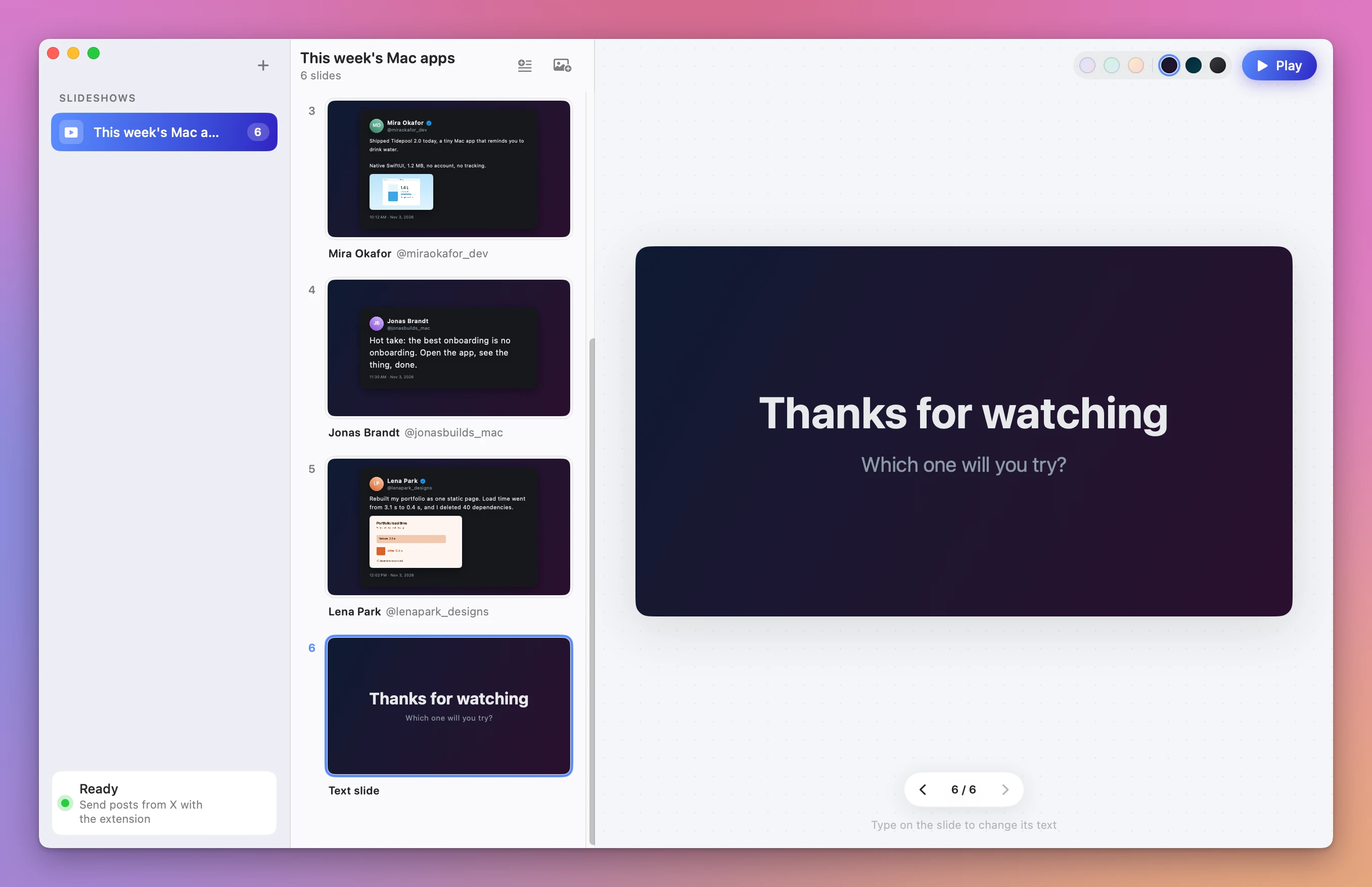
For the closing slide, click the last post, then press Command-T again. A new text slide goes right after the selected one, so it became slide 6. Here it says “Thanks for watching”, with “Which one will you try?” below.
To remove a slide, click it and press Delete. It goes with no question.
The six round swatches next to Play set the theme for the whole slideshow: Dawn, Mint and Peach are light, Midnight, Ocean and Graphite are dark. Here it’s Midnight, the first dark one.
How do I play it while I record?
Select the first slide, then click Play at the top right or press Command-Return. The window shows only the slide, with no sidebar and no buttons, so a recording of that window is the slide and nothing else. A small Up Next window shows the following slide and “1 / 6”: keep it outside what you record.
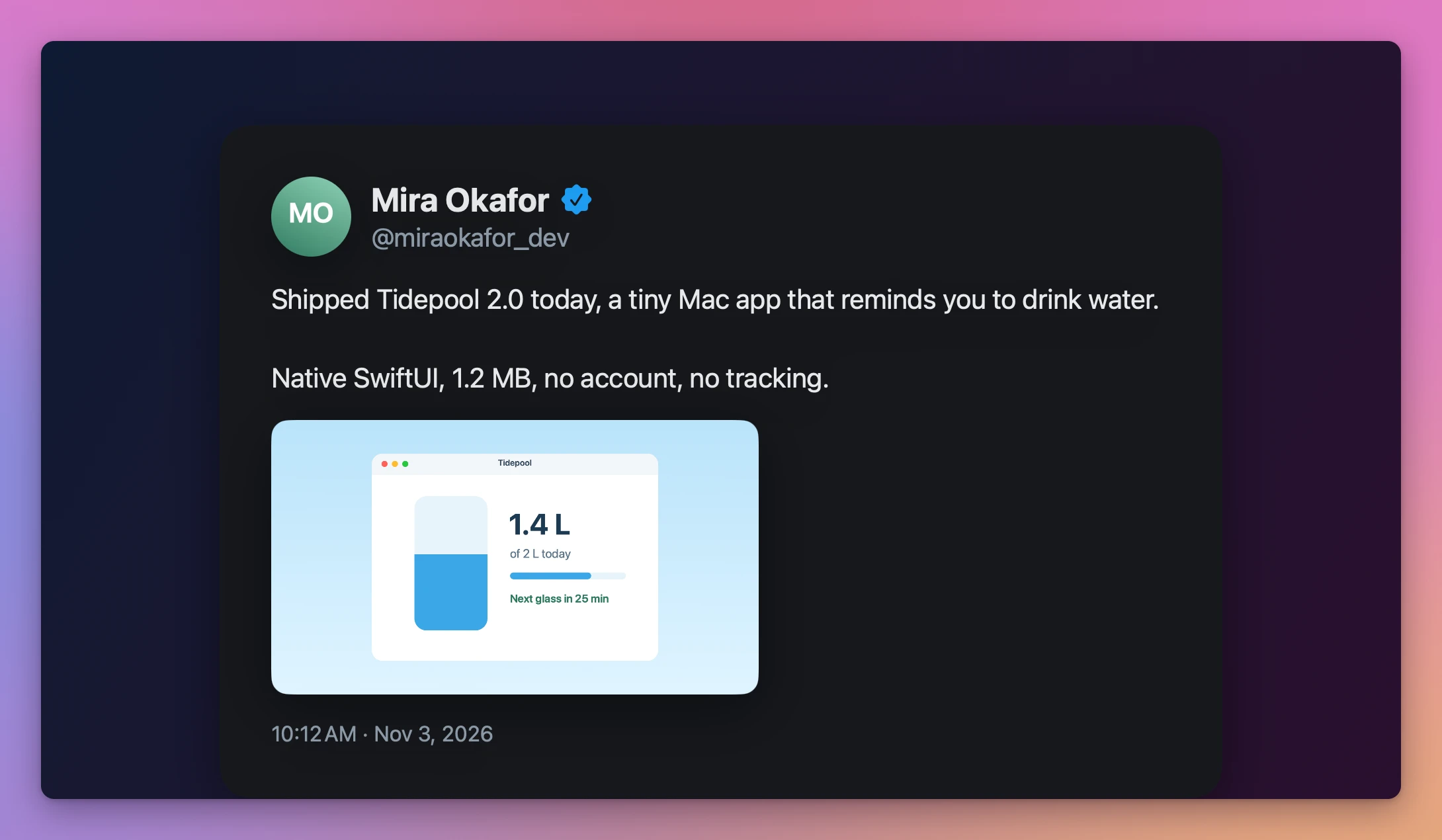
The right arrow goes to the next slide and the left arrow goes back. S brings you back to the slideshow, on the slide you stopped at.
The slideshows stay on your Mac. After quitting the app and opening it again, all six slides were there, in the same order, with the Midnight theme.
The app keeps its own copy of each post. In a separate test with three posts, the made-up X page was switched off. Chrome showed “This page isn’t working”, and the three slides were still there after the app was quit and opened again, pictures included.
Get Post Slide Deck
Collect posts on X, arrange them into slides and record a clean slideshow offline. Includes a Mac app, Chrome extension and full MIT source.
See Post Slide Deck → · Read the docs · $20. See the app page for tax details, with full source code.
Want me to talk about your product? You can sponsor this site.