
An app by Flavio
Chip Pops
Find and export about 6,000 8-bit sound effects for apps and games. Includes a Mac app, the blips command and full MIT source code.
Buy Chip Pops · $20One-time purchase. Tax included. Full source code.
macOS 14+
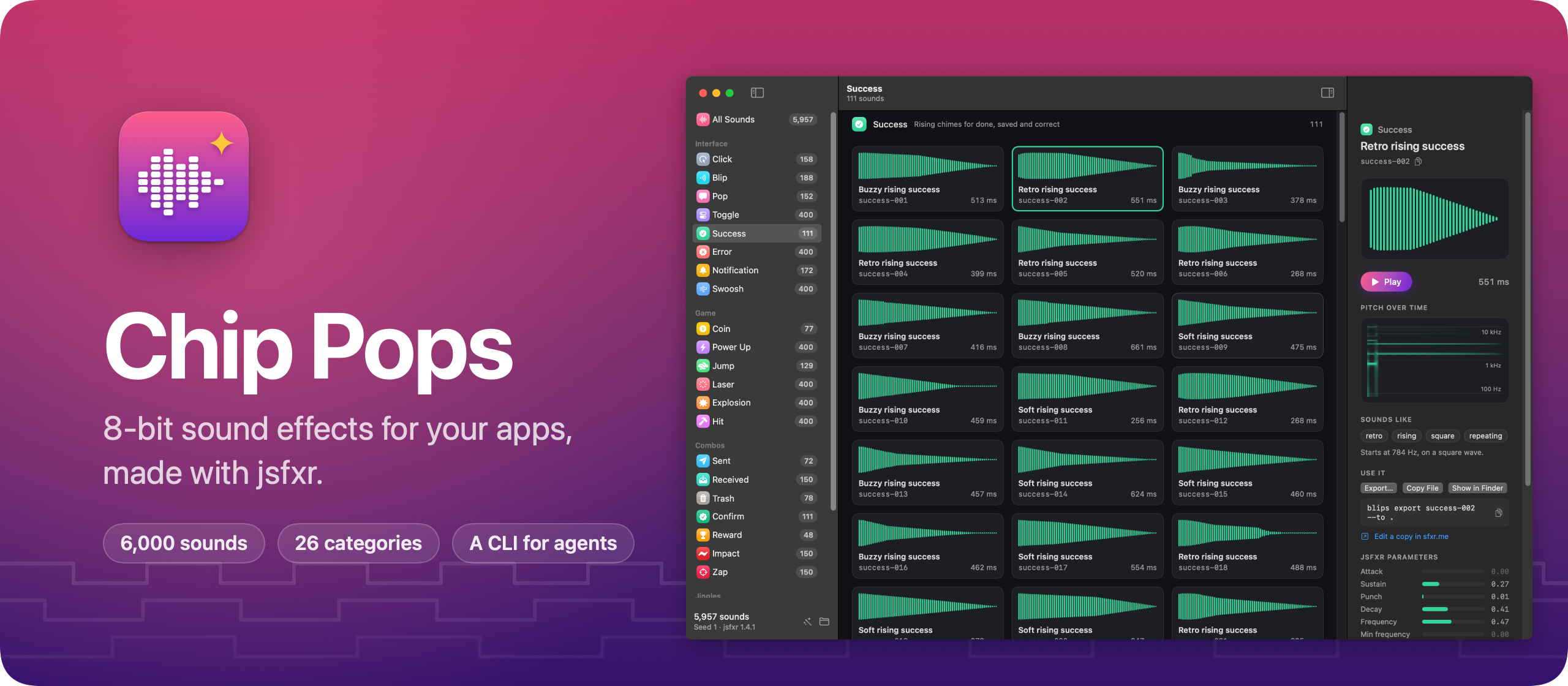
$20 including tax, one-time purchase. Full MIT source included.
Chip Pops is a Mac app and command line tool with about 6,000 8-bit sound effects for apps and games: clicks, toggles, success chimes, errors, notifications, coins, lasers, explosions, and short jingles like a victory fanfare. Click a sound to hear it, then drag the file into your project.
Here’s how it works in 30 seconds:
I make a lot of small apps, and most of them could use a sound or two: a click when you press a button, a chime when something is saved. Every time, I ended up digging through sound packs. I wanted a library I could pick from in a minute, and that the AI agents building my apps could pick from too.
26 categories
Chip Pops makes its sounds with jsfxr, the JavaScript port of DrPetter’s sfxr, which he made for the Ludum Dare game jam in 2007. I wrote a recipe for each kind of sound an app needs, and Chip Pops rolls the sounds from those recipes.
The sidebar groups them in four:
- Interface: click, blip, pop, toggle, success, error, notification and swoosh.
- Game: coin, power up, jump, laser, explosion and hit.
- Combos, two sounds in one: sent is a swoosh that lands on a pop, trash is a falling swoosh into a crunch, reward is a coin stacked on a power-up.
- Jingles, short tunes on a real scale: fanfare, game over, countdown, startup and alarm.
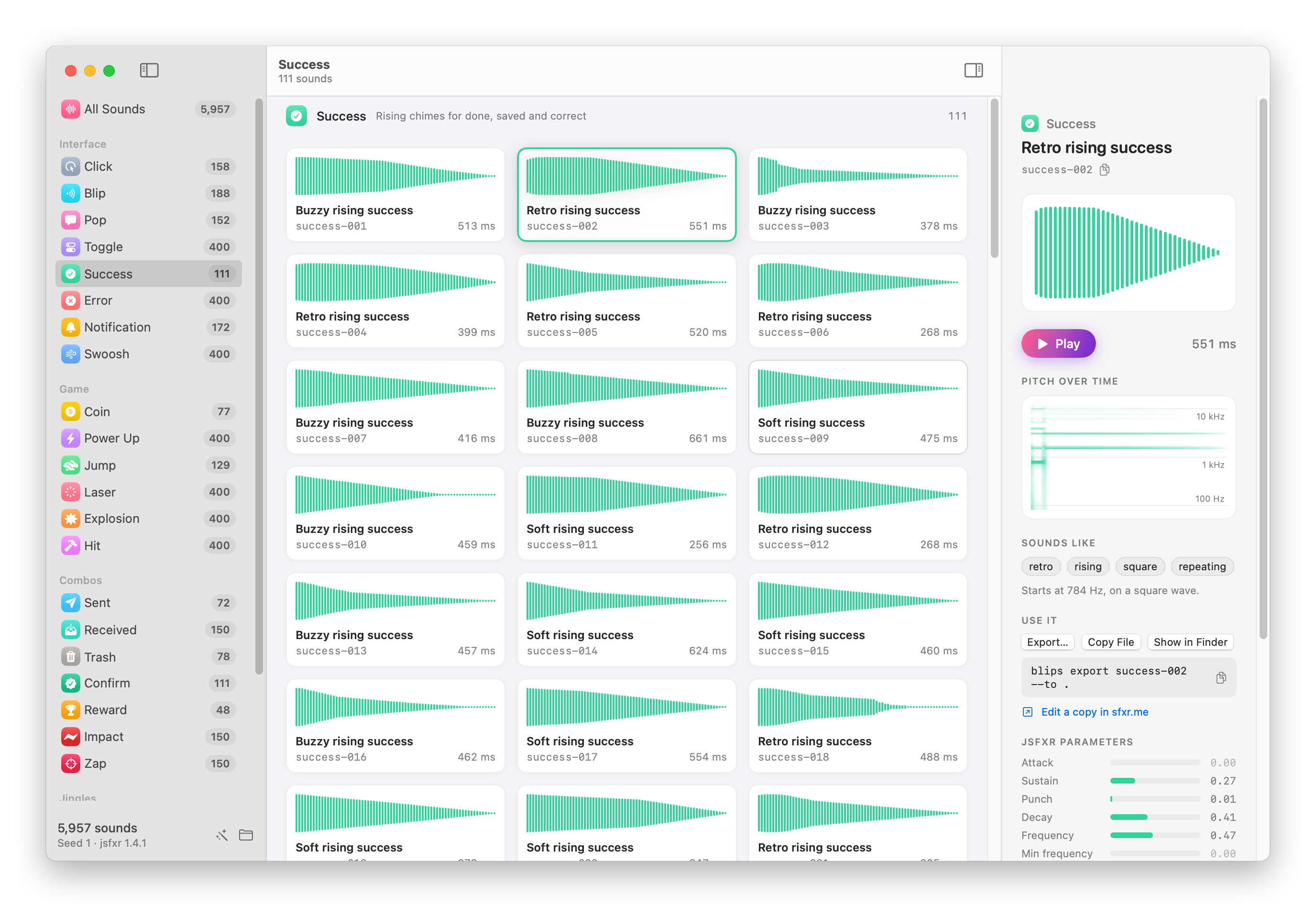
Click a sound to play it. The arrow keys move to the next one and play it, so you can go through a whole category quickly.
The inspector shows the selected sound’s waveform and its pitch over time, which is what tells 8-bit sounds apart: you see the jump of an arpeggio, a slide, the notes of a jingle. Below them are the jsfxr parameters, drawn like the sliders in jsfxr’s editor, and a link that opens the sound in sfxr.me if you want to tweak it.
When you find the one, drag it into Xcode or the Finder, or press ⌘C and paste the file.
No two sounds alike
My first version made 10,000 sounds, and too many of them sounded the same. Random sounds repeat themselves: roll a success chime a few hundred times and you get the same chime a whole tone up, then again with a slightly longer tail.
So Chip Pops measures how different two sounds are. It takes a fingerprint of every sound (its pitch over time, its loudness over time, how tonal or noisy it is, and its length) and keeps a new sound only when it’s far enough from every sound already in its category. A category ends when it runs out of new sounds. That’s why there are 77 coins but 400 explosions, and about 6,000 sounds in all instead of 10,000.
Letting agents pick sounds
Chip Pops comes with a blips command and an agent skill, both installed from the Chip Pops menu, so Claude Code, Cursor or Codex can add sounds to an app. Ask for a sound when a note is saved, and the agent runs:
blips list --category success --tag soft --json
blips play success-003 success-005
blips export success-003 --to Resources/Sounds --name saved.wav
The agent can’t hear, so it plays a few with blips play, which uses the built-in afplay command, and asks you which one you like. Then it copies the file in, named after what it does in the app, and the skill tells it to write down which Chip Pops sound it came from.
That note works because every sound comes from a seed. success-003 is the same sound on every Mac, so you can always find it again, or swap it for its neighbor.
How it works
jsfxr is JavaScript, and I didn’t want a Mac app that needs Node. So Chip Pops runs jsfxr inside JavaScriptCore, the JavaScript engine built into macOS. Before every call it replaces Math.random with a seeded generator, so the same seed always rolls the same sound and renders the same noise.
JavaScriptCore runs your code in its interpreter unless the app is allowed to JIT, which surprised me: without that entitlement, 10,000 sounds took 43 seconds to generate instead of 6.
The system’s math functions, like pow, can round differently in the last digit on Intel and Apple silicon. That’s enough to flip one keep-or-reject decision and change the rest of a category, so everything the generator computes uses plain arithmetic, with its own sin, cos, log2 and exp2. The library now comes out byte for byte the same on both.
Each sound is mastered to the same loudness and saved as a 16-bit WAV file, so it works in a Mac app, an iOS app, or a web page with the HTML audio tag. The sounds are yours to use in anything, with no credit needed.
Buy Chip Pops and get started
Chip Pops costs $20 including tax, paid once. You get the app and its full source code under the MIT license, so you can read it, change it and build your own version.
After buying, connect your GitHub account in Polar and accept the invitation to the private Chip Pops repository. Then open its Releases page to download it. Future updates are available from the same private GitHub Releases page.
Once you have repository access, download the zip from the latest release, unzip it, and drag Chip Pops to your Applications folder. It runs on macOS 14 Sonoma or later, on Apple silicon and Intel Macs. It’s signed with my Apple Developer ID and notarized by Apple, so it opens like any other app you download.
The first time you open it, click Generate the Library. Chip Pops makes every sound on your Mac in less than half a minute, and they take about 300 MB. The README covers every feature, shortcut and command.
The current download is named Blips-1.1.0.zip and contains Blips.app, the earlier name of Chip Pops. Drag Blips.app to Applications.