Storage and browser security
How localStorage and sessionStorage persist browser data
Understand how browser origins and tab sessions separate Web Storage data, when it survives a restart, and which limits affect it.
localStorage can keep data across browser sessions. sessionStorage keeps it for one tab’s page session. The browser separates both by origin, so where you save a value determines which pages can read it.
This lesson explains that storage lifetime and scope. For the JavaScript methods, see how to save and read browser data.
The Web Storage API stores string key/value pairs in the browser.
It comes in two flavors:
localStoragepersists across browser sessionssessionStoragelasts for one tab’s page session
The other storage options of the Web Platform are:
Both storage areas are separated by origin. Scheme, host, and port must all match. Another origin can’t read your data through Web Storage.
sessionStorage lives for the page session. Each tab has its own, even when two tabs show the same site. Close the tab and the data is gone. The MDN Web Storage guide explains how it’s partitioned.
localStorage is shared by all same-origin pages and survives a browser restart. The app, the user, or the browser can still clear it, and private browsing deletes it when the session ends.
Two warnings before we write code.
Web Storage is synchronous. A big read or write blocks the page. For larger or structured data use IndexedDB.
And never store passwords, session IDs, or auth tokens here. This data never reaches the server, but any script on the origin can read it, including one injected through XSS. MDN’s session-management guide says the same.
How to access the storage
Both are properties of window. They return the same kind of object, a Storage, with one property, length, and the methods below.
Methods
setItem(key, value)
setItem() stores a string under a string key:
localStorage.setItem('username', 'flaviocopes')
localStorage.setItem('id', '123')
Anything that’s not a string gets converted to one:
localStorage.setItem('test', 123) //stored as the '123' string
localStorage.setItem('test', { test: 1 }) //stored as "[object Object]"
That second line is a classic bug. To store an object, use JSON:
const settings = { theme: 'dark' }
localStorage.setItem('settings', JSON.stringify(settings))
getItem(key)
getItem() reads the value back using the same key:
localStorage.getItem('username') // 'flaviocopes'
localStorage.getItem('id') // '123'
It returns null when the key doesn’t exist.
Parse a stored JSON value like this:
const settings = JSON.parse(localStorage.getItem('settings'))removeItem(key)
removeItem() deletes one item and returns undefined:
localStorage.removeItem('id')key(n)
key(n) returns the name of the key at index n, or null if there’s nothing there.
The order is up to the browser, so don’t rely on it. See the Storage.key() reference.
clear()
clear() empties the storage area you call it on:
localStorage.setItem('a', 'a')
localStorage.setItem('b', 'b')
localStorage.length //2
localStorage.clear()
localStorage.length //0
Storage size limits
Web Storage gets about 10 MiB per origin: 5 MiB for localStorage and 5 MiB for sessionStorage. Go over and the browser throws QuotaExceededError. MDN keeps the current numbers in its storage quota guide.
Don’t treat this data as permanent. Users clear it, browsers evict it.
Going over quota
If you store a lot, handle the error:
try {
  localStorage.setItem('key', 'value')
} catch (error) {
  if (error.name === 'QuotaExceededError') {
    console.error('Storage quota exceeded')
  } else {
    throw error
  }
}
Developer Tools
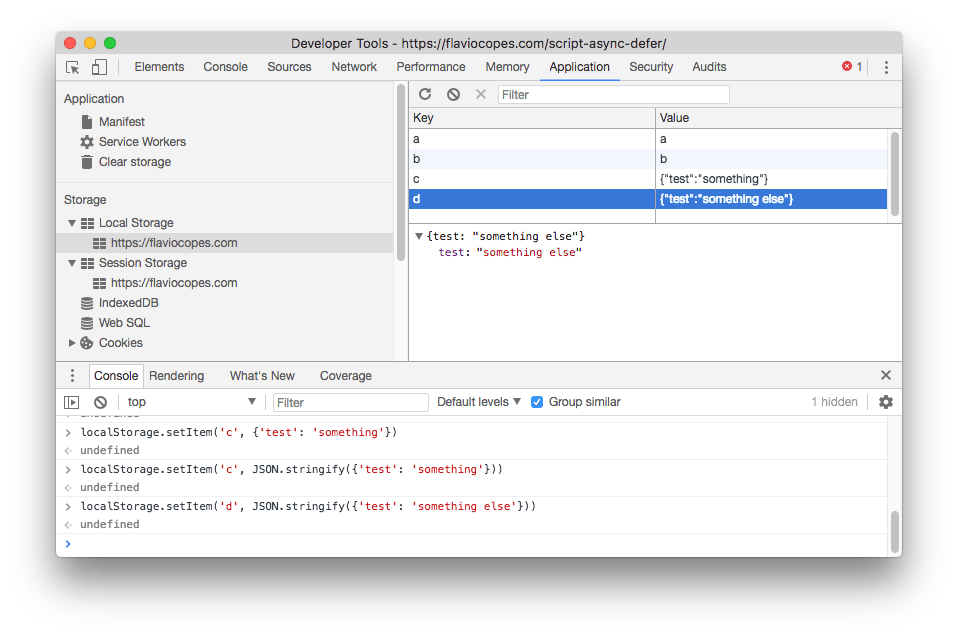
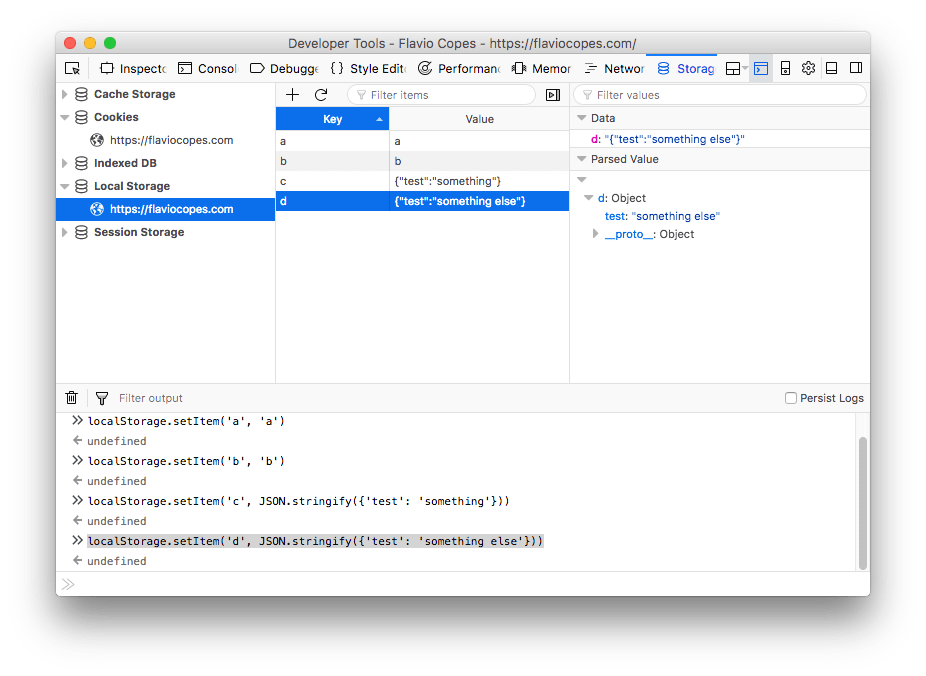
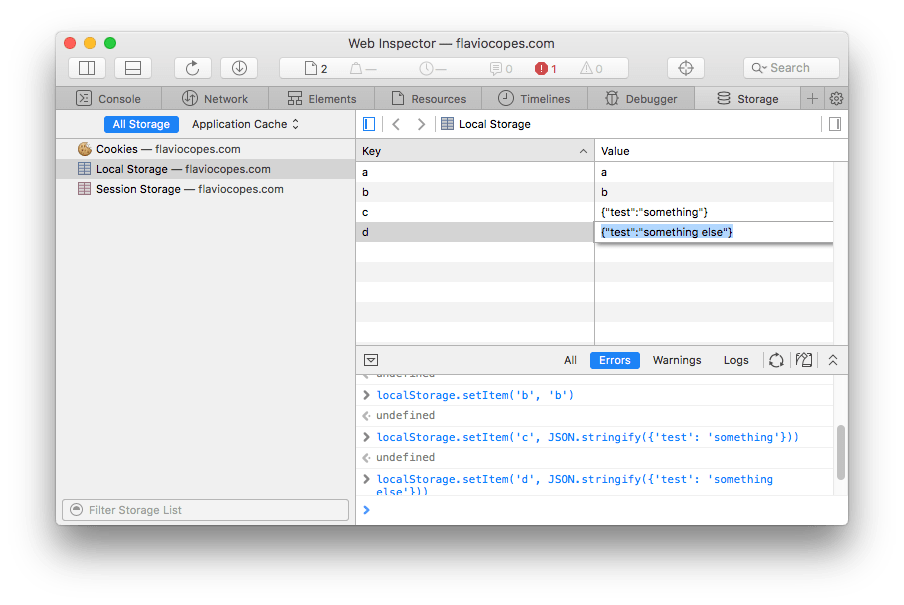
Every major browser lets you inspect and edit Local and Session Storage in its DevTools.
Chrome
Firefox
Safari
Lesson completed