The rendering pipeline
The Document Object Model (DOM): how browsers represent HTML
Understand how a browser turns HTML into a tree of document, element and text nodes, and how that tree connects to window and document.
The Document Object Model, or DOM, is the browser’s representation of an HTML document as a tree of objects in memory. Each node represents part of the page, such as an element or a piece of text.
We’ll follow how those nodes fit together and how the browser exposes them. To use them in your code, see reading and changing a page with JavaScript.
When the browser parses HTML, it creates a node for the document, for every element, every piece of text, and every comment. Frameworks update the page through this tree too, and you can inspect it live with the Browser Developer Tools.
The DOM is not part of the JavaScript language. It’s a Web API the browser gives to JavaScript.
The DOM is standardized by WHATWG in the DOM Living Standard Spec.
The two objects you’ll use most are window and document.
The Window object
window represents the browser window that contains the document. It’s also the global object, so window.document is usually written just document.
Properties you’ll reach for a lot:
console: the debugging console,console.logand friendsdocument: the entry point to the DOMhistory: the History APIlocation: the Location interface, with the URL, protocol, hash and morelocalStorageandsessionStorage: the Web Storage API
And methods:
alert(): shows an alert dialogpostMessage(): sends messages between windowsrequestAnimationFrame(): runs a callback before the next paintsetInterval()andclearInterval(): run a function every n milliseconds until clearedsetTimeout(): run a function after n millisecondsaddEventListener()andremoveEventListener(): listen for events on the window
The full reference is at https://developer.mozilla.org/en-US/docs/Web/API/Window.
The Document object
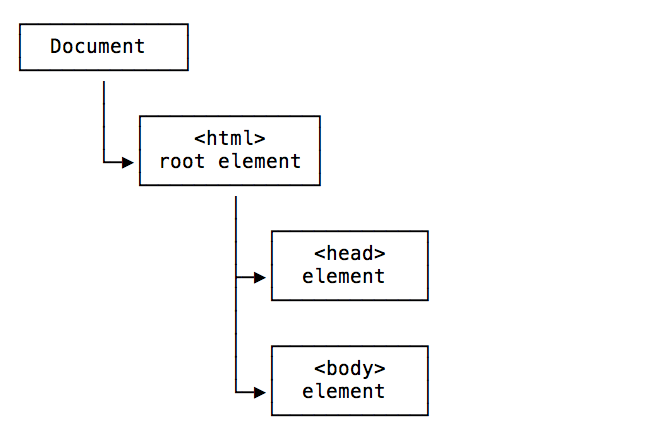
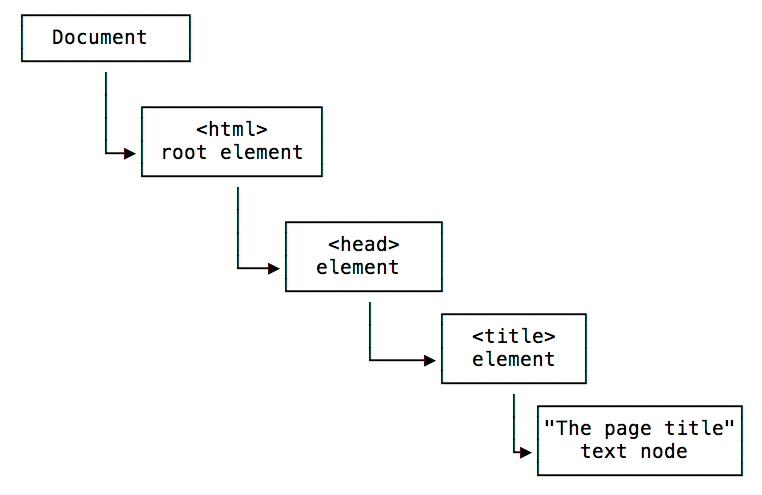
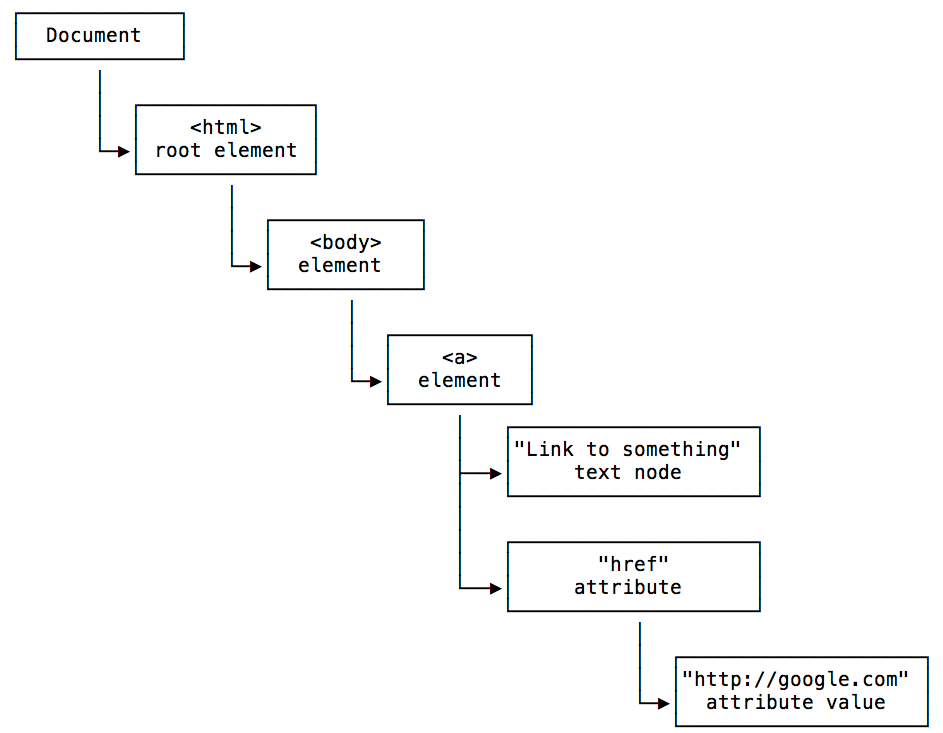
document represents the DOM tree loaded in the window. Here’s how the head and body tags look in the tree:
A head containing a title with its text:
A body containing a link, with its text and its href attribute:
The methods you’ll use most are the Selectors API:
document.getElementById()document.querySelector()document.querySelectorAll()document.getElementsByTagName()document.getElementsByClassName()
You can read the title with document.title, the URL with document.URL, the referrer with document.referrer, the cookies with document.cookie, and the last modified date with document.lastModified.
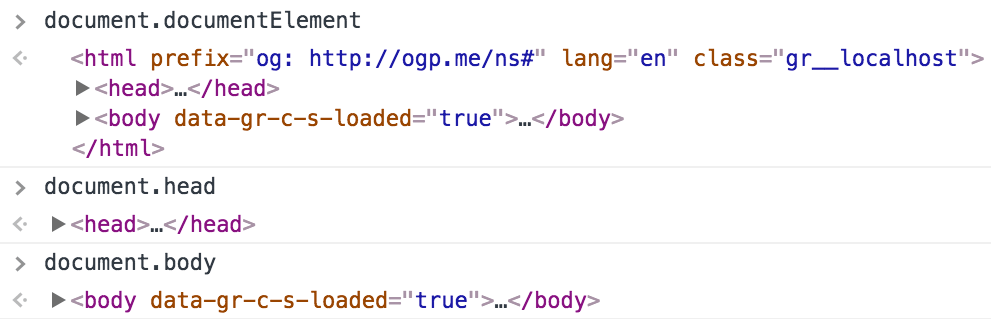
Three properties give you the main Element nodes directly: document.documentElement (the root html element), document.body and document.head.
document.links, document.images and document.forms return an HTMLCollection of all the links, images and forms in the page.
Avoid document.write(). It can replace the whole document and hurts performance. Use the editing methods below instead.
The full reference is at https://developer.mozilla.org/en-US/docs/Web/API/Document.
Types of nodes
The node types you’ll meet most often:
- Document: the root of the tree
- Element: an HTML tag
- Attr: an attribute, a node that isn’t stored as a child in the tree
- Text: text inside an element
- Comment: an HTML comment
- DocumentType: the Doctype declaration
Traversing the DOM
From any node you can move to its parent, its children, and its siblings.
Getting the parent
Every element has just one parent. Get it with parentNode or parentElement. parentNode returns any kind of node, parentElement returns an Element or null. Use parentElement when you need an element.
Getting the children
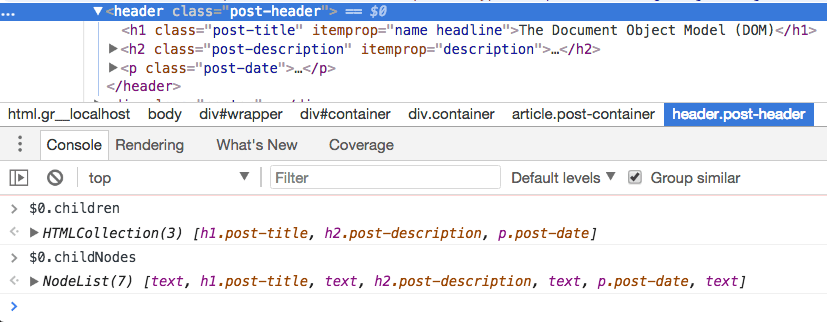
node.hasChildNodes() tells you if there are any. node.childNodes returns all of them, text and comments included.
element.children returns only the child elements, skipping whitespace text nodes. That’s the one you want most of the time. The MDN DOM anatomy guide shows why.
element.firstElementChild and element.lastElementChild give you the first and last child element:
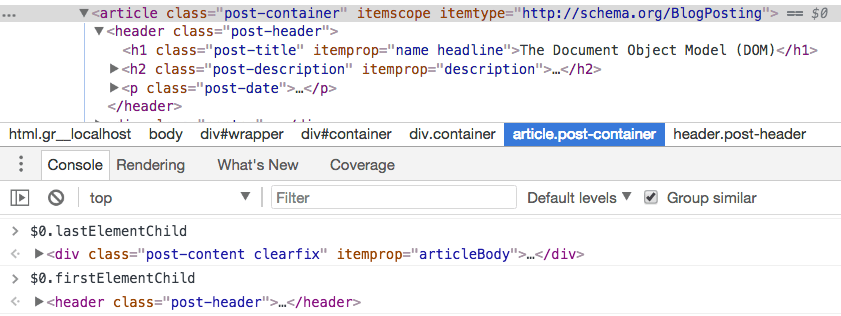
node.firstChild and node.lastChild don’t filter, so they often return a whitespace Text node.
Getting the siblings
Use element.previousElementSibling and element.nextElementSibling. The unfiltered previousSibling and nextSibling include whitespace text nodes, so I avoid them.
Editing the DOM
Create nodes with document.createElement() and document.createTextNode(), then attach them with appendChild():
const div = document.createElement('div')
div.appendChild(document.createTextNode('Hello world!'))
document.body.appendChild(div)
The other methods you’ll need:
parent.removeChild(child)removes a childparent.insertBefore(newNode, existingNode)inserts before another childelement.appendChild(newChild)adds after the existing childrenelement.prepend(newChild)adds before the existing childrenelement.replaceChild(newChild, existingChild)swaps a childelement.insertAdjacentElement(position, newElement)inserts at a given positionelement.textContent = 'Hello'replaces the text content
Lesson completed