
An app by Flavio
Skill Cabinet
Find agent skills on your Mac, see which agents load each one, share them across folders, and track how often you use them.
Buy Skill Cabinet · $20One-time purchase. Tax included. Full source code.
macOS 15 or later · Apple silicon and Intel
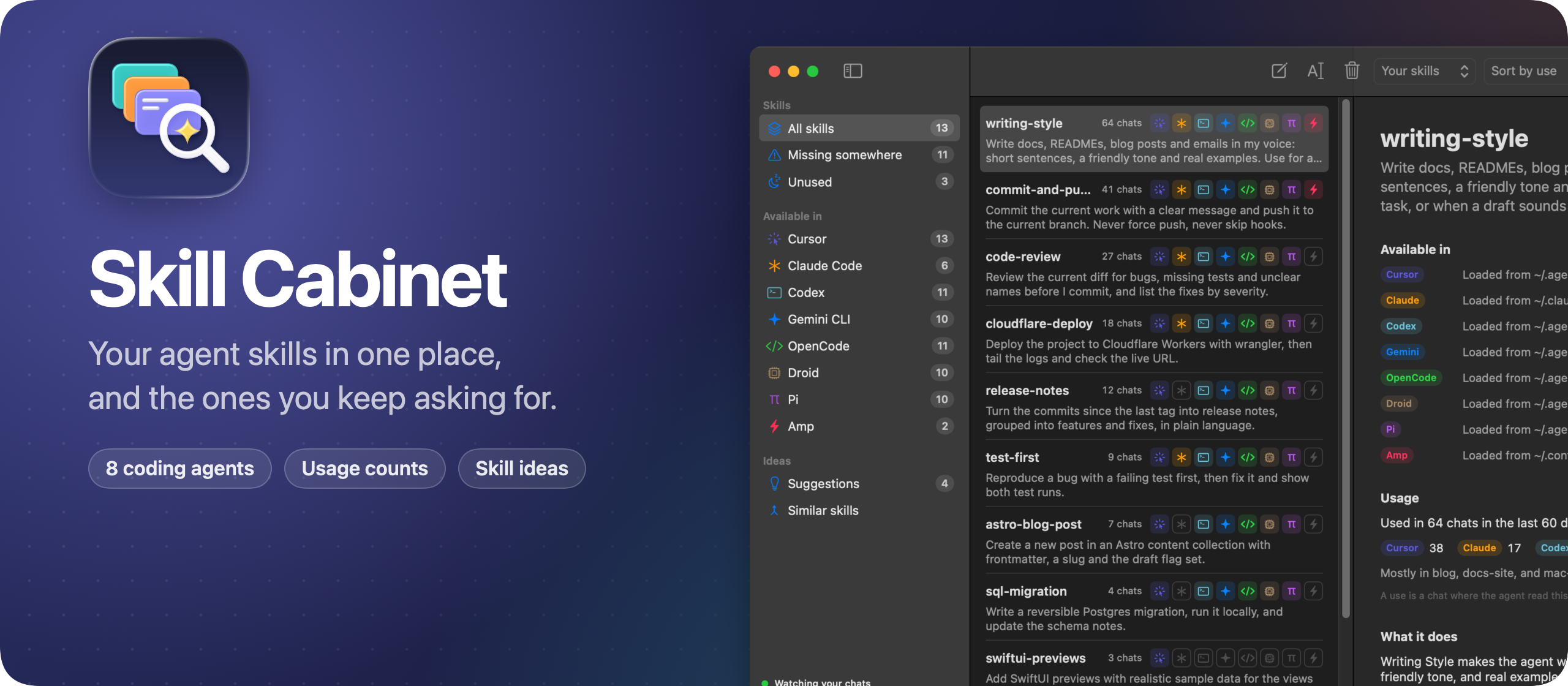
Skill Cabinet is a macOS app for the skills your coding agents load.
A skill is a folder with a SKILL.md file that teaches an agent one task. Each agent reads skills from its own folders, and some also read the folders of the others. So a skill you wrote for Claude Code loads in Cursor, but not in Codex. Skill Cabinet shows you all of it in one window.
Here’s the app in one minute:
Skill Cabinet knows 8 agents: Cursor, Claude Code, Codex, Gemini CLI, OpenCode, Droid, Pi and Amp. It finds the skills in all their folders and groups the copies of a skill under one name. A filter in the toolbar lists your own skills, the ones that come with plugins, the ones built into Cursor and Codex, or all of them.
It also knows which folders each agent reads. Six of them share ~/.agents/skills, Cursor and OpenCode also load ~/.claude/skills, and Claude Code and Amp only read their own folder. So every skill gets a row of icons with the agents that load it.
Missing somewhere lists the skills that at least one of your agents can’t see. Click Add to, and Skill Cabinet links the skill folder into that agent’s skills folder. Every agent then loads the same SKILL.md, so when you edit it, they all get the change.
When you’re done with a skill, click Uninstall this skill, or right-click it in the list. Skill Cabinet moves every copy to the Trash, links included, so you can put it back from there. Remove takes a skill out of one folder only, which undoes an Add to. Either way, it tells you first which agents will stop loading the skill.
Skills also pile up and overlap. Similar skills pairs the ones that read alike, comparing their words on your Mac. Pick a pair, choose the name to keep, and Merge with AI writes one SKILL.md from both. You read it and edit it before anything changes, then the other skill goes to the Trash.
You can edit a skill’s SKILL.md and rename a skill right in the app, too. A rename moves its folders and links, and the chats that used the old name keep counting.
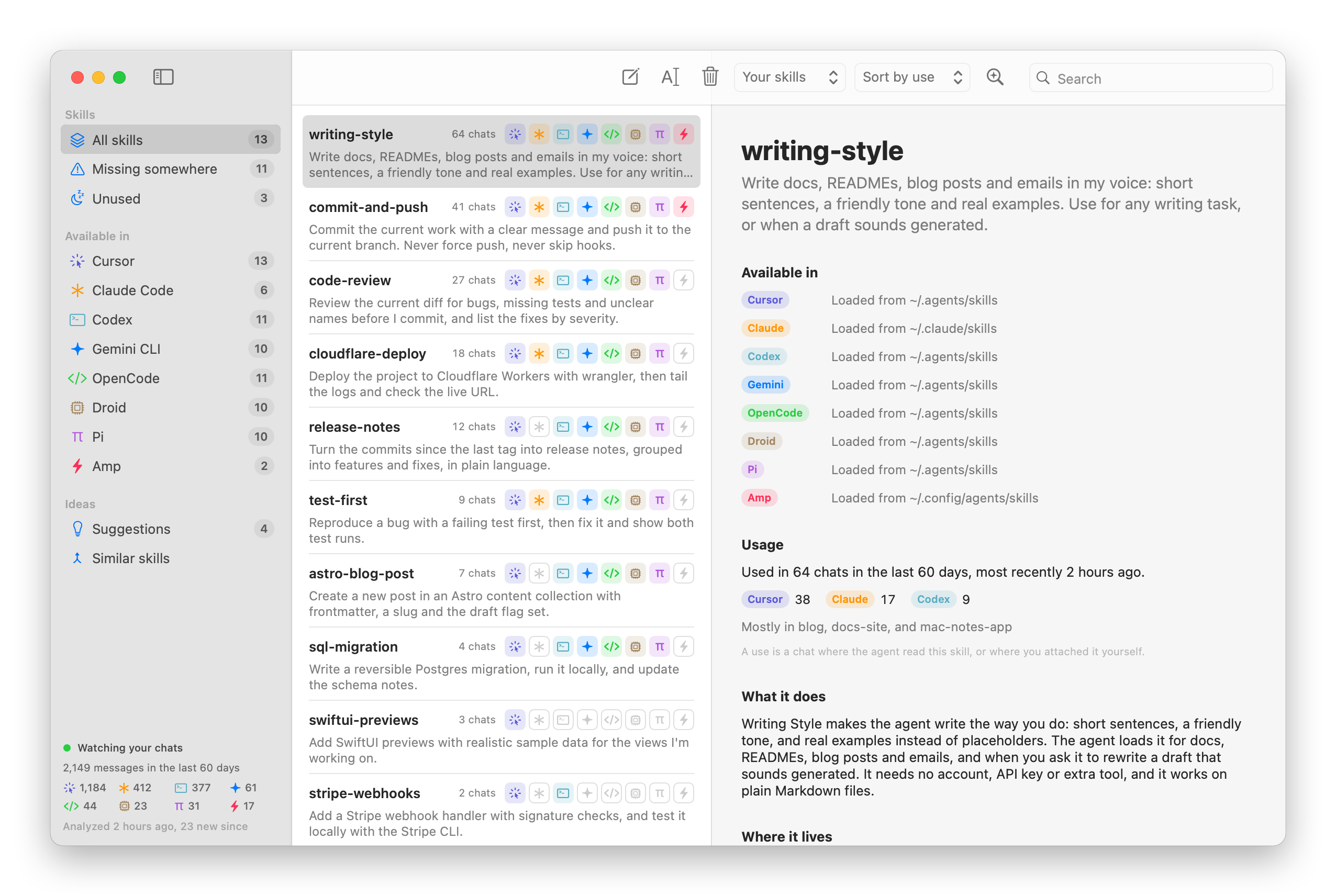
Then it reads your chats. Every agent keeps its history on your Mac, in JSONL or JSON files, or in a SQLite database for OpenCode. Skill Cabinet counts a use when an agent opens a skill’s SKILL.md, or when you attach the skill yourself. For each skill you see how many chats used it, from which agents and projects, and when you last used it. Unused lists the skills no chat touched in the last 60 days.
Those chats also hold the requests you type again and again. Find repeated tasks sends your recent messages to the Claude Code or Codex CLI you’re logged in to, and asks which ones a skill could handle. Pick an idea, click Draft the skill with AI, and you get a SKILL.md to edit and save for all your agents at once.
The same data is in your terminal, with the skillscout command that ships inside the app:
skillscout list --missingAdd --json to use it from scripts. The command can add, rename, merge and uninstall skills too, and skillscout similar lists the skills that read alike.
Skill Cabinet reads your skills and chats on your Mac, and there are no accounts. Your chats leave your Mac only when you use the AI features, through your own Codex or Claude Code account.
Under the hood it’s a SwiftUI app with no dependencies. A file watcher keeps the list and the counts current while you work.
What you get
Skill Cabinet costs $20 including tax, paid once. You get the full MIT-licensed source code, so you can use it, change it, and build your own version. There is no subscription.
Download and install
After buying, connect your GitHub account in Polar and accept the invitation to the private repository. Open its Releases page to download the app and source.
Unzip the Mac app and drag Skill Cabinet to your Applications folder. It runs on macOS 15 or later · Apple silicon and Intel.
Skill Cabinet is signed with my Apple Developer ID and notarized by Apple.
Download later versions manually from the private repository’s Releases page and replace your installed copy.
For another look at what your coding agents know, I also made Architecture Dissector, a Mac app that draws how your apps are built from maps the agents write.