How to join DJI drone videos with QuickTime Player on a Mac, and what it leaves out
By Flavio
QuickTime Player can put the parts of a DJI flight back into one video. With H.264 parts it was fast and kept the picture, but the .SRT flight data stayed behind, the file became a .mov and lost the flight's date. Step by step, with the numbers.
A DJI drone splits a long flight into parts, like DJI_20261018101530_0007_D.MP4, ..._0008_D.MP4 and ..._0009_D.MP4. QuickTime Player, already on your Mac, can put them back into one video: open the first, add the others to the end, close the window and save.
With my H.264 parts it worked well for the picture. The save took about 2 seconds and the file came out the size of the parts. Three things didn’t come along: the .SRT flight data, the .MP4 format, and the date of the flight.
I tried it on a stand-in card: a disk image formatted like a drone’s card, named NO NAME, with a made-up flight of 4 minutes 47 seconds split into three parts named the way a newer DJI drone names them, 1080p H.264 at about 10 Mbit/s, each with its .SRT and .LRF file. The parts are cut at 2 minutes instead of 4 GB.
How do I join the parts?
- Open the first part,
DJI_20261018101530_0007_D.MP4, in QuickTime Player. - Choose View > Show Clips.
- Choose Edit > Add Clip to End…, open the card’s
DCIMandDJI_001folder, pick the second part and click Choose media.
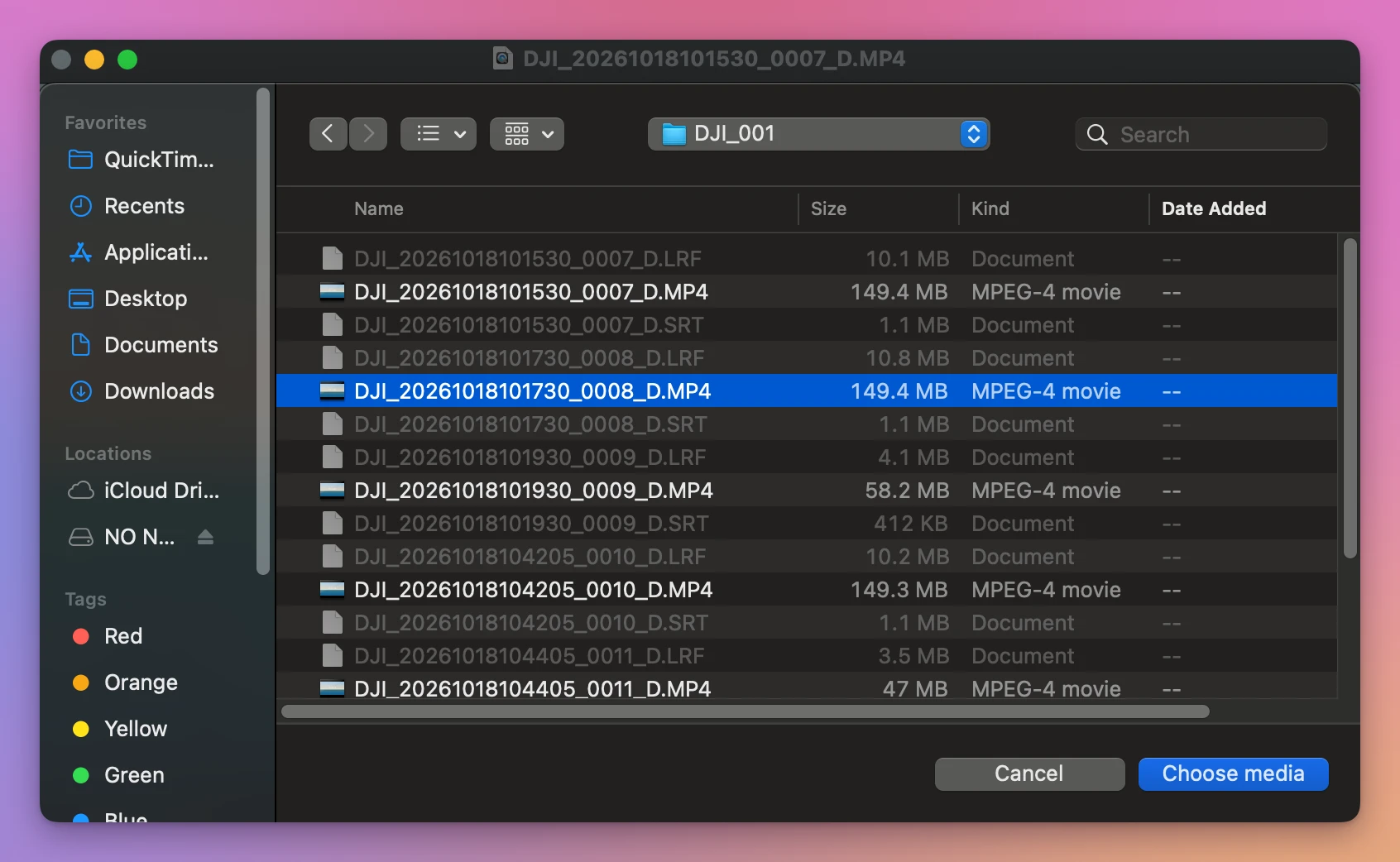
The .LRF and .SRT files are greyed out. Pick the parts in order of the time in their names. The tutorial about which files are one flight shows how to be sure.
- Add the third part the same way. With the second clip selected in the strip, the menu item is called Insert Clip After Selection…, and it does the same thing here.
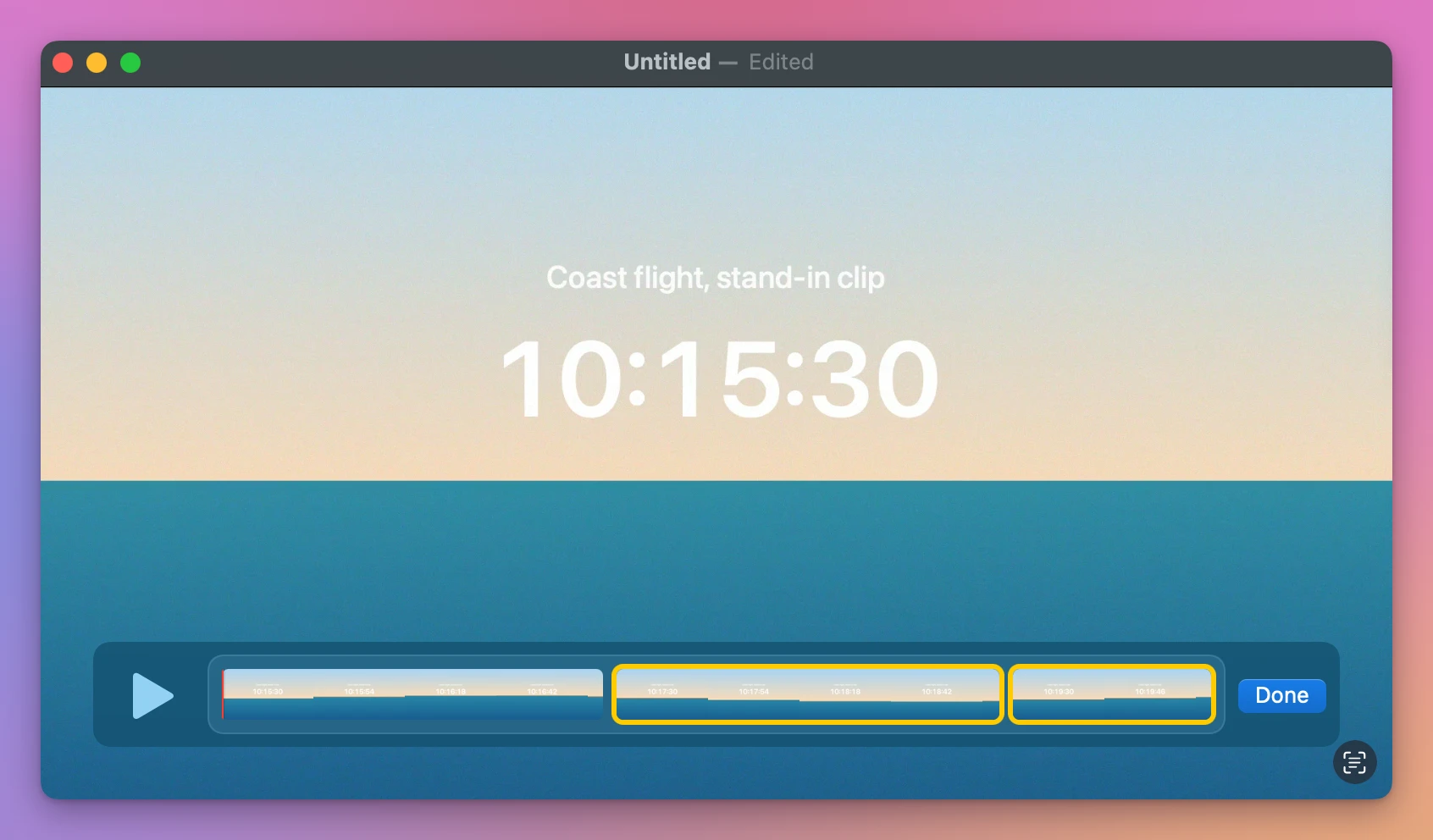
- Click Done, then close the window. QuickTime Player asks if you want to keep the new document.
Where does it save, and in what format?
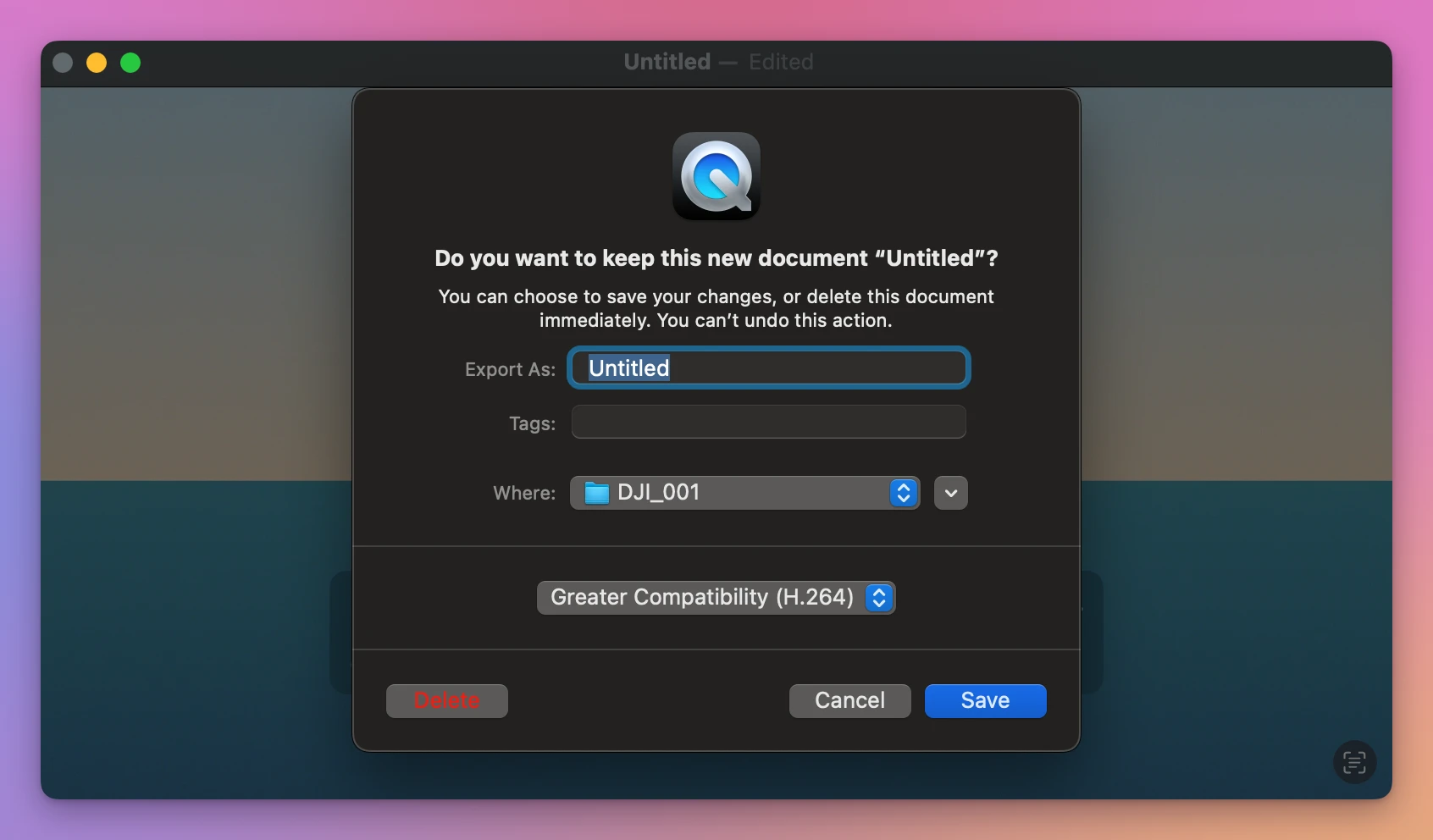
- Where was set to
DJI_001, the folder on the card the parts came from. Change it to a folder on your Mac, or the new video goes on the card, next to the parts. - The format menu was on Greater Compatibility (H.264), because the parts are H.264.
I named it Coast flight QuickTime, picked a folder on the Mac and clicked Save.
What did I get?
The save was done in about 2 seconds, with nothing to wait for. Since the parts were already H.264, QuickTime Player copied the picture instead of compressing it again, like the QuickTime Player tutorial for other videos shows.
| QuickTime Player | Joiner for DJI | |
|---|---|---|
| Time on the stand-in card | About 2 seconds | Less than 15 seconds, with its check |
| Size | 357 MB | 357 MB |
| Length | 4 min 47 sec | 4 min 47 sec |
| File | Coast flight QuickTime.mov | DJI_20261018101530_0007_D joined.MP4 |
| Date in the Finder | The day I saved it | The first part’s, Oct 18, 2026 |
| Flight data | The three .SRT files stay separate | One joined .SRT that lines up |
| Checked against the parts | No | Yes |
Three differences matter for a drone’s flight:
- The
.SRTfiles. QuickTime Player only joins the videos. The flight data stays in three files that each start at zero, so it no longer matches the joined video after the first 2 minutes. The tutorial about .SRT files shows what’s in them. - The date. The
.movwas dated the moment I saved it. Sorted by date in the Finder, the flight lands on the day you joined it, not the day you flew. - H.265 parts. Drones can record H.265 too. The DJI Mini 4 Pro manual says its HLG and D-Log M color modes only record H.265. With H.265 parts, both of QuickTime Player’s formats compress every frame again, as the GoPro tutorial about QuickTime Player measured: slow, and smaller than the original.
A way that keeps the flight together
Joiner for DJI is a Mac app I made that joins the parts of a drone’s flight straight from the card, with their .SRT files. It’s not made by, affiliated with or endorsed by DJI. It costs $19, paid once.
There’s nothing to pick in a list. It finds the parts that look like one flight, you tick the row, and the joined video goes to your Movies folder unless you click Change…. On the stand-in card it joined both flights and their flight data:
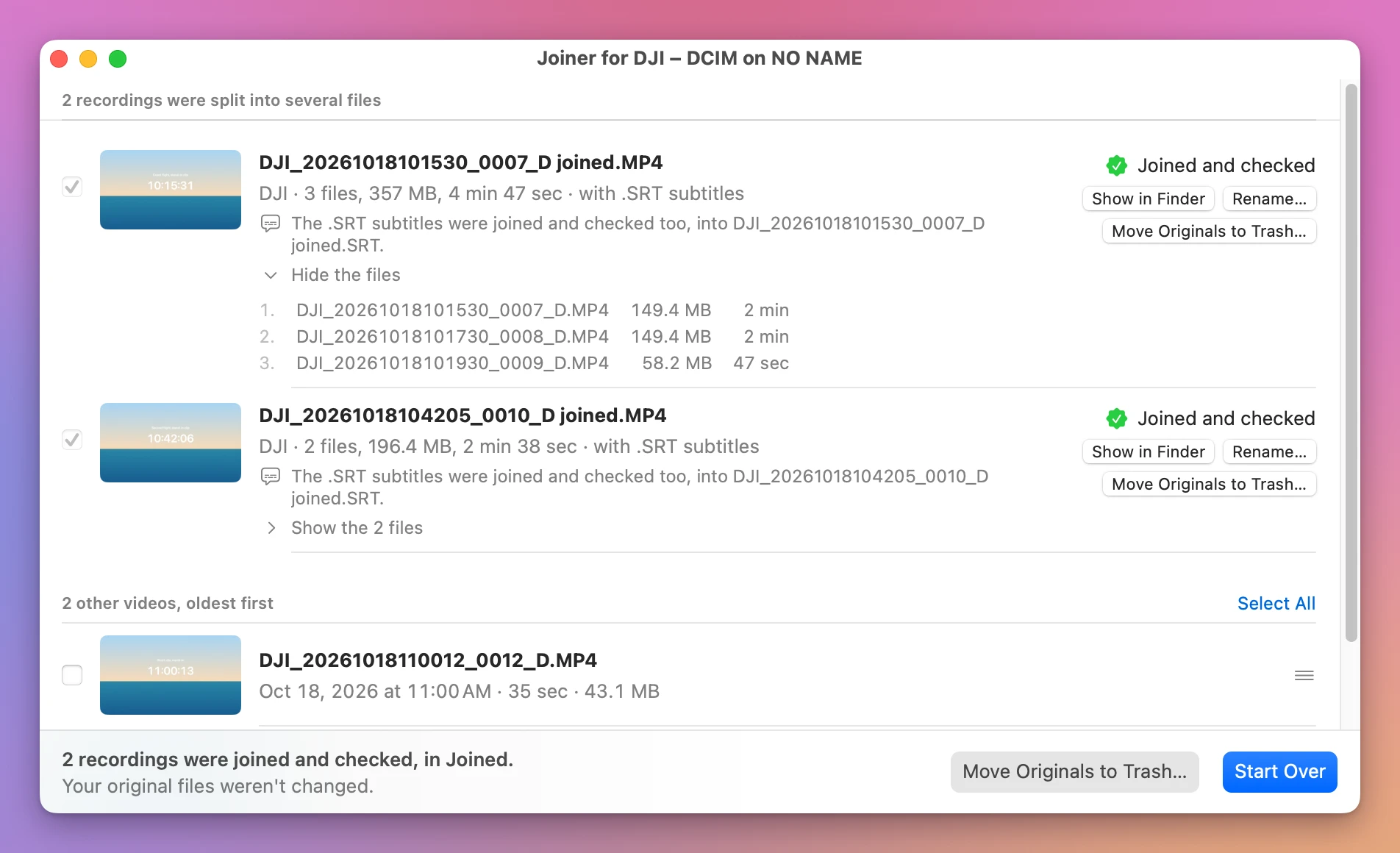
The joined video stays an .MP4, keeps the dates of the first part, and has a joined .SRT file next to it with the same name. The app copies the picture as the drone recorded it and never compresses it again. I only tried it with H.264 parts here.
Get Joiner for DJI
Put the parts your DJI drone split a flight into back together, into one video on your Mac, straight from the card, with the .SRT flight data merged to match. Nothing loses quality, and the small .LRF files can go with the originals.
See Joiner for DJI → · Read the docs · $19. See the app page for tax details.
Want me to talk about your product? You can sponsor this site.