US passport photo size: 2×2 inches, and how big the head must be
By Flavio
A US passport photo is 2 × 2 inches, and the head, from the top of the head (not the hair) to the bottom of the chin, must be 1 to 1 3/8 inches. Here's what that looks like on a photo, and how to check it.
A US passport photo is 2 × 2 inches. The head must be between 1 inch and 1 3/8 inches tall, measured from the top of the head to the bottom of the chin. The hair doesn’t count.
That last part is where photos made at home go wrong. Below are the rules from the State Department’s own manual, what the numbers mean on a photo, and how to check them on a Mac.
Where do the numbers come from?
They come from the US Department of State’s Foreign Affairs Manual, section 8 FAM 402.1, “Passport Photographs”, the rules its passport staff work from. The quotes below are the manual’s own words.
The manual says the photo “should be 2” x 2” (about 5 cm. x 5 cm.) in overall size”. For the head, it says the facial image should be “no less than 1” (about 2.54 cm.) and no more than 1 3/8” (about 3.5 cm.), measured from the top of the head (not the hairline or the applicant’s hair) to the bottom of the chin (not including facial hair).”
In both units:
| Inches | Millimeters | |
|---|---|---|
| Photo, width and height | 2 | 50.8 |
| Head, smallest | 1 | 25.4 |
| Head, largest | 1 3/8 (1.375) | 34.9 |
| Head, middle of the range | 1 3/16 (1.19) | 30.2 |
On a 2 × 2 inch photo, the head takes between half and a bit more than two thirds of the height.
The same manual lists the other rules:
- taken within the last six months, in color
- a “plain, white, off-white, or light-colored background”
- no glasses, unless they can’t be removed for medical reasons
- “Digital manipulation and/or retouching of the facial image on photographs is not acceptable”
- printed on photo-quality paper
Rules change, so check the official page before you print. Whether a photo is accepted is the passport office’s decision.
How do I check the head size in Preview?
If you made a 2 × 2 inch photo at 300 pixels per inch, as in the tutorial about making a passport photo at home, the photo is 600 pixels wide and tall. One inch is 300 pixels, so the head must be between 300 and 412 pixels tall.
Preview has no ruler, but its selection box shows its size. Drag a box from where you think the top of the head is down to the bottom of the chin, and read the second number next to the pointer. On the test photo, a drawing made for testing, it read 301 × 356, so the head is 356 pixels, or 1.19 inches:
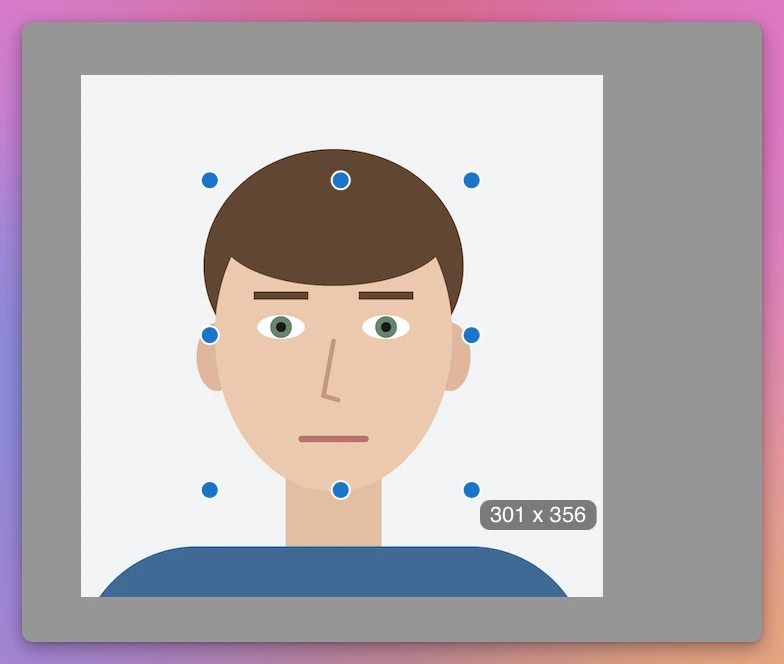
The screenshots are from macOS 15 Sequoia. The hard part is the top of the head. You have to guess where the skull ends under the hair, and on a real person with thick hair that guess can be off by a few millimeters, a good part of the 9.5 mm between the smallest and the largest head.
What happens when the head is too big?
A photo taken too close fills the frame with the face. You can’t fix it by cropping, because cropping only makes the head bigger compared to the photo. You’d need more photo around the head, and there isn’t any.
The only fix is a new photo taken from further back. That’s why the advice is always to leave space around the head and shoulders, and to crop later.
Checking it with Passport Photo Sheet
Passport Photo Sheet is a Mac app I made that turns a photo into passport photos at the size the rule asks for. It costs $20, paid once. It isn’t made by, affiliated with or endorsed by any government, and it can’t promise a photo will be accepted.
Pick United States passport, and the app shows the rule before you open a photo: “2 × 2 in”, “Head 1 to 1.375 in, measured from the bottom of the chin to the top of the head, not the hair”, and the source, the manual’s page. Under that is what you have to check yourself:
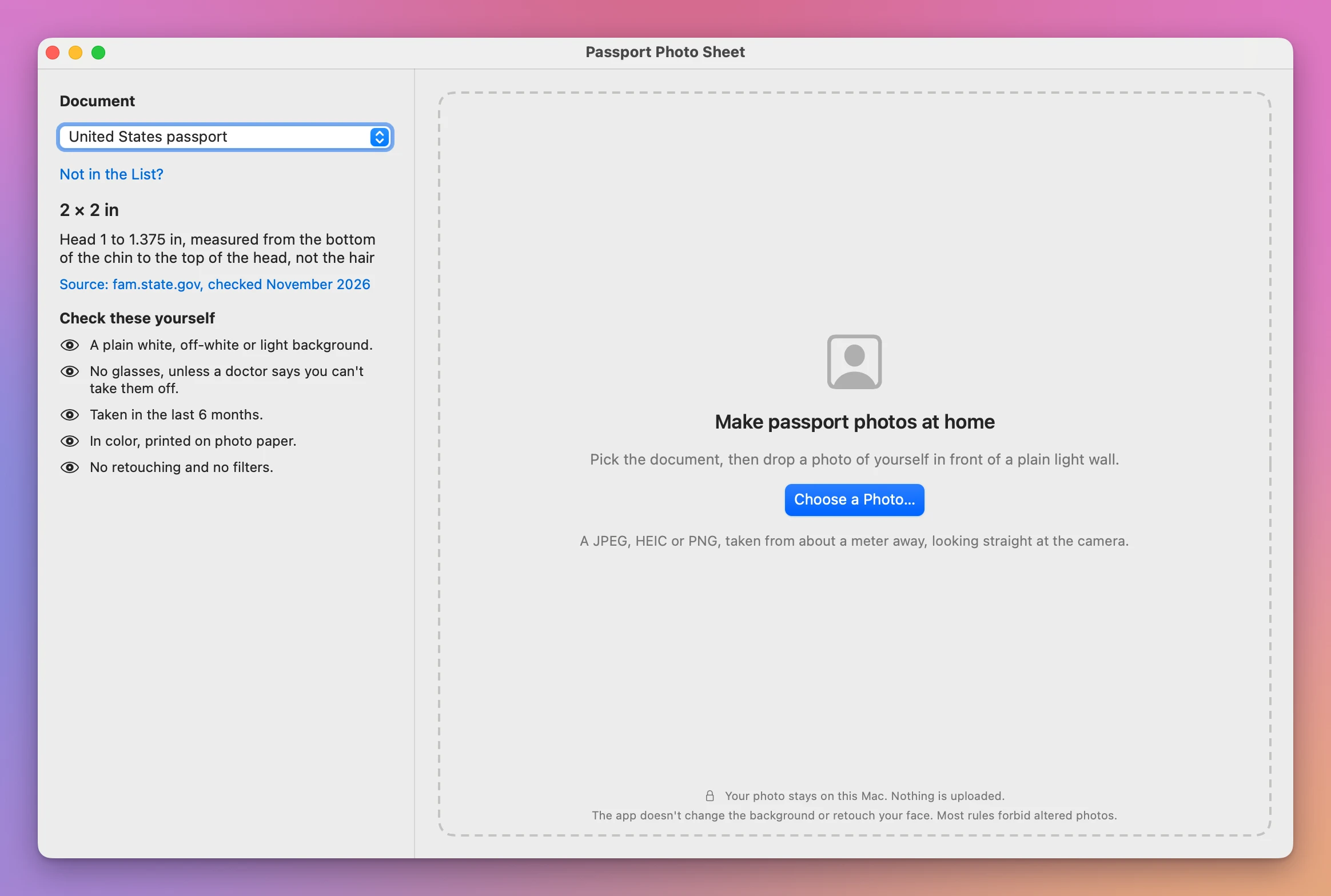
The two measurement lines are labeled “Top of the head, not the hair” and “Chin”. Check their positions before reading the result. The test portrait is a drawing, which the Mac’s face detection doesn’t recognize, so the lines were placed by hand. The make-at-home guide covers opening the photo, placing the lines and saving the sheet.
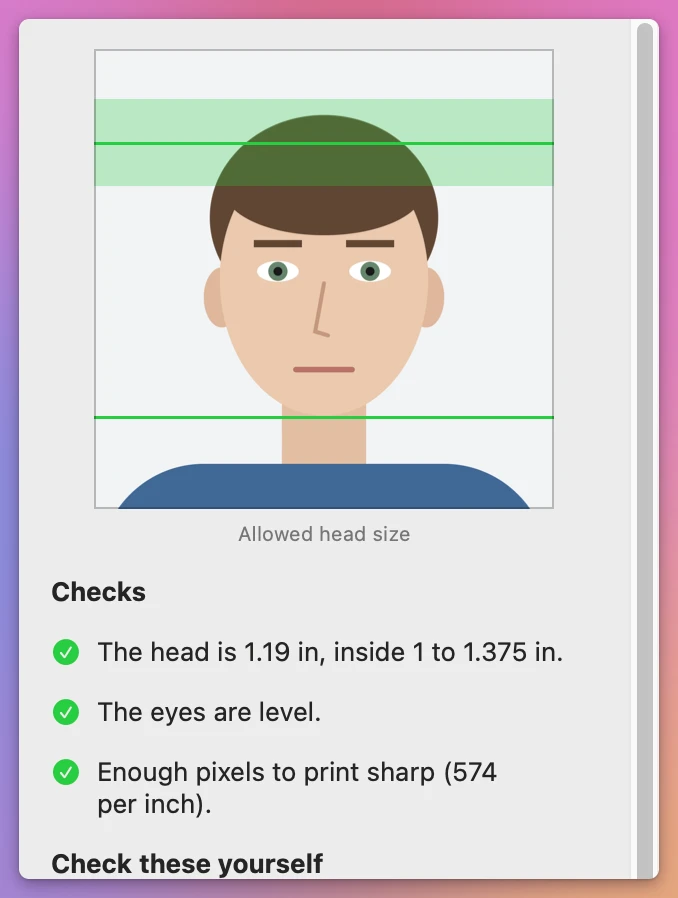
The app sizes the head to the middle of the allowed range and centers it. The finished photo has a green band where the top of the head may be:
To see a head that’s too big, the test used a copy of the portrait cut tight around the face. With the lines on the head and the chin, the band turned red and two checks failed: “The head is 1.67 in, more than 1.375 in. Use a picture taken from further back.” and “The picture is cut too close around the head, so the head can’t be made smaller.”
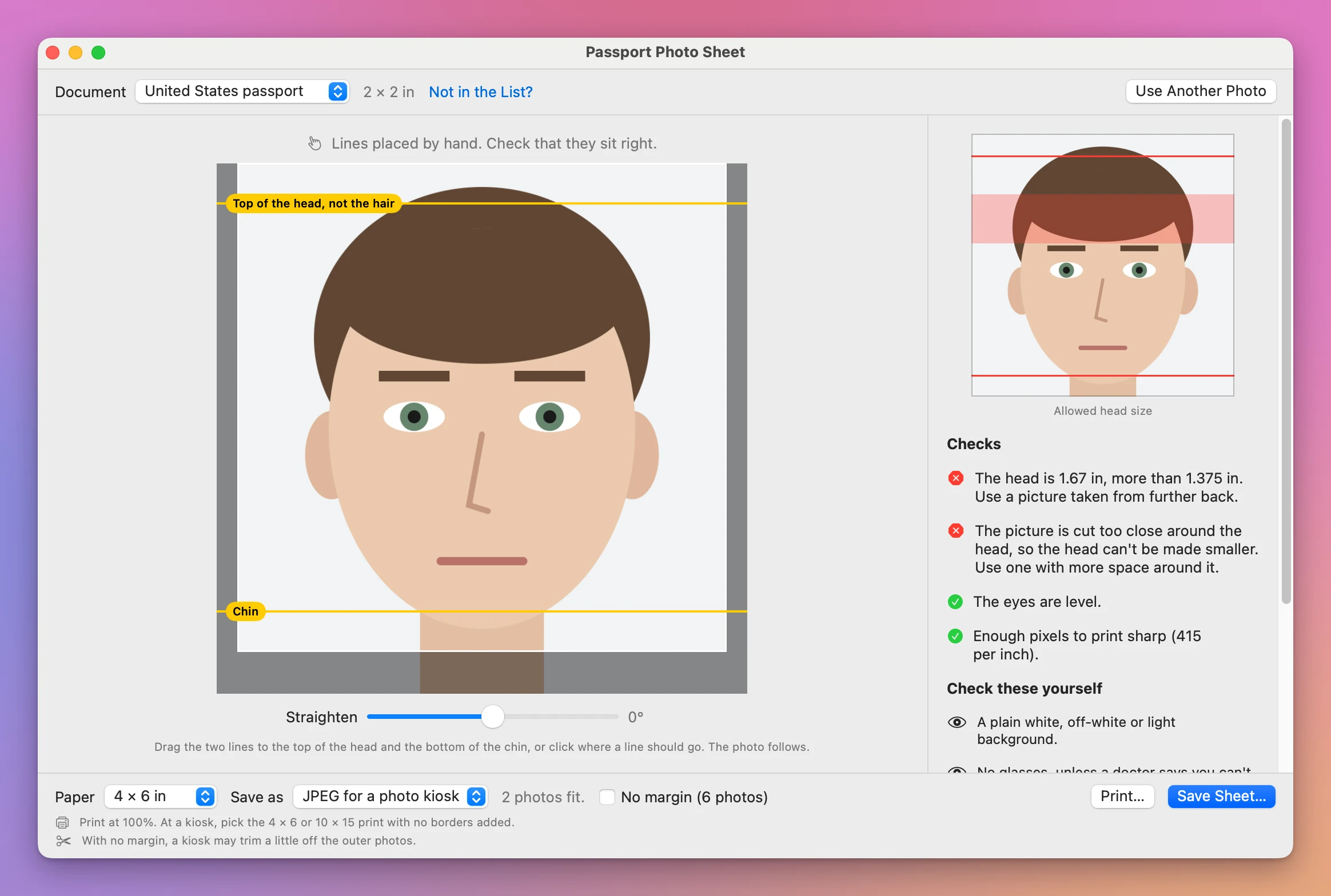
The app doesn’t pad the photo with white to make the head fit, and it doesn’t change the background or retouch the face, which the manual forbids. It tells you to take the photo again.
To get the photo onto paper at its real size, the tutorial about printing a photo at its actual size covers the print settings that keep 2 inches at 2 inches.
Get Passport Photo Sheet
Make passport and visa photos at home at the exact size the rule asks for: pick the document, place two lines on the head, and save a 4 × 6 sheet with cut marks to print at a photo kiosk.
See Passport Photo Sheet → · Read the docs · $20. See the app page for tax details.
Want me to talk about your product? You can sponsor this site.