Shape model behavior
Chat with your model
Use chat as a repeatable evaluation interface by keeping prompts, checkpoints, and sampling settings attached to every observation.
Open Chat with your model and choose the checkpoint you want to test.
Begin with the baseline prompts. Then add three instruction-shaped prompts that match the SFT data and three that do not.
Chat adds formatting around every turn. The current app lets you edit or disable the system instruction. Record its exact text with each comparison. A base model prompted as plain continuation and an SFT model prompted through a chat template are not receiving the same token sequence.
Switching between the base, SFT, and DPO checkpoints starts a fresh chat. Save the transcript before switching, then reuse the same first prompt and sampling settings.
For every result, record the checkpoint and sampling settings. Do not compare one low-temperature answer with another high-temperature answer without saying so.
Use a small evaluation matrix:
| Prompt type | Base | SFT | DPO |
|---|---|---|---|
| Seen instruction shape | |||
| Held-out instruction shape | |||
| Story continuation | |||
| Out-of-domain question | |||
| Malformed request |
Run multiple fixed seeds for stochastic sampling. Record complete transcripts because previous turns consume context and influence later tokens.
Watch the context counter. Once old turns are truncated or the context limit is reached, a later answer is not directly comparable with a fresh one-turn prompt.
Test one malformed request and one request outside the dataset’s domain. A useful report includes failure boundaries.
The chat view makes the model feel familiar, but the underlying system still predicts one token at a time.
Do not grade fluency as truth. A small model can produce a smooth unsupported claim. Score instruction following, format, repetition, and factual support separately.
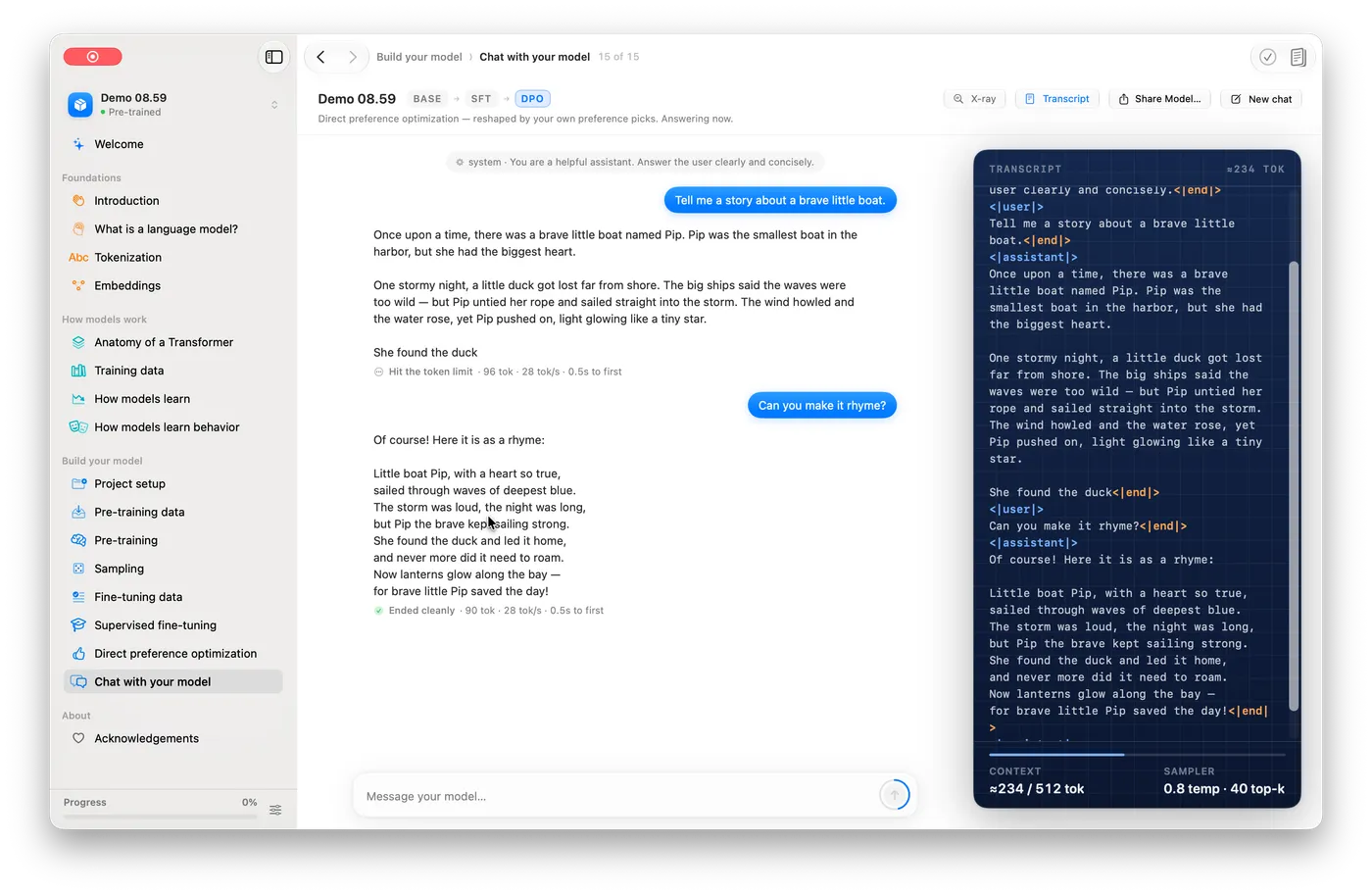
Copy the raw token transcript for one turn into your notebook. Compare it with the pretty chat view. If special tokens differ between base and SFT runs, that difference explains behavior changes better than guessing.
Ask something outside the story domain, like a math word problem. Save the answer even if it is wrong. Failure boundaries are evidence too.
Lesson completed