Design the run
Choose a model blueprint
Read the model blueprint as a set of connected design choices and record the exact shape before training.
Open Project setup. Start with the app recommendation unless you have a specific comparison in mind.
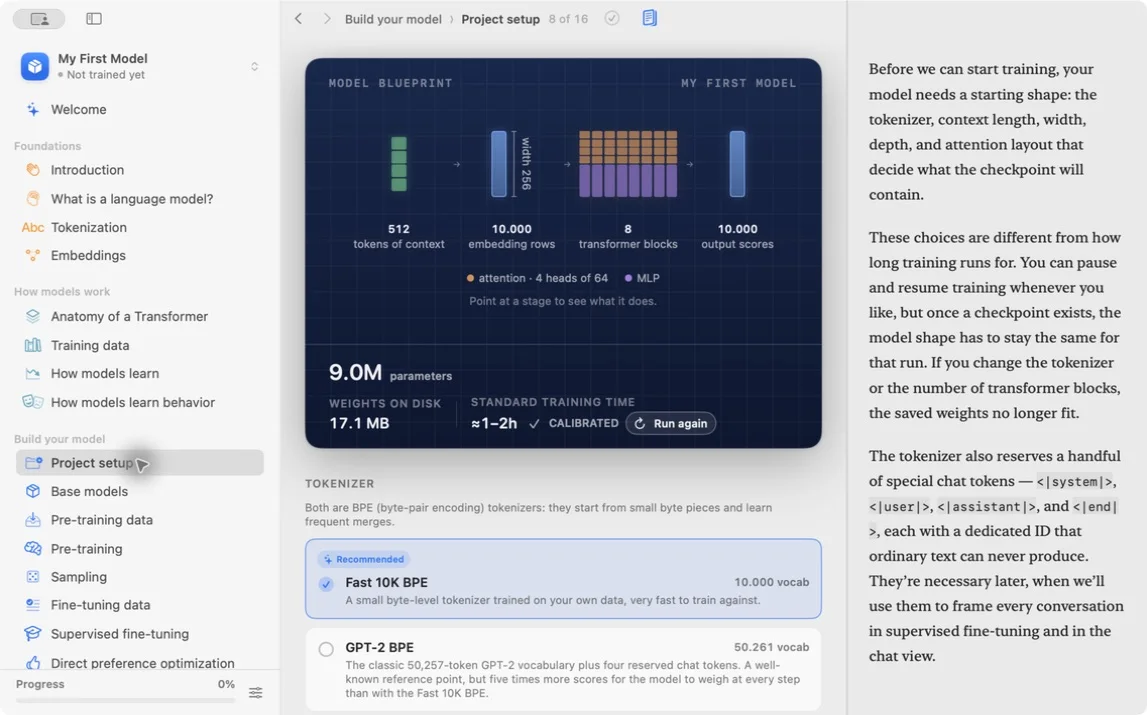
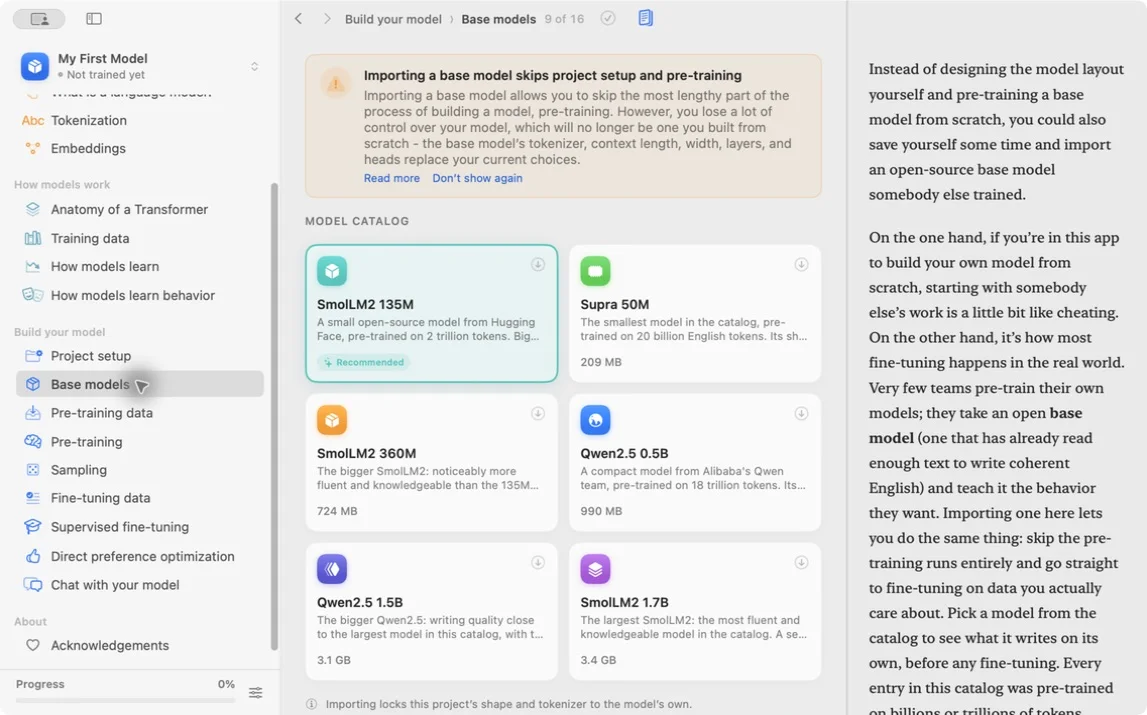
If you start from an existing model instead, the current catalog recommends SmolLM2 135M. Importing it skips project setup and pre-training, and replaces the project’s shape and tokenizer with the model’s own. SFT, DPO, sampling, and chat remain available.
Record the vocabulary size, context length, embedding width, number of transformer blocks, and attention-head layout.
These values are connected:
- vocabulary size shapes the token embedding and output scores
- context length limits how many positions one example can contain
- embedding width controls the size of representations
- block count controls depth
- head count divides attention work across several learned projections
The embedding width must divide cleanly across the attention heads in common designs. With the Starter width of 256 and four heads, each head works with 64 features.
A rough decoder-transformer estimate is useful before trusting the displayed total:
token embeddings ≈ vocabulary size × width
each block ≈ a constant multiple of width²
The exact constant depends on feed-forward size, biases, normalization, and whether input and output embeddings share weights. Use the app’s exact count for the run and the estimate as a sanity check.
These choices define tensor shapes inside the model. A checkpoint created for one shape cannot load into a different shape without an explicit conversion.
Give the run an identifier in your notebook, such as starter-tinystories-20k.
Do not tune five fields for the first run. Accept the recommended blueprint, record it, and preserve your limited compute for a clean baseline.
If the app shows about 9 million parameters for the Starter blueprint, your notebook should show the same number before you press Start. A mismatch between the blueprint screen and the pre-training summary usually means you changed a field and forgot to save it.
What to observe: changing one blueprint field changes parameter count, weight size, or the calibrated estimate.
Lesson completed