Introduction to Go workspaces
By Flavio Copes
GOPATH vs go.work: how Go stores tools and the module cache under $HOME/go, and how modern multi-module workspaces work with go work init.
Go has two things people call a workspace, and they are not the same.
One is the old GOPATH home base under $HOME/go, where Go stores installed tools and the shared module cache. The other is a modern go.work workspace, which lets you develop several modules together as one unit. This post covers both. The examples assume a current Go 1.27 install.
GOPATH: tools and the module cache
By default Go picks the $HOME/go path, so you will see a go folder in your home.
You don’t create it yourself. It appears the first time you install a package, or when your editor installs some tooling. For example the moment I loaded the hello.go file in VS Code, it prompted me to install the gopls command, the Delve debugger (dlv) and the staticcheck linter.
They were automatically installed under $HOME/go:
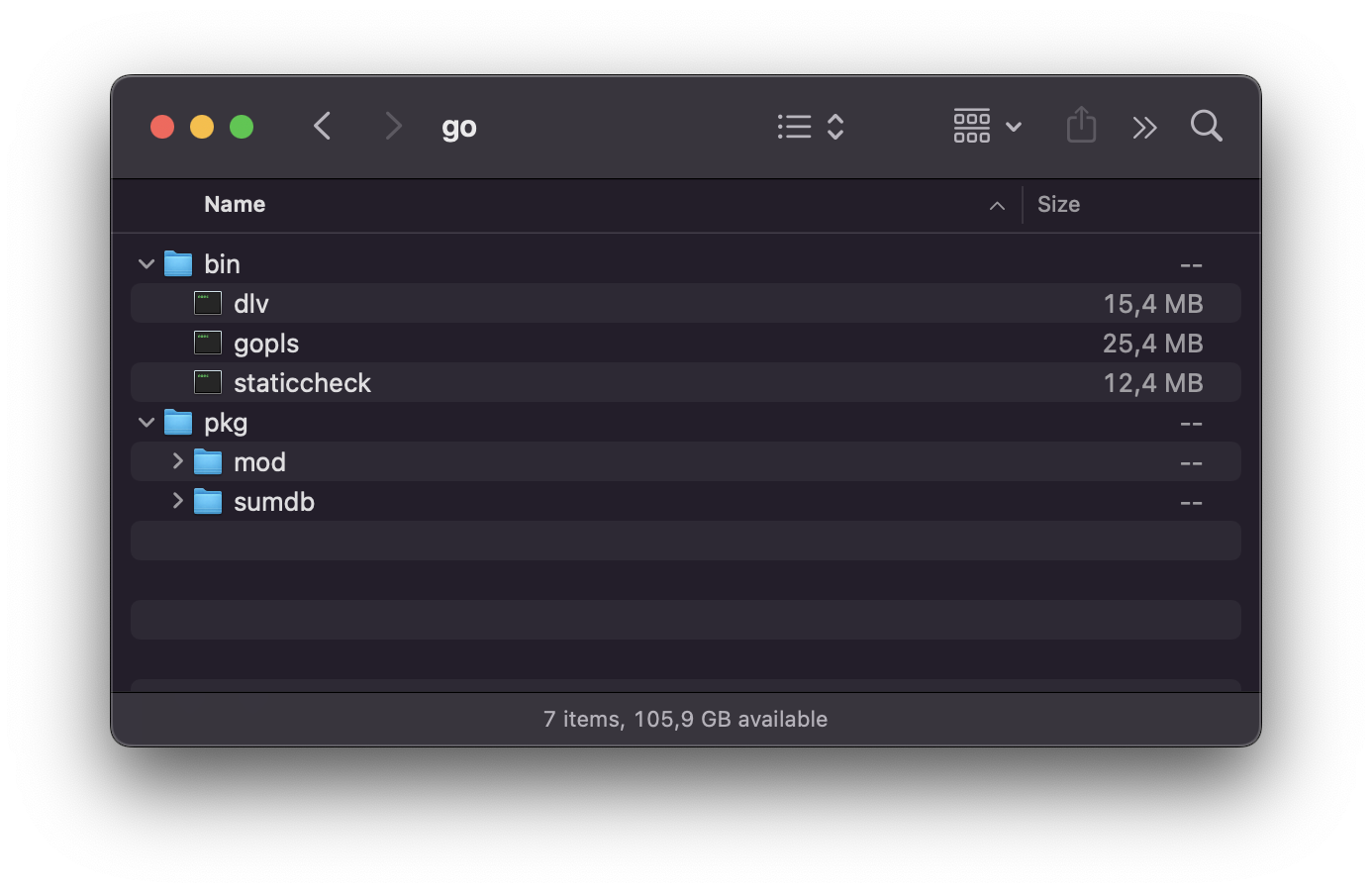
What’s inside $HOME/go?
Look inside the folder and you’ll find two main directories.
bin holds the executables. When you install a tool with go install, the compiled binary ends up here:
go install golang.org/x/tools/gopls@latestAfter this command you’ll find a gopls executable in $HOME/go/bin.
pkg holds the module cache, under pkg/mod. When you add a dependency to a project and run go mod tidy or go build, Go downloads the source code of that dependency here. Every project on your machine shares this cache, so the same version of a library is only downloaded once.
What is GOPATH?
The location of this home base is what we call GOPATH.
You can ask Go where it currently points:
go env GOPATHOn my Mac this prints /Users/flavio/go.
You can change the GOPATH environment variable to change where Go should install packages.
This is useful when working on different projects at the same time and you want to isolate the libraries you use.
A common PATH problem
Here’s a pitfall almost everyone hits. You install a tool:
go install golang.org/x/tools/gopls@latestthen you run gopls and the shell says command not found.
The binary is there, in $HOME/go/bin, but that folder is not in your PATH, so the shell can’t find it. The fix is to add it to your shell configuration, for example in ~/.zshrc:
export PATH=$PATH:$HOME/go/binOpen a new terminal and the command works.
One last note: the module cache can grow a lot over time. If you want to reclaim disk space, you can clear it with go clean -modcache and Go will re-download what your projects need on the next build.
Modern workspaces with go.work
When you work on more than one module at once (say an app and a local library), a go.work file is the Go way to glue them together. Official docs: Tutorial: Getting started with multi-module workspaces.
From a parent folder that holds your modules:
go work init ./hello ./example/helloThat creates a go.work file listing those modules. To add another module later:
go work use ./another-moduleInside that workspace, go build, go test, and friends resolve imports across the listed modules using your local code. You don’t need to publish a module just to try a change in another one.
go.work is for local development. Commit it only when your team agrees to share that workspace layout. The GOPATH folder under $HOME/go still holds the shared module cache either way.
Want me to talk about your product? You can sponsor this site.