How to get access to Jev and an API key
By Flavio
Tagged: AI
How to get access to Jev and a TypeSafe API key: sign in to the console, create and store the key, test it with curl, fix 401 and 422 errors, or use Vercel.
To get access to Jev, sign in to the TypeSafe console at console.typesafe.ai with Google or an email code. Open API Keys, create a key, and save it in an environment variable called TYPESAFE_API_KEY. Then check it with GET /v1/models and send your first request to POST https://api.typesafe.ai/v1/systemone.
There’s one catch. TypeSafe paused new signups on September 22, 2026, and they were still paused as of September 24. If you can’t get an account, you can call Jev through Vercel’s AI Gateway with a Vercel key instead. I cover that route at the end. I wrote why I care more about the AI product I can use than about a launch I can’t reach.
Jev is TypeSafe’s decision model. You give it some text and a few typed questions, and it returns yes/no probabilities, one option from a list, or a position on a scale, with probabilities attached. It doesn’t generate text. If you want the full picture first, read my deep dive into Jev.
Here are the steps:
| Step | Where |
|---|---|
| Create an account or sign in | console.typesafe.ai, Google or email code |
| Try it without code | Playground |
| Create an API key | API Keys |
| Store it | TYPESAFE_API_KEY in your shell or a Git-ignored .env file |
| Test the key | GET https://api.typesafe.ai/v1/models |
| First decision | POST https://api.typesafe.ai/v1/systemone |
| No TypeSafe account | Vercel AI Gateway, model typesafe-ai/jev |
Can I sign up for Jev right now?
Access has changed several times since launch, so it depends on when you read this.
When TypeSafe came out of stealth on September 15, 2026, Jev was waitlist-only. The homepage had a Join Waitlist button, and TypeSafe let people in by email, in batches, over the following days.
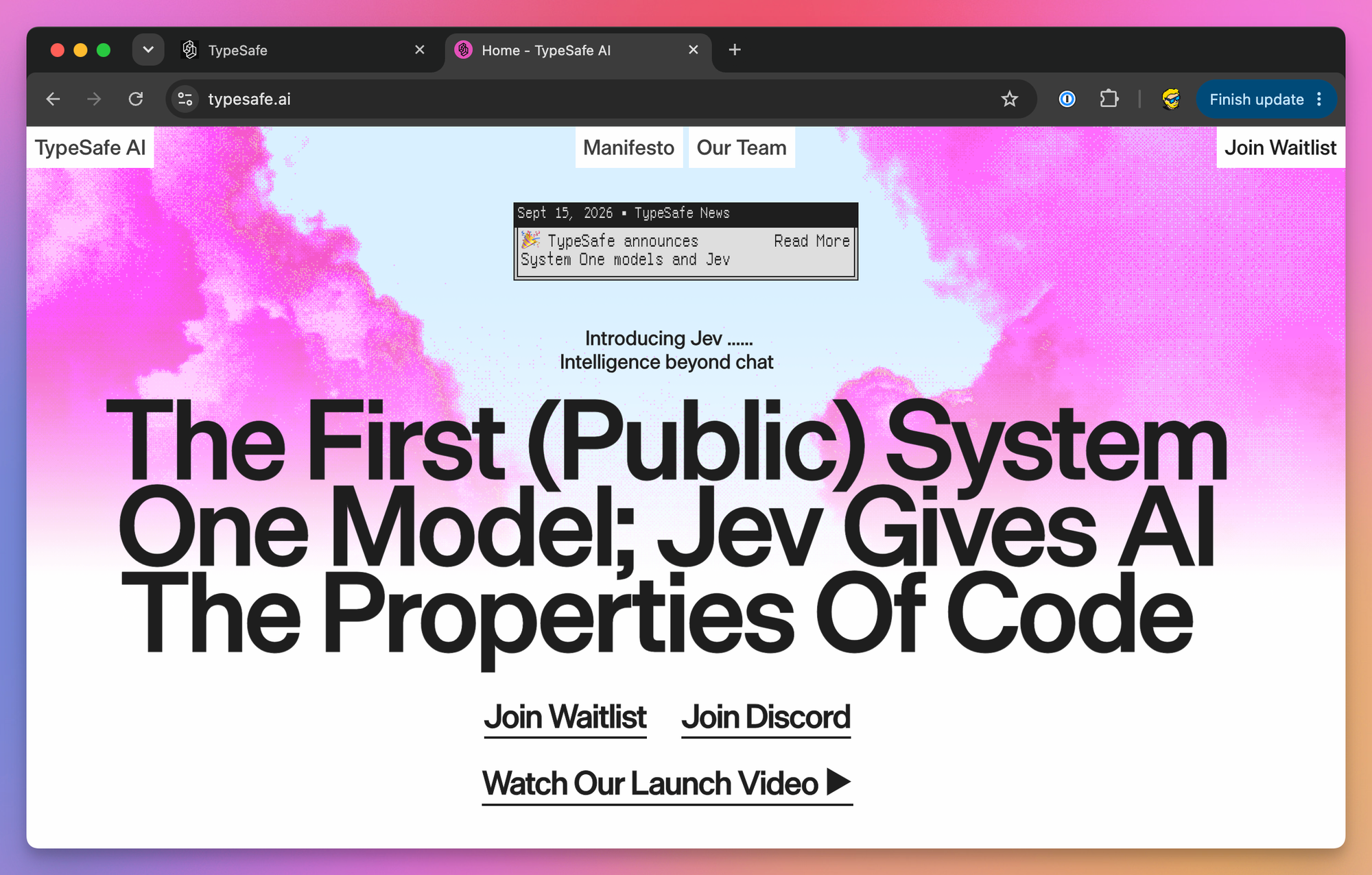
On September 20, TypeSafe announced on X that Jev was available to everyone with no waitlist. Less than two days later it paused signups because of demand. Accounts created before the pause keep working, and TypeSafe says it wants to reopen access as soon as it can.
As of September 24, the homepage has no waitlist button. The header links to Sign in and Contact sales.
So here’s what I would do:
- Go to typesafe.ai, click Sign in, and try to create an account.
- If you get in, continue with the next section.
- If signups are still paused, check TypeSafe on X for news and use the Vercel route below in the meantime.
For higher rate limits or a custom plan, TypeSafe points you to [email protected].
How do I sign in to the TypeSafe console?
The login page at console.typesafe.ai offers two options: Continue with Google, or type your email and pick Email me a code instead. There’s no password to create.
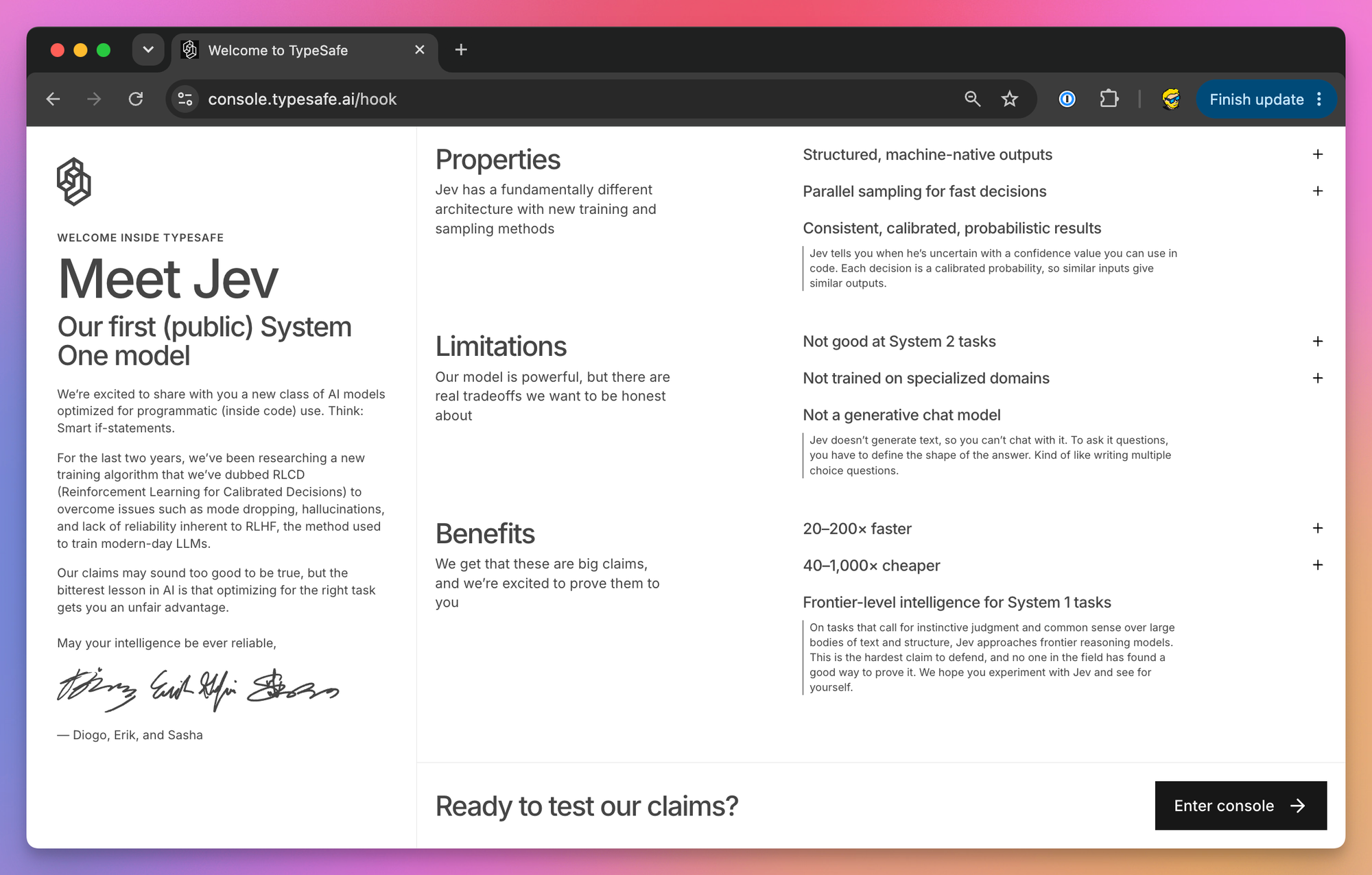
The console opens with a “Meet Jev” page. It explains what the model is, and also lists what it’s bad at: System 2 tasks (slow, step-by-step reasoning), specialized domains, and anything generative. Click Enter console to continue.
The login flow also handles organization invites. If a teammate invites you, sign in with the same email address the invite went to. The docs don’t cover organizations or team keys yet.
What’s inside the console?
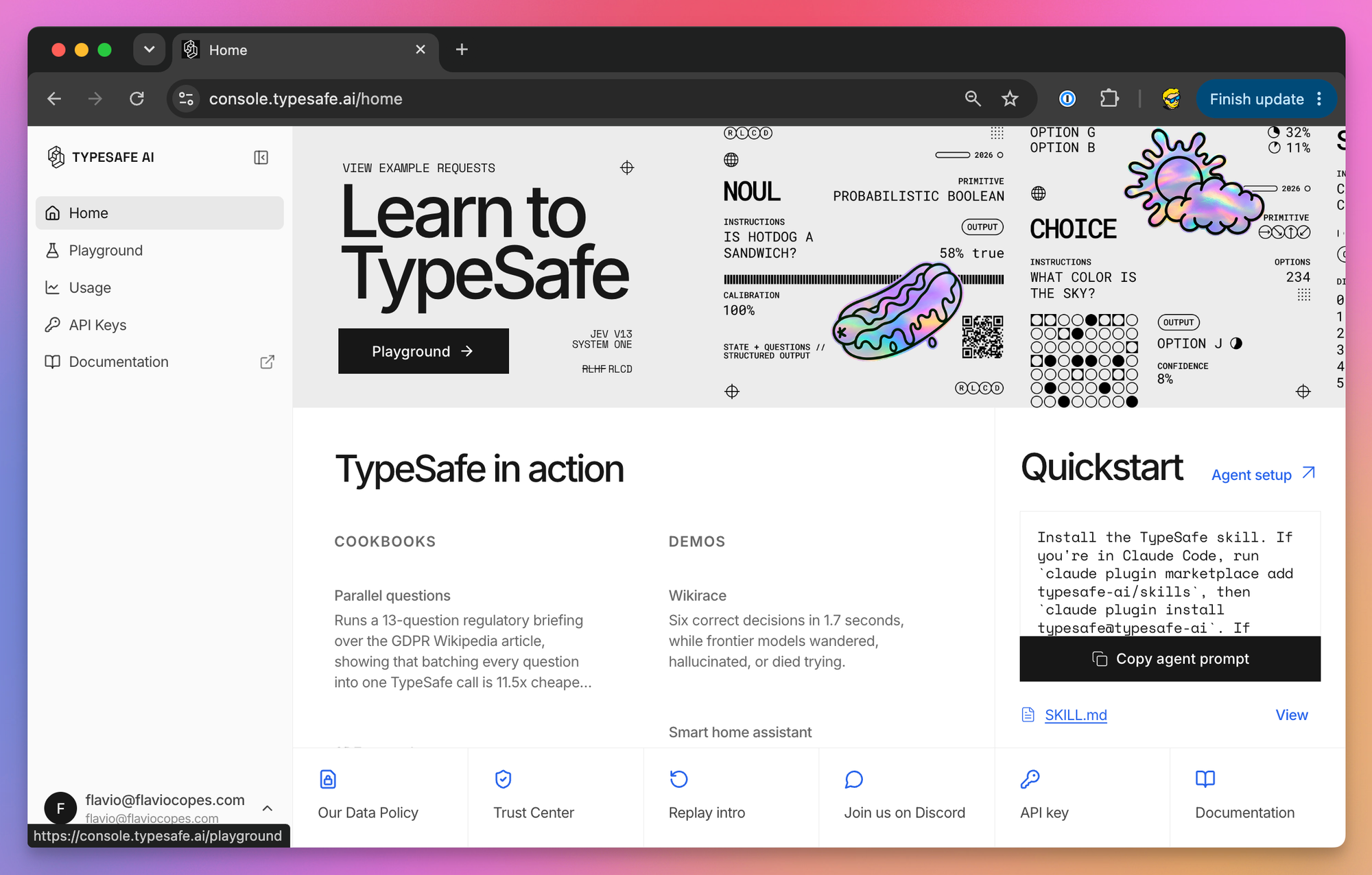
The sidebar has five entries: Home, Playground, Usage, API Keys and Documentation.
Home links the cookbooks and demos, plus a prompt you can paste into a coding agent to install the TypeSafe skill.
Playground lets you try Jev without writing code or creating a key. Paste some text as the state, pick Noul, Score or Choice to add a question, and click Run. The side panel has walkthrough lessons and three example use cases.
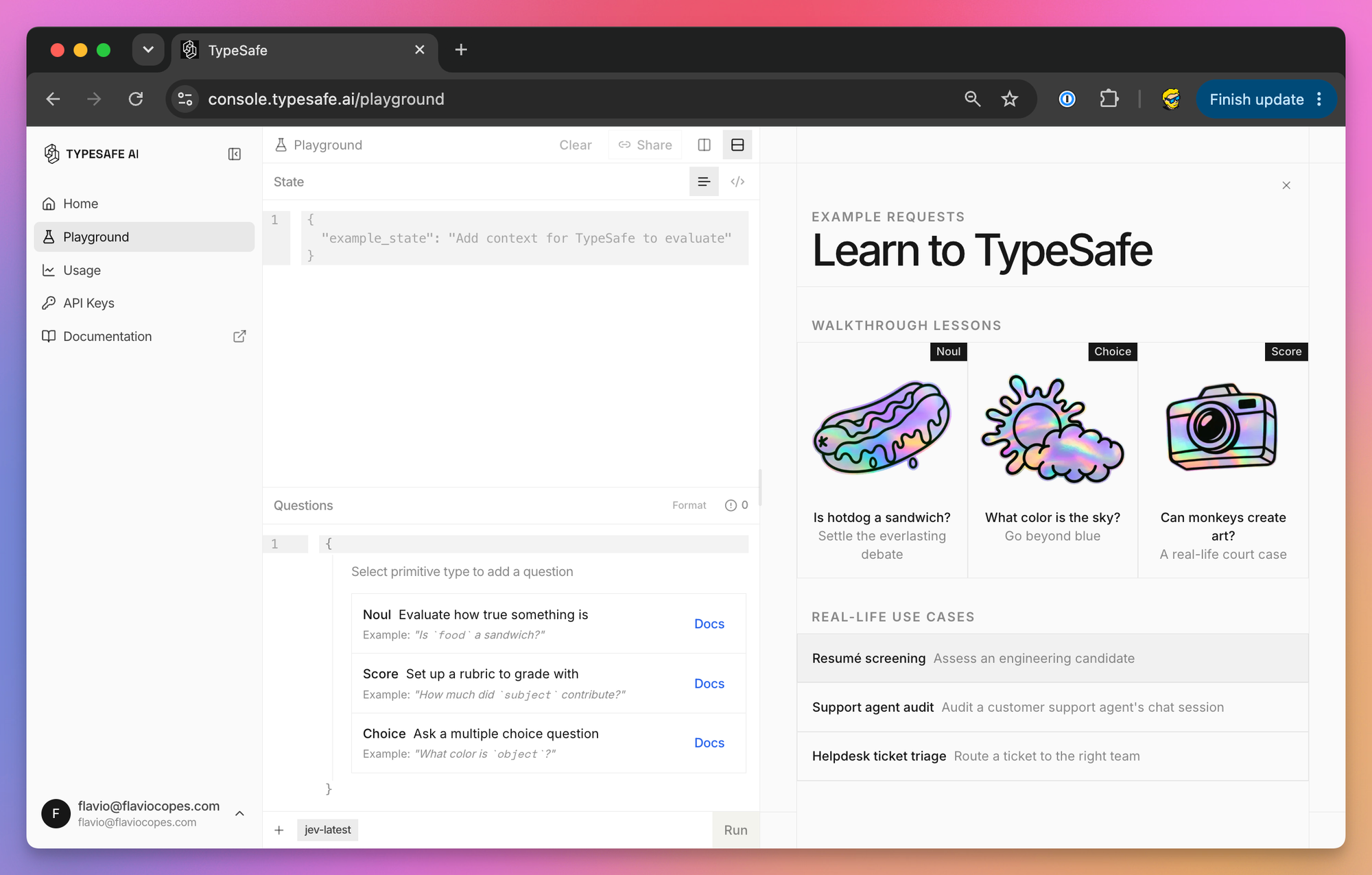
My advice is to spend 20 minutes here with your own data before you touch the API. Paste a real support ticket or a real form submission and see how the answers move when you reword a question.
Usage shows how many tokens you’ve consumed. API Keys is where your keys live.
How do I create a TypeSafe API key?
Open console.typesafe.ai/keys, or click API Keys in the sidebar, and create a new key.
Copy it right away and put it where it’s going to live (next section), not in a notes app or a chat window.
The TypeSafe docs don’t cover key rotation, revocation, expiry, or free credits, as of September 2026. Check the API Keys page for the options your account has, and assume a leaked key stays valid until you remove it there. If a tool that stored it reports a breach, revoke the key at TypeSafe and treat the copy as already taken.
Where should I store the API key?
The key goes on a server, never in browser code. Anyone who opens your page can read a key shipped in client-side JavaScript. The JavaScript SDK refuses to run in a browser for this reason, unless you pass dangerouslyAllowBrowser: true, and you shouldn’t.
Both official SDKs read the key from TYPESAFE_API_KEY. For a quick test in the terminal, export it in zsh or bash:
export TYPESAFE_API_KEY=paste-your-key-hereIn fish, the equivalent is:
set -x TYPESAFE_API_KEY paste-your-key-hereThis only lasts until you close the terminal, and the key ends up in your shell history.
For a project, put it in a .env file in the project root:
TYPESAFE_API_KEY=paste-your-key-hereThen make sure Git ignores it, before your first commit:
echo ".env" >> .gitignore
git status --short
.env should not appear in the git status output. If it does, fix the ignore rule before you commit anything.
Node.js 20.6 or newer loads that file with node --env-file=.env app.mjs, no extra package needed. In production, set TYPESAFE_API_KEY as a secret environment variable in your hosting dashboard instead of uploading a .env file.
Be careful with the variable name, because it’s not the same everywhere:
| Where you call Jev | Variable |
|---|---|
| TypeSafe JavaScript or Python SDK | TYPESAFE_API_KEY |
Vercel AI SDK with @ai-sdk/typesafe-ai | TYPESAFE_AI_API_KEY |
| Vercel AI Gateway | AI_GATEWAY_API_KEY |
The first two hold the same TypeSafe key. The third is a Vercel key, and it only works with Vercel’s endpoints.
How do I make my first request with curl?
The request goes to one endpoint, with the key in an Authorization: Bearer header. The body has three fields, and all three are required when you call the HTTP API directly: state (the text to judge), model, and questions.
Save this body, from the TypeSafe quickstart, as first-request.json:
{
  "state": "Hi, I've been trying to connect my Stripe account for 3 days and the integration keeps failing. I'm losing sales. Please help ASAP.",
  "model": "jev-latest",
  "questions": {
    "urgency": {
      "type": "noul",
      "instructions": "Does this message express urgency?"
    }
  }
}
A file saves you from quoting problems: the apostrophes in the message break a single-quoted -d '...' argument, and fish doesn’t support the <<EOF heredoc the quickstart uses.
Now send it:
curl https://api.typesafe.ai/v1/systemone \
  -H "Authorization: Bearer $TYPESAFE_API_KEY" \
  -H "Content-Type: application/json" \
  --data @first-request.json
You get back the answer, the versioned model that answered, and the token usage. It looks like this (the numbers are illustrative):
{
  "model": "jev-1.13.0",
  "answers": {
    "urgency": { "type": "noul", "noul": 0.97 }
  },
  "usage": { "input_tokens": 290, "output_tokens": 20 }
}
noul is the probability that the answer is yes. Notice that you sent jev-latest and the response says jev-1.13.0. jev-latest is an alias that points to the current stable release, so log the model field if you store results.
How do I check that my API key works?
GET /v1/models is the simplest way to test a key, because it doesn’t send any text to the model:
curl https://api.typesafe.ai/v1/models \
  -H "Authorization: Bearer $TYPESAFE_API_KEY"
A working key returns a models array with the names you can send in the model field. This is the example from TypeSafe’s API schema:
{
  "models": [
    {
      "name": "jev-latest",
      "description": "General-purpose system one model.",
      "release_date": "2026-09-15"
    }
  ]
}
According to the docs, the list currently holds the aliases, jev-latest and jev-preview, and in September 2026 both point to jev-1.13.0. Versioned IDs like jev-1.13.0 work in requests even though they’re not in the list.
The same check with the JavaScript SDK (Node.js 20 or newer, npm install @typesafe-ai/sdk), saved as check-key.mjs:
import { AuthenticationError, TypeSafeClient } from '@typesafe-ai/sdk'

const client = new TypeSafeClient()

try {
  const models = await client.models.list()
  console.log(models.map((model) => model.name))
} catch (error) {
  if (error instanceof AuthenticationError) {
    console.error(`TypeSafe rejected the key (${error.status}). Check TYPESAFE_API_KEY.`)
  } else {
    throw error
  }
}
Run it with node --env-file=.env check-key.mjs. If the variable is missing, the client doesn’t even send a request. It throws this right away:
TypeSafeError: No API key was provided. Pass `apiKey` to the TypeSafeClient constructor or set the TYPESAFE_API_KEY environment variable.In Python (3.10 or newer, pip install typesafe-sdk), with the key exported in your shell:
from typesafe_sdk import TypeSafeAuthenticationError, TypeSafeClient

with TypeSafeClient() as client:
    try:
        for model in client.models.list().models:
            print(model.name, model.release_date)
    except TypeSafeAuthenticationError as error:
        print(f"TypeSafe rejected the key ({error.status}). Check TYPESAFE_API_KEY.")
What do the Jev API error codes mean?
The API reference documents four status codes. Errors come back with a JSON body that describes the problem.
| Status | Meaning | What to do |
|---|---|---|
401 Unauthorized | Missing or invalid key | Check the variable and the header |
422 Unprocessable Entity | The body failed validation | Read the field named in the response |
429 Too Many Requests | Rate limit exceeded | Back off and retry |
529 Overloaded | TypeSafe is overloaded | Back off and retry |
A 401 from curl usually means $TYPESAFE_API_KEY is empty in the terminal you’re using. Run echo $TYPESAFE_API_KEY to see. A new terminal tab doesn’t inherit an export you ran somewhere else. Other common causes are a Vercel key sent to api.typesafe.ai, a key that got cut off when you copied it, and the wrong variable name.
A 422 means the request reached TypeSafe but the body is wrong, and the response names the field. Typical mistakes are a missing model (the SDKs fill in jev-latest for you, curl doesn’t), a question type spelled boolean (that’s the Vercel AI SDK’s name, TypeSafe calls it noul), a Score with fewer than 2 or more than 10 levels, or a Choice with more than 255 options.
A 429 means you went over the rate limit. As of October 2026 that’s 80 requests per second or 100,000 tokens per second, and TypeSafe says those numbers adjust dynamically. Wait and retry with exponential backoff, and honor the retry-after header when there is one.
A 529 means the service is overloaded. Retry after a short delay, again with backoff.
The SDKs do this for you. By default they retry 429, 529 and other 5xx errors twice, with a delay that starts at half a second and doubles up to 5 seconds.
The SDKs also have error classes for 400, 403 and 404, which the API reference doesn’t list. A 404 most likely means a typo in the URL.
When you have to ask for help, include the request ID. The SDKs read it from the x-typesafe-request-id response header (error.requestId in JavaScript, error.request_id in Python). With curl, add -i to see the headers.
Can I use Jev without a TypeSafe account?
Yes, through Vercel’s AI Gateway. The Gateway serves Jev under the model name typesafe-ai/jev, at the same price as TypeSafe: $0.042 per million input tokens, with output tokens free. The full breakdown, with workload estimates, rate limits and comparisons, is in How much does Jev cost?.
Here’s what you need:
- A Vercel account.
- An AI Gateway API key, from AI Gateway → API Keys in the Vercel dashboard, stored as
AI_GATEWAY_API_KEY. These keys never expire unless you revoke them, and you can give each one a budget. - AI Gateway credits. Every Vercel team gets a monthly free credit that covers a subset of models, and in September 2026 Jev’s Gateway page marked it as a free-tier model. Check the model page before you count on that, or buy credits.
The Gateway exposes the same API as TypeSafe under https://ai-gateway.vercel.sh/typesafe. Only the URL, the key and the model name change:
curl https://ai-gateway.vercel.sh/typesafe/v1/systemone \
  -H "Authorization: Bearer $AI_GATEWAY_API_KEY" \
  -H "Content-Type: application/json" \
  -d '{
    "model": "typesafe-ai/jev",
    "state": "I was charged twice for invoice INV-2291. Please refund the duplicate.",
    "questions": {
      "refund": {
        "type": "noul",
        "instructions": "Is the customer asking for money back?"
      }
    }
  }'
GET https://ai-gateway.vercel.sh/typesafe/v1/models works too, for the key check.
The TypeSafe JavaScript SDK works with the Gateway too. Pass the Vercel key and the Gateway URL to the client, and the Gateway model name to each request:
import { TypeSafeClient } from '@typesafe-ai/sdk'

const client = new TypeSafeClient({
  apiKey: process.env.AI_GATEWAY_API_KEY,
  baseURL: 'https://ai-gateway.vercel.sh/typesafe',
})

const { answers } = await client.systemOne({
  model: 'typesafe-ai/jev',
  state: 'I was charged twice for invoice INV-2291. Please refund the duplicate.',
  questions: {
    refund: {
      type: 'noul',
      instructions: 'Is the customer asking for money back?',
    },
  },
})

console.log(answers.refund.noul)
If your app uses the Vercel AI SDK, you can also pass model: 'typesafe-ai/jev' to its experimental_evaluate function. It reads AI_GATEWAY_API_KEY for you. Here’s how to use Jev with the Vercel AI SDK step by step.
Vercel bills these requests and shows them in its usage dashboard. If you get a TypeSafe key later, you can add it to the Gateway as a BYOK (bring your own key) credential so TypeSafe bills you directly. BYOK needs purchased Gateway credits, because Vercel falls back to its own credentials when your key fails.
If what you need is a model that speaks the same API, rather than Jev itself, Cloudflare released Clef on October 1, 2026. It’s a different decision model, hosted on Workers AI and used with a Cloudflare account. It accepts Jev’s request format once you change the URL, the key and the model name, and it costs more per token than Jev.
What should I do once the key works?
Take one decision your code already makes with a regular expression or a pile of if statements, like routing a support email or flagging a spam comment. Write it as one Noul or one Choice in the Playground (my guide on how to classify text with Jev helps you pick), test it with ten real inputs, and then move the same question into your code with the key you just created. For the JavaScript SDK, follow how to use Jev in Node.js. For Python, follow how to use Jev with Python.
For how to write those questions, and where Jev gets them wrong, the TypeSafe docs are the best next stop.
Want me to talk about your product? You can sponsor this site.
Related posts about ai: