Persist aliases and other configuration in Fish Shell
By Flavio Copes
Learn how to make Fish shell aliases and configuration persist across reboots by adding them to your ~/.config/fish/config.fish file.
Note to self: whenever making aliases in Fish (or any other config!), add them to the ~/.config/fish/config.fish file.
So they will be persisted after a system reboot.
Fish reads that file every time a new shell session starts. Anything you define there, like aliases, environment variables, or PATH changes, is recreated in every new terminal window.
Why aliases disappear
If you type an alias directly in the terminal, it works right away:
alias ls "eza"But it only lives in that session. Close the terminal, and the alias is gone. That’s what kept biting me: I’d define the same aliases over and over and wonder why they vanished.
The fix is to put them in the config file. Open it:
nano ~/.config/fish/config.fishAnd add the aliases there:
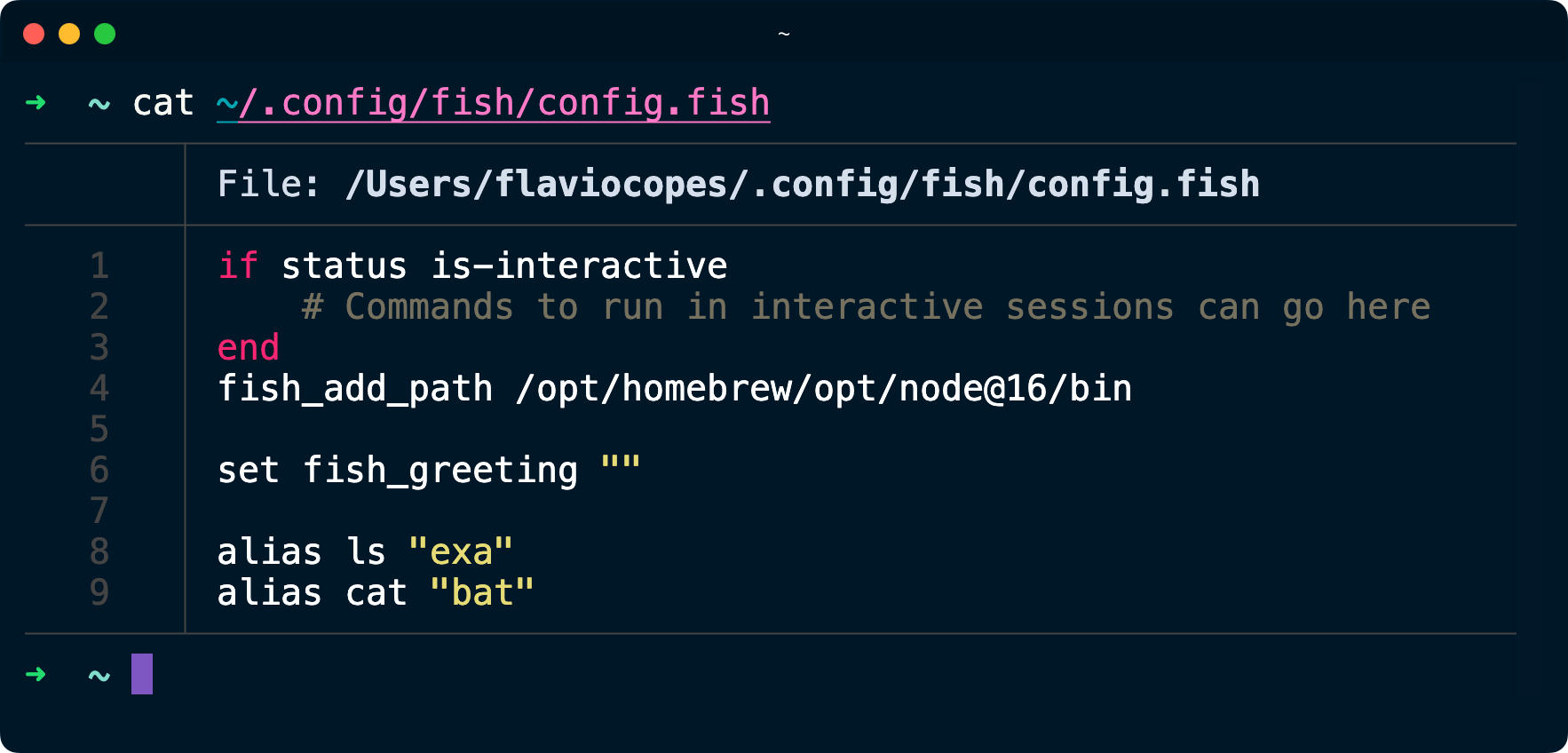
alias ls "eza"
alias cat "bat"
Here ls becomes an alias of eza (brew install eza) and cat an alias of bat.
When I wrote this post the alias pointed at exa, which is what you see in my config file below. exa is no longer maintained, so I switched the alias to eza, its maintained fork. Same command, same output, and Homebrew only ships eza now.
Reloading the configuration
Editing config.fish does not affect terminals that are already open. Either open a new tab, or reload the file in the current session:
source ~/.config/fish/config.fishAn alternative: alias —save
Fish has a shortcut. Pass the -s (save) flag when you define the alias:
alias -s cat "bat"Under the hood fish aliases are functions, and this saves the function to ~/.config/fish/functions/, where fish autoloads it in every future session. No need to touch config.fish at all.
Both approaches work. I prefer keeping everything in config.fish, because all my aliases sit in one file I can read, copy to a new machine, or put under version control.
Other configuration
The same rule applies to environment variables. Set them in config.fish with set -gx, so they’re global and exported to programs you run:
set -gx EDITOR nanoThere’s also a fish-specific option: universal variables, created with set -U:
set -U EDITOR nanoFish persists universal variables on its own, no config file needed. They survive reboots and are shared across all your fish sessions. Handy for one-off settings, but I still keep the ones I care about in config.fish, where I can see them.
Want me to talk about your product? You can sponsor this site.