
An app by Flavio
Repo Foyer
Find the GitHub repository you need with ranked lists, pinned favorites and keyboard search. A Chrome extension with full MIT source included.
Buy Repo Foyer · $20One-time purchase. Tax included. Full source code.
Chrome extension
$20 including tax, one-time purchase. Full MIT source included.
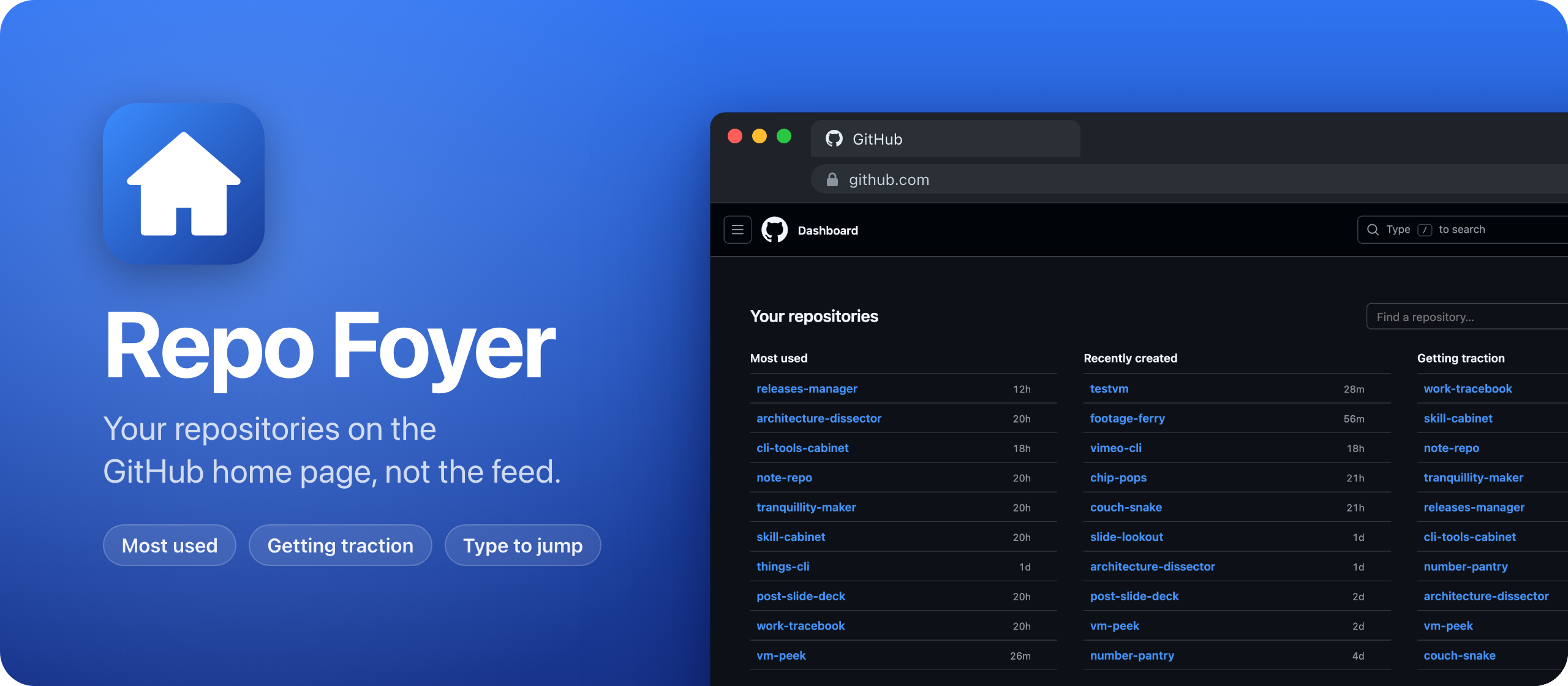
Repo Foyer is a Chrome extension that replaces the GitHub home page with a list of my repositories.
Most of the time I open github.com, it’s to get to one of the repos I’ve been working on. The home page shows me a feed instead.
I wanted it to do one thing: get me to my repo in a couple of seconds. So I made my own home page.
Here it is in 30 seconds:
What it does
When you open github.com, the feed is gone. In its place there are three short lists of your repositories:
- Most used: the 10 repos you work on the most right now
- Recently created: your 10 newest repos, without forks
- Getting traction: the repos that got the most stars in the last 7 days
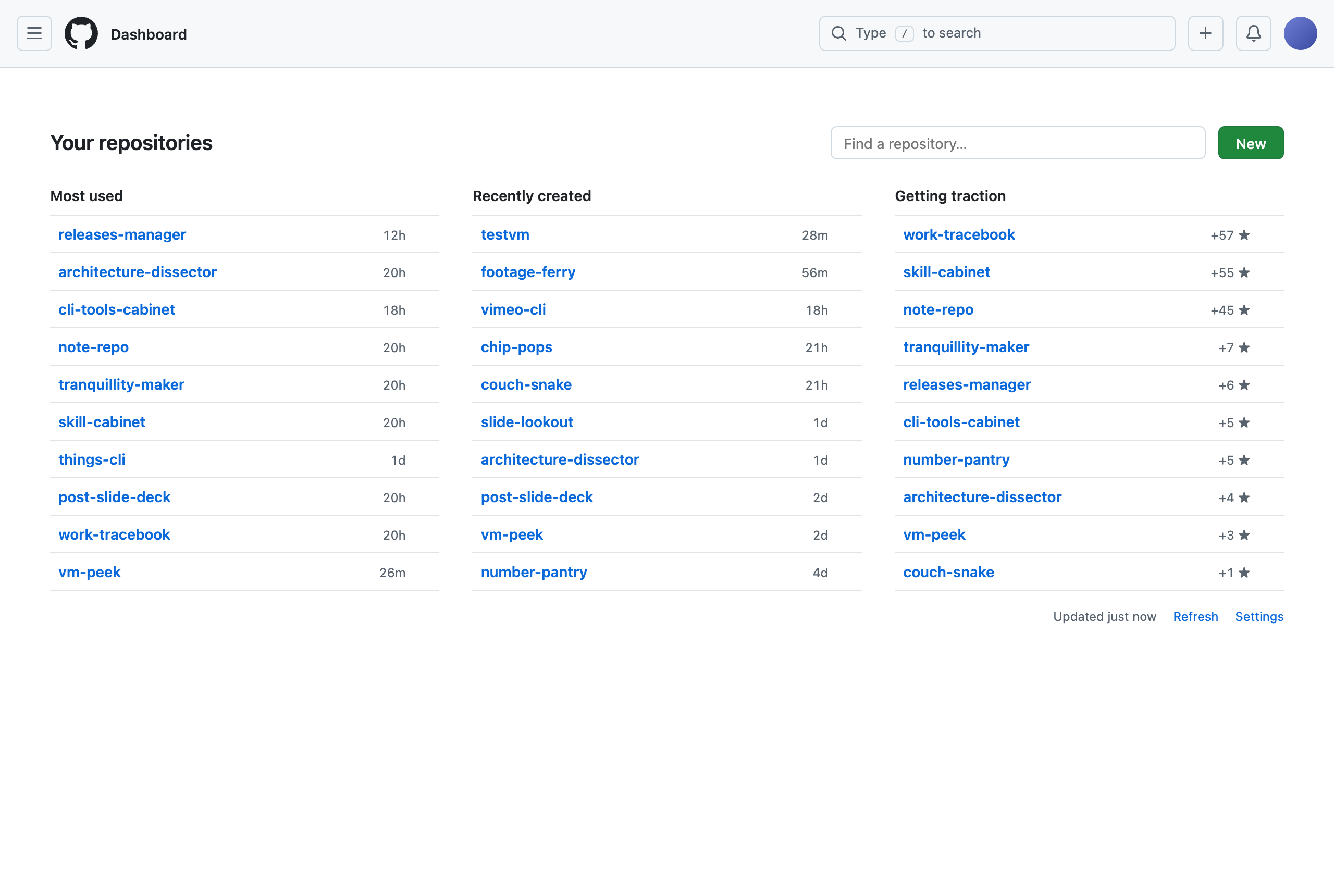
Each repo takes one line: its name, a Private label if it’s private, and when it was pushed or created, or how many stars it got. The description shows up when you hover over it.
To keep a repo at the top of Most used, hover over it and click the ☆. These stars live in the extension, not on GitHub, so they don’t change the repo’s star count.
The search box at the top has the focus as soon as the page loads, and it covers every repo, not only the ones in the lists. I type a few letters of a repo name and press Enter. The arrow keys move the selection, Cmd+Enter opens the repo in a new tab, and Escape clears the search.
GitHub’s header stays where it is. The list uses GitHub’s own colors, so it follows the light or dark theme. When you’re logged out, you see the normal page.
How it knows what I work on
Each repo gets a score from three things: my commits in the last 90 days, how often I opened it in this browser, and how recently it got a push.
Visits and pushes count less as they get older. Visits to the same repo less than 30 minutes apart count once, so an hour spent browsing a repo is one visit.
My first version counted commits with GitHub’s contribution data, the one behind the green squares on your profile. For my account it counted 260 commits in public repos, and reduced 2,436 contributions in private repos to a single number, with no repo names. That happens even when you ask about your own account, with a token that can read those repos.
Most of my work happens in private repos, so the ranking was wrong. Now the extension counts commits in each repo’s own history, for every repo pushed in the last 90 days.
Which repos are getting traction
I also wanted to see which of the repos I released lately are getting traction. The total star count doesn’t tell me that, because my oldest repos have the most stars.
So the third list counts the stars each repo got in the last 7 days. The week I first built it, Work Tracebook got 57 new stars, Skill Cabinet 55 and Note Repo 45, all released a few days before. My Vue developer roadmap from 2018 has 527 stars and got none that week, so it stays out.
It only looks at public repos you or your organizations own, and leaves out forks.
The token stays in Chrome
Repo Foyer reads your repos with the GitHub API, so it needs a token. You paste it in the extension’s settings: a classic token with the repo scope, or the output of gh auth token if you use the GitHub CLI.
The token stays in Chrome’s extension storage, and the extension only sends it to api.github.com. The visits stay in the browser too. There are no accounts and no analytics.
Under the hood
It’s plain JavaScript, with no build step.
The content script starts before GitHub draws the page. On the home page, a CSS rule hides GitHub’s content, and the script puts the list in its place, drawn from a cache. A service worker refreshes the cache in the background when it’s older than 5 minutes, so the list shows up right away.
GitHub changes pages without a full reload, so the script watches the address and puts the list back whenever you land on the home page.
The repo has a test that loads the extension into Chromium with Playwright, on a fake github.com with demo data, so it runs without a token.
Buy Repo Foyer and get started
Repo Foyer costs $20 including tax, paid once. You get the app and its full source code under the MIT license, so you can read it, change it and build your own version.
After buying, connect your GitHub account in Polar and accept the invitation to the private Repo Foyer repository. Then open its Releases page to download it. Future updates are available from the same private GitHub Releases page.
Repo Foyer isn’t on the Chrome Web Store, so you load it into Chrome yourself:
- Once you have repository access, download the zip from the latest release and unzip it.
- Move the unzipped folder somewhere it can stay, like your Documents folder. Chrome runs the extension from that folder.
- Open
chrome://extensionsand turn on Developer mode in the top right corner. - Click Load unpacked and pick the folder.
- Click the Repo Foyer icon in the extensions menu, and paste your token in the settings.
An extension you load this way doesn’t update itself. When a new version comes out, copy its files over the old ones in the same folder, then click the reload arrow on the Repo Foyer card in chrome://extensions. The README has the details.
If you want to ship an extension through the store instead, I wrote how to publish a Chrome extension to the Chrome Web Store.