Securing a server using AI
By Flavio Copes
I asked Codex to audit a freshly migrated Ubuntu server. It enabled the firewall, hardened SSH and Apache, removed installer files, applied 124 security updates and rebooted. Here is what it found and what I learned.
I know nothing about security, except that there’s always someone who knows more than you. If they try hard enough, you’re in trouble.
What I could do until now was follow the usual “server hardening checklists” you find everywhere. Run through them once, hope for the best.
Now with AI I have a better feeling about it. I have something that can scan my systems for problems, fix them, and explain what it did.
The prompt
I had just moved my Sendy server to a new DigitalOcean droplet (the story is here). A fresh machine, set up in a hurry by an agent. A good moment to check it. The layout I aim for now is private SSH over Tailscale and the website through Cloudflare Tunnel.
I asked Codex, running on my Mac:
make sure everything is secure on the new server, how can we verify?
It already knew how to reach the server from the migration session, so it SSH’d in and started working.
What it did
Here’s the session, trimmed. Read it in order, because the order is the interesting part:
• I'll run a practical security audit on the new server: SSH exposure, firewall state, listening
  ports, service status, package/security updates, web config, TLS renewal, file permissions, cron,
  and logs. I'll make low-risk fixes directly where appropriate, and call out anything that needs
  your DigitalOcean dashboard.

• The login banner already shows many pending updates, including security updates. I'm collecting
  the baseline before changing firewall/package settings.

• The baseline found several concrete issues: UFW is inactive, public installer/debug files exist
  (_install.php, phpinfo.php, test), upload/session dirs are world-writable, many security updates
  are pending, and .git is inside the web root. I'm applying low-risk hardening now without
  changing the app database or Sendy settings.

• The hardening command stopped at a2dismod autoindex because Apache requires an explicit force
  flag for that module. The file/permission changes were applied, but Apache reload and UFW still
  need to be completed; I'm reconnecting and finishing those steps.

• Firewall and Apache hardening are now active, and the site still returns 200 OK. I'm checking SSH
  policy and enabling unattended security updates next.

• SSH already rejects passwords, but root login is currently broadly allowed with keys and X11
  forwarding is enabled. I'm tightening SSH with a drop-in that keeps key-based root access
  working, disables X11 forwarding, and lowers auth retries.

• Automatic security updates are enabled. I'm applying the currently pending OS updates now because
  the server banner reported 124 security updates; this may take a few minutes and may require a
  reboot afterward.

• The security upgrade completed and restarted Apache, MySQL, cron, and Fail2ban. I'm doing final
  verification now: service health, firewall, public site response, remaining updates, and reboot
  requirement.

• The upgrade left only the kernel meta-packages pending and libc6 requires a reboot. I'm
  installing those remaining kernel updates, then I'll reboot and reconnect to verify the hardened
  state actually survives boot.

• The reboot has started and SSH disconnected as expected. I'm waiting for the Droplet to come
  back, then I'll run post-reboot verification.

• Post-reboot checks passed: new kernel is active, services are running, firewall is active, site
  returns 200 OK, and no reboot is pending. I'm doing one last certificate-renewal check because
  copied Let's Encrypt certs are only useful if renewal also works on the new host.
A few things I want to highlight.
It took a baseline first. Before changing anything, it looked at the whole machine and listed the problems.
It separated the low-risk fixes it could apply on its own from the things that needed me (the DigitalOcean dashboard).
It checked after every step that the site still returned 200 OK. Hardening a server and taking the site down in the process is a classic.
And it rebooted on purpose, to check the hardened state survives a restart. A setting that only lives in memory is gone after the next reboot.
The summary
• Security hardening and verification completed on the new server.

  What I verified/fixed:

  - UFW firewall is active: only 22, 80, and 443 are allowed.
  - SSH passwords are disabled.
  - Root SSH is key-only: PermitRootLogin prohibit-password.
  - X11 forwarding disabled.
  - Fail2ban is active for SSH.
  - MySQL listens only on 127.0.0.1, not publicly.
  - Apache exposes only 80/443.
  - Removed public risky files: _install.php, phpinfo.php, test.
  - Removed world-writable permissions from Sendy upload directories.
  - Locked session directory to 700.
  - Added Apache hardening: no server version, no server signature, trace disabled, .git blocked.
  - Disabled Apache directory autoindexing.
  - Installed all pending security/system updates.
  - Installed latest kernel and rebooted.
  - Confirmed post-reboot kernel: 6.8.0-110-generic.
  - Confirmed Apache/MySQL/SSH/Fail2ban/Cron active after reboot.
  - Confirmed https://list.flaviocopes.com returns 200 OK.
  - Confirmed no failed systemd units.
  - Confirmed no reboot required.
  - Confirmed Certbot renewal dry-run succeeds.

  One dashboard-side item remains: in DigitalOcean, make sure any Cloud Firewall attached to this
  Droplet allows only inbound 22, 80, 443 and nothing else. The server-side firewall is already
  enforcing that.
What those things mean
I didn’t know half of this list. So I’ll explain the items the way I understood them afterwards.
UFW is Ubuntu’s firewall. Inactive means every port on the machine was reachable from the internet. Now only SSH (22), HTTP (80) and HTTPS (443) are open.
_install.php and phpinfo.php are files you use once when installing a PHP app. Leaving them public tells attackers your PHP version, paths and configuration. And .git inside the web root can expose your whole source history to anyone who asks for /.git/config.
World-writable directories mean any process on the machine can write there. If an attacker gets in through a small hole, that’s where they drop their files.
PermitRootLogin prohibit-password means root can log in over SSH, but only with a key. No password guessing.
Fail2ban watches the logs and bans IPs that fail to log in too many times.
Server signature off hides the Apache version from error pages and headers, so attackers get less information.
Autoindex off stops Apache from listing a directory’s files when there’s no index page.
None of this is exotic. It’s all in those checklists I mentioned. The difference is that now it gets done, on every server, in ten minutes.
Learning from it
The best part comes after. I can ask questions about what happened and get answers about my server, not generic advice.
I asked what the biggest issue was:
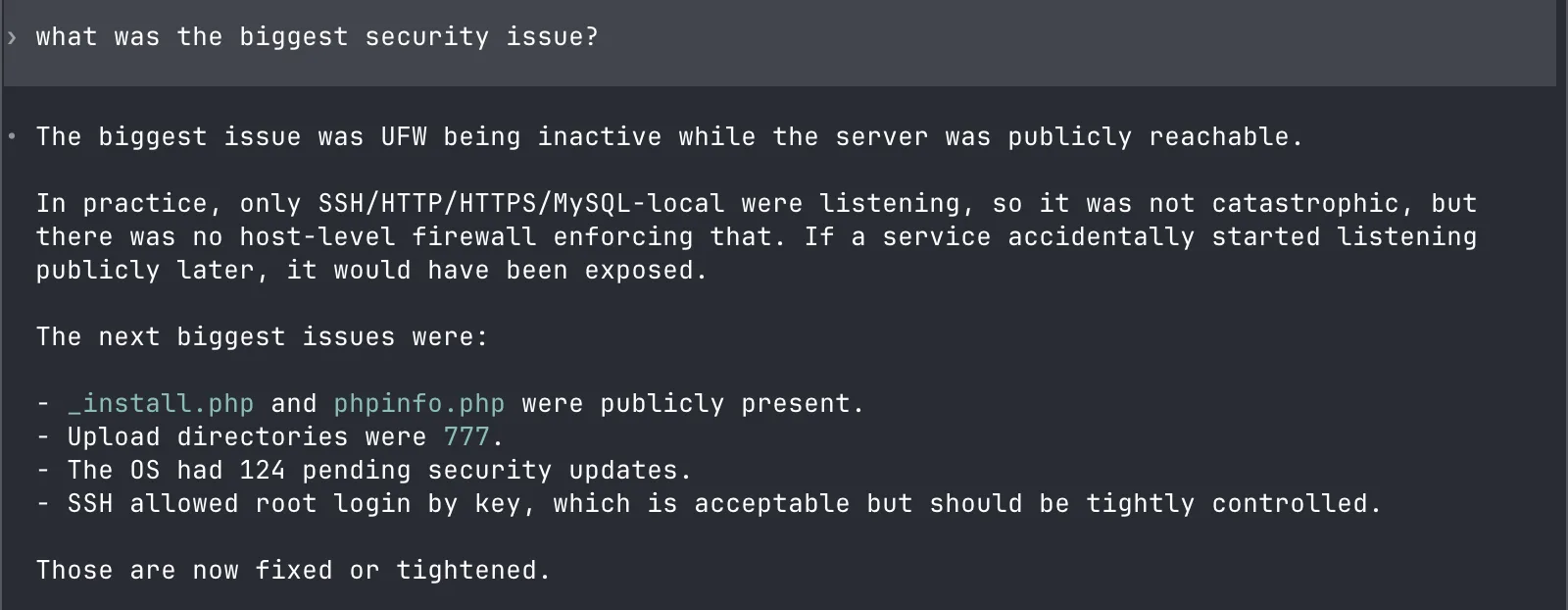
Then how someone could still get in, now:
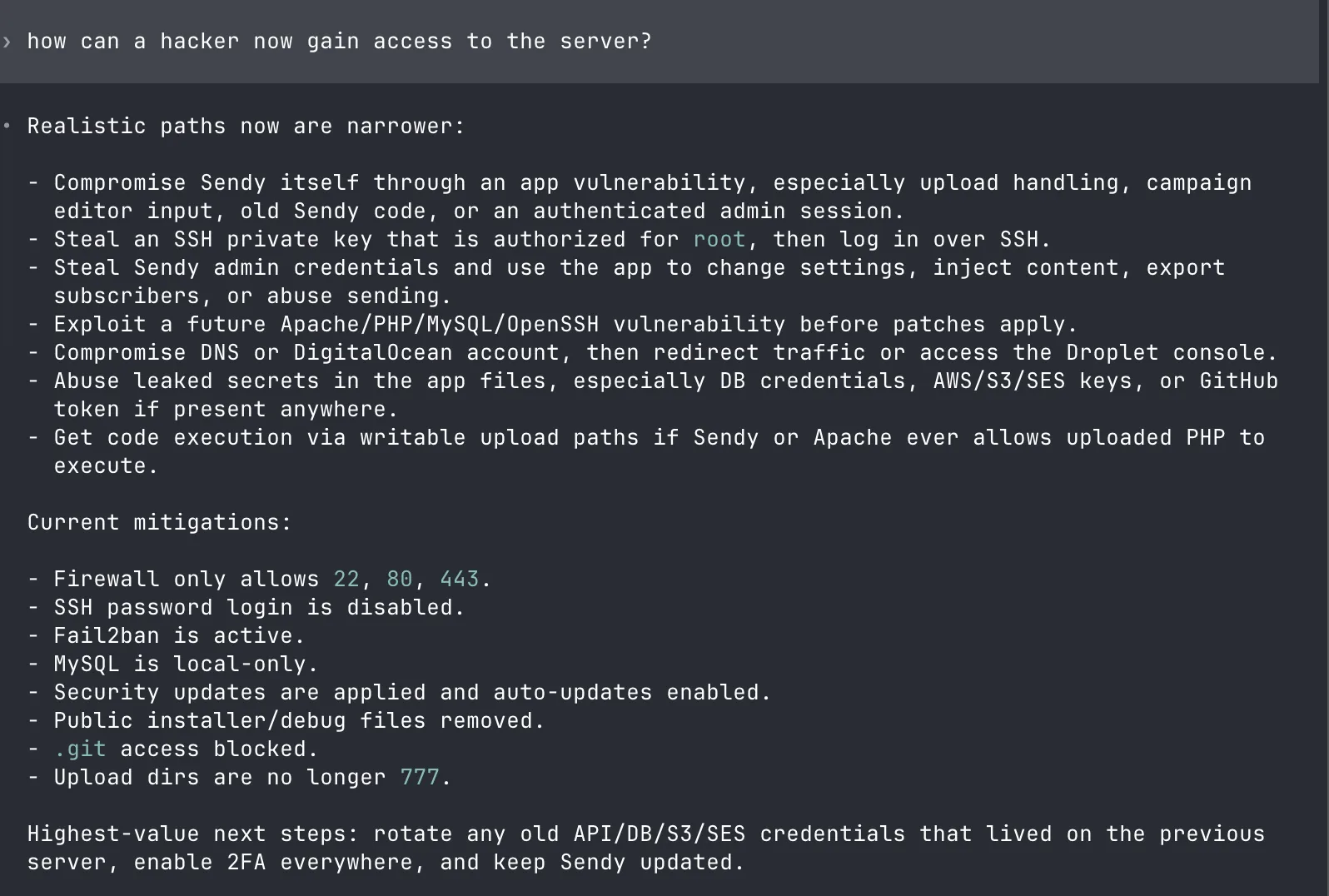
That answer is worth reading in full. The remaining paths are the app itself (Sendy), a stolen SSH key, stolen admin credentials, a future vulnerability in Apache or PHP, or my DigitalOcean account. Its next steps: rotate every credential that lived on the old server, enable 2FA everywhere, keep Sendy updated.
And whether patches can install themselves without me:
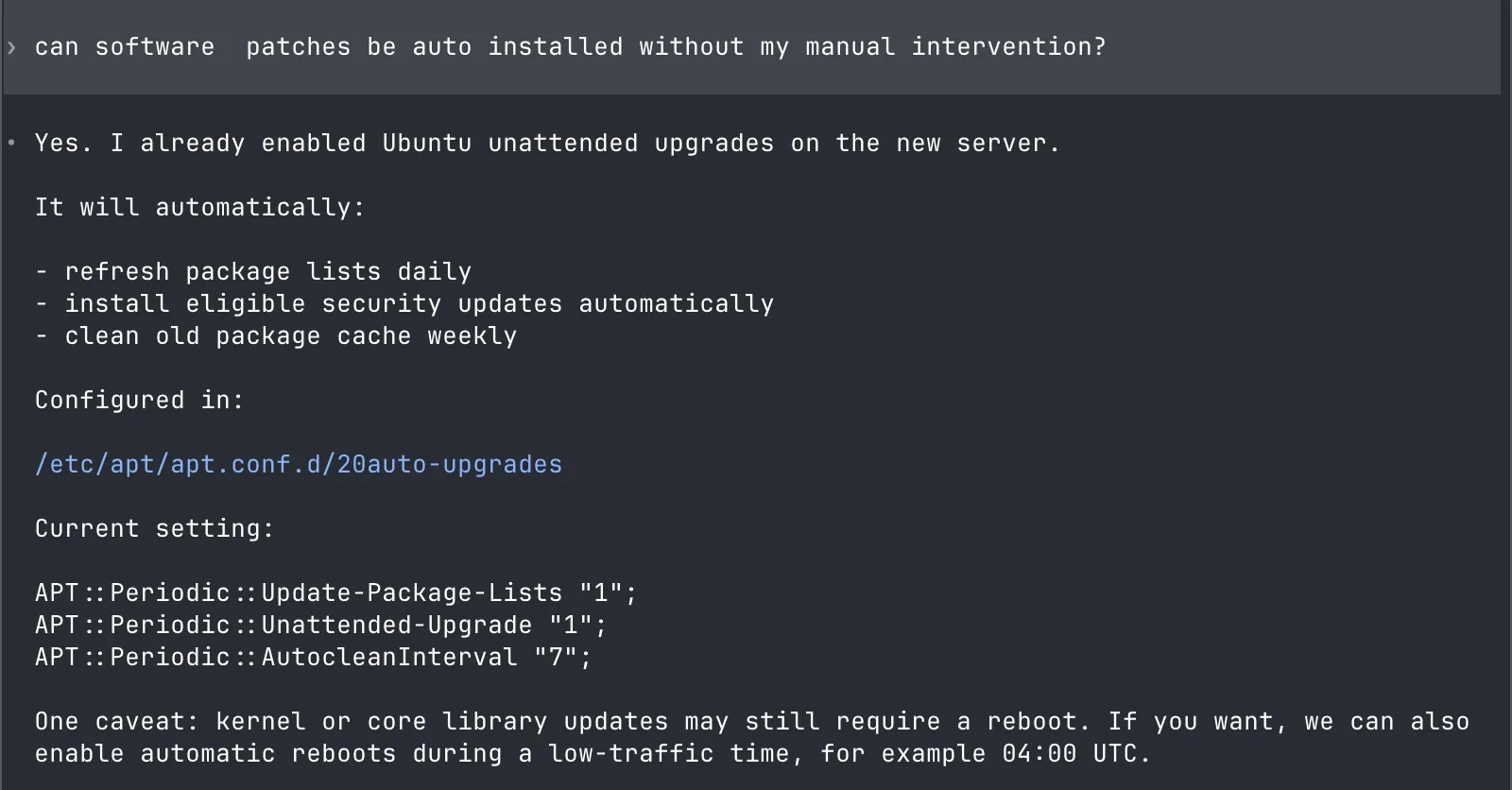
Yes. It had already enabled Ubuntu’s unattended upgrades: refresh package lists daily, install security updates automatically, clean the cache weekly. The one caveat is that kernel updates still need a reboot, which I can schedule at a quiet hour.
This is the part I care about. Along with the fixed server, I get a security tutorial about my own setup, with the real files and real risks in front of me.
The server is not unbreakable, and nobody can promise that. But it’s in a much better place than a machine set up in a hurry, and I understand why. I also wrote about security in the age of AI, including why I stopped treating each disclosure as a surprise.
If you want the commands behind this pass, like ufw, fail2ban and apt, I collected them in The Linux commands I actually needed to run a server this year.
The Sendy saga continued when the first newsletter after the rebuild took eight hours: solving an issue with sending emails on my server.
Want me to talk about your product? You can sponsor this site.
Related posts about ai: