How to use Vercel's fx coding agent
By Flavio
Tagged: AI
fx is Vercel Labs' coding agent, a small Zig binary. Run it in the terminal, call it from scripts, or embed the same agent in an app.
fx is a coding agent from Vercel Labs. It is a native binary, written in Zig, and the project is Apache-2.0.
You run it in a terminal, you call it from a script, or you embed the same core in your own app. There is no hosted fx service and no public HTTP API, only the binary.
I wrote this against fx 0.0.10, released on 14 September 2026. The project still marks itself experimental, and the binary for that release is about 6.17 MiB, which is also what the homepage says.
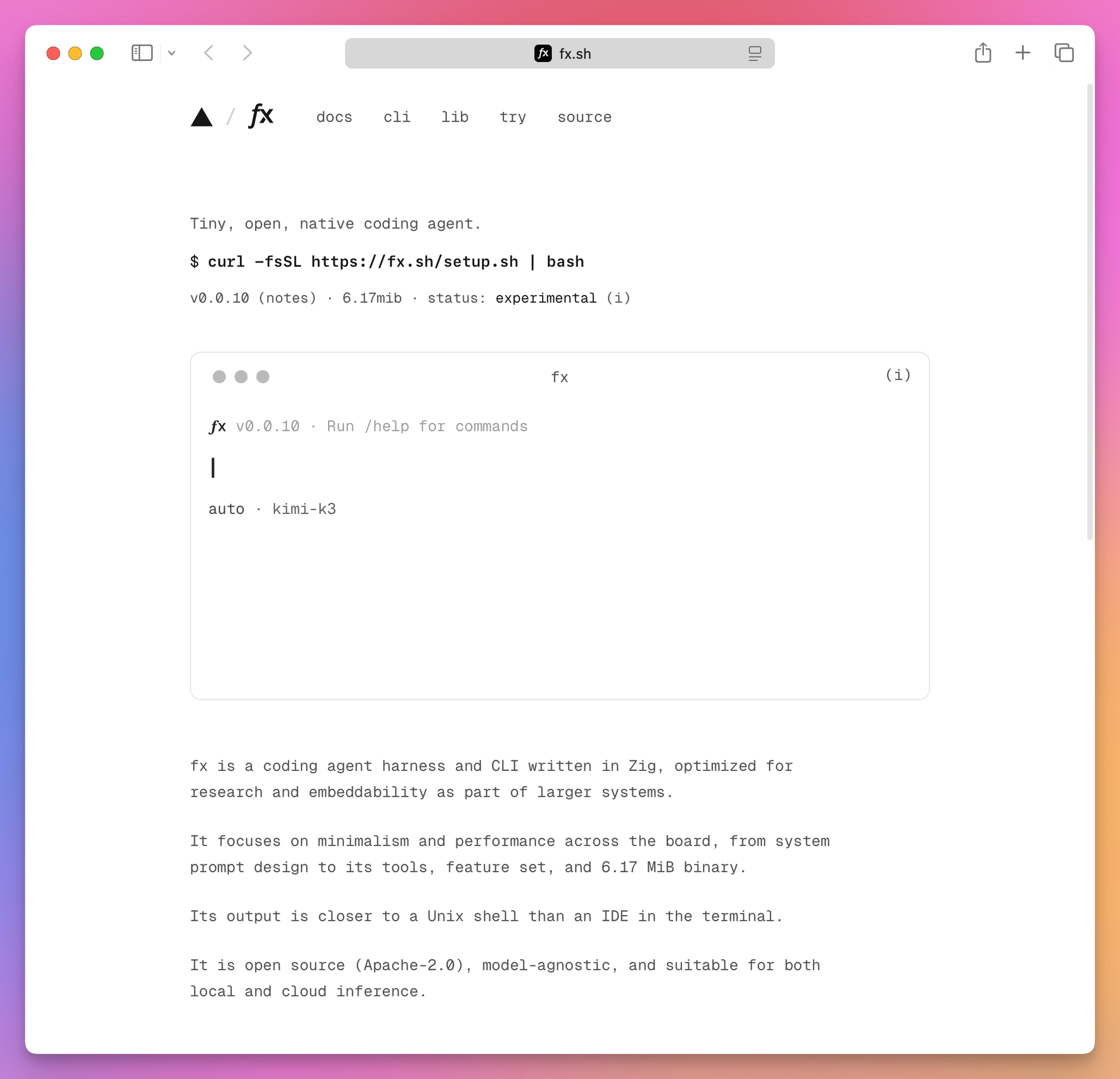
The output scrolls like a shell. fx does not take over the terminal with a full-screen interface, so the scrollback you already have stays readable.
fx 0.0.15
Vercel announced fx 0.0.15 on 28 October 2026. The changelog dates that build 27 October. I have not installed it. The session later in this post is still 0.0.10.
The new binary is 6.15 MiB. Vercel says that is 7.66% smaller than 6.66 MiB.
Long conversations use about 70% less memory. The changelog compares 0.0.15 with 0.0.14 on a local run that had 96 MiB of saved images. Peak memory went from 381.8 MiB to 116.5 MiB, 69.5% less, and those turns finished in 288 ms instead of 939 ms. Text sessions in that comparison resume about 18% faster.
/model refreshes the catalog in the background, so a model released while fx is open can show up without a restart. If the refresh fails, the cached list stays.
/fork starts a separate session before an earlier prompt and puts that prompt back in the composer. The original conversation stays as it was.
/effort sets reasoning effort without switching models. You can open the menu, or pass a level it supports.
libfx saves each image once, and a durable session can restore images from a finished tool call after a crash. The turn’s result waits until that state is saved. If the save fails, the result fails too. It refuses an empty prompt, a broken image, more than 8 images, or more than 6 MiB of image data, before the turn is queued. An older libfx cannot open a session that 0.0.15 wrote with those image references. Sessions from earlier versions still open.
A few 0.0.10 commands are gone. fx ask --continue-recovery is removed. fx mcp trust approve and fx mcp trust reject are now fx mcp approve and fx mcp reject. fx mcp auth is fx mcp login. After the update, sign in again to HTTP MCP servers that need a login. The old login files stay on disk, and fx does not import them.
Why should you care about fx?
There are a lot of coding agents now, and most of them come tied to an editor or to one vendor’s models. fx is a small open source binary you download, and the same agent runs in four places: the terminal, a shell script, an editor that speaks ACP, and your own Node app through libfx.
Most agents don’t offer the last one. The agent you try in the terminal is the same core you can put inside a product, with tools you write in JavaScript.
You’re also not locked into one model provider. Sign in with Vercel AI Gateway and you pick from its catalog, or reuse a ChatGPT or Grok subscription you already pay for. A preview even lets you point it at a local Ollama server.
And it’s careful about what a cloned repo can do to you. A project file can’t choose your model or set your permission rules, and the MCP servers it ships don’t start until you trust them.
Keep in mind it’s still a 0.0.x release marked experimental, so expect things to change between versions.
How could you use it?
Here are a few ways, from the smallest to the most involved:
- Ask questions about a codebase.
cdinto a repo you just cloned, runfx, and ask how a feature works, adding “do not change any files” to the prompt. See A first session. - Run it from a script.
fx ask --jsonreturns one JSON object, so a CI job or a git hook can ask for a summary of the uncommitted changes, or the failing tests, and readfinal_output. See One request from a script. - Use the subscription you already have. After
fx login codex, your ChatGPT plan pays for the requests, and you get another terminal agent without buying another plan. - Use it inside your editor. An editor with ACP support launches
fx acpand talks to the same agent. See Editors, through ACP. - Use it inside T3 Code. On October 28, 2026, Vercel said that fx is a built-in provider there. It runs on web, desktop, and mobile, with the models and skills you already use.
- Build an assistant into your app. With
libfx, a Node script or a backend gets an agent whose only tools are the functions you pass it, like a docs helper that looks up your handbooks. Yourexecutefunction decides what it can touch. See Embed the agent. - Try a local model. The preview connection points fx at an Ollama server on your Mac, so the model runs on your own hardware. Check first that your build includes it. See A local model.
At the end of the post I explain how I would use it on this site.
How is fx different from pi and other coding agents?
The closest thing to fx is pi (I wrote a deep dive into Pi), the minimal terminal coding agent started by Mario Zechner. Both are open source, both live in the terminal, both read AGENTS.md and skills, and both can be embedded in your own code. Where they differ is how much comes built in.
pi ships almost nothing on purpose. By default the model gets four tools, read, write, edit and bash. There is no MCP, no subagents, no permission prompts and no plan mode. If you want any of those, you write a TypeScript extension or install a pi package from npm or git. fx goes the other way: MCP, subagents, permission modes with a reviewer model, web search and ACP are all built in, and a project file can’t change most of them.
The rest is mostly about runtime and providers:
| fx | pi | |
|---|---|---|
| Written in | Zig, one native binary | TypeScript, runs on Node 22.19+ |
| License | Apache-2.0 | MIT |
| Models | Vercel AI Gateway, a Codex or Grok subscription, a local preview | API keys for dozens of providers, plus Claude Pro/Max, ChatGPT Plus/Pro and GitHub Copilot subscriptions |
| Safety | ask, auto and full-access modes, rules per command | No prompts, run it in a container or build a gate as an extension |
| Scripting | fx ask --json | pi -p, --mode json, --mode rpc |
| Embedding | libfx for Node and the browser | an SDK for Node apps |
| Windows | no native CLI | supported |
My advice is to pick pi if you like building your own tools and want every model provider available. Pick fx if you want the batteries included and a permission system you don’t have to write yourself.
The bigger agents are a different category. Claude Code, Grok Build, and Codex come from model companies, so they are built around their own models and plans. OpenCode is another open source terminal agent, with many providers and its own Plan and Build agents. Cursor is an editor first, with the agent inside it. How I choose among Codex, Claude Code, and Cursor is a separate post, and How to compare OpenCode, Claude Code, and Codex CLI is the same idea for those three terminal tools. fx is small, isn’t tied to one editor, and the same core that runs in your terminal can run inside your app. It is also a Vercel project, so the default path goes through Vercel AI Gateway.
Install it
fx publishes builds for macOS and Linux, on x86_64 and arm64. There is no Windows build of the CLI.
On a Mac, this installs the latest release into ~/.local/bin:
curl -fsSL https://fx.sh/setup.sh | bashOn this Mac that printed installed fx 0.0.10 and put the binary at /Users/flaviocopes/.local/bin/fx.
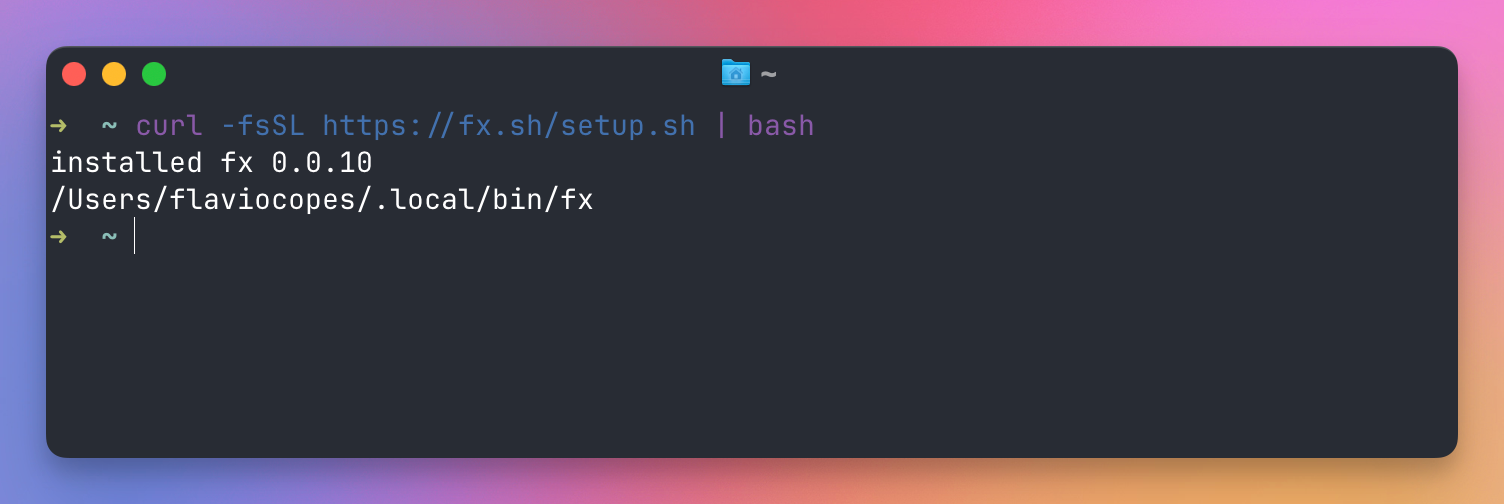
The script detects the platform, downloads a release archive over HTTPS, unpacks it, and copies the binary. If ~/.local/bin is not on your PATH, it appends a line to ~/.zshrc. I use fish on this machine, and on fish it edits ~/.config/fish/config.fish instead.
If you want to read the script before it runs, save it first:
curl -fsSL https://fx.sh/setup.sh -o setup.sh
less setup.sh
bash setup.sh
The installer does not check a signature or a published checksum. The GitHub release for 0.0.10 does ship a .sha256 file next to each archive, so an audited install can fetch that archive and verify it yourself. Pin the version when a script should always install the same release:
curl -fsSL https://fx.sh/setup.sh | bash -s -- 0.0.10Set FX_INSTALL_DIR if you want the binary somewhere other than ~/.local/bin.
On Linux the same installer works, including on Omarchy. It picks the arm64 or x86_64 archive for the machine you are on. There is no separate Omarchy package to add.
Then check that the binary is the one you think it is:
fx --version
fx doctor
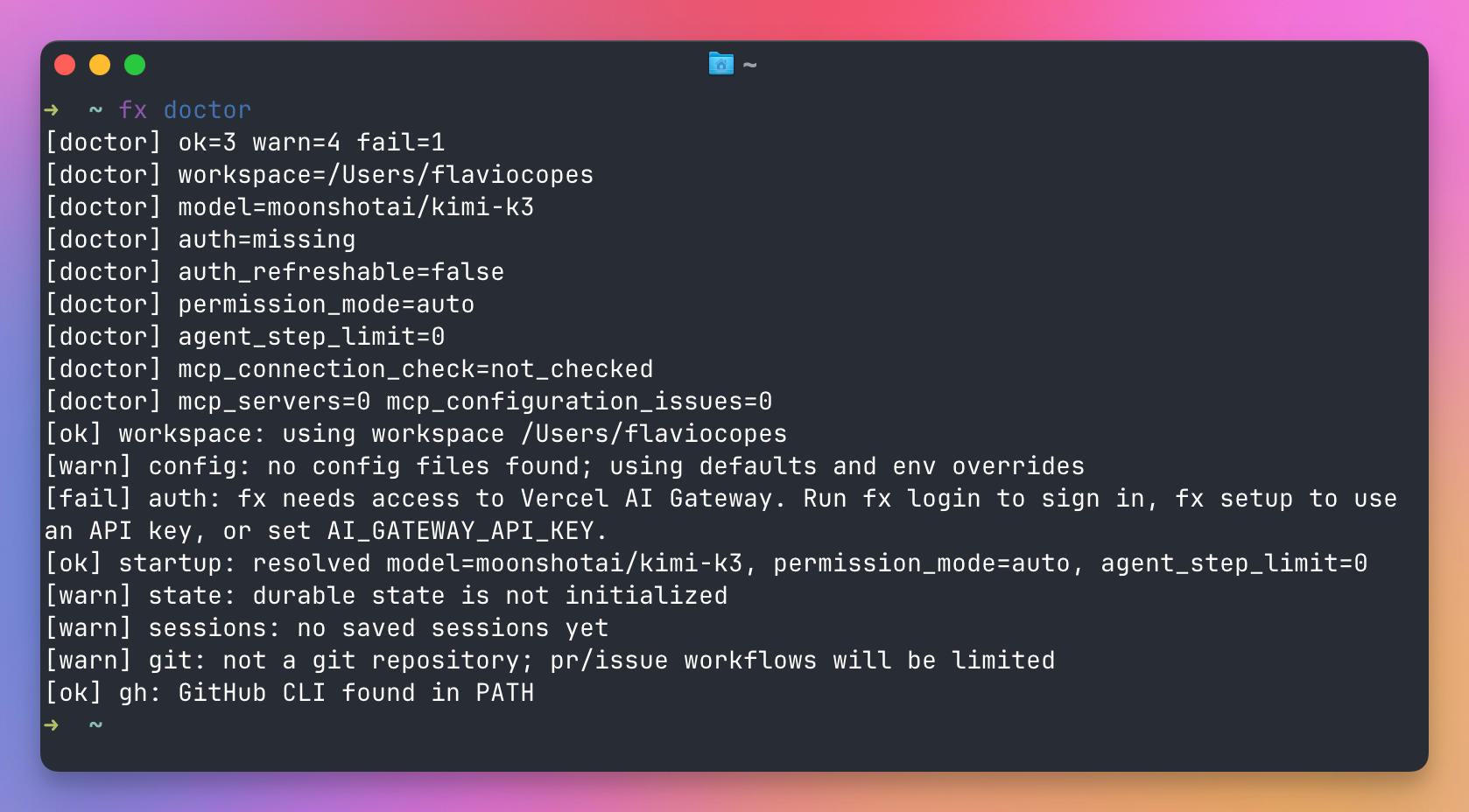
fx doctor reports the workspace, config, auth, and local session state. It does not start an agent turn.
I ran it from my home directory before signing in. Auth was missing, the resolved model was moonshotai/kimi-k3, and it warned that ~ is not a git repo.
Upgrade later with fx upgrade. Add --channel stable or --channel dev to remember a channel. Automatic upgrade checks are on by default. FX_AUTO_UPGRADE=0 skips them for one process. Those checks fetch release metadata. They do not send a machine id.
To build it yourself you need Zig 0.16 or newer:
git clone https://github.com/vercel-labs/fx.git
cd fx
zig build -Doptimize=ReleaseSafe
./zig-out/bin/fx --version
gh is only required if you want fx pr --create or fx issue --create to publish through GitHub. The agent itself does not need it.
You can also open fx.sh/try and run 0.0.10 in the browser. That demo is the CLI compiled to WebAssembly, with a throwaway workspace. It needs JavaScript Promise Integration, which means a current Chrome or Safari 27 or newer. Your files stay where they are until you install the binary.
Sign in
fx talks to one provider at a time. The default is Vercel AI Gateway.
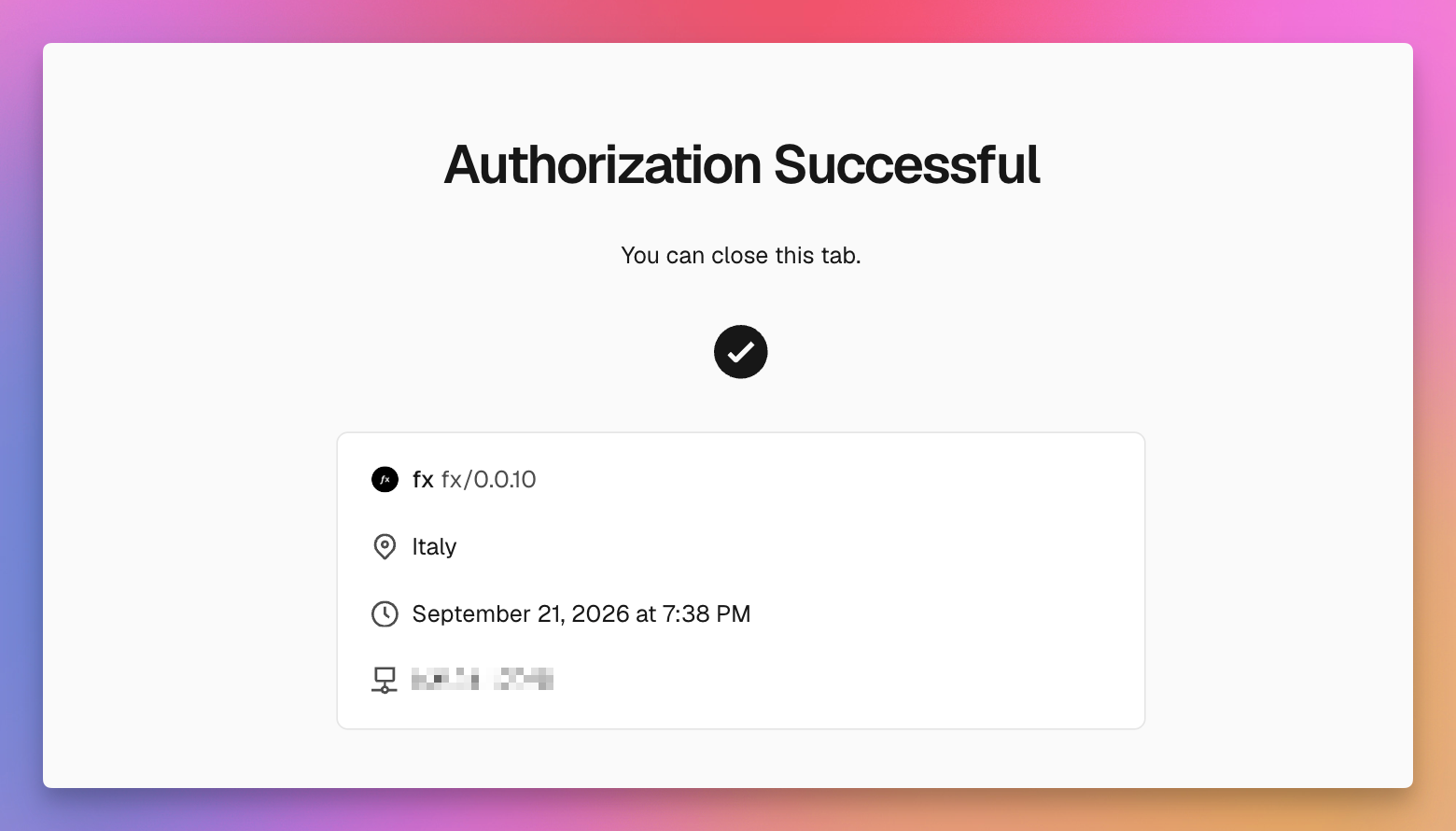
fx loginThat opens a Vercel OAuth flow and stores the session in ~/.fx/auth.json. The browser page tells you when you can close the tab. In a headless shell, set FX_NO_OPEN_BROWSER=1 and it prints the URL instead.
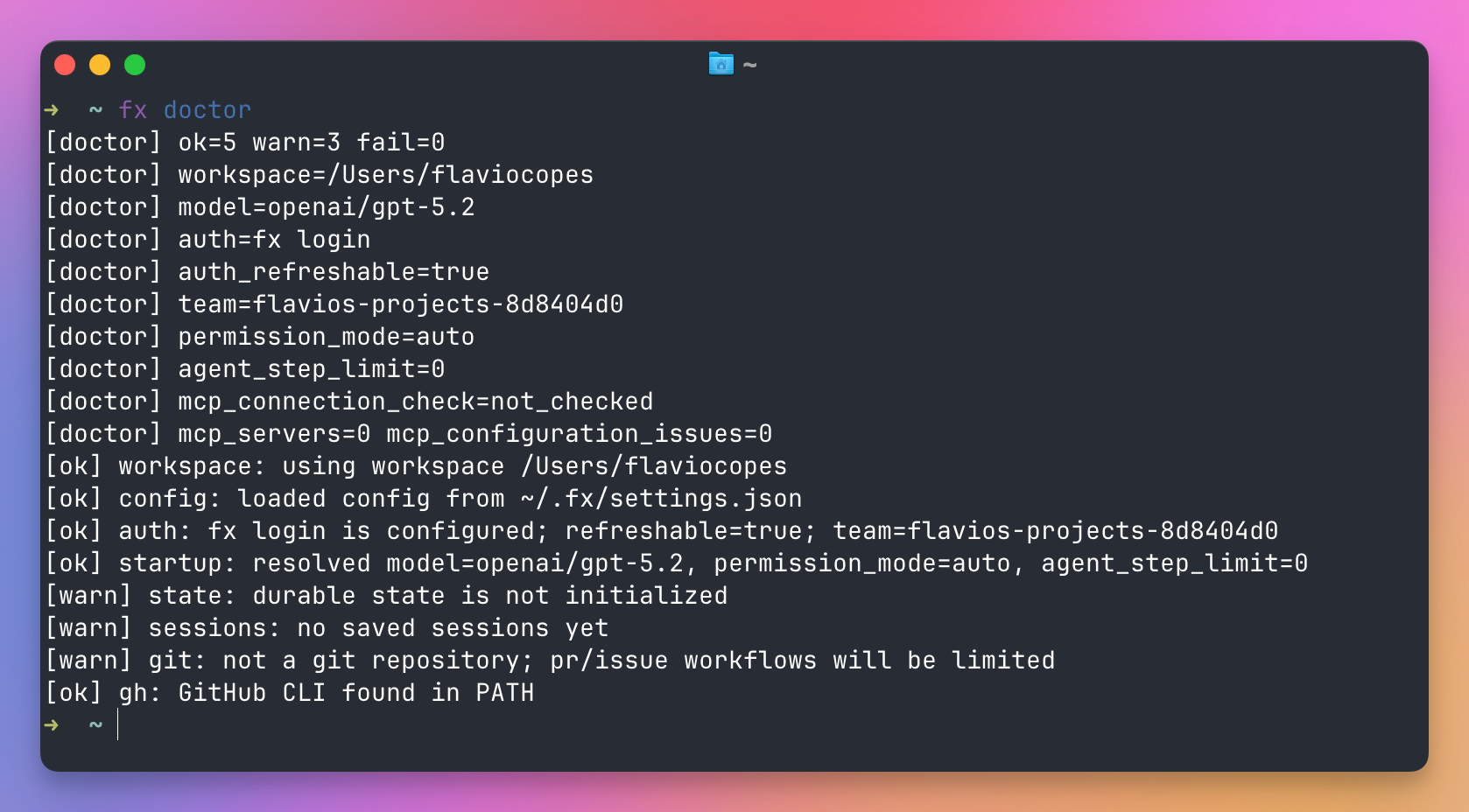
I ran fx doctor again from ~. It had loaded ~/.fx/settings.json, showed the Vercel team from that login, and resolved openai/gpt-5.2. The git warning was still there, because that directory is not a repository.
If you already have a Gateway API key, fx setup asks you to paste it. On macOS the key goes into Keychain. On Linux it goes into ~/.fx/api-key with mode 0600. For CI, put the key in the job’s secret store and expose it as AI_GATEWAY_API_KEY. Do not write it into the workflow file, and do not put it in .fx.json.
On Gateway, fx picks the first credential it can find, in this order:
VERCEL_OIDC_TOKEN, when a Vercel runtime sets itAI_GATEWAY_API_KEYin the current process- the saved
fx loginsession - the key stored by
fx setup
If you pick a source inside /provider and that source is missing, fx does not silently fall through to the next one.
A Gateway login can belong to more than one Vercel team. fx teams picks the team, and that team decides which models you see and which credit balance fx credits reports.
Two other providers are built in. Both use a subscription you already pay for, and neither uses the Gateway key:
fx login codex
fx login grok
fx login codex prints a sign-in URL, waits for the browser, then says Signed in with Codex.
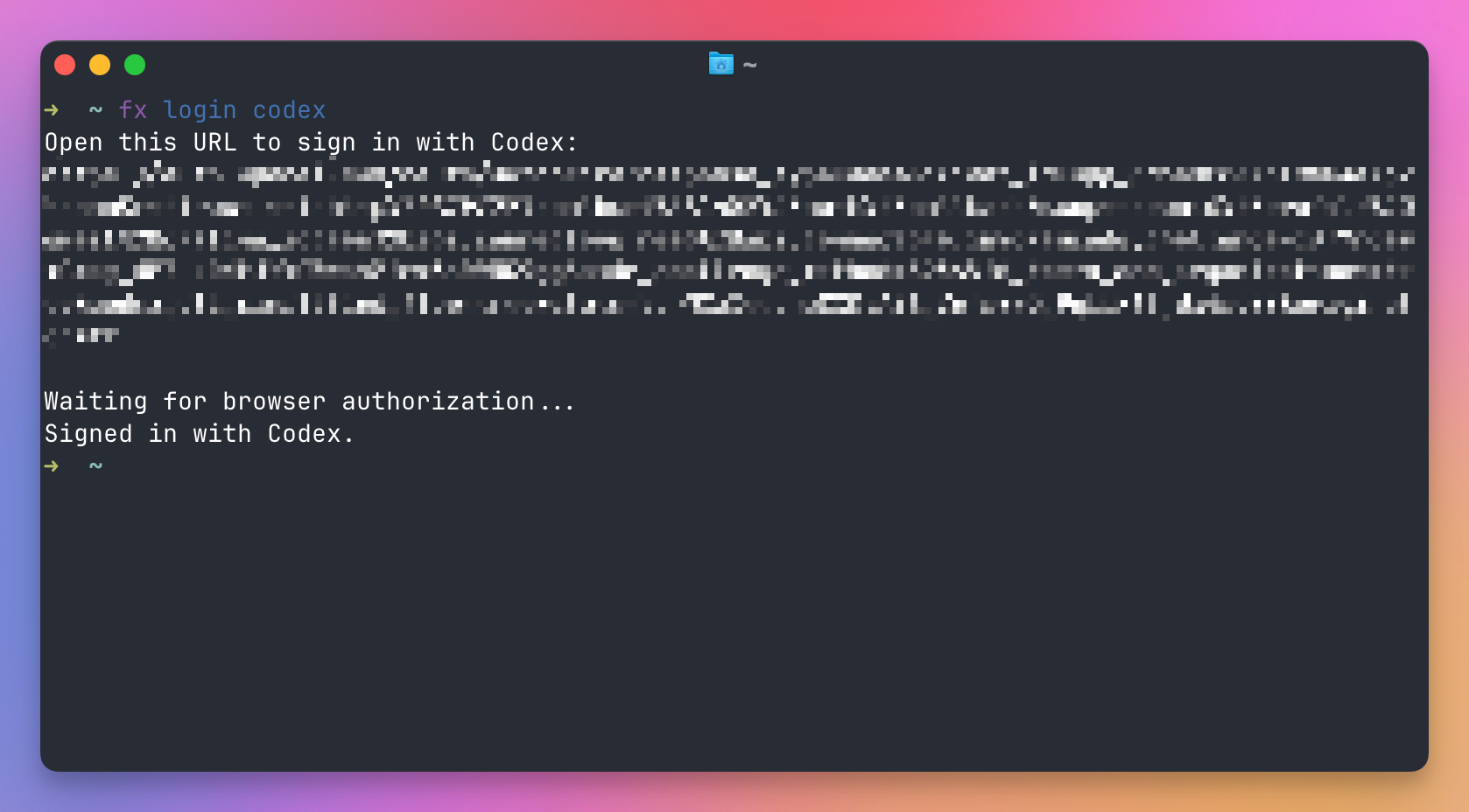
fx provider codex or fx provider grok switches the active provider, and starts the browser login if you have no saved session yet. I wrote a full Codex guide and a Grok Bot guide. Those products are separate from this login. Here, Codex means an eligible ChatGPT subscription used as the model source, and Grok means an eligible Grok subscription.
fx logout revokes the Vercel session. fx logout grok revokes the Grok token. fx logout codex only removes the session from this machine. To drop fx from a ChatGPT account, remove it under that account’s connected apps. Logging out of Vercel does not delete a key you saved with fx setup.
fx status shows which model and credential are active, which Vercel team Gateway is using, and the permission mode for this workspace. When something looks wrong, I would start there.
A first session
The directory you launch from is the primary workspace. fx will read and edit files there, subject to the permission rules below.
cd /Users/flaviocopes/www/flaviocopes.com
fx
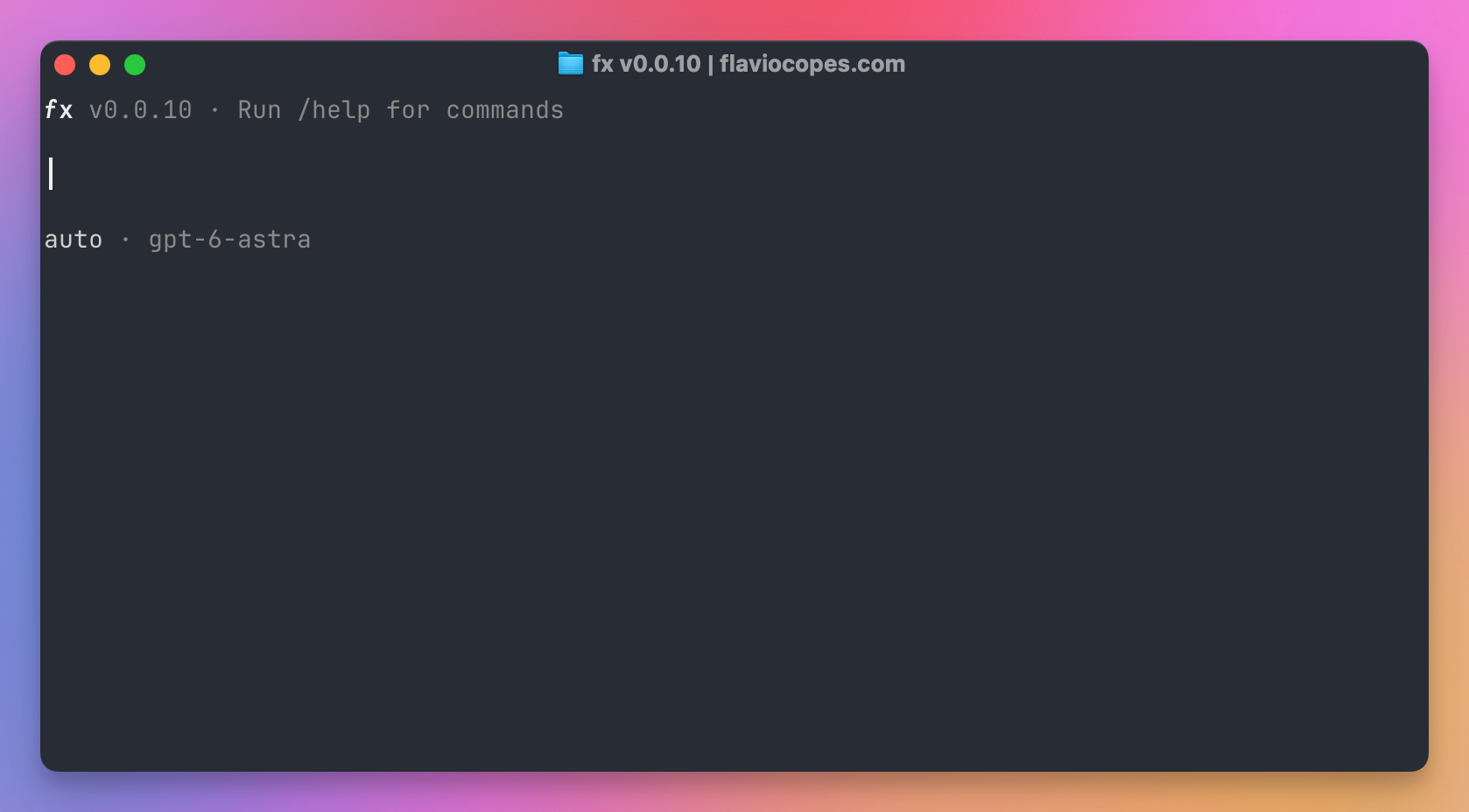
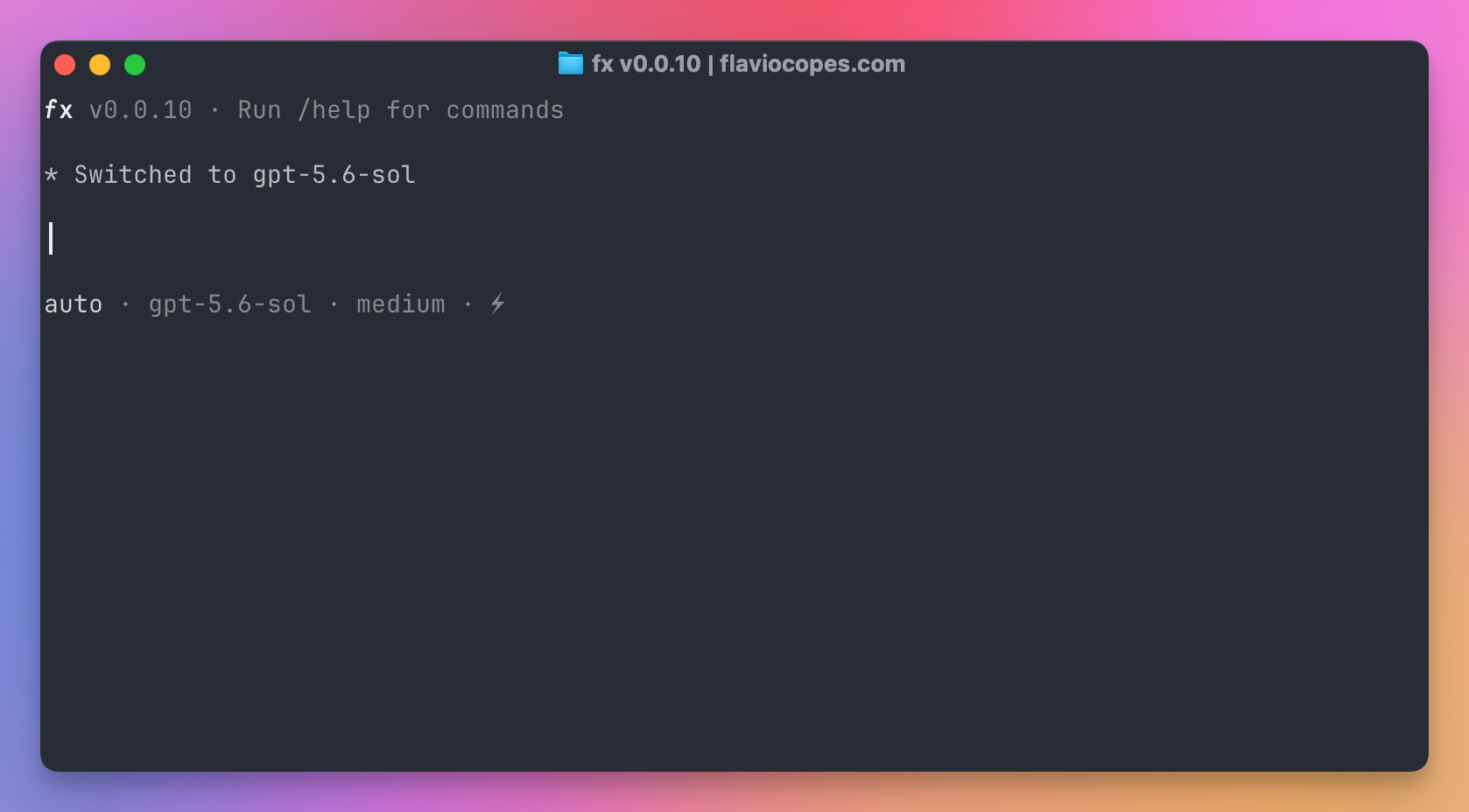
The title bar shows the version and the folder. The line under the prompt is the permission mode and the current model. This one came up on gpt-6-astra, in auto mode, after I had switched the provider to Codex.
Then a request that names real files:
Read src/pages/[slug].astro and tell me how a blog post URL is built.
Do not change any files.
fx streams the reply and prints the tools it runs as it goes. You can type a follow-up and press enter while a turn is still running.
A few keys are worth learning before the first long session:
| Action | Key |
|---|---|
| Newline in the draft | shift+enter, alt+enter, or \ then enter |
| Interrupt the turn | escape twice, within one second |
| Clear the draft | ctrl+c |
| Full transcript | ctrl+o |
| Model picker, draft kept | ctrl+p |
Type / for the command list, @ to find a file, and $ to find a skill. /status shows the model, workspace, permissions, and session. /new starts a fresh session. With an empty draft, ctrl+c interrupts the turn, and a second press exits fx.
As of 0.0.9, ! in the composer is ordinary prompt text. A command still goes through the agent and the permission check.
One request from a script
fx ask runs a single prompt and exits. The answer is Markdown on stdout. Progress stays on stderr, so you can pipe the answer.
fx ask "Summarize the uncommitted changes in this repo"--json is the form I would use from a script. One JSON object comes back, with the text, the model, a session id, token counts, and the tool calls:
fx ask --json "List the failing test files, if any" | jq -r .final_outputThe fields a script will branch on are final_output, exit_code, session_id, usage, and tool_calls. resolved_provider is the Gateway provider that served the last request, or null when the route was not reported. Token totals here are the main agent only. Subagent and review calls are left out. fx usage is the local record of spend.
Attach a screenshot the same way you would in the shell:
fx ask --image ./ui.png "Describe what this screen is asking the user to do"--model and --effort apply to that run and do not change your saved defaults. --no-save skips creating a session. --resume last continues the latest session for this workspace.
fx ask does not sit and wait for an approval prompt. In auto mode, a call that fails review is held and the agent is told why. --prompt-permissions turns prompts back on when you are at a real terminal. If stdin is a pipe, a call that needs a person fails instead of blocking. An interrupted run exits 130.
--full-access turns the permission checks off for that process. I would not put that flag in a script that can see this repo’s env files.
fx pr and fx issue draft a pull request or an issue from the current git repo. --create publishes it through gh. They accept --auto for the same automatic review as the shell.
Pick a model
The catalog belongs to the provider you selected. On Gateway, before you have saved anything, the compiled default is moonshotai/kimi-k3. The browser demo shows that same default.
fx modelsInside the shell, /models opens the list and /model <id> selects one. The choice is stored per provider in ~/.fx/settings.json, so switching to Codex and back restores the Gateway model you had.
With Codex signed in, this is the list I got on 21 September 2026. Five models, each marked with a 272K context: gpt-6-astra, gpt-5.6-sol, gpt-5.6-terra, gpt-5.6-luna, and gpt-5.5. The footer said the catalog was authenticated with a subscription. That list belongs to the Codex provider, so a Gateway login shows a different one.
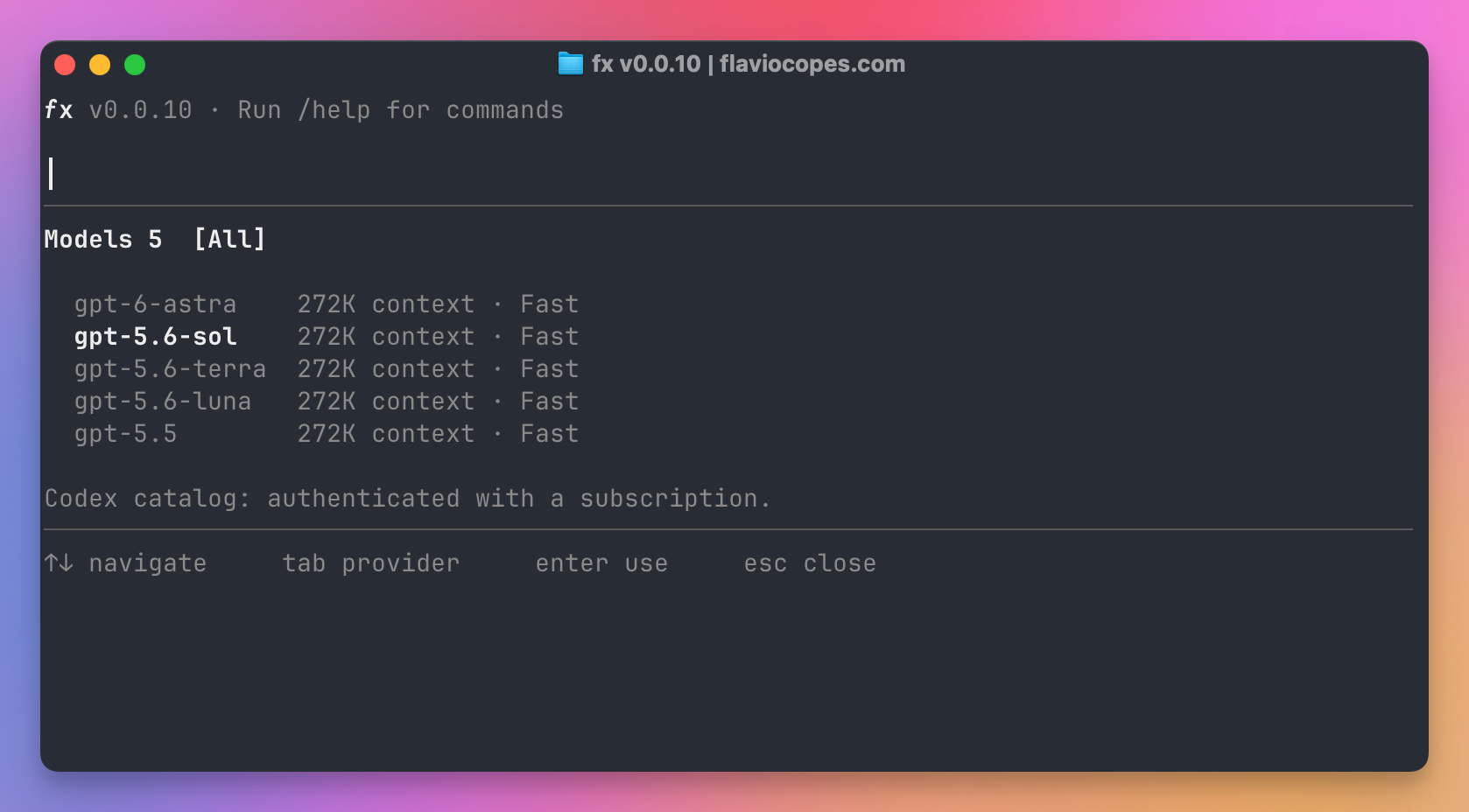
Picking gpt-5.6-sol prints Switched to gpt-5.6-sol. The status line then showed auto, the model, and medium, with a bolt after the effort.
A project cannot set your model. .fx.json has no model field, which keeps a cloned repo from swapping the model out from under you.
For one process:
FX_MODEL=moonshotai/kimi-k3 fxor:
fx ask --model moonshotai/kimi-k3 --effort high "Review the diff"effort accepts auto, none, minimal, low, medium, high, xhigh, and max, when the model supports them. /fast toggles fast mode for models that have it. Overriding the model for one run drops fast mode unless you also pass --fast.
Gateway can serve one model id from more than one inference provider. provider_order is a list of up to eight provider slugs, tried in order. provider_strict limits the request to that list.
fx ask --model anthropic/claude-sonnet-5 \
  --provider-order bedrock,anthropic \
  "Review this change"
Those two keys are allowed in .fx.json, unlike the model id. The slug spelling is the Gateway’s spelling, and case matters (vertexAnthropic keeps the capital A). Routing applies to Gateway only.
Permissions
fx starts in auto. Reading files inside the workspace is normally allowed. Edits, shell commands, and paths outside the workspace go through the policy.
| Mode | What happens |
|---|---|
ask | You get a prompt for an unresolved sensitive call |
auto | Rules apply, then a reviewer model judges what is left. This is the default |
full-access | Permission checks are off |
Switch inside the shell with /permissions ask, /permissions auto, or /permissions full-access. /permissions reset goes back to ask and drops grants collected in this session.
In ask, the prompt has three answers. Yes runs this call once. “Yes, and don’t ask again” runs it and remembers that scope until the session ends. No blocks it. That grant is not written to disk, and fx resume does not bring it back.
In auto, the reviewer is a second model call, billed like any other call on that provider. On Gateway the default reviewer is moonshotai/kimi-k3. You can point it at another Gateway chat model with review_model in ~/.fx/settings.json, or FX_REVIEW_MODEL for one process. typesafeai/jev sends the review to TypeSafe’s Jev evaluation model. On Codex the reviewer is fixed at gpt-5.4-mini. On Grok the reviewer is the session model. If the review cannot run, fx holds the action.
A narrow rule is cheaper than a review, because the rule settles the call before a second request goes out. Rules live in ~/.fx/settings.json, not in the repo. The last match wins, so put the broad rule first:
{
  "permission": {
    "bash": {
      "git *": "allow",
      "git push *": "deny"
    },
    "edit": {
      "*": "deny",
      "docs/*": "allow"
    }
  }
}
That allows git, then denies git push. Edits are denied except under docs/. Workspace rules override user-global rules.
/allowlist edits the same rules from the shell. Prefer local rules, tied to one repo, over a user rule that applies everywhere.
fx --full-access is the process-only switch. The saved mode stays whatever you had. The old name yolo still works as a flag and as a settings value. Saved JSON still writes "yolo" for that mode. The interface says “full access”.
Tools, files, and the shell
Finding files is glob_files and grep_files. Reading is read_file. Writing is write_file and edit_file. Commands are shell. The web is web_search and web_fetch. Images go through vision when the selected model cannot take them natively, and that fallback calls google/gemini-2.5-flash. Skills, subagents, and MCP each have their own tools, covered below.
If the task needs a logged-in page, use an agent that can drive a browser. fx can search the web and fetch a URL, and that is the whole web tool set.
A long command does not have to dump its whole log into the prompt. fx keeps a short preview and the byte count, plus a handle the model can read with read_tool_result. The default cap is 65536 bytes from one result, raised with max_tool_result_bytes (the floor is 1024).
shell can leave a process running. The same tool then has interact to read output or send input, and stop to end it. That is how a dev server stays up across turns. A subagent, covered later, is another fx session.
max_agent_steps caps the tool loop. 0, the default, means no cap. A repo can set that in .fx.json, along with the tool-result cap, context, and the Gateway routing keys. Those are the only five fields a project file is allowed to set.
Extra directories are --add-dir, or fx workspace add. You can attach up to 16. They extend tool access. Skills, sessions, and AGENTS.md still come only from the primary workspace.
AGENTS.md and skills
fx reads AGENTS.md as project instructions. It looks at ~/.fx/AGENTS.md, then AGENTS.md files from the launch directory down into the primary workspace. When a tool targets apps/web/src/, a nested apps/web/AGENTS.md applies on top of the root file, and the narrower file wins on a conflict. A direct request from you still beats both.
fx treats tool output as evidence, so a file the agent just read cannot override AGENTS.md. Keep tokens out of that file, because it is sent with the model request.
Set "context": false in .fx.json or in your settings to stop loading project instructions. Each instruction file is also size-capped, and a truncated file is reported as truncated.
A skill is a directory with a SKILL.md inside. fx sees the name and description at startup. The body is loaded only when you or the agent invoke that skill, which is how a long instruction stays out of every prompt.
It searches the primary workspace upward, stopping before your home directory, in skills/, .agents/skills/, .codex/skills/, .claude/skills/, .opencode/skills/, and .claw/skills/. Then it searches the same names under your home directory, plus ~/.fx/skills/. Extra workspace directories are not searched.
This is the file it expects:
---
name: review-post
description: Use this when a draft post needs a pass for broken commands.
---

# Review a post

Read the post, run the commands it shows, and report what failed.
name is required. Extra frontmatter is ignored, so a skill written for another agent still loads. Invoke it with $ in the composer, or /skills.
/skills install vercel-labs/agent-skills --skill find-skills copies a skill into ~/.fx/skills/. /skills create and /skills remove manage that same directory.
For an agent that needs the docs in one place, fx.sh/llms.txt is the index and fx.sh/llms-full.txt is every page in one file.
MCP
fx is an MCP client. Servers you add are available in the shell, in fx ask, in ACP, and to subagents.
A private profile lives at ~/.fx/mcp.json. Add a local stdio server:
fx mcp add local-tools npx -y @modelcontextprotocol/server-everythingOr a remote Streamable HTTP server:
fx mcp add --transport http prisma https://mcp.prisma.io/mcpA literal Authorization header in that JSON is rejected, so the secret never sits in the profile as plain text. Use bearer_token_env or header_env and keep the value in the environment, or use oauth for an authorization-code login with PKCE. On macOS those OAuth tokens go to Keychain. /mcp login <name> starts that login. In 0.0.10 the command was /mcp auth <name> --open.
A repo can also ship .mcp.json, using the mcpServers shape other agents already use. Those servers stay disconnected until you trust them. Trust is stored in your private settings, under the workspace path, not in the committed file. Before you approve, fx does not start the process, call the URL, or read the env vars the file names.
fx mcp approve prisma
fx mcp reject prisma
0.0.10 called these fx mcp trust approve and fx mcp trust reject.
In the shell and in fx ask, your profile entry wins if a project server has the same name. Tool schemas are not all dumped into the prompt. capability_search finds a tool, and the schema loads if it fits the budget.
Server output is untrusted text. Keep ~/.fx/mcp.json out of git, because the file can hold env values.
Subagents
You delegate by asking, in the same conversation:
Have a subagent review the parser tests and report missing cases. Do not edit files.The model calls the subagent tool. run is a one-off child that finishes and returns. message creates a named child, or continues one you already named, so a later turn can say “check the new tests against your earlier findings.”
The child inherits the parent’s model, reasoning effort, and permission limits. Delegation does not grant a wider allowlist. Children share the workspace, so two of them editing the same file will step on each other. Give them different directories.
A named child keeps its own conversation. You can send it a follow-up while it is still on a tool. The final result comes back to the parent session.
Sessions
Interactive fx starts a new session and stores it under ~/.fx/sessions/.
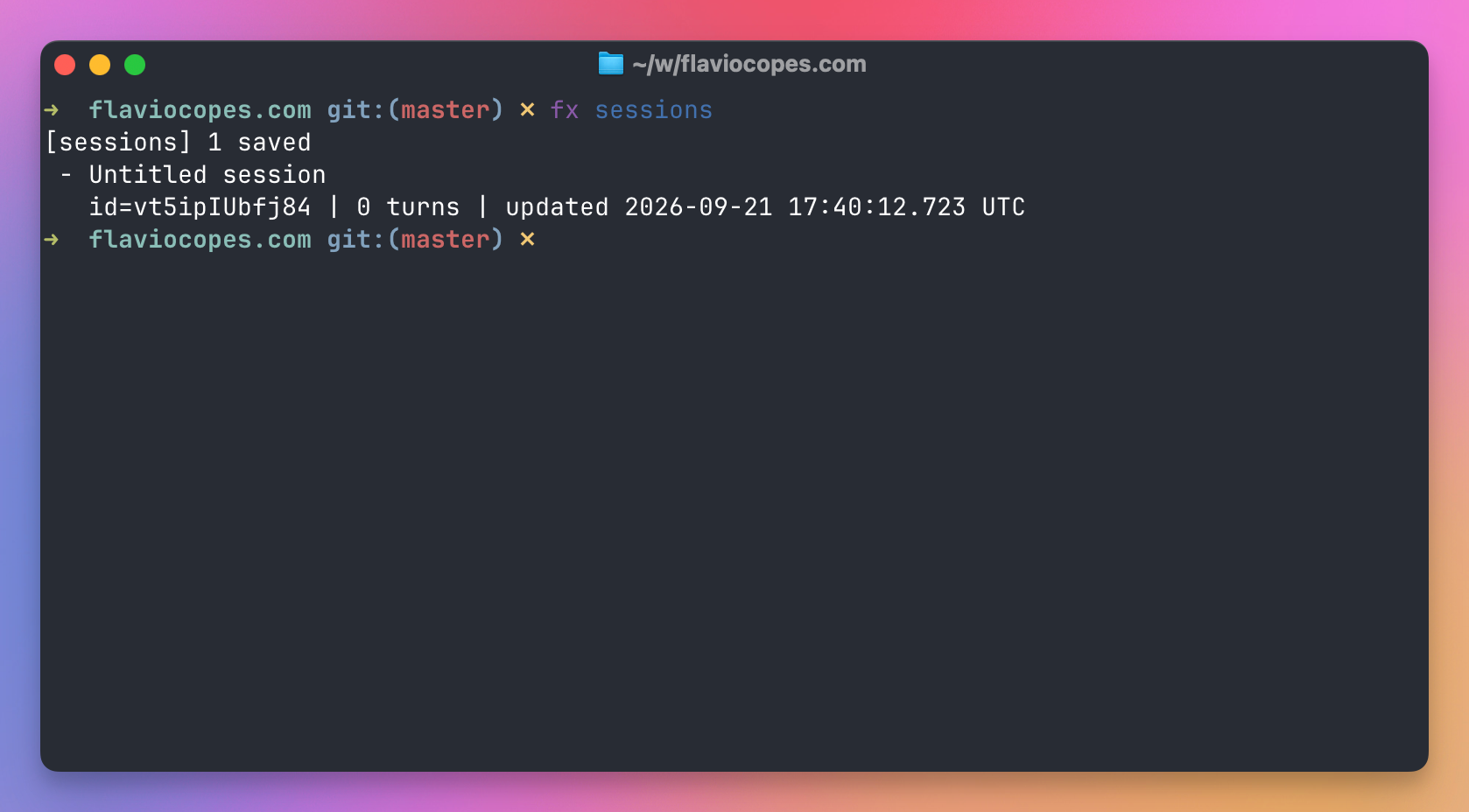
fx sessions
fx resume last
fx -r
After I opened fx once in this repo and sent no prompt, fx sessions listed one saved session, with 0 turns.
-r opens a picker. -c resumes the latest session for this workspace without scanning every session. fx ask --resume last continues that conversation without opening the shell.
If a turn was interrupted, /continue resumes a paused response in the shell. 0.0.15 removed fx ask --continue-recovery. Reopening the session keeps the unfinished prompt and the tool work that already finished.
/fork branches from an earlier prompt into a new session. The original stays unchanged.
fx session recover <id> copies a damaged session and leaves the original alone. fx doctor prints the recovery command when it knows how to fix what it found.
When a request reaches 80% of the model’s usable input, fx summarizes older context and continues the same turn in a fresh window. Recent tool exchanges stay. The full transcript stays in the saved session. /compact does that summary now and then waits for your next prompt. If compaction fails, the previous context stays.
Editors, through ACP
fx acp speaks the Agent Client Protocol on stdin and stdout. An editor that supports ACP launches the binary:
{
  "command": "/Users/flaviocopes/.local/bin/fx",
  "args": ["acp"]
}
The client’s working directory is the workspace. Run one server process per workspace. Finish fx login before the editor starts the process, because ACP uses the saved credentials.
The server supports protocol version 1: create, load, resume, list, prompt, cancel, and set the model or mode. ask prompts for unresolved calls. code runs the automatic reviewer. A session grant still ends when the session ends.
Stdout is the protocol stream. Pass --log-file with an absolute path for diagnostics, or they will corrupt the JSON-RPC. Each message is capped at 8 MiB.
ACP can take text, images, and file resources. Audio is not accepted. It will use MCP servers the client passes in, plus project servers you have already trusted. It does not inherit ~/.fx/mcp.json.
Embed the agent
The CLI is one host. libfx is the same core for your own process. The docs for this API match libfx 0.0.10. Pin that version if you need the examples below to match:
npm install [email protected]You need Node 20 or newer. The package has no runtime dependencies. Native addons ship for macOS and Linux, on x64 and arm64. Linux wants glibc 2.34 or newer. Node on Windows has no native addon, so it falls back to WebAssembly.
One agent is one in-memory conversation:
import { createFxAgent } from 'libfx'

const agent = await createFxAgent({
  apiKey: process.env.AI_GATEWAY_API_KEY,
})

try {
  const turn = agent.prompt('Explain how a database index speeds up a query.')
  for await (const event of turn) {
    if (event.type === 'text_delta') process.stdout.write(event.delta)
  }
  console.log(await turn.result)
} finally {
  await agent.close()
}
Read the stream before you await turn.result. If nothing consumes the events, the turn can stall. Only one prompt runs at a time. Breaking out of the loop cancels it, and so does turn.cancel() or an AbortSignal.
The embedded agent does not get the CLI’s file tools, shell, or permission prompts. You pass tools in JavaScript, and your execute function is the permission check:
const agent = await createFxAgent({
  apiKey: process.env.AI_GATEWAY_API_KEY,
  instructions: 'Answer questions about the handbooks. Use lookup when you need a title.',
  tools: [{
    name: 'lookup',
    description: 'Look up a handbook by slug.',
    inputSchema: {
      type: 'object',
      properties: {
        slug: { type: 'string' },
      },
      required: ['slug'],
    },
    async execute(input) {
      const books = {
        javascript: 'The JavaScript Handbook',
        node: 'The Node.js Handbook',
      }
      return books[input.slug] || 'No handbook with that slug'
    },
  }],
})
instructions is the whole system context, capped at 64 KiB. If you omit it, the request goes out with no system message, because libfx does not insert a base prompt of its own.
checkpoint() returns opaque bytes once the agent is idle. You store them. Credentials, tools, and instructions are not inside the checkpoint, so you pass them again when you restore into a new agent.
createFxTerminal() is a separate API for embedding the interactive UI, including storage and login adapters. The terminal path runs on WebAssembly and needs JSPI even when the agent itself is using the native addon.
There is a short browser demo of this split at fx.sh/try. For a real app, the Node, browser, Next.js, and Nuxt examples are in the embedding docs.
A local model
The released path is Gateway, Codex, or Grok. A preview, documented separately, lets you point the CLI at any server that speaks OpenAI-style Chat Completions. Ollama, vLLM, and OpenRouter are the examples in that guide.
The docs tell you not to assume the binary you installed already contains it. If fx status --json has no provider_endpoint after you add a connection, your build does not have the preview yet. Connection definitions go in ~/.fx/settings.json, never in .fx.json, and the key stays in an environment variable named by auth.env.
For a local Ollama server the shape is:
{
  "provider": "local",
  "providers": {
    "local": {
      "protocol": "openai-chat-completions",
      "base_url": "http://localhost:11434/v1",
      "auth": { "type": "none" },
      "model_metadata": {
        "qwen2.5:1.5b": {
          "context_window": 32768,
          "max_output_tokens": 2048,
          "supports_tool_use": true
        }
      }
    }
  },
  "models": {
    "local": "qwen2.5:1.5b"
  }
}
Leave /chat/completions off base_url, because fx appends that path itself. Loopback HTTP is allowed. Anything else needs HTTPS. Without context_window, automatic compaction has no threshold to work from. Native image input is not part of this adapter, even if you set supports_vision.
gateway, codex, and grok are reserved names. You select the connection with fx provider local or with FX_PROVIDER=local for one process.
Usage, cost, and what stays on the machine
fx usage --period 7d
fx credits
fx usage reads a local log for 24h, 7d, or 30d. It is this machine, not the whole Vercel team. Gateway billing and the team dashboard are the other half. Codex and Grok requests are billed by those subscriptions, and fx credits will tell you credits do not apply there.
Reviews and the vision fallback are extra requests. Web search can add cost on the generation that called it.
fx does not upload the workspace, git history, or session files on its own. A prompt still contains whatever the turn loaded: the conversation, the applicable AGENTS.md, skill text, images, and tool output. web_fetch, web search, and a remote MCP server send whatever you asked them to send.
Session files stay under ~/.fx/. Continuing a session sends that context again. fx ask --no-save is the one-off that leaves no session file.
/trace builds a diagnostic report on this machine. fx does not send a separate analytics event with it. Read the report before you paste it anywhere. It can contain prompts, paths, and commands.
AI Gateway’s own policy, as fx documents it, is that prompts and outputs are not retained after the request, while metadata such as model, token counts, latency, and cost is kept for billing. A Pro or Enterprise team can turn on Zero Data Retention, which also limits routing to providers that support it. fx uses whatever that team or API key is configured for.
Leave ~/.fx out of the repository. Settings, transcripts, MCP config, and recordings live there.
How I would use it
I installed fx 0.0.10 and signed in, first with Vercel and then with Codex. My daily editing is still Cursor, one task at a time, with the diff in front of me. Cursor Projects is the long-lived version of that, and I already know why it does not fit the way I work. I would keep the editor for that work.
On this site I would run fx ask against a draft post, in ask mode or with rules that allow git status and npx astro build and deny git push. The prompt would be narrow: read this file, run the commands in the fenced blocks, report which ones failed. --json lets a script keep final_output and ignore the transcript. I would not pass --full-access on the machine that holds the newsletter and course credentials.
I would also try libfx the day I want an agent inside a small Node script whose tools I wrote myself. It would look like the handbook lookup above, where the host decides what execute is allowed to touch. I would keep a Gateway key out of the browser tools on this site. Those pages run entirely in the browser, and a model key does not belong there.
I would skip fx when the job needs a real browser, when I am on Windows and need the native CLI, or when I want a full IDE session. The 0.0.x releases are still moving quickly, and the installer will not verify a checksum for you.
Want me to talk about your product? You can sponsor this site.
Related posts about ai: