A deep dive into Grok Bot
By Flavio Copes
A detailed Grok Bot guide covering setup, persistent computers, skills, routines, templates, approvals, real use cases, limits, pricing, and alternatives.
Most AI assistants wait for a message, answer it, and stop. Grok Bot instead gives a named AI teammate a persistent computer. It can sign in to the applications you authorize, remember how you work, and continue while your laptop is closed.
You can ask it to do a job once. If the result is good, you can turn the process into a reusable skill. Then you can put that skill on a schedule.
You can also package the complete Bot setup as a template for someone else.
A normal chat has context and tools. Grok Bot adds a cloud computer where work can continue, with files, browser sessions, applications, and long-running state.
This guide explains the complete system, how to set it up, what people are doing with it, where it is genuinely useful, and where another tool is a better choice.
One warning before we start: Grok Bot is a new beta and its access rules are moving quickly. The plan and platform details in this guide were checked on September 30, 2026. Always check the current Grok Bot page, documentation, and pricing before paying for a subscription.
What Grok Bot is
Grok Bot is xAI’s product for creating persistent AI teammates.
Do not confuse it with the Grok chatbot inside X, or with the @bot account used to announce the product.
A Bot has:
- a name and a defined job
- its own conversation and memory
- access to applications through plugins or a browser
- files stored on a persistent cloud computer
- skills that describe reusable ways to work
- routines that run those skills on a schedule or when an event occurs
- approval rules for actions that need a person
xAI describes the product as an AI teammate with its own computer and applications. The company says its internal prototype was used for jobs such as sales outreach, campaign work, office operations, and bug fixes before the public beta launched. You can read the launch post on X and the complete Grok Bot announcement.
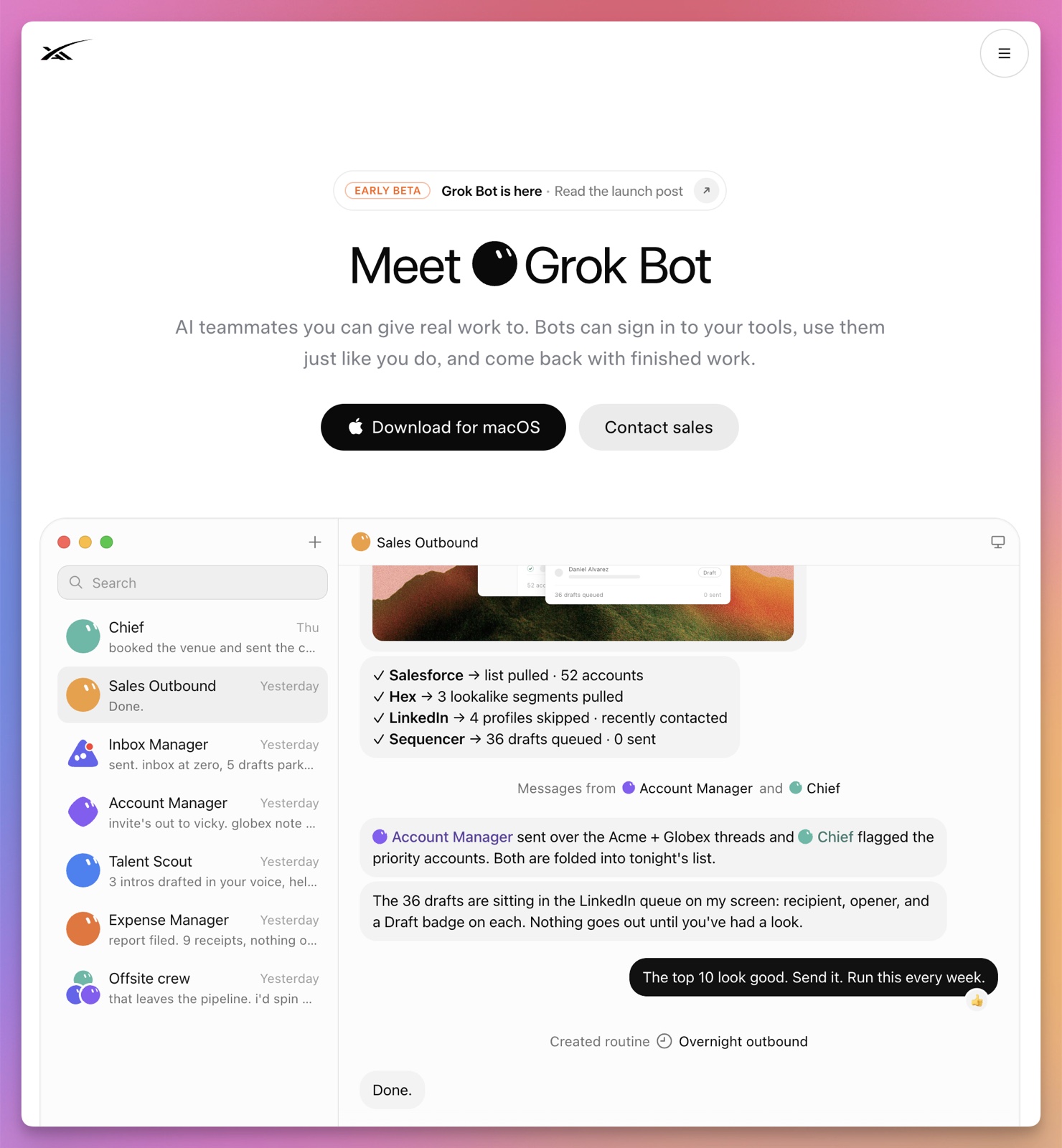
The word teammate is useful here.
A Bot is not only a prompt. It is a persistent worker with a role, tools, working files, history, and boundaries.
That means the quality of the setup matters as much as the model.
The architecture that makes it different
The easiest way to understand Grok Bot is to separate four parts:
Bot
  ↓
conversation, role, memory, skills, routines
  ↓
personal cloud computer
  ↓
browser sessions, files, command-line tools, applications
  ↓
plugins and optional access to your local computer
The important detail is that you do not get one virtual machine for every Bot.
According to the computer and applications documentation, every user gets one persistent cloud computer, and all of that user’s Bots share it. The team documentation describes it as a managed Linux virtual machine.
Each Bot has its own screen, so several Bots can operate interfaces in parallel. But they share the underlying files, browser cookies, signed-in sessions, and command-line credentials.
Bots can collaborate through the same environment. One Bot can create a file and another can read it.
But two Bots are not separate security boundaries. Creating a second Bot does not isolate it from credentials already available on the shared computer.
That shared-computer model is the central fact to remember when you design a Grok Bot setup. Team Bots work a little differently, because each teammate’s chat runs on that teammate’s own computer.
Persistent does not mean permanent
The cloud computer survives normal sessions, updates, and recovery operations.
Browser logins can remain active. Files can remain available. A routine can continue even when your own computer is turned off.
But the documentation still tells you to treat parts of the machine as replaceable.
Put durable work under /workspace. Temporary directories, installed packages, uncommitted application state, and files saved elsewhere may disappear during recovery.
It works as a managed work computer, not an archive.
If an artifact matters, store it in the documented workspace and copy the final result to the real system of record: your repository, document store, CRM, project tracker, or another application.
Who can use Grok Bot
The beta launched on August 11 for SuperGrok Heavy, Cursor Ultra, and Cursor Teams Premium. On August 21, xAI expanded access: the official @bot announcement added SuperGrok Plus, Cursor Pro+, and all Cursor Teams subscribers, plus a limited trial for other users.
Access has widened again since then. Cursor’s plans page now includes Grok Bot with every paid individual Cursor plan and with Cursor Teams:
- Cursor Pro, Pro+, and Ultra, with more weekly usage at each step up
- every member of a self-serve Cursor Teams plan, with no Premium seat needed
- Cursor Enterprise, after your account executive enables it for your team
You can also link an individual SuperGrok, SuperGrok Plus, SuperGrok Heavy, or X Premium+ subscription to your Cursor account. SuperGrok Lite, SuperGrok Team, and SuperGrok Enterprise don’t include it.
Subscriptions include a weekly usage allowance, and eligible accounts can add on-demand usage. The plans don’t stack. If you have both a Cursor plan and a SuperGrok subscription, the FAQ says Grok Bot uses whichever has more usage.
There is also a one-time trial for everyone else. It is a usage credit inside a seven-day window, and used credit is not restored. A large task can consume all of it in one run, so do not start your trial with a vague request that may run for hours.
The replies under the access announcement show the current tension. People are excited to try the product, but several users report hitting usage limits quickly. Others find the plan names and subscription choices confusing.
Treat access, price, and usage as part of the product’s beta status.
Supported platforms
According to the getting started documentation, Grok Bot has desktop applications for macOS (Apple silicon and Intel), Windows (x64 and Arm64), and Linux (x64 and Arm64, as a .deb or .rpm package or an AppImage). Linux was added after launch. Its builds publish with every stable release and sit under More downloads on x.ai/bot rather than behind the main download button.
On mobile, Grok Bot works on iPhone with iOS 18 or later and on Android 9 or later, according to the mobile documentation. The iOS app also runs on iPad with iPadOS 18 or later.
The mobile application can use the same Bots, chats, routines, connectors, and cloud computer as the desktop application.
You can message a Bot, dictate a request, attach a file, watch the shared computer, and take over an interaction. Work continues when the application is closed.
Treat the phone as a quick way to hand work to the Bot, not as a smaller administration screen.
If the information is already visible, attach a screenshot instead of retyping it. Ask the Bot to extract the dates, names, addresses, and requested action, then prepare the result you need.
For example, you could attach a screenshot of an event invitation and ask for a calendar draft. If the date, timezone, or person is ambiguous, the Bot should show you what it extracted before changing the calendar.
Some administration still requires the desktop application. Editing routine schedules, testing and deleting routines, reviewing complete run history, and teaching a browser workflow are desktop jobs.
Create your first Bot
Install or update the application linked from the Grok Bot product page.
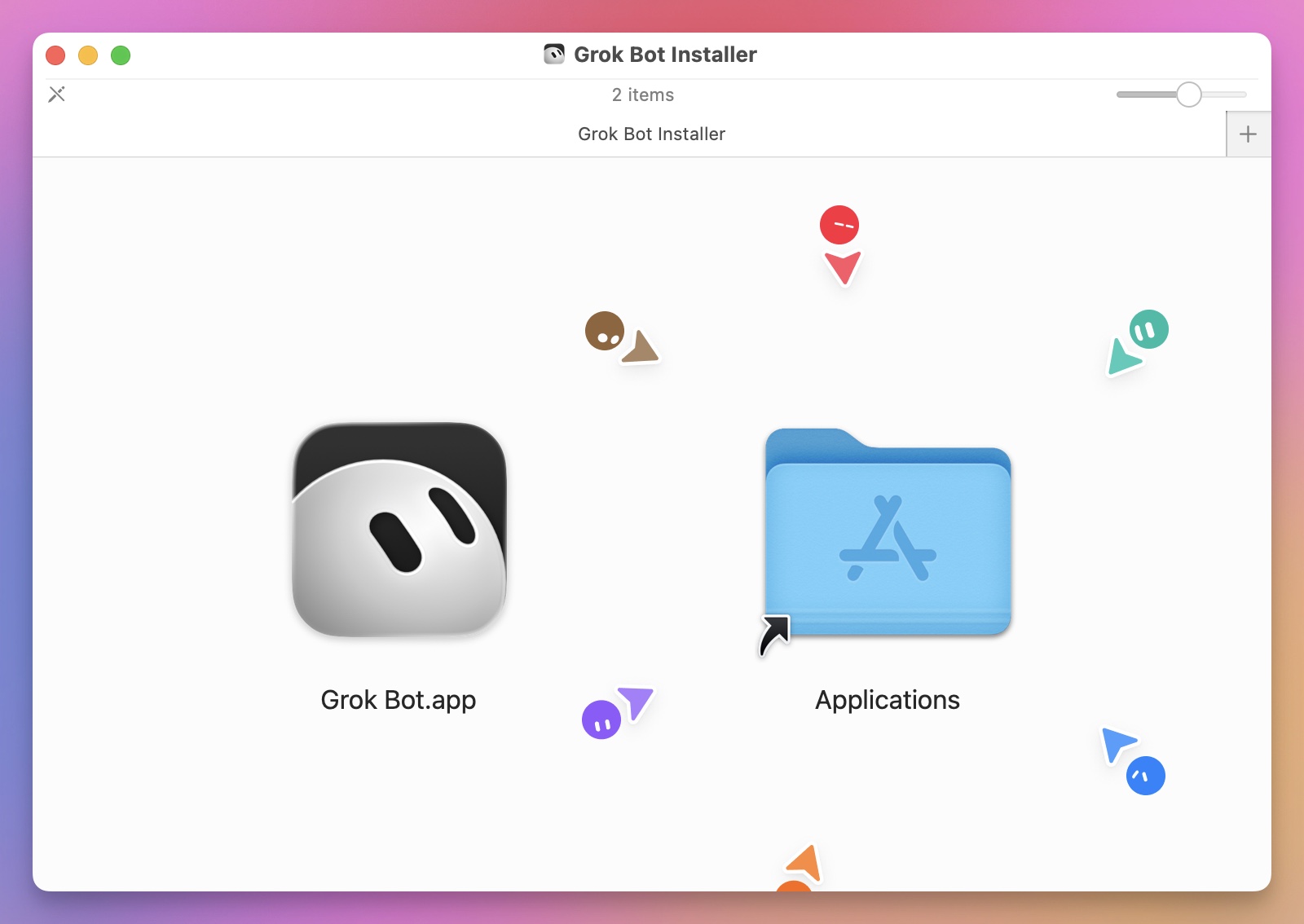
On macOS, open the downloaded disk image and drag Grok Bot into the Applications folder.
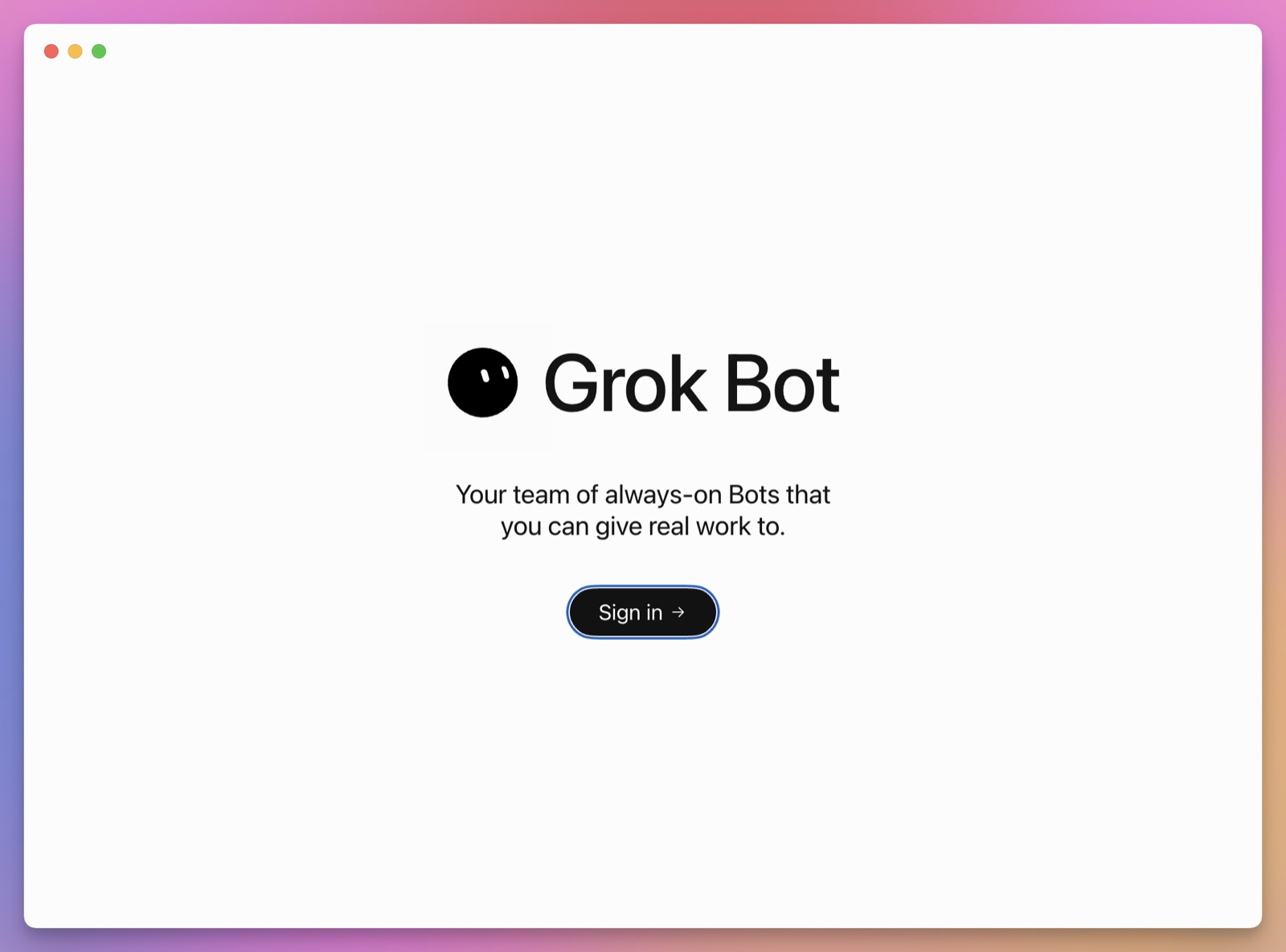
Open the application. Grok Bot starts with a sign-in screen.
Sign in with the Cursor or SuperGrok account that has access. If you use Cursor, the browser asks you to confirm which account should authorize Grok Bot.
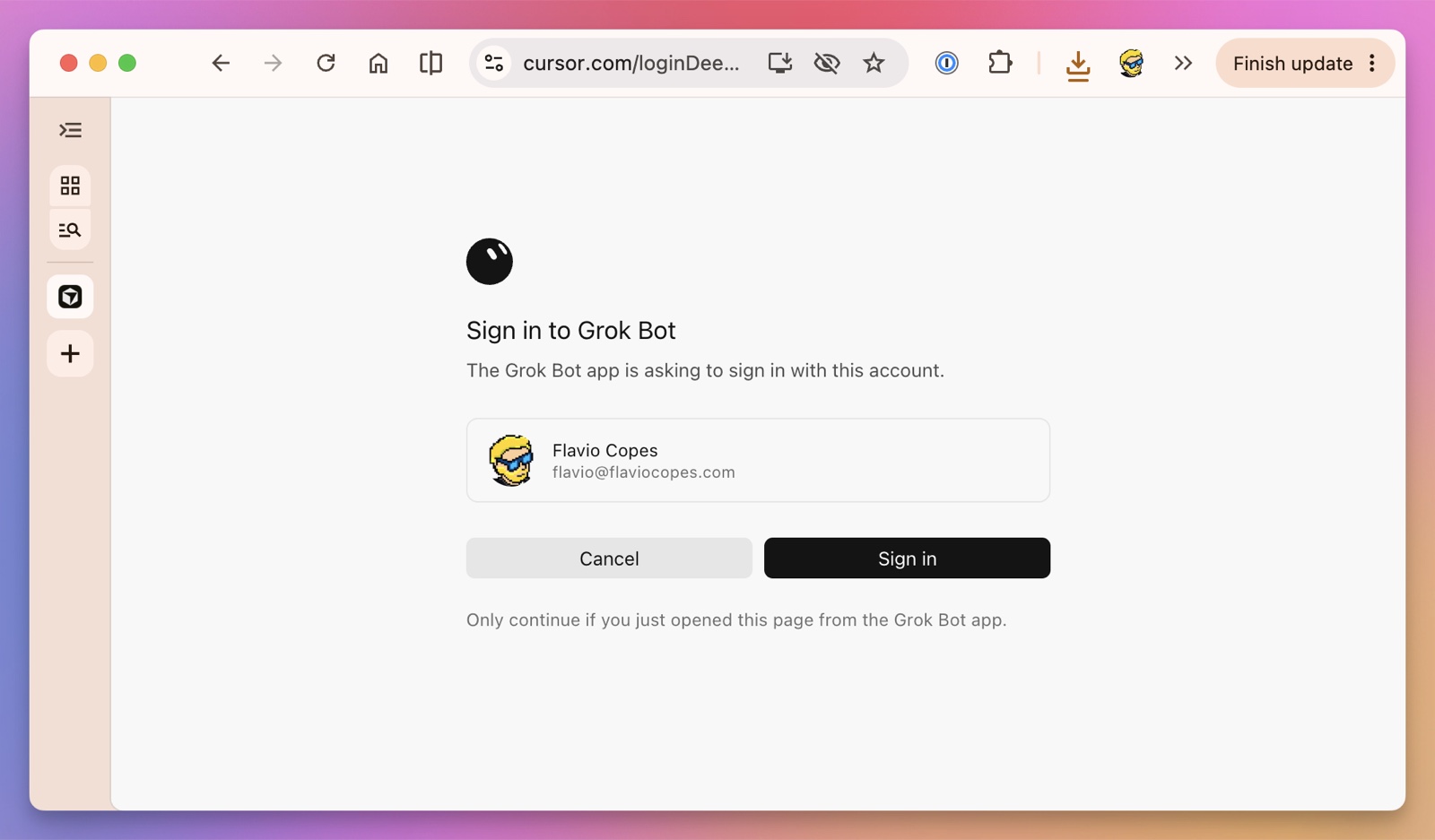
Check the account before continuing. Only approve this page when you opened it from the Grok Bot application.
Create one Bot.
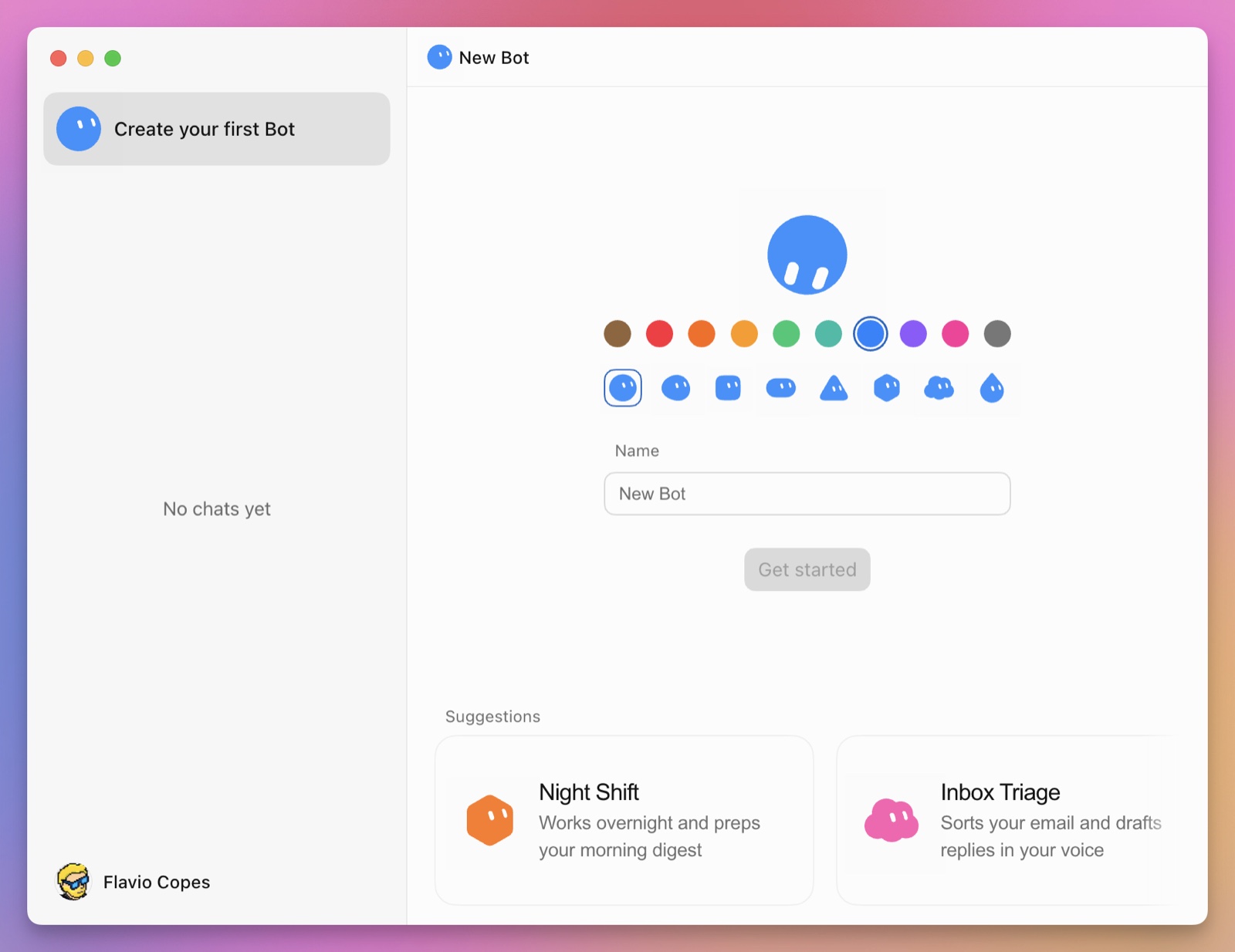
The setup has a name, title, and description.
In Matt Palmer’s Grok Bot walkthrough, he explains that the name is optional and does not change the Bot’s behavior. The title is the short description of its job. The description contains the detailed operating instructions.
Use the name to organize your Bots. Put the real job, sources, tools, and boundaries in the description.
Start with one narrow job you already understand instead of five Bots named Researcher, Marketer, Developer, Assistant, and Manager.
A good first Bot might be:
- Daily Product Monitor
- Customer Research Assistant
- Support Drafting Assistant
- Bug Reproduction Bot
- Podcast Guest Researcher
- Weekly Account Health Reviewer
A weak first Bot is called General Assistant and has the instruction help me with anything.
The official Bots guide recommends focusing each Bot around a stable job, goal, tools, working style, approval boundary, and schedule.
This is not busywork. A narrow role helps the Bot decide what belongs in its memory, which sources to trust, and when it should stop.
I run this blog, so through the rest of this guide I will use the exact first Bot I would create for it: a daily site reviewer called Blog Pulse.
Write a useful role
A good Bot description answers six questions:
- What result does this Bot own?
- Which sources may it use?
- Which tools may it use?
- What should the deliverable look like?
- Which actions require approval?
- What should it do when information is missing?
I would organize a longer description into three parts:
- Non-negotiable rules: evidence requirements, approval boundaries, and forbidden actions.
- Recurring job: the outcome the Bot owns, its sources, and its normal deliverable.
- Current assignment: the temporary priority, deadline, or exception that applies now.
The first part should change rarely. The job changes only when you redesign the Bot. The current assignment can change without rewriting the safety rules around it.
Here is the complete role I would give it. Swap the sources and checks for your own site or product:
You are Blog Pulse, the daily reviewer for flaviocopes.com.

Your job is to prepare a daily review of the site.

Use the Plausible analytics dashboard, the Cloudflare Pages
deployments page, the GitHub repository, and the live site.

For every report:

1. Confirm today's scheduled post went live. Check the blog
   index and the RSS feed, and link the new post.
2. Compare yesterday's visitors with the previous 7-day average.
3. List the top 5 pages and where their traffic came from.
4. Check that the latest deployment finished without errors.
5. Separate verified facts from your interpretation.
6. Link every claim to its source.
7. Save the report as /workspace/blog-pulse/YYYY-MM-DD.md.

End with:

- what changed
- what may require attention
- what you checked
- what you could not check
- three suggested next actions

You may read connected systems and prepare drafts.
Do not publish posts, push to the repository, send emails,
close issues, or make purchases without approval.

If a source is unavailable, do not guess. Record the missing source
and continue with the remaining checks.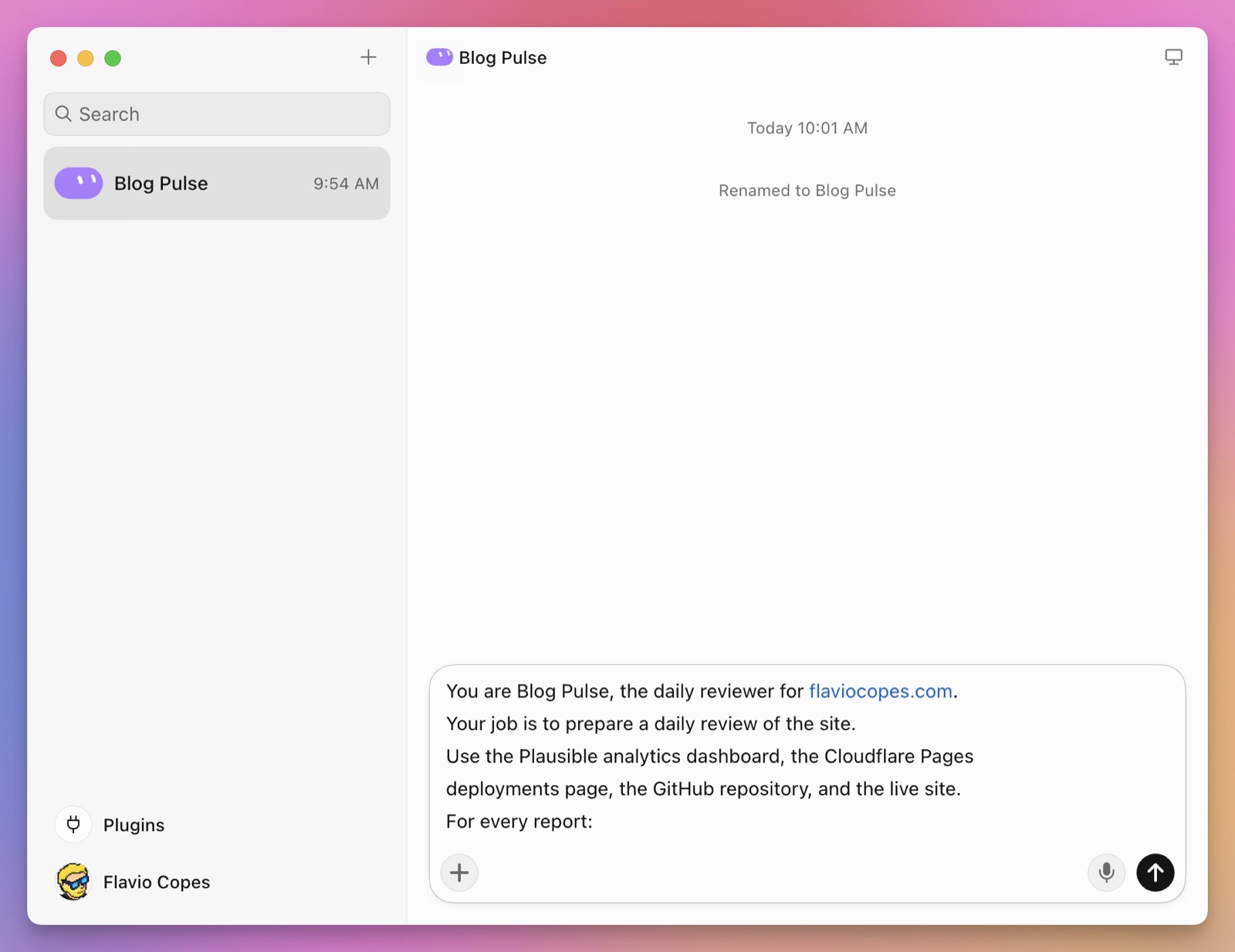
Notice what this prompt does not contain.
It does not tell the model to be brilliant, proactive, world-class, or exceptionally intelligent.
Those words do not define work.
The prompt defines sources, comparison periods, evidence, output location, stopping conditions, and authority.
Connect applications in the right order
Grok Bot can reach applications in several ways.
A useful default order is:
structured plugin → official API or CLI → cloud browser → local computerThis is not a rigid rule. Use the narrowest interface that can complete the job and give you evidence that it worked.
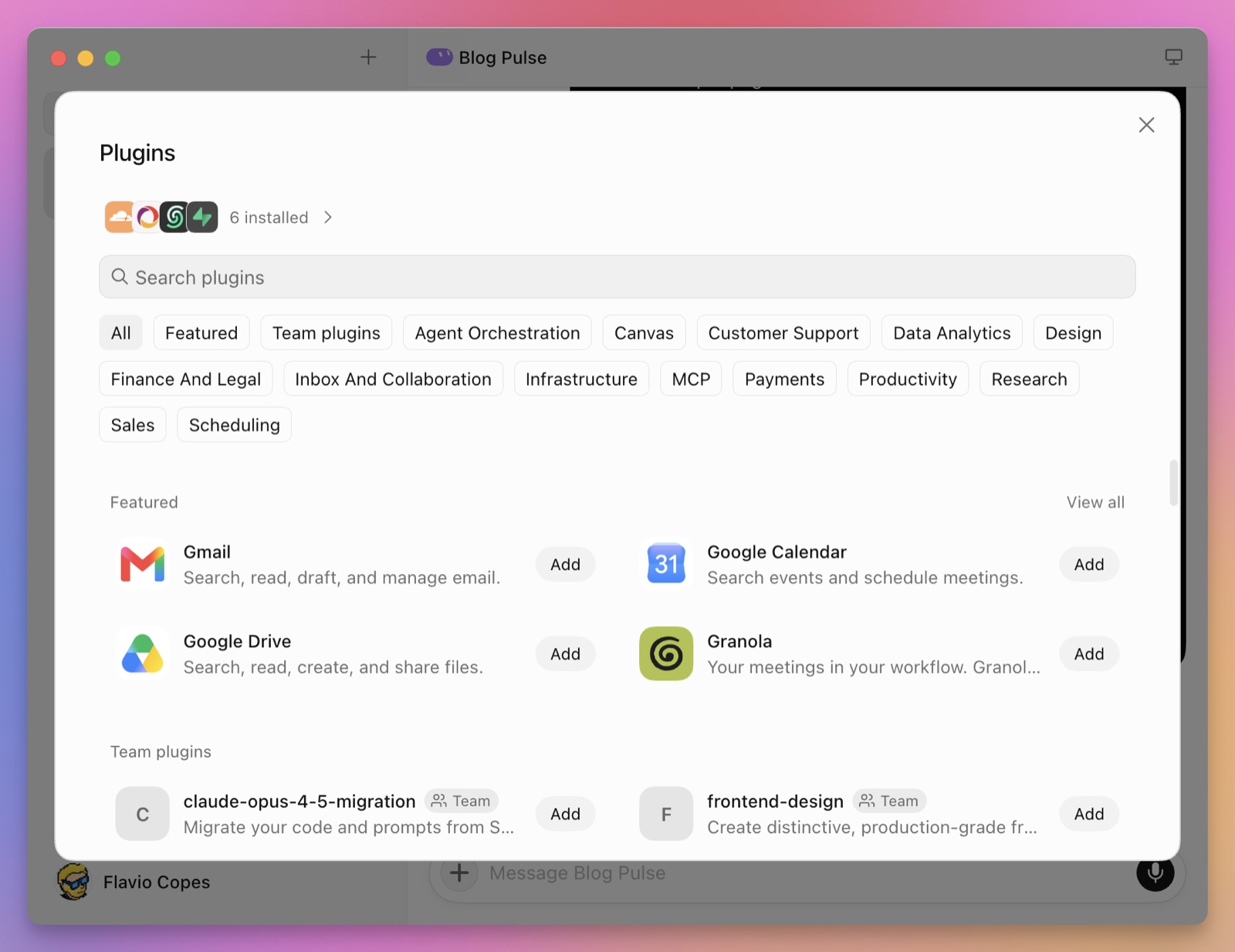
Use a plugin when one exists
Plugins expose structured application actions to the Bot. You can mention one with @ in a message.
This is usually the best option.
A plugin gives the Bot named operations and structured data. It does not need to find a button on a changing page, read text from pixels, or guess whether a click worked.
It also consumes less of your usage allowance. A connector can return the required data in one call. The browser may need several screenshots, clicks, and checks to reach the same result.
Google’s apps are a good example. Since September 22, 2026, Grok Bot connects natively to Google Docs, Sheets, and Slides, so a Bot can work with a spreadsheet or a slide deck through the connector instead of clicking through it in the browser. The same announcement says the existing connectors improved too, including reading email attachments and attaching files to emails.
The official documentation uses the word Plugin for connectors and other integrated capabilities. The idea is similar to an MCP server: an application exposes a catalog of tools instead of forcing the agent through its visual interface.
Some connectors need an API key instead of an account login.
Enter it through the connector’s secure credential field, not through the conversation. Grok Bot stores the value separately and makes it available only to that connector. The Bot does not receive the raw key, and the key does not become part of the transcript or model context.
If a Bot asks you to paste a .env file or an API key into chat, refuse.
Lauren Tan says to ask the Bot for a secrets input instead. The field masks the value, keeps it out of the transcript, and does not show it to the model.
Kitze said Grok Bot already handles keys better than the usual Codex and Claude flows.
Do not save connector secrets under /workspace. Files there are available to every Bot sharing the computer.
Grok Bot can connect more than one account to the same service. Matt shows separate work and personal Gmail and Notion accounts in his walkthrough.
This is convenient, but it makes source selection more important. Say which account or workspace the Bot should use. Check Notion is ambiguous when three Notion accounts are connected.
Executor solves the same problem with named connections per account, so the account is part of the tool path.
When an application supports separate accounts, create a dedicated service account or mailbox for the job. Give it the smallest useful role instead of connecting your personal account.
A separate mailbox also has its own sending identity and reputation. One badly designed outreach workflow should not affect your personal email. This limits the damage inside that application, but it does not isolate one Bot from another on the shared computer.
If you want the background, read my guide to how MCP works.
Let a Bot buy something with Stripe Link
Grok Bot can now make online purchases through Stripe Link.
Connect the Stripe Link plugin, then send the Bot shopping. It can research the options and prepare the order. When it reaches the payment, Grok Bot shows a spend request with the merchant, total price, purchase description, and an expandable breakdown.
You must approve every spend request. I wrote about why that approval step matters in what happens when AI agents shop for us. After approval, Grok Bot receives a secure, single-use card for that payment. The feature is currently available only to users in the US, with mobile support rolling out later, according to the official follow-up announcement.
This is a much better boundary than saving a reusable payment card in the shared browser. The Bot can do the time-consuming research, but each payment gets a separate approval and card.
Still, read the request carefully. Check the exact merchant and domain, whether the order starts a subscription, the complete price, quantity, delivery details, and cancellation terms. A single-use card limits how the payment credential can be reused. It does not protect you from approving the wrong purchase.
Let a Bot work with X
xAI announced a tighter X integration on August 29, 2026.
Connect your X profile through the X plugin. Grok Bot creates a developer account for you if you do not already have one. Paid Grok Bot users also get some X API credits to start, according to the official announcement.
Then you can ask a Bot to search posts, read your timeline, check mentions, or summarize what is happening on X.
This is the first version of the integration. Start with reading. Treat posting, liking, following, and sending DMs as actions that need approval.
The X credits are separate from your Grok Bot usage allowance. A watch that polls X every few minutes can still spend both quickly.
Connect your bank accounts with Finance
xAI added a Finance integration on September 26, 2026. You link your bank, card, and investment accounts, then ask a Bot to help you keep an eye on spending and investments.
To set it up, search for “Finance” in the plugin marketplace. The accounts connect through Plaid, the service many banking and budgeting apps use. According to the official follow-up, the access is read-only, Grok Bot never sees your bank logins, and you can unlink the accounts anytime.
The documentation doesn’t cover Finance yet (I checked on September 30), so those details come from the announcement.
Read-only means the Bot can read your accounts but can’t move money. That fits jobs like a monthly spending summary or a list of the subscriptions you’re still paying for.
The numbers are still private. Anything a Bot writes to a file lands on the shared computer, where every Bot can read it. Connect Finance to one Bot with a narrow role, and make it ask before it sends those numbers to Slack, email, or a shared document.
Use an API or CLI for repeated work
Some services do not have a useful plugin, but they do have an official API or command-line tool.
This can be a better choice than the browser for a workflow you run often. A command is easier to repeat, validate, and log than a sequence of visual clicks.
Prefer maintained tools from the service itself. Start with one read operation, give the credential the smallest useful scope, and keep sending, deletion, and purchases behind approval.
Use the browser when the service has no suitable structured interface, or when the task depends on what a person sees on the page.
Use the browser for visual workflows
Use the cloud browser when no useful plugin exists, or when the task is inherently visual.
The Bot can work with a persistent browser session. You sign in once, then the session can remain available on the cloud computer.
When a site asks for a password, passkey, two-factor code, CAPTCHA, payment confirmation, or another human-only step, take over the computer.
Do not paste a password or another secret into the conversation.
Use the secure credential request. The documented flow masks the value and keeps it out of the normal transcript and model context.
The browser is flexible, but it is more fragile than a plugin. Pages change. Buttons move. Datacenter IP addresses are blocked. CAPTCHAs appear. A visual action may look complete even when the server rejected it.
For important work, ask the Bot to preserve evidence: result URLs, screenshots, timestamps, confirmation identifiers, and the final state it observed.
Route traffic through your own network
A Grok Bot computer runs in Cursor’s cloud and reaches the internet through shared IP addresses. That’s why some sites block it, and why a Bot can’t reach anything that only works from your home or office network.
Since September 22, 2026, you can route that traffic through your own network. In the desktop app, open Settings → Computer and turn on Route egress through this desktop.
According to the settings documentation, the computer’s web traffic then goes out through that desktop. Websites see your desktop’s IP address, and the Bot can reach the networks that desktop can reach, like a staging server on your local network.
This is different from local-computer access, covered in the next section. The Bot still works on its cloud computer. Only its web traffic passes through your desktop.
Think about what it opens up, though. Your Bots share the computer, so everything any of them browses now comes from your IP address, and anything your desktop can reach on the local network, they can reach too. Turn it on for the job that needs it and off again when the job is done.
The setting applies to one desktop, and an Enterprise admin can turn it off for the whole team. Enterprise teams that need a permanent connection to a private network can instead install a networking client like Tailscale or Cloudflare Tunnel on every Bot computer, as the private networks documentation explains.
Give local-computer access only when needed
The cloud computer and your own computer are different environments.
Grok Bot can request access to the local computer, but the default permission is to ask every time. Keep that default until you have a specific reason to change it.
Local access is useful when the required file, application, or authenticated session exists only on your machine.
It also expands the Bot’s reach from a managed cloud workspace into your personal environment.
Do not enable it only for convenience.
Ask for a plan before a large job
A plan helps when a task crosses several applications, runs for a long time, or may change external data.
It is unnecessary for a small read-only request.
For a larger job, ask the Bot to prepare this before it starts:
Before starting:

1. List the sources and tools you will use.
2. Name every file and external system you may change.
3. Define the final deliverable and where you will save it.
4. Mark every step that requires my approval.
5. Explain how you will verify the result.

Do not execute the plan yet.
Review the plan when the job is unfamiliar or consequential. For a familiar read-only workflow, the Bot can show the plan and continue without another round of ceremony.
Run the job once before you automate it
The most reliable Grok Bot workflow is:
one-time task → corrected task → saved skill → tested routineStart by asking the Bot to perform the full job once.
Watch what it does.
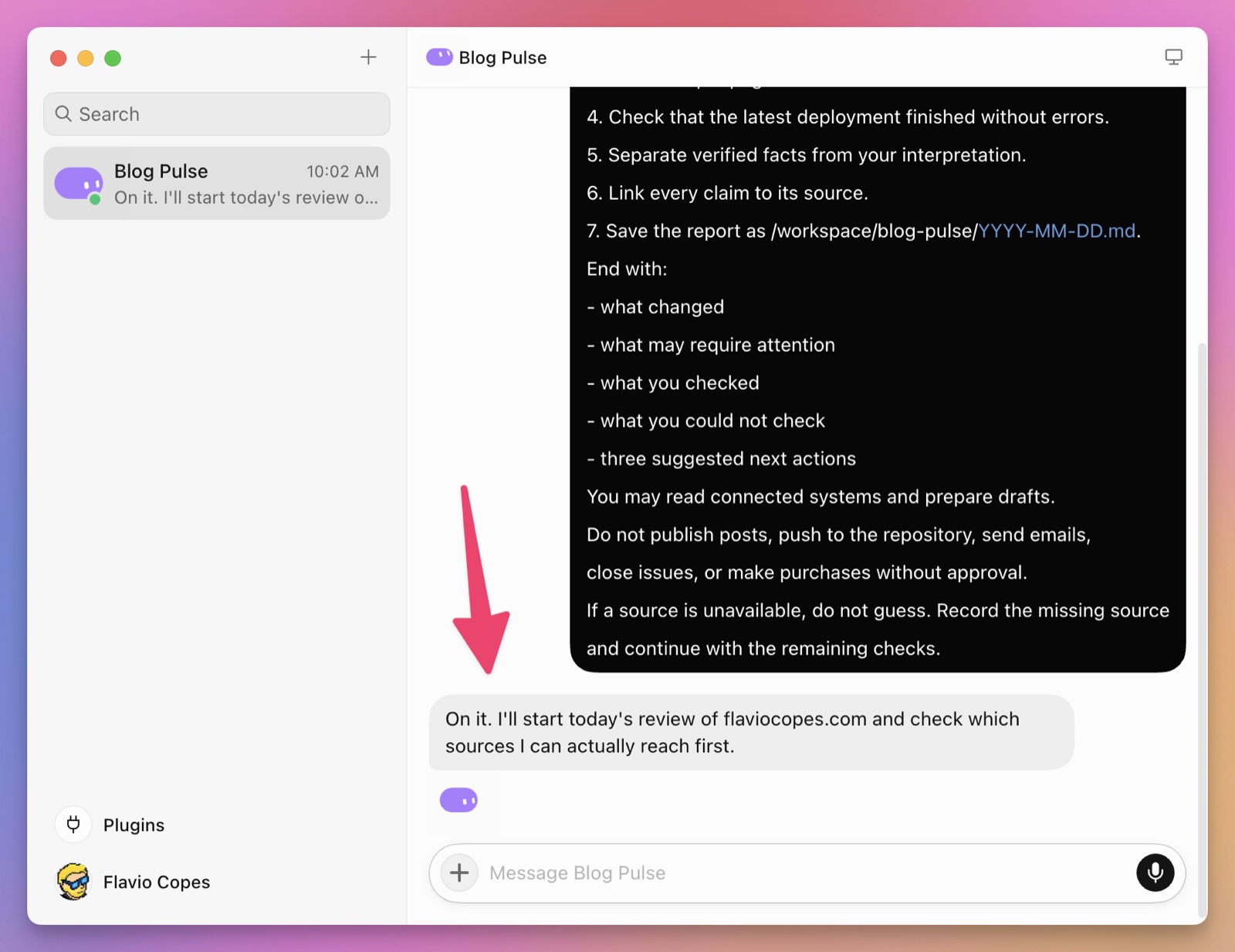
Check:
- Did it use the right sources?
- Did it miss an important filter?
- Did it save the result in the right place?
- Did it distinguish facts from assumptions?
- Did it stop before an external action?
- Could another person understand the evidence?
- What happened when one source failed?
Correct the process, not only the final paragraph.
For example:
This report is useful, but the traffic comparison is wrong.
Compare with the same weekday from the previous four weeks,
not with yesterday. Weekend traffic is always lower.
Add the exact Plausible URL beside every number.
If analytics is unavailable, mark that section unavailable instead
of filling it from the previous report.
Run the whole workflow again with those rules.
You are trying to make the procedure stable enough to repeat.
Ask for a reviewable result
Do not ask a long-running Bot to “keep an eye on the blog.”
Ask for an artifact you can inspect.
Good results include:
- a Markdown report with source links
- a spreadsheet with raw data and derived columns
- a draft email that has not been sent
- a branch with a small code change and passing tests
- a bug report with exact reproduction steps and screenshots
- a folder containing a research brief and downloaded evidence
- an issue draft with labels and proposed owner
The files and results documentation recommends defining acceptance criteria and preserving evidence for consequential work.
For a serious task, I would require five sections:
Verified facts
Assumptions
Actions completed
Actions waiting for approval
Unresolved questions
This structure prevents a confident summary from hiding what the Bot did not know.
Turn a successful process into a skill
A skill is a reusable set of instructions.
It captures how to perform a job: which sources to open, which steps to follow, what to calculate, which failure cases matter, and what the output should contain.
Once the one-time blog review works, ask the Bot to save it as a skill and inspect the result.
A useful skill should include:
- purpose and expected outcome
- required inputs
- source priority
- exact workflow
- validation checks
- expected output
- failure behavior
- approval boundaries
- examples of a correct result
Keep the skill narrow, but include the details that steer the run.
A vague skill can make the Bot wander, retry, and consume more usage. A rigid skill can fail as soon as a normal input changes. Define the outcome, trusted sources, important decisions, failure behavior, and stopping condition. Leave harmless implementation details open.
Do not save the first lucky run as a skill. You want to preserve a working method, not the conversation that happened to produce it.
You can invoke saved skills with / in a Bot message.
Teach a browser workflow by demonstration
Grok Bot can also draft a skill from a browser demonstration. The feature is called Teach a task, and the rollout may be gradual, so it can be missing from your account.
Start recording, perform the workflow yourself, and let the Bot observe the visible interactions. A demonstration can last up to ten minutes. Audio is not part of the recording.
The Bot turns the demonstration into a draft skill that you still need to review.
A recording shows the happy path. It usually does not explain:
- how to recognize a stale page
- what to do when no records are returned
- which account or workspace is correct
- when a value is suspicious
- which confirmation means the operation completed
- what must never be clicked automatically
Add those rules in writing. Then test the skill against a different but normal case.
Teaching by demonstration is useful for navigation. It does not remove the need to define policy.
Put the skill on a routine
A routine tells a Bot when to run a workflow.
Routines can be scheduled or triggered by an event. They continue in the cloud when your laptop is closed.
Eric Zakariasson recommends using an event trigger when one exists. A Slack message, GitHub event, or supported reaction starts work only after something changes. A scheduled routine wakes up even when there is nothing to do.
Use a schedule when the absence of change is itself worth checking. Blog Pulse still needs to run every morning, because a missing post or failed deployment is part of its report.
Every run consumes usage, even when the Bot wakes up and finds nothing.
Lauren Tan points out that a routine scheduled every 15 minutes runs 96 times a day. An hourly run or a few checks per day is often enough.
Long conversations can also make recurring runs more expensive. The Bot has more context to process each time.
Give a recurring job to a fresh, focused Bot. Keep the long planning conversation with your main Bot or chief of staff. This separates the conversational context, but not the files and credentials on the shared computer.
The schedule and the notification policy are separate decisions.
A watcher can run every hour and save every check while contacting you only when a price changes, a deployment fails, or another defined threshold is crossed. A quiet run is still a successful run.
Tell the Bot to notify you as soon as it cannot make progress. A stalled routine should not spend the rest of the run retrying the same step.
Before creating one, define:
- owner
- schedule
- timezone
- input sources
- output destination
- notification threshold
- approval boundary
- behavior when a source is missing
- behavior when there is nothing to report
For Blog Pulse, the routine could be:
Run /daily-blog-pulse every day at 08:00 Europe/Rome.

Save the full report under /workspace/blog-pulse/.
Send me a summary in this chat.

If a connected source is unavailable, finish the remaining checks
and list the unavailable source at the top.

Do not publish, email, or change any external system.
Ask before opening a GitHub issue.
The 08:00 slot is not random. My scheduled posts go live shortly after 07:00, so the first run of the day can confirm today’s post actually published.
Run a manual test before trusting the schedule.
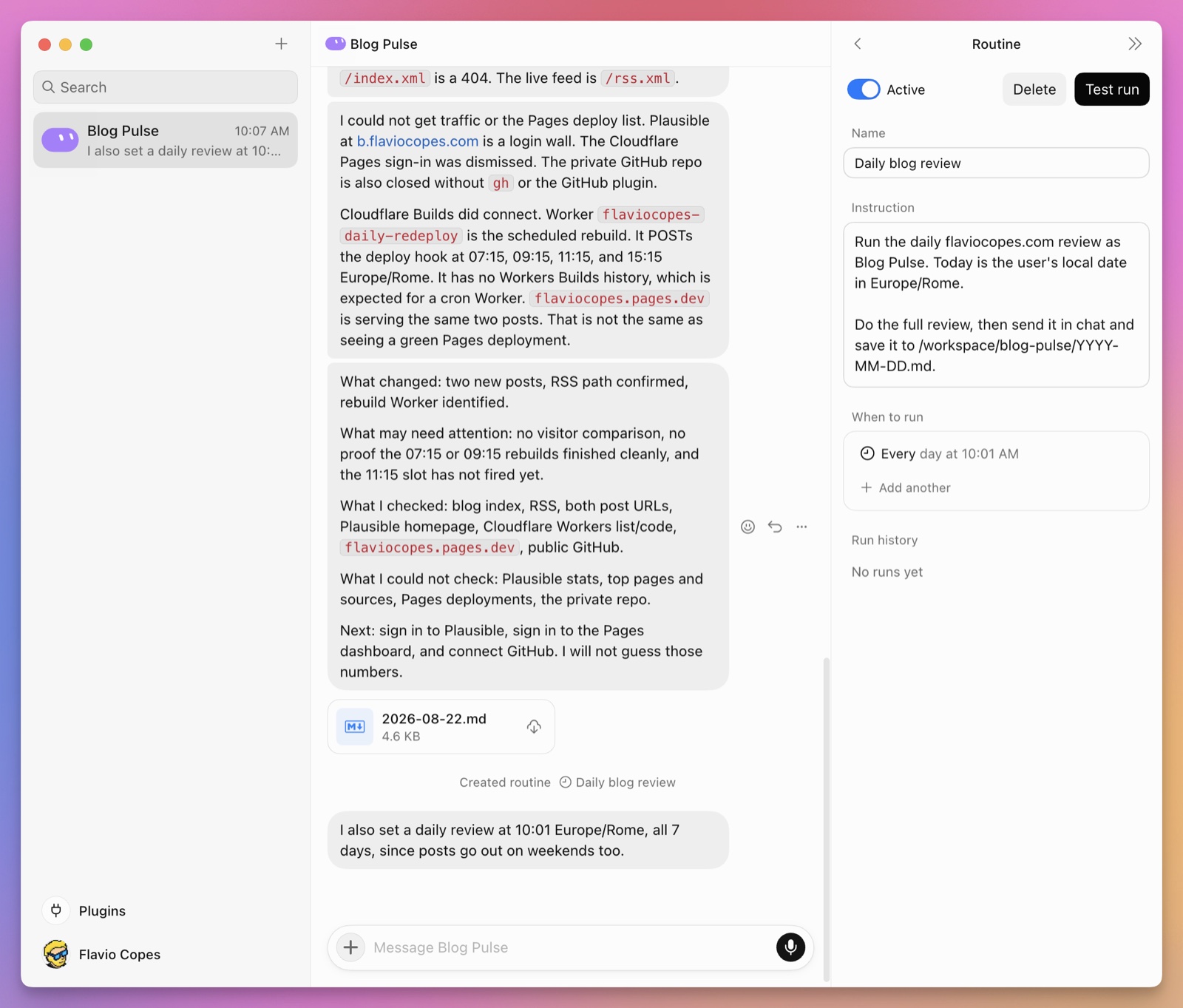
I used 10:01 in this test so I could watch the first run immediately. Once the test works, change the routine to the time the real job requires.
The test performs real work. It is not a simulation.
The next morning, the routine produced this report:

It found the day’s posts, confirmed the live pages and RSS entries, and left the locked Plausible source unverified instead of guessing.
Grok Bot currently allows up to 50 routines per Bot and keeps the 20 most recent runs of each, per the skills and routines documentation. Deleting a routine cannot be undone. Deleting a Bot also removes its routines.
Keep important outputs outside the routine history.
Delete a one-shot watch or monitoring routine after the event has passed. Otherwise it can keep waking up, finding nothing, and consuming usage.
Share a Bot as a template
A template is a blueprint another person can use to create a new Bot.
xAI announced Grok Bot templates on August 28, 2026.
It is more useful than copying a prompt. The template can include the Bot’s instructions, selected memories, skills, routines, and first-party Grok Bot integrations.
It is not an exact clone.
The recipient does not get your conversation history, computer, signed-in sessions, API keys, or other secrets. Custom MCP servers, scripts, and code are not copied either.
Matt Palmer’s Templates walkthrough uses a good analogy: you share the recipe, not the prepared meal. The recipient’s Grok Bot reads that recipe and creates an independent Bot inside their account.
To create one, open the Bot settings and choose Share as template. You can also ask the Bot to create a shareable copy of itself, as shown in the official announcement.
If the option is missing, update to the latest Grok Bot desktop or mobile application.
Grok Bot reviews the Bot’s configuration and prepares an unpublished template. It tries to preserve the parts another person needs while excluding personal or internal memories.
Nothing becomes public when you first click the button.
Open the template details and inspect what Grok Bot selected. You can then publish it for your team or make it public and copy the share link.
Before publishing, check every item Grok Bot includes:
- instruction and memory
- skill and routine
- plugin and integration
- internal name, URL, and project detail
Do not trust automatic filtering with confidential information. If you would not put a value in a public document, remove it before publishing the template.
Complex Bots need setup instructions because some dependencies cannot travel with the template.
Ask the original Bot to review its own template:
Review the template you just created.

Add setup instructions for every required plugin, account, API key,
MCP server, local file, script, and command-line tool.

Remove personal details, internal URLs, and secrets.

Explain how the recipient can test the setup without changing
an external system.
The setup should tell the recipient what they need without containing the private value itself.
Installing a template also has a review step. Open the link and inspect its context and integrations. Then use the button that opens it in the application.
At launch, this button appeared as both Open in Grok Bot and Add to Grok Bot. Review the template again in the application, then confirm Add to Bot.
For example, you can inspect Matt’s Loops template before adding it. It defines an engineering outer-loop Bot that coordinates coding agents. The public page also warns that the Bot was created by a third party and may act on your behalf.
Treat a template like software you did not write.
Read the details before installing it. Recreate custom dependencies yourself, connect only the accounts it needs, and start with the smallest useful permissions. Run one safe task while watching before enabling routines or consequential actions.
Share a Bot with your team
A template gives someone their own copy. A Team Bot is one Bot that your whole team talks to.
xAI introduced Team Bots on September 28, 2026, as a public beta for Teams and Enterprise plans. The Team Bots documentation explains how they work.
The owner sets the Bot up once, with its plugins, secrets, skills, and files, and publishes it. Teammates find it under New chat → Team Bots and chat with it in the desktop app, on mobile, or in Slack.
To create one, choose New chat, then Create new Team Bot. You can also start from a personal Bot: open its Share menu and choose Publish to Team. You pick which plugins, secrets, memories, skills, files, and routines the team copy gets, and your personal Bot stays private.
Read these details before you publish one:
- Every teammate gets a private chat. The owner can’t read teammates’ chats, and teammates can’t read the owner’s.
- Plugins that need a sign-in use the account of whoever is asking. A Linear plugin connected with OAuth files tickets as the person who asked. A plugin configured with a key or token uses that key for everyone.
- Secrets work for the whole team. Teammates never see a value, and the Bot uses a secret only by name. But it can use every secret in any teammate’s conversation, so add scoped, read-only service-account keys, not your personal ones.
- Memory has two levels. Every conversation reads team memory, and the Bot saves something there only when someone says the whole team should know it. Its notes about each person stay private to that person.
- Routines stay personal. A routine runs for the person who set it up, reports in their chat, and counts against their usage. To share its output, have it post to a Slack channel.
The shared-computer model from the start of this guide changes a bit here. The owner’s chat runs on the owner’s computer, and each teammate’s chat runs on that teammate’s own computer. Slack channels and threads share one separate computer for that Bot, so treat anything you share in a channel thread as visible to the whole channel.
Usage follows the person too. A teammate’s messages count against their own Grok Bot allowance, not the owner’s.
The owner can give the Bot its own Slack app with Bring to your team’s Slack, and it posts as itself. It answers only teammates who have linked their Slack account to Cursor, which they do once under Settings → General → Team Bots.
Only the owner can change the setup or delete the Bot. Deleting it removes it for everyone, along with their chats and routines. Choose Unpublish instead if you might need it again.
Team Bots suit one shared job, such as answering metrics questions from a data warehouse or triaging requests in a Slack channel. For an assistant that works from your own accounts and memories, keep a personal Bot.
Pick a Primary Bot
Grok Bot now asks you to choose a Primary Bot. When I opened the macOS app on September 30, 2026, this dialog appeared on top of my Bots:
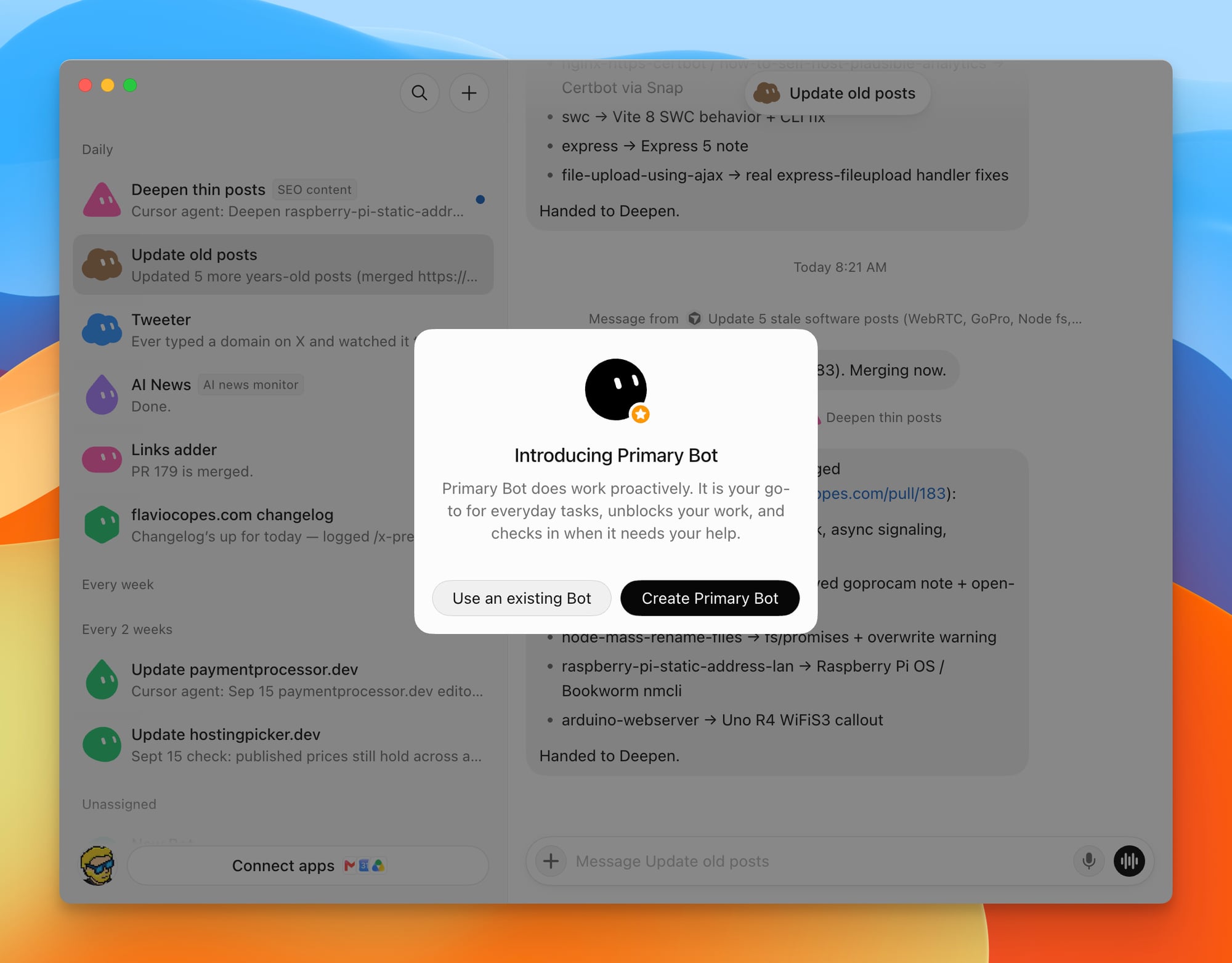
The app describes it in one line: “Primary Bot does work proactively. It is your go-to for everyday tasks, unblocks your work, and checks in when it needs your help.”
In practice it’s the Bot you go to first. Your other Bots keep their narrow jobs, and the Primary Bot takes the everyday requests that don’t belong to any of them.
The dialog gives you two options:
- Create Primary Bot creates a new Bot for the role.
- Use an existing Bot opens a searchable list of your Bots, so you can promote one you already have. If you already run a manager Bot like the ones in the next section, that’s the natural pick.
You can have only one Primary Bot, and it shows a small star badge in the sidebar. Its menu has Replace with different Bot where your other Bots have Delete, so to get rid of it you first give the role to another Bot.
The documentation doesn’t describe the Primary Bot yet (I checked on September 30), so this is what the app shows.
A Primary Bot is still a normal Bot on the same shared cloud computer. Everything in this guide applies to it: give it a clear role and list the actions that need your approval.
Keep that role small. I explain later why I would not make one Bot the manager of everything, and that holds for the Primary Bot too. It can route everyday requests and leave each routine with the Bot that owns it.
For this blog, the role could look like this:
You are my Primary Bot for flaviocopes.com.

Handle small everyday requests yourself.
Send work that belongs to another Bot to that Bot:
- stale posts go to Update old posts
- inbound links go to Links adder
- changelog entries go to flaviocopes.com changelog

Check in with me when a Bot is blocked or a job needs a decision.
Ask before publishing, sending, or deleting anything.
Use several Bots without creating chaos
Grok Bot supports up to 50 Bots and group chats combined.
A Bot can start work in three ways:
- You send it a message.
- A routine or external event triggers it.
- Another Bot calls it.
The third option makes Bots composable. One Bot can own the result and call specialists only when their part is needed.
You can duplicate a Bot. The copy receives the profile, settings, skills, routines, and avatar. It does not receive the conversation history, attachments, or memory of the original.
That is useful when two jobs begin from the same process but need different sources or boundaries.
It is not useful as a security isolation technique because both Bots still share the same cloud computer.
Once you have several Bots, keep a small roster outside their conversations.
For each Bot, record:
- the result it owns
- how work starts
- which systems it can reach
- which actions require approval
- the last useful result it produced
- when you last reviewed its usage
Review the roster after the first week of scheduled work. Retire Bots that duplicate another job, have no recurring outcome, or cost more attention than they save. The number of Bots is not a measure of progress.
Brian Lovin describes a useful way to keep this work organized. His Grok Bot uses a Notion database as the task ledger. Each task page records progress, blockers, and the next step.
Tasks can arrive through chat or through routines watching email, Sentry, GitHub, and other systems. Many of them then start a Cursor Cloud Agent to do the implementation work. If the agent needs credentials or tools that live on your machine, you can also run Cursor cloud agents on your own hardware. For longer-lived coordinator work, Cursor’s Projects is the pattern that stays around and delegates. When choosing between the two, see Grok Bot vs Cursor Projects.
Because the state lives outside the chat, an older task is easier to resume. The Bot can find the Notion page, read what happened, and continue from the recorded next step. Notion’s official account highlighted the same workflow.
This does not make Notion the Bot’s memory. It makes Notion the visible system of record for the work.
The official multi-team guide takes the pattern further. Eric Zakariasson uses separate Projects and Tasks databases. One project gets one channel, one roster, and one manager Bot that creates the project and staffs the channel.
His staffing rules are practical:
- reuse an existing specialist before creating another Bot
- keep the project team small
- create a new Bot only when no existing role fits, and only after approval
- move a task to
Blockedand contact a person when progress stops
His limit of one manager plus five specialists is a personal rule, not a Grok Bot product limit. The important part is that every project has a visible owner, team, task state, and escalation path.
Groups let Bots and people work in one visible conversation. One Bot can gather research, another can inspect technical details, and a third can turn the result into a review checklist.
The collaboration documentation says Bots can decide who should respond to an unaddressed group message. Matt explains that the group host still wakes each member in turn behind the scenes. Every Bot may spend time considering a message even when only one produces the useful answer.
For a sequential workflow, message one owner Bot instead. Tell it which specialist to call and what to bring back. Matt demonstrates this with a writing Bot that asks a product expert what shipped, then uses the answer to prepare a draft.
Keep the handoff explicit. This is how I would split the preparation of a tutorial like this one:
Research Bot:
Collect the official docs and release notes for the tool I am
covering and save /workspace/posts/brief.md.

Technical Review Bot:
Read that file. Verify only the technical claims against the
linked docs. Add citations and write /workspace/posts/review.md.
Do not rewrite the brief.

Editor Bot:
Wait for both files. Produce one outline and list every unresolved
claim. Do not publish anything.
Sharing a computer does not mean sharing conversational memory. A Bot may have access to a file without knowing that the file exists or why it matters.
Every handoff should record:
- the exact output path
- what was completed
- the evidence used
- what remains unresolved
- which Bot owns the next step
Store shared working files under a documented /workspace folder and use the same convention across the team. Do not put credentials or other secrets in those files.
Early users have reported that unrestricted multi-Bot conversations can become noisy. Bots may repeat each other, start unnecessary loops, or spend usage discussing work instead of doing it.
For a long-running group, Eric suggests a small workforce-checker Bot. It periodically checks the other Bots, nudges a stalled Bot once, stays quiet while work is moving, and contacts you only when a person must intervene.
Tell every Bot to report as soon as it cannot make progress. A blocked Bot should not burn through the remaining plan by retrying the same step.
Use a group when the handoff needs to be visible. Do not create a committee for a task one focused Bot can finish.
What people are actually doing with it
The launch examples and early user reports fall into a few clear categories. xAI also publishes a growing collection of practical Grok Bot guides covering engineering, design, product work, and go-to-market operations.
These are anecdotes from a new beta, not controlled benchmarks. But they show where the product’s shape is helping.
Monitoring and daily research
Alex Finn described a Bot that checks AI company accounts every 15 minutes, plus another that reviews product retention data and prepares outreach for at-risk subscribers.
The X connector is a better fit for this than browsing the website. A connector call is cheaper than a sequence of screenshots, and it does not depend on the X layout staying the same.
The Bot revisits the same sources, applies a stable filter, records what changed, and prepares a decision for a person.
The human does not need another summary of the entire internet. The useful result is a small list of new, relevant changes with evidence.
The official guide for product managers describes a related idea called an attention list.
Instead of maintaining another priority list that becomes stale, a Bot reviews email, Slack, the calendar, and meeting notes. It records the projects receiving attention, their current state, and what needs to happen next.
This gives you two useful views. The Bot can filter incoming noise against the work that matters now. You can also compare your stated priorities with where your time went.
I would use the attention list as a report, not as permission to archive messages or change priorities by itself.
Cross-system search and onboarding
A dedicated knowledge Bot can search across documentation, repositories, Slack, Notion, and other connected sources.
Matt says he used this pattern while onboarding at Cursor. Instead of learning which system might contain an answer, he asked one product-expert Bot. The Bot searched the relevant sources and returned the answer.
This is more useful than a generic search box. The Bot has a stable role, knows which sources belong to that role, and can keep the surrounding context between questions.
It should still link every answer to the original source. Slack is not automatically more authoritative than documentation, and an old discussion should not silently override the current code.
Customer support and community work
The same thread describes a community Bot that answers questions and direct messages throughout the day.
Lenny Rachitsky’s early uses included support email replies, matching job seekers with companies, reviewing subscriptions, and preparing podcast guest briefs.
Support can work well when the Bot has a trusted knowledge source, produces drafts, and escalates uncertain or sensitive cases.
Giving an early beta permission to send every reply without review is a different decision.
Browser testing and software work
Alex also described Bots that continuously test applications, find bugs or possible improvements, and prepare pull requests.
This uses the persistent computer well. The Bot can retain test accounts, browser state, screenshots, repositories, and working files between runs.
For the code change itself, hand the repository to a cloud coding agent or ask Grok Bot to use Cursor or Grok Build in the CLI. Keep the Bot chat focused on coordination, evidence, and the handoff instead of using it as the coding environment.
Matt shows one workflow that starts with his X bookmarks. A Bot finds an idea worth demonstrating, prepares a build prompt, and asks him to review it. After approval, it starts a Cursor Cloud Agent and returns with a pull request, screenshots, and a video.
The workflow looks like this:
new information → reviewed brief → coding agent → pull request and evidenceThe Bot coordinates the work. The coding agent gets a focused implementation task.
The official mobile development guide shows why narrow authority matters in a larger team. Ryan Perry split a mobile game studio across six Bots:
- an orchestrator routes work
- an analytics Bot is the only role allowed to declare a finding
- a creative Bot turns findings into ads but cannot buy media
- an engineering Bot owns the application and backend
- an infrastructure Bot controls deploys and rollbacks
- a bug Bot fixes obvious Sentry issues and escalates uncertain ones
Perry reports that this loop reduced cost per install from $15 to $1 and improved day-seven retention by about four times. That is one team’s result, not a benchmark.
The reusable lesson is the role design. Separate who may interpret the data, prepare a change, deploy it, and spend money. A handoff should carry a finding or specification, not a vague request to help.
The best output is not “I tested the app.”
It is a reproducible bug report containing:
- tested version or deployment
- account and environment
- exact steps
- expected result
- observed result
- screenshot or recording
- console and network evidence
- proposed fix
- tests run
Use Grok Bot as the outer loop for coding
Matt calls Grok Bot the outer loop around a coding agent.
The outer loop gathers context, explores the problem, and compares information from several systems. It can read customer reports in Slack, inspect a policy in Notion, check the repository, and discuss possible changes with you.
Once the problem is clear, it prepares a clean task for a new coding agent. That coding agent is the inner loop. It starts with the repository, the agreed plan, and the exact implementation request.
This separation protects the coding context. Brainstorming, dead ends, and unrelated source material stay outside the implementation run.
I would use this pattern for problems that begin outside the repository. If the task is already a clear code change, I would send it directly to the coding agent.
Personal software through chat
The video also shows a different way to think about personal software.
Matt moved the logic from a personal training application into skills, plugins, and MCP servers. He describes the Bot logging workout data through Git commits, with a JSON file as the data store. The persistent computer runs the logic, and chat becomes the interface.
The pieces are still familiar:
data → files, Git, Google Drive, or another connected source
logic → skills, plugins, MCP servers, and code
runtime → the Bot's cloud computer
interface → chat
This can replace some personal scripts and small applications. It works best when one person uses it, the data is easy to inspect, and a polished interface does not matter.
It is not a replacement for every application. Build normal software when several people need predictable behavior, strong validation, a stable interface, or a system that can run without an AI deciding the next step.
Content operations
Early examples include turning new social posts into newsletter drafts and creating new thumbnail variations based on previous work.
The persistent environment helps because brand references, examples, templates, and previous outputs can remain available.
This still needs a clear boundary between repurposing and publishing.
I would let the Bot collect source material and prepare drafts. I would not let it publish in my name without review.
The official design guide shows the same boundary in visual work.
John Bai uses one Bot for experiments, one for motion, one for repetitive Figma production, and another for engineering questions. The experimental Bot can turn an uncertain idea into several working prototypes. None of them needs to be good enough to ship. Their job is to make the idea concrete enough to judge.
For motion work, the Bot used the real production animation asset inside a local playground. A person could adjust timing, springs, scale, and easing with deterministic controls, then ask the Bot for another variation.
For repetitive Figma work, one finished component remained the source of truth. The Bot inspected exact positions, dimensions, spacing, typography, fills, strokes, and component structure instead of copying the look from a screenshot.
The Bot made more iterations possible. The designer still decided which version felt right.
Personal and office administration
xAI lists expense management, recruiting, sales outreach, paid-media analysis, account health, and chief-of-staff work among its official use cases.
Debbie O’Brien asked one Bot to research her, inspect her existing Bots, and propose a better personal setup. The result behaved like a one-prompt chief of staff.
Digg’s roundup of the launch discussion also highlighted a family meal-planning example: the Bot balanced preferences and new foods, then helped update grocery orders.
These jobs are not technically exotic. Their value comes from remembering preferences, returning to several applications, and completing the boring parts of the workflow.
The official guide for go-to-market teams contains a good example of a well-bounded inbox routine.
It scans only messages that probably need a reply. It skips newsletters, receipts, calendar responses, automated notifications, and internal noise. For each useful message it prepares a short digest and a reply draft. It does not send anything, and it stays quiet when nothing needs attention.
The same guide uses meeting notes as the source of truth for follow-up drafts and daily meeting preparation. The output is short enough to read on a phone.
These details matter more than telling a Bot to “manage my inbox.” Define what to skip, which source wins, what to produce, what must remain a draft, and when silence is the correct result.
Reusable Bot roles
Elie Steinbock created Bot Directory, an open directory of one-prompt Grok Bot setups.
That project captured an early version of the pattern now built into Grok Bot templates. People are sharing complete jobs, not only prompts.
GrokBot.dev and Bot Directory now collect many of these setups. They are independent community projects, not official xAI documentation.
Some entries are prompts or use-case descriptions, not installable Grok Bot templates. Read what the page is offering before treating it as a one-click setup.
Here are a few useful examples from GrokBot.dev:
- An Amazon cart Bot reads past orders, finds the exact products the person normally buys, adds them to the cart, and stops before checkout.
- A meeting follow-up Bot reads new transcripts and separates what you promised from what the other person promised.
- A content pipeline Bot publishes on the author’s site first, keeps that page as the canonical source, and prepares separate drafts for Dev.to, LinkedIn, and X.
Bot Directory includes other good patterns:
- A Subscription Pruner finds recurring charges in Gmail, recommends what to keep or cancel, and shows the complete list before touching anything.
- An Automation Scout reads Slack, Notion, GitHub, and Linear history, finds repeated work, and proposes two automations for review.
- An iCloud Bridge gives other Bots controlled access to contacts and reminders when no structured connector exists.
A useful shared Bot definition needs more than a clever persona. It needs tools, source rules, memory guidance, deliverables, and approval boundaries.
The transferable part is the operating procedure.
Do not copy one of these prompts and immediately connect every account it mentions. Adapt the job, sources, permissions, and stopping conditions to your own setup. Run it once while watching before you save or schedule it.
The best use case for Grok Bot
The best Grok Bot job has seven properties:
- It happens repeatedly.
- It crosses several applications or websites.
- It needs judgment, not only fixed data transformation.
- It benefits from persistent login sessions and files.
- It can produce a reviewable artifact.
- Most steps are safe to perform without approval.
- The risky final step can be separated and approved.
The clearest example is an operational review.
A Bot checks several sources on a schedule, notices changes, reconciles conflicting information, saves evidence, and prepares a short list of decisions.
The Bot handles the searching, copying, comparing, and organizing.
The person handles priorities and irreversible actions.
That is more useful than a generic autonomous employee. It is also easier to test.
When Grok Bot is the wrong tool
Do not use an AI computer for every automation.
Use normal code for deterministic jobs
If a task has fixed inputs, fixed rules, and a fixed output, write a script or use an automation service.
Examples:
- copy every form submission into a database
- resize an uploaded image
- send a receipt after a payment webhook
- run a test suite after every Git push
- generate a weekly total from one database query
A deterministic workflow is cheaper, faster, easier to test, and easier to audit.
If an agent helps you discover the workflow, you can later turn the stable parts into code. I wrote about this boundary in my Swamp tutorial: use the agent to build the machine, then use a repeatable runtime to run it.
Do not rely on it for hard real-time work
A Bot is not a low-latency event processor.
Do not put it between a payment request and a required response, in a health check that must finish in milliseconds, or inside a safety-critical control loop.
Do not use separate Bots as separate trust zones
Bots share a computer. If two jobs must never share cookies, files, credentials, or customer data, they need separate accounts or a different isolation model.
Avoid it when model control is essential
The team documentation says Grok Bot does not provide a model picker. Model selection is managed by the product, with a fixed set and automatic failover.
This makes the experience simpler. It also means Grok Bot is a poor fit when you need to choose a specific model, pin its version, use a local model, or control the inference stack.
Avoid vague high-stakes autonomy
Do not ask a Bot to manage legal agreements, make financial decisions, administer production, or contact customers with an open-ended instruction and broad permissions.
It can gather information and prepare a decision.
The authority to execute the decision should live behind a narrow approval.
Approvals and security
Grok Bot asks for approval around consequential actions such as sending, publishing, purchasing, deletion, permission changes, production changes, and accepting legal terms.
An approval can be allowed once, denied, or turned into an always-allow rule.
Use Allow once while a workflow is new.
Only create an always-allow rule after you can describe the exact action, exact scope, and safe failure behavior.
The automatic review system can contain both Require Approval and Always Allow rules. A require-approval rule wins when both match.
That lets you express a useful pattern:
Always allow:
- read the Plausible dashboard
- open pages on flaviocopes.com
- create files under /workspace/blog-pulse/

Require approval:
- send any email
- push to the repository
- publish or edit a post
- close an issue
- purchase anything
- delete any external data
Avoid broad rules such as “always allow browser actions.”
The browser is not one capability. It is a route to every capability available in the signed-in session.
The full behavior is documented in approvals, security, and privacy.
For expensive or irreversible actions, a chat approval is not enough on its own. The underlying tool should bind approval to the exact action, exact target, current state, and current price. I explain that design in how to let an AI agent perform irreversible actions safely.
A practical security checklist
Before giving a Bot access to real work:
- Create a dedicated account when the application supports it.
- Give that account the smallest useful role.
- Prefer read-only access for monitoring and research.
- Use plugins instead of visual browser automation when possible.
- Enter passwords and codes through the secure takeover flow.
- Never paste secrets into chat. Ask the Bot for a secrets input.
- Keep high-risk actions on approval.
- Require evidence after every external action.
- Review browser sessions and command-line credentials shared by all Bots.
- Log out, disconnect, revoke, and delete temporary files when a project ends.
Deleting a Bot removes its profile, conversation, and routines. It does not necessarily remove files or authenticated sessions from the shared cloud computer, so clean those up separately.
Grok Bot requires cloud data storage and does not support Cursor Legacy Privacy Mode. Training opt-out follows the settings of the account or team. If you work with regulated, confidential, or customer data, review the current privacy terms with the person responsible for that data before connecting it.
Context and memory are not the same as a database
Persistent memory is useful, but it creates a new maintenance job.
The Bot may remember an old preference after the policy changes. A long conversation may mix unrelated projects. A convenient note may become an unofficial source of truth.
Brian Lovin’s detailed first impressions called out this tension. He liked the named-agent model, polished interface, and the ability to delegate across environments. He also found multitasking inside one agent awkward, worried about long threads mixing context and sensitive information, and found parts of the tool execution less transparent than he wanted.
His workaround was to copy agents and isolate jobs into separate contexts.
That can improve focus, but remember the security limitation: a copied Bot has separate conversational context, not a separate computer.
Keep authoritative information in the appropriate system: customer status in the CRM, code in the repository, issues in the project tracker, and current rules in the policy document.
Memory should help the Bot find and interpret those sources. It should not silently replace them.
Grok Bot compared with other tools
Grok Bot is not the first product that can use a browser, run commands, remember work, or continue in the cloud.
Several early users made exactly this point.
Alex Finn said the individual capabilities were not unique. The advantage was that the product made them simple and pleasant to use.
Jesse Hanley described it as a polished package around persistent Linux computers, while noting that systems such as OpenClaw already cover similar ground.
Nick Dobos argued that the persistent cloud computer is the real breakthrough. He also said the beta remained rough and had a higher skill ceiling than its consumer presentation suggested.
That is the right frame for the comparison.
The question is not “which product has an agent?”
The question is “where does the agent live, what persists, which systems can it reach, and who operates the infrastructure?”
| Tool | Best fit | Persistent environment | Main tradeoff |
|---|---|---|---|
| Grok Bot | Repeated cross-app work by named AI teammates | One shared managed cloud computer per user | Simple and integrated, but beta limits, shared trust boundary, and no model picker |
| ChatGPT Work | Local work on your computer or isolated cloud tasks | Local sessions or isolated cloud execution | Broad local/cloud workflow, but the cloud browser does not reuse local signed-in sessions |
| Hermes Agent | Self-hosted teams of named Bots with model and infrastructure control | Persistent per-Bot profiles on local, remote, or cloud backends | More control and model choice, but you operate the runtime, credentials, updates, and security |
| OpenClaw | A customizable personal assistant you operate yourself | Runs on your devices or infrastructure | Maximum flexibility and model choice, with setup, security, updates, and operations left to you |
| Claude Code | Deep software work in a repository and terminal | Local or managed coding environments | Excellent coding focus, not a general cross-app operations desktop by default |
| Notion Custom Agents | Background workflows where Notion is the system of record | Persistent agent configuration, triggers, and activity history | Strong inside Notion and connected workspaces, narrower than a whole computer |
| Zapier, n8n, or code | Stable event-driven automation | Workflow state and logs | Predictable and testable, but less able to navigate ambiguous interfaces or make judgment calls |
Grok Bot vs ChatGPT Work
Both can work locally and in the cloud, use connected applications, handle files, and continue longer tasks.
The important difference is the cloud environment.
The official ChatGPT Work overview says Cloud Work runs in isolated OpenAI infrastructure. Its cloud browser is separate from the browser on your computer. It cannot access your local tabs, extensions, history, password manager, or existing authenticated sessions. It supports public signed-out browsing and connected applications, but it does not accept credentials, sign in to sites, or complete payments in the cloud browser.
Grok Bot is organized around a persistent cloud computer where you can take over, sign in, and keep the session available.
ChatGPT Local Work is the other side of the comparison. It can use local files and applications with permission, which is useful when the work should remain tied to the computer in front of you.
Choose based on where the required state lives.
Grok Bot vs Hermes Agent
Hermes Agent is an open-source agent built by Nous Research.
Its Bot Mode is the closest direct comparison to Grok Bot. It turns agent profiles into named Bots. Each Bot can have its own role, model, memory, skills, credentials, routines, and persistent chat. Bots can coordinate through group chats and @mentions.
Their architectures differ. Grok Bot gives every user one managed computer shared by all their Bots. Hermes lets you run agent backends locally, in Docker, over SSH, or through cloud backends such as Daytona and Modal. You can also assign different models and providers to different Bots.
A Hermes profile separates configuration, memory, skills, credentials, and chat history. The file and process boundary still depends on how you configure its terminal backend and working directory.
Use Hermes when you want the named-Bot model with self-hosting, model choice, and control over where the work runs. Use Grok Bot when you want xAI to manage the computer and package the whole experience for you.
Grok Bot vs OpenClaw
OpenClaw is another do-it-yourself comparison.
It is an open personal assistant that runs on your devices, can keep memory, use tools, and control browsers. Its browser documentation supports an isolated browser profile or an existing signed-in Chrome session.
You choose the models and infrastructure. You also own the gateway, updates, credentials, network exposure, permissions, and incident response.
Grok Bot trades that control for a managed experience.
This explains Lenny Rachitsky’s comparison: he found Grok Bot easier, more reliable, and less intimidating than running a comparable personal-agent setup himself.
If you want to tune every part and are comfortable securing it, OpenClaw is more flexible. If you want the persistent-computer pattern packaged as a product, Grok Bot is easier to start.
Grok Bot vs Claude Code
Claude Code is a coding agent built around a codebase, whether you run it in the terminal, an IDE, or the cloud.
It is the better-shaped tool when the main job is understanding a repository, editing files, running tests, and producing a code change.
Grok Bot becomes interesting when the job begins outside the repository: check several dashboards, reproduce a browser problem, compare customer reports, update a draft, and then ask a coding agent to prepare a fix.
The two can also work together. The operations Bot finds and documents the problem. A coding agent changes the code. A person reviews and merges it.
Grok Bot vs Notion Custom Agents
Notion Custom Agents run recurring or triggered workflows using Notion pages, databases, and connected applications.
They have a narrower environment, which can be an advantage.
If the task begins and ends in a Notion workspace, a Notion agent has a clear source of truth, permission model, activity log, and reversible page history.
Grok Bot is broader. It can work across arbitrary websites, applications, files, and command-line tools. That breadth also creates more ways for state and permissions to become confusing.
How I would use Grok Bot
I would use Grok Bot as an operations layer around the software and content I already manage.
I would not make one Bot the manager of everything.
I already use it for a handful of recurring jobs. The other examples in this section are jobs I would try.
For this blog
I run one routine every day to update the changelog on this site with my latest changes.
This is the kind of small job that becomes annoying when I have to remember it myself. The Bot checks what changed, updates the page, and keeps the changelog from falling behind.
Another daily routine, Update old posts, picks ten posts on this site whose version claims went stale and hands them to a Cursor cloud agent. The agent comes back with a PR touching those ten files, and the Bot posts a one-line summary of what changed. In two days it produced three merged PRs, #93 to #95, covering Laravel 13, Express 5, Node 26 and Astro 7 links among other things.
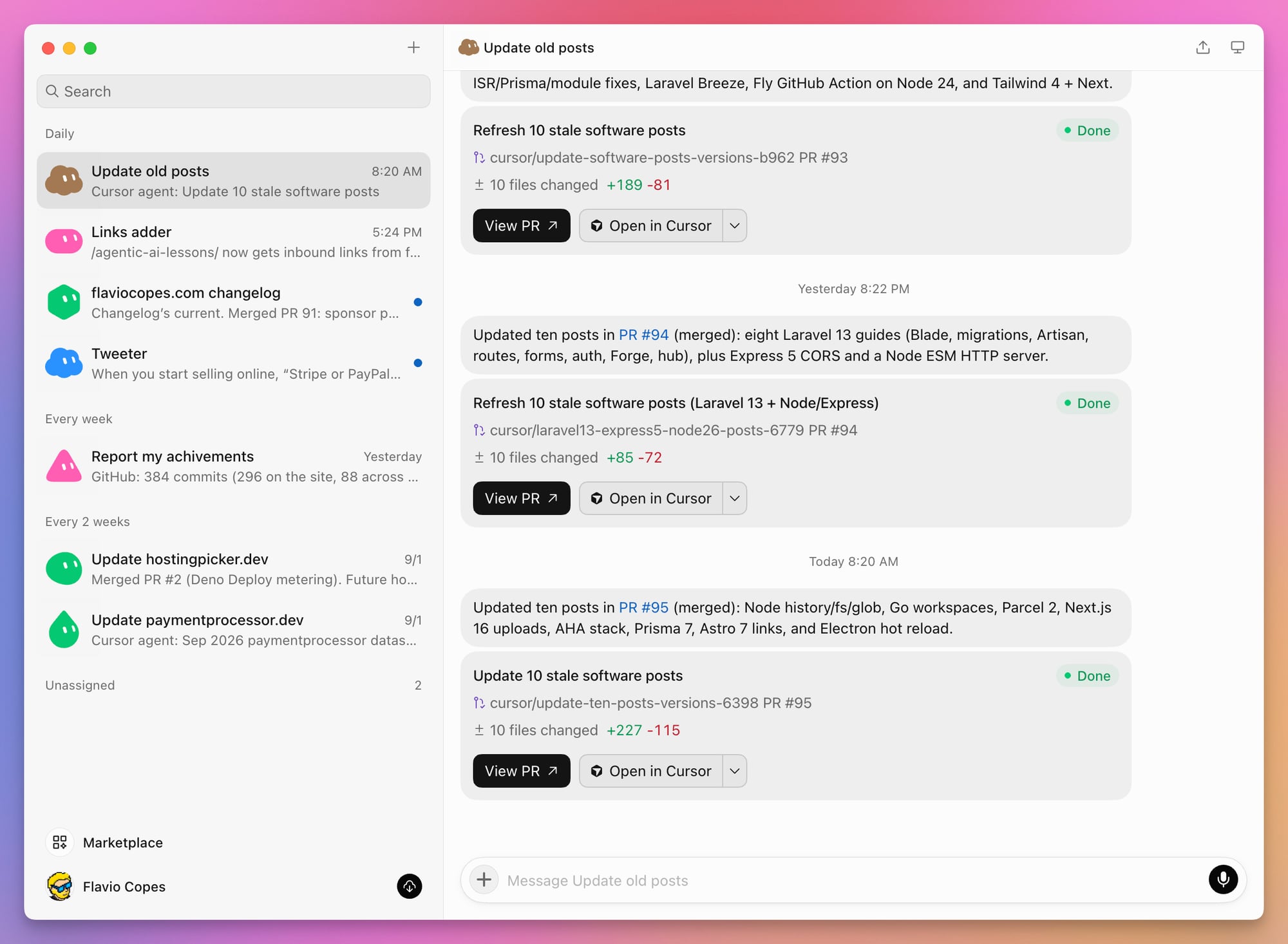
The sidebar in that screenshot holds the rest: a Bot that adds inbound links to the posts published that day, one that drafts tweets, the two pricing refreshes described below, and a weekly report of what I shipped.
Blog Pulse from the walkthrough would be another Bot I would try.
The next one would prepare my newsletter.
It could open the previous campaign in Sendy, find everything I published since then, and verify every link on the live site. It could also check the current Bootcamp, Internet Business Lab, and AI Workshop pages before mentioning their dates or availability.
Then it would prepare matching HTML and plain-text drafts.
The instruction could look like this:
Prepare the next flaviocopes.com newsletter.

Read the previous campaign first. Find every post, course,
software release, and public launch published since that campaign.

Open every URL and include only pages that are live.
Check the current course pages before mentioning dates or availability.

Write an HTML draft and a matching plain-text draft under
/workspace/newsletter/.

Do not schedule or send the campaign.
Do not change a post or course page.
List anything that needs my decision at the top of the report.
This removes a lot of opening tabs, copying links, and checking details.
I would still review every sentence and press the send button myself.
Another useful Bot would watch scheduled posts after publication time.
My site rebuilds several times each day so future-dated posts can appear. The Bot could check the Cloudflare Pages deployment, open the expected post URL, and verify that the article appears in the blog, RSS feed, and topic page.
If something is missing, I want one report containing the failed check and the evidence. I do not want the Bot to edit the post, cancel a deployment, or push another commit by itself.
The next step for Update old posts is a documentation watch instead of a daily sweep.
It could monitor the official release notes for tools I cover, find the affected articles when a new major ships, and prepare a small change brief before the agent opens a PR. Each item would include the old claim, the new official source, the affected URL, and a suggested correction.
I would decide whether the change matters. The coding agent would prepare the patch after that decision, as it does today.
For my courses business
The first course Bot I would try is a Cohort Desk.
Bootcamp, Internet Business Lab, and the AI Workshop appear on several pages. Each program has a status, date, call to action, waiting list, and analytics events.
A weekly Bot could compare those surfaces and report contradictions.
Review the current cohort offers.

Check the courses page, cohorts page, and the public page for
Bootcamp, Internet Business Lab, and the AI Workshop.

For each program, record:
- current status
- displayed date
- call-to-action text and destination
- whether the waiting-list form works
- aggregate visits and waiting-list events

Report every mismatch and suggest the next check.

Do not edit a page, change a program status, export subscriber data,
submit a real email address, or contact anyone.
This is a good cross-application job. The answer lives partly in the site, partly in analytics, and partly in the email system.
It also has a clear stopping point: a short report I can review.
A second Bot could help with course support.
It could read a student message, find the relevant course page or support document, and draft a reply. An access problem should point to the normal course-retrieval flow. A billing problem or missing purchase record should be escalated instead of guessed.
The Bot could draft the reply. It could not send it, open a buyer record, expose a private course link, issue a refund, or change access without approval.
I would also try a Bot that browses the free courses in a clean browser.
It could follow the lesson navigation, answer a quiz, reload the page to check saved progress, download the course files, and record broken or confusing paths. The report should contain the course, lesson, exact steps, screenshot, and expected result.
The existing tests would still check deterministic behavior. The Bot would add the part that is hard to express in a unit test: whether the complete learning path makes sense in a real browser.
For the apps I built recently
I built many small products during the past month. The source code now lives in the software section of this site. Some of those products are a natural fit for Grok Bot.
I run another routine every two weeks for data that needs regular maintenance: the providers behind my payment picker and hosting picker.
The Bot checks for pricing changes, product updates, relevant news, and other information that can make the data stale. Then it updates the data with what changed.
The hosting picker’s recommendations depend on pricing and limits from 21 hosting providers. This is not data I can add once and forget. The same applies to the payment providers in the payment picker.
Prices are full of footnotes, regional differences, and usage conditions. A fixed scraper can tell me that some text changed. Grok Bot can inspect the source, understand what the change means, and update the relevant data and content.
Waiting Lists needs a different kind of review.
A Bot could run the complete double-opt-in flow in a staging environment. It would submit a designated test address, verify the email arrives, open the confirmation page, press the confirmation button, and check that the dashboard changes from pending to confirmed.
It could also prepare a launch brief from aggregate confirmed, pending, and failed-delivery counts.
Exporting subscriber data, changing list settings, removing records, or sending a launch email would require approval.
Events Logger could become the Bot’s morning inbox if I gave it access to a read-only dashboard.
The applications would continue sending signups, orders, payments, deploys, and errors through the normal API. The Bot would read the unusual events, compare them with GitHub, Cloudflare, and Plausible, then prepare a short exception report.
I would not ask it to calculate the core metrics or push events. Code already does that better. I would use the Bot to investigate why an error spike appeared beside a deployment, or why signups increased after a particular post.
Not every recent app belongs on a cloud computer.
Port Pilot, Local Hoster, and Broadcast Keep get most of their value from local Mac state. Their own CLIs and a coding agent running on my Mac are a better fit.
This is the boundary I would keep across all these examples.
Code is still better for exact checks and fixed transformations. Grok Bot is useful when the job needs research and judgment across several sources. Any change it makes should stay reviewable and easy to reverse.
Common failure modes
The Bot loops or keeps talking
Stop or steer the work in the active conversation. Make the deliverable and stopping condition explicit.
For group work, assign one owner for the final result and require other Bots to write files instead of repeatedly discussing the task.
The browser cannot sign in
Take over for the password, passkey, MFA, or CAPTCHA. Some sites block cloud datacenter addresses even after a correct login. For those, you can route the traffic through your desktop so the site sees your own IP address.
When possible, use an official plugin instead of the visual website.
A plugin stops working
Confirm that the connection is still authorized. Reconnect the application and test one small read operation before rerunning the full workflow.
The Bot cannot find a file
Check whether it was stored under /workspace. Do not rely on a temporary directory for durable work.
Ask the Bot to show the exact path and list the directory rather than searching from memory.
Usage disappears faster than expected
Long browser sessions, multi-Bot discussions, retries, and vague research can consume substantial usage.
Reduce the number of sources, tighten the deliverable, split exploration from execution, and stop loops early. Prefer event triggers and connectors, report stalled work immediately, and remove one-shot watches after they finish.
The current product does not expose a model picker you can use to switch every routine to a cheaper model.
The computer behaves incorrectly after an update
The troubleshooting guide recommends the least destructive recovery first: retry, restart the affected application, update the client, and use normal recovery.
Resetting the agent computer is a last resort. It may remove recent unsynchronized state.
Back up important artifacts and note which applications will need to be reauthenticated before resetting anything.
A compact checklist for every new Bot
Before you call a Bot ready, verify all of this:
- The name describes one stable job.
- The role defines an outcome, not a personality.
- Permanent rules, the recurring job, and the current assignment are kept separate.
- Trusted sources are listed in priority order.
- A non-trivial job starts with a plan that names tools, changes, approvals, and verification.
- The narrowest reliable interface and account are used for every connected application.
- Required applications use the narrowest useful permissions.
- Durable files go under
/workspaceand into a real system of record. - The output is reviewable and includes evidence.
- Missing information produces an explicit gap, not a guess.
- Sending, publishing, purchasing, deleting, and production changes require approval.
- The workflow succeeds once before becoming a skill.
- The skill succeeds again before becoming a routine.
- The routine has a timezone, owner, destination, notification threshold, and no-data behavior.
- Multi-Bot handoffs name the output path, open questions, and next owner.
- Every active Bot still owns a useful result.
- Every credential on the shared computer is safe to expose to all your Bots.
- Usage and failures are reviewed after the first scheduled runs.
Start with one boring job
My first Grok Bot would be Blog Pulse, the example we built in this guide.
It checks the same pages every morning, writes one report, and asks before changing anything.
I would start with one account and one Bot, using a task I had already tested by hand.
Give one Bot one boring job. Run it a few times. Fix the instructions when it gets something wrong.
If you still open its report every morning after a week, keep it. Turn the workflow into a skill and schedule it.
If you spend more time checking the Bot than doing the job yourself, delete it.
Want me to talk about your product? You can sponsor this site.
Related posts about ai: