I built Number Pantry, 281 calculators that work offline
By Flavio Copes
Number Pantry is my free, open source app with the 281 calculators from calculum.dev. It works offline, saves and compares calculations, and comes with a calculum command for Terminal.
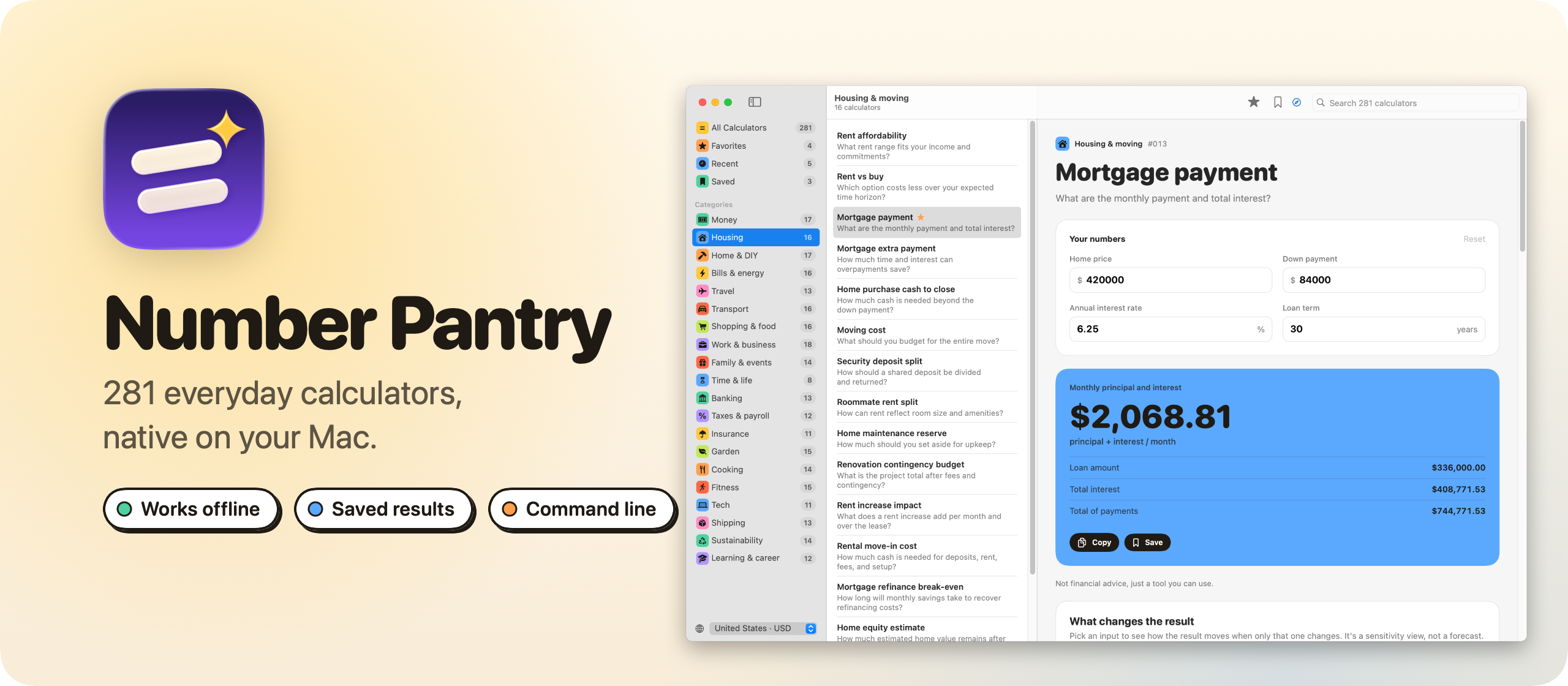
I built Number Pantry, a free and open source app with the 281 calculators from calculum.dev, the library I launched in July. It’s the same calculators in a native window. It works without a connection, keeps the calculations you save, and comes with a command for Terminal.
Here’s the app in a minute:

The sidebar lists the 20 categories, each in its own color, plus Favorites, Recent and Saved. ⌘F searches all 281 calculators at once.
Pick one and type your numbers. The result updates as you type, with every supporting figure under it. Below that there’s a chart of what changes the result, three realistic examples, the formula, the assumptions, and a short guide with the edge cases worth checking. Loans, savings and investments also get a chart of how the numbers develop over time.
Pick your country at the bottom of the sidebar to get its currency, number format, and metric or US customary units. There are 21 to choose from.
Saving and comparing calculations
Press ⌘S and Number Pantry saves the calculation: the inputs as you typed them, and the result with all its details. It’s a record of the answer, so it doesn’t change later, even if you switch country.
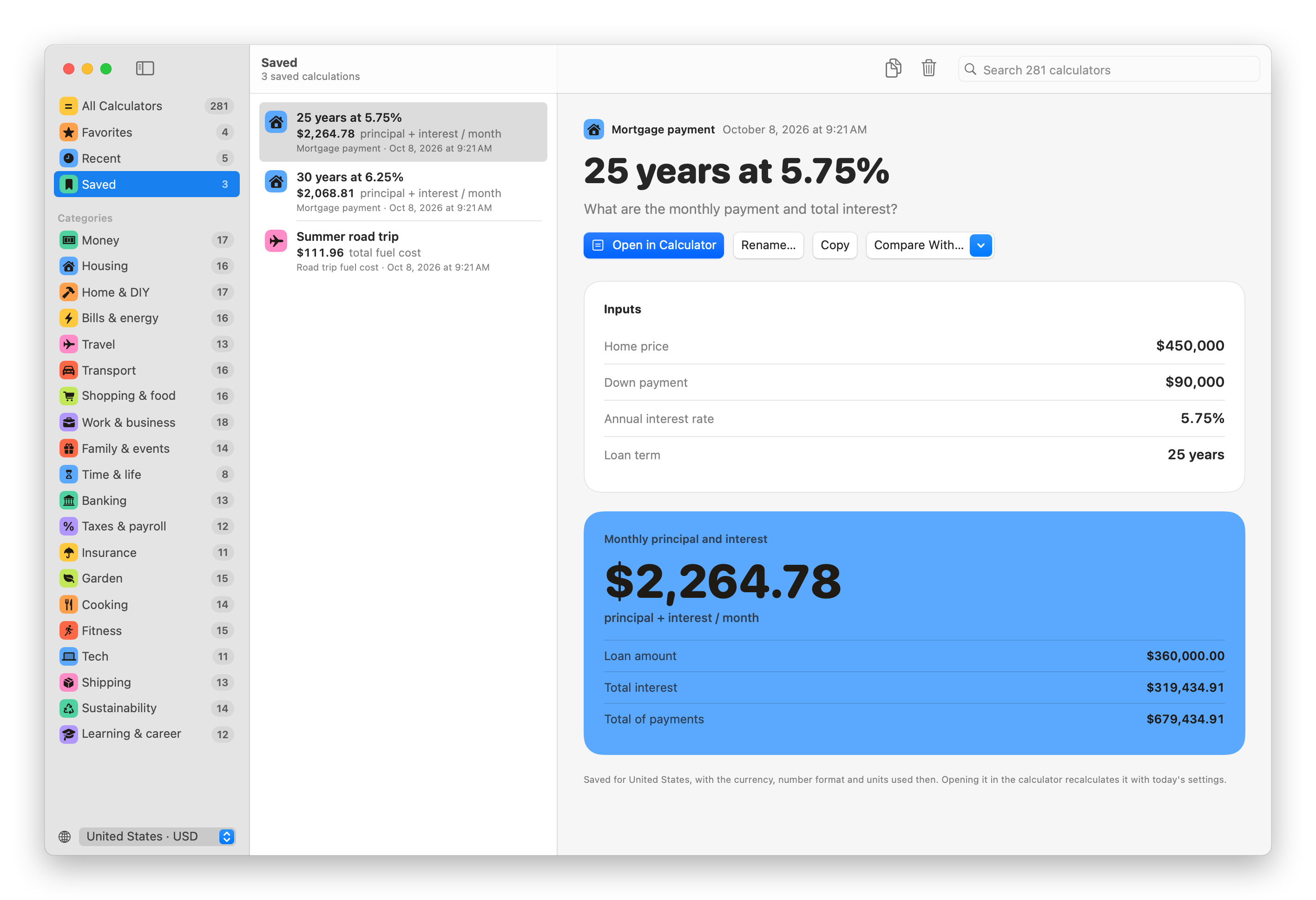
Saved calculations get their own page. You can rename one, copy it as text, or open it in the calculator again to try something else.
Save two calculations from the same calculator and you can compare them. ⌘-click both, and Number Pantry lines up every input and every figure of the result, with the change next to each one.
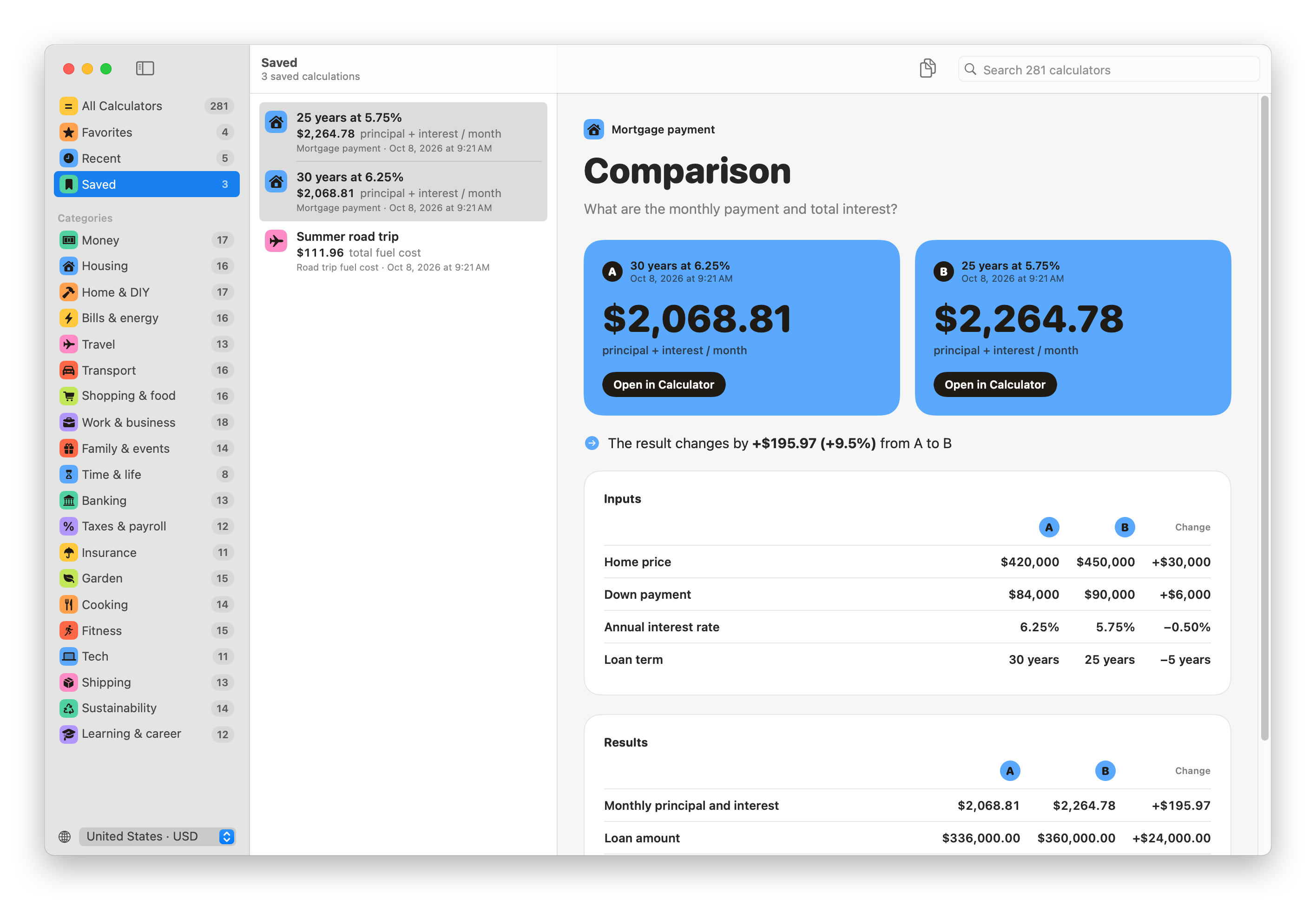
In this comparison, the 25-year mortgage at 5.75% costs $195.97 more per month than the 30-year one at 6.25%. It also saves $89,336.62 in total interest, on a more expensive home.
A command for Terminal
Number Pantry comes with a calculum command. Choose Number Pantry → Install Command Line Tool… to link it into /usr/local/bin, and every calculator works from the terminal:
calculum mortgage-payment price=450000 rate=5.5You pass the inputs you want to change as name=value, and the others keep their example values. It prints the inputs and the full result. calculum show mortgage-payment lists the input names, and calculum search paint finds a calculator.
-q prints only the answer, which is handy in a script:
calculum tip-and-bill-split bill=186 people=4 -qThat prints $58.90. --json prints every input and every figure of the result, and --country IT switches to euros and metres.
How it works
The calculators are JavaScript, the same code that runs on calculum.dev. Instead of rewriting 281 formulas in Swift, the app bundles them into one file and runs it in JavaScriptCore, the JavaScript engine built into macOS. The app and the calculum command share that engine, so the Mac app, the terminal and the website give the same answers.
Everything else is SwiftUI, with no dependencies. Your favorites, saved calculations and numbers stay in one JSON file on your Mac. There are no accounts and no analytics. The only time Number Pantry goes online is the daily check for a new version on GitHub.
Get it
The code is on GitHub at flaviocopes/number-pantry, MIT licensed.
Download the zip from the latest release, unzip it, and drag Number Pantry to your Applications folder. It runs on macOS 15 Sequoia or later, on Apple silicon and Intel Macs.
Since version 1.1, Number Pantry is signed with my Apple Developer ID and notarized by Apple, so it opens like any other app you download.
The README explains what to do on a work laptop, and covers every feature and every command option.
After that, Number Pantry updates itself. It checks GitHub once a day, and Install and Relaunch puts the new version in place.
Want me to talk about your product? You can sponsor this site.
Related posts about news: