I built Work Tracebook, a Mac app that shows what your coding agents did
By Flavio Copes
Work Tracebook is my free, open source Mac app that turns the one-line reports your coding agents write into a timeline of your day and week, and shows where your time went, project by project.
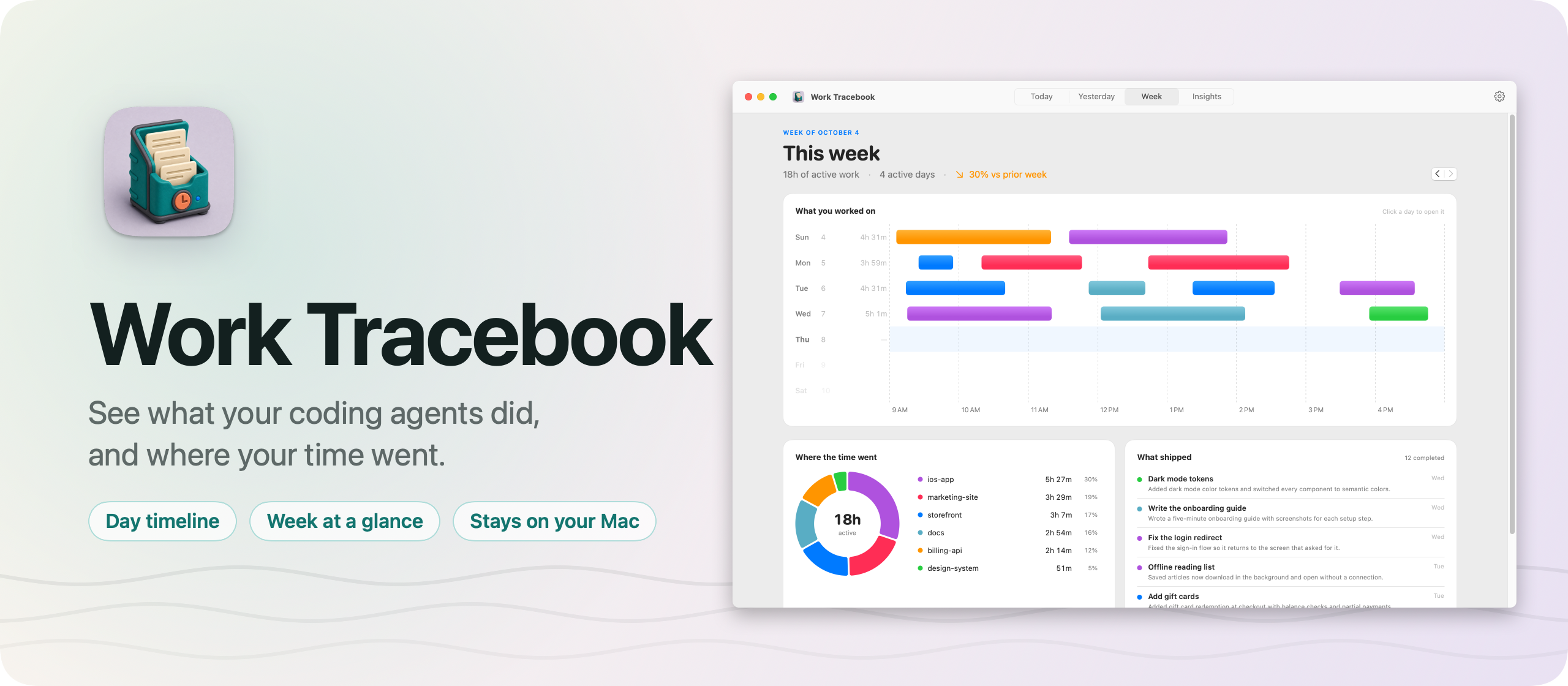
I built Work Tracebook, a macOS app that shows what my coding agents did for me. It’s free and open source, like Skill Cabinet and Tranquillity Maker.
I run Codex and Cursor across a lot of projects every day. By the evening I often couldn’t tell you what actually got done, or where the hours went. Work Tracebook keeps that record. Each time an agent finishes something, it writes a one-line report, and the app turns those reports into a timeline of my day.
Here’s the app in 30 seconds:
What it shows
The app has four screens, one key away each, from ⌘1 to ⌘4.
Today and Yesterday open with the active time, the projects and the tasks. Under that there’s a timeline with one lane per project across the hours of the day, and a bar for every work session. Hover a bar and you see which tasks filled it. Then comes every task, once, with the latest report the agent wrote. Tasks still open say Doing, and you can close one with a final outcome.
For a finished day, a local Ollama model writes one sentence per project, if you have one running. “Updated the software catalog by adding recent app launches” reads better at a glance than eight task titles.
Week puts the seven days side by side, one row each, with the sessions colored by project. Next to it there’s a donut of where the week went and the list of what shipped. The arrow keys step back through earlier weeks.
Insights is the long view: time by project over 7, 30 or 90 days, a 26-week heatmap, and the busiest projects. Click a project and a panel opens with its time, its daily rhythm, and every task you did there.
How the agents report
Agents report through a small command-line tool, factorylog, that ships inside the app:
factorylog start --title "Add account settings" --summary "Started the settings screen." --source codexThen report adds a milestone and archive closes the task. Every command prints JSON, so an agent can read the task ID back.
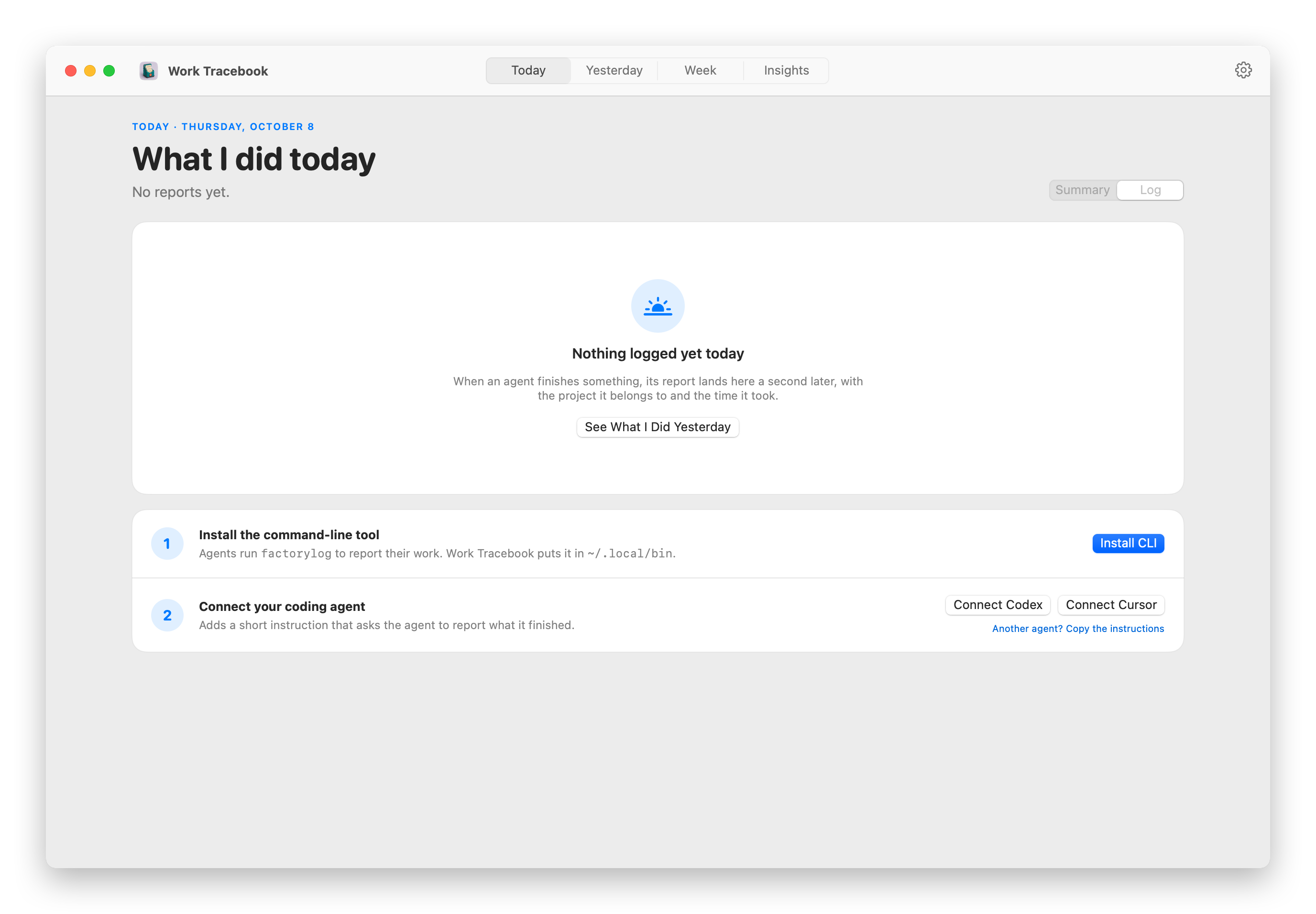
The first time you open Work Tracebook, it walks you through the setup. One click installs the command in ~/.local/bin, and another adds a short instruction for Codex or a rule for Cursor that tells the agent to report what it finished. Any other agent works too, you copy the instructions into its instructions file.
The reports are the agent’s own words, like “Added validation and tests.” Work Tracebook never reads your code, your diffs or your terminal.
The CLI writes the reports, and the app reads them from the same local file:
Where the hours come from
Agents report outcomes, not hours, so Work Tracebook estimates the time from when the reports arrive. Within a project, reports at most 45 minutes apart belong to one work session, and each session gets 5 extra minutes for the work before its first report. Those sessions are the bars on every timeline.
It’s an estimate, but it’s a useful one. Over the last 30 days it counted 105 hours of agent work for me, and almost three quarters of it went to this site.
Each project is measured on its own. When two agents work on two projects at the same time, both projects get the time.
It stays on your Mac
Everything lives in one plain text file, ~/Library/Application Support/Factory Log/events.jsonl, one JSON line per report. Lines are only ever added, so you can read your whole history with cat if you want. There are no accounts and no server.
The app goes online only to check GitHub for updates once a day, and to talk to Ollama if you use it, which runs on your Mac too.
Under the hood
It’s one Swift package with three parts: a core library with the data model and every query, the command-line tool, and the SwiftUI app. The CLI and the app both go through the core, so they always agree on what’s in the log.
Several agents often report at the same time. Before writing, the CLI takes a lock on a file next to the log, checks the report against the task’s history, appends one line and flushes it to disk. The app watches the file and reloads when it grows, which is why a report shows up a second after the agent writes it. The charts are Swift Charts.
Get it
The code is on GitHub at flaviocopes/work-tracebook, MIT licensed. The README explains how it works in more detail.
Download the zip from the latest release, unzip it, and drag Work Tracebook to your Applications folder. It runs on macOS 15 Sequoia or later, on Apple silicon and Intel Macs.
Since version 1.2, Work Tracebook is signed with my Apple Developer ID and notarized by Apple, so it opens like any other app you download.
From then on it updates itself. When a new version is out, it shows what’s new and installs it with one click.
Want me to talk about your product? You can sponsor this site.
Related posts about news: