Customizing visited links
By Flavio Copes
Learn how to style visited links beyond the limits of the CSS :visited selector, by tracking visits in localStorage and adding a data-visited attribute.
I was considering adding some “special styling” to visited links, like this:
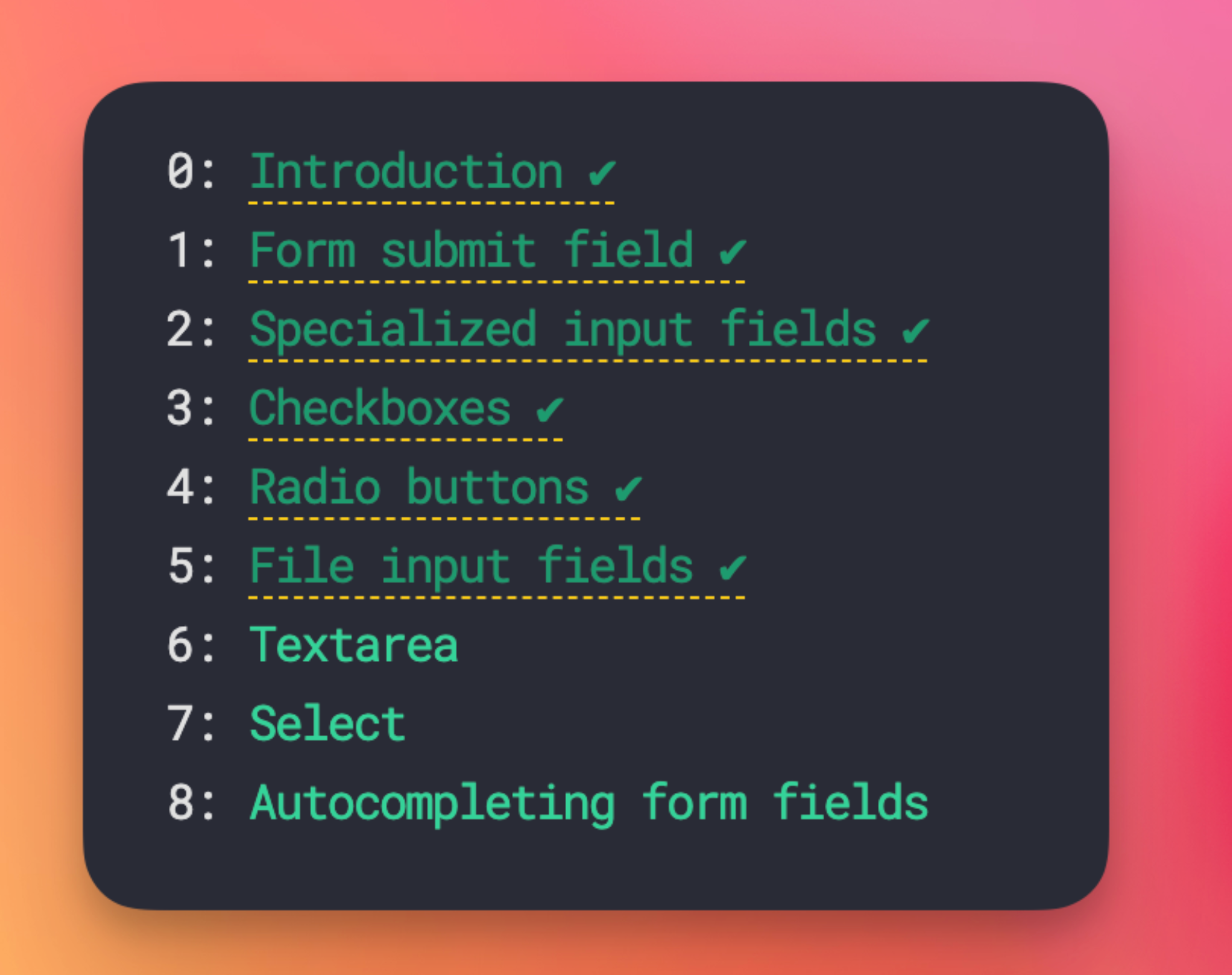
…when I remembered :visited links cannot use all CSS properties, just a few:
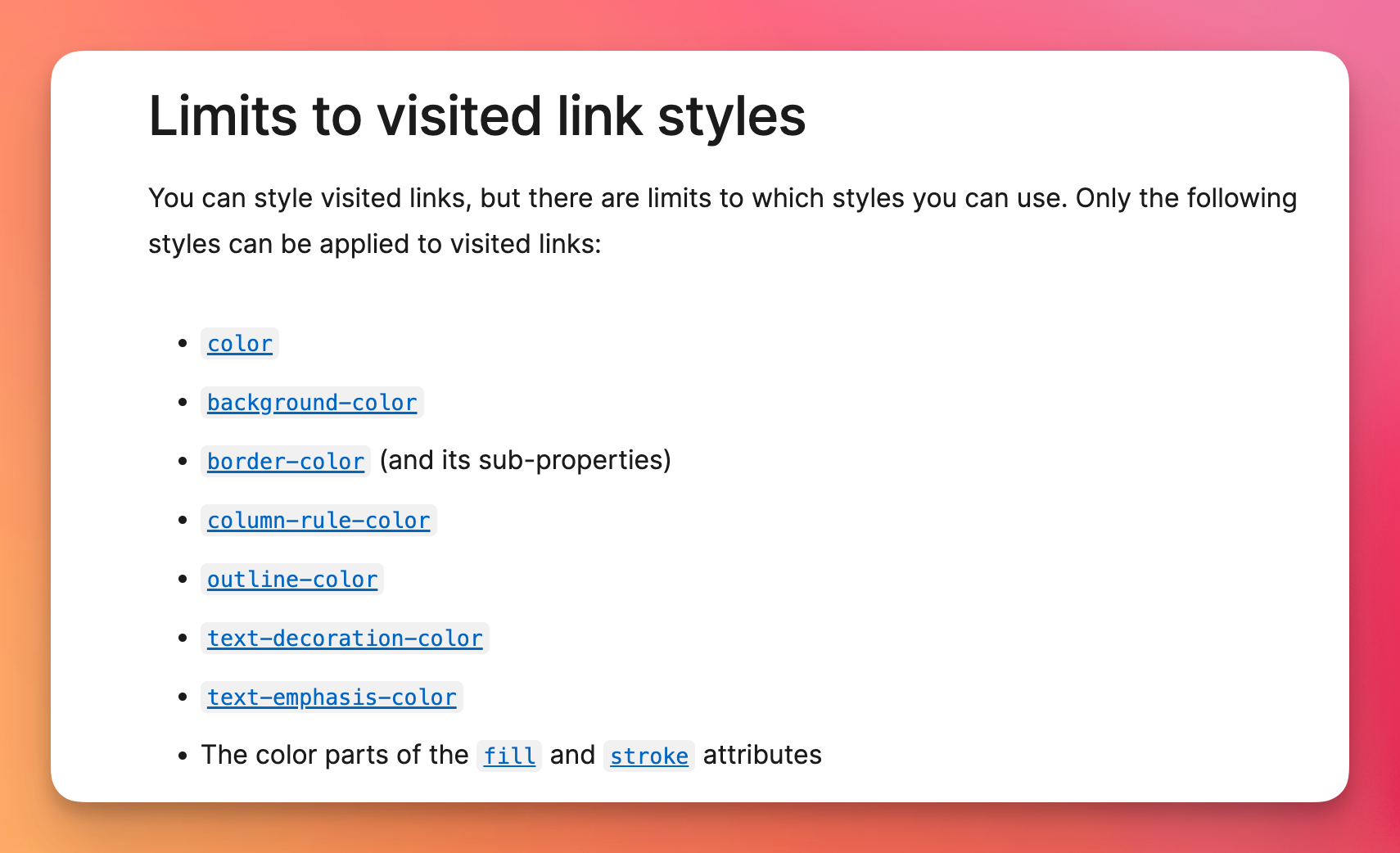
(source: MDN)
So I was searching and found this cool article that describes a technique that you can use to store in localstorage visited links, and then style as you want. This only applies to links visited after you implement the strategy, unfortunately.
But here’s an implementation - credits: using that article strategy - which I tried but then haven’t committed, so writing to not forget.
You save the normalized path to local storage when someone visits a page:
<script>
  const key = `visited:${window.location.pathname}`
  localStorage.setItem(key, 'true')
</script>
Once the page that hosts the links loads (which might be different, for example a homepage or a blog posts list page), you add data-visited=true to all links visited:
<script>
  window.addEventListener(
    'DOMContentLoaded',
    () => {
      const links =
        document.getElementsByTagName('a')
      for (let i = 0; i < links.length; i++) {
        const link = links[i]
        if (
          link.origin === window.location.origin &&
          localStorage.getItem(
            `visited:${link.pathname}`
          )
        ) {
          link.dataset.visited = true
        }
      }
    }
  )
</script>
Now you can style with any CSS property:
a[data-visited] {
  border-bottom: 1px dashed rgb(250, 204, 21);
}
a[data-visited]:after {
  content: ' ✔︎';
}
Use the same normalization rule when saving and checking URLs. The example intentionally ignores query strings and hashes, so /post?page=1 and /post?page=2 count as the same path.
This approach creates a browsing-history record inside your own site. Keep it local, do not send it to analytics, and provide a way to clear it if the feature becomes significant. Code should also tolerate local storage being unavailable because of browser privacy settings or quota errors.
Use the native :visited selector when its privacy-safe set of styles is enough. It works without JavaScript and includes visits made before you added custom tracking.
Want me to talk about your product? You can sponsor this site.