Archives and disk tools
Linux commands: df
Learn how the Linux df command reports disk usage for your mounted volumes, with df -h for human-readable sizes and a path to check the volume it lives on.
df tells you how full your disks are. The name stands for disk free, and that’s the question it answers: how much space is left on each volume?
Its basic form prints information about every mounted volume:
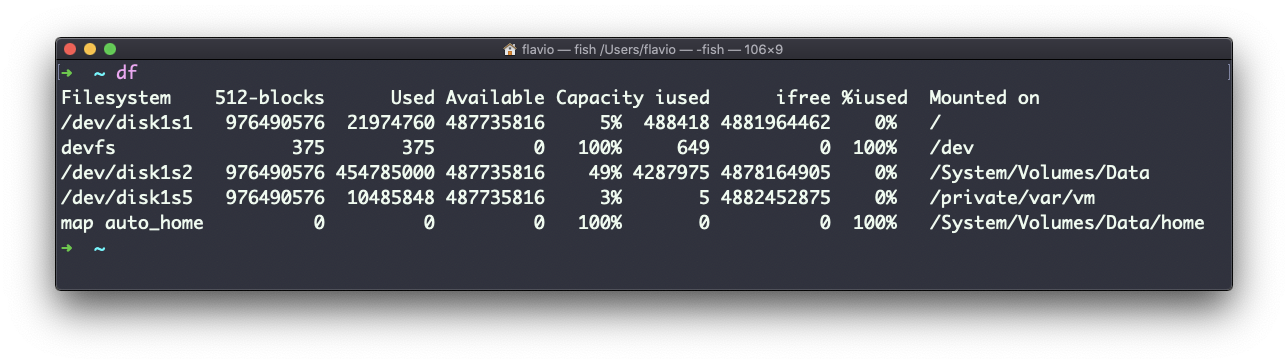
Those raw numbers are counted in blocks, which nobody wants to convert in their head. Using the -h option (df -h) shows the same values in a human-readable format:
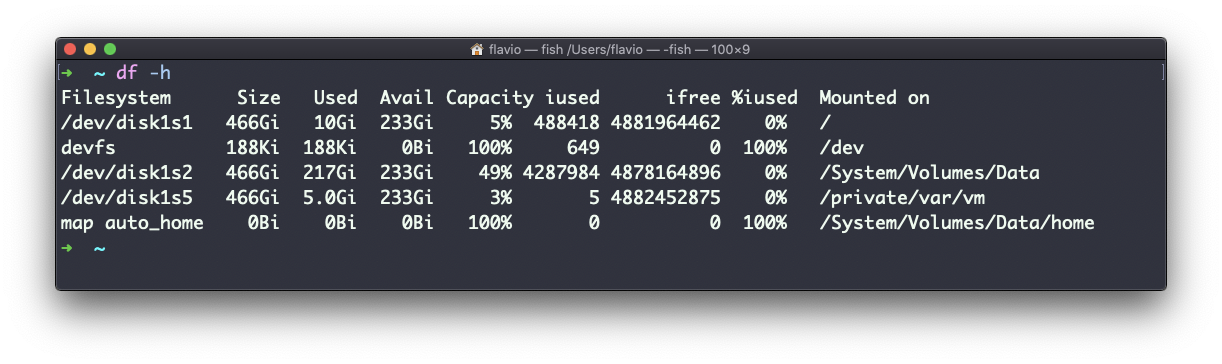
Here’s what df -h looks like on a small Linux server, trimmed to the disk that matters:
df -h /
# Filesystem      Size  Used Avail Use% Mounted on
# /dev/sda1        40G   31G  7.2G  82% /
Read it left to right: the device, its total size, what’s used, what’s still available, the percentage in use, and where it’s mounted in the filesystem tree. Use% is the column I look at first.
You can also pass a file or directory name to get information about the volume it lives on:
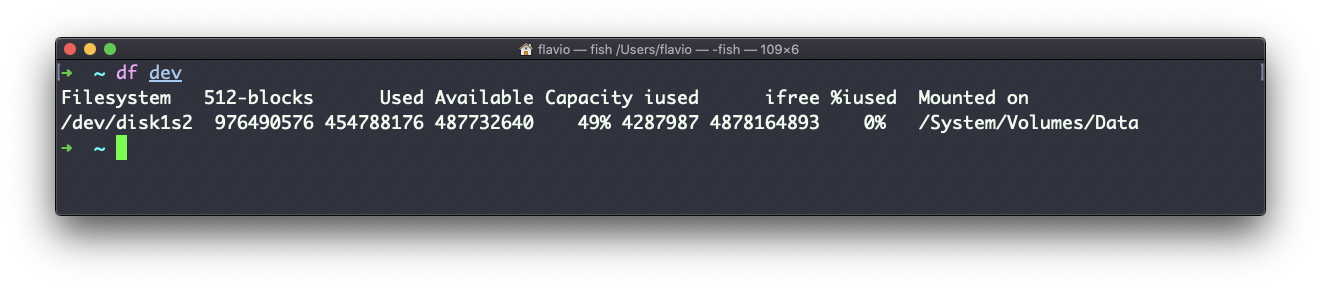
I do this with df -h . all the time, to check the disk under the folder I’m working in without reading the whole table.
df and du sound similar but answer different questions. du walks through files and adds up their sizes. df asks the filesystem itself how much is allocated. That’s why df is instant even on a huge disk, while du on the same disk can take minutes.
The two can also disagree, and that’s the failure worth knowing. A server runs out of space, df -h shows 100%, and yet du -sh / finds several gigabytes less. The usual reason is a deleted file that some process still has open. Deleting removed the name, but the space stays allocated until that process closes the file or restarts. Restart the process, often a log writer, and df drops back down.
When a disk is completely full, programs fail with No space left on device. That message is your cue to run df -h, find the volume at 100%, then use du -sh * inside it to hunt down what’s eating the space.
The df command works on Linux, macOS, WSL, and anywhere you have a UNIX environment.
Lesson completed