Pipes and text
Linux commands: uniq
Learn how the Linux uniq command finds and removes duplicate lines in text, why you pair it with sort, and how -d, -u, and -c change what it reports.
uniq is the command you use to find and remove duplicate lines of text.
You can feed it lines from a file, or use pipes to give it the output of another command:
uniq dogs.txt

ls | uniq
There’s one key thing you need to know: uniq only detects adjacent duplicate lines. If Roger appears on line 1 and again on line 7, uniq sees two different lines and keeps both.
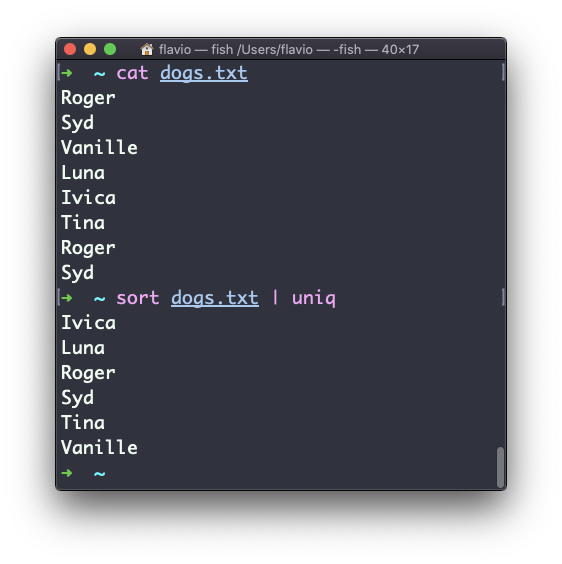
This is why you will almost always use it together with sort. Sorting puts identical lines next to each other, and then uniq can do its job:
sort dogs.txt | uniqThe sort command has its own way to remove duplicates, the -u (unique) option. But uniq can do more than that.
By default it removes the duplicate lines and prints each name once:
You can flip it around and only display the lines that are duplicated, with the -d option:
sort dogs.txt | uniq -d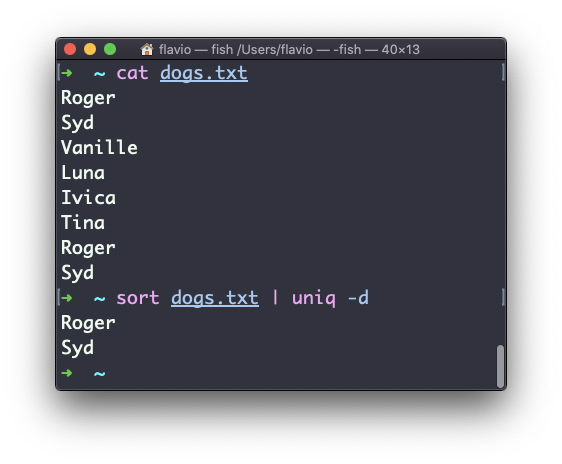
Roger and Syd appear twice in the file, so those are the two lines we get back.
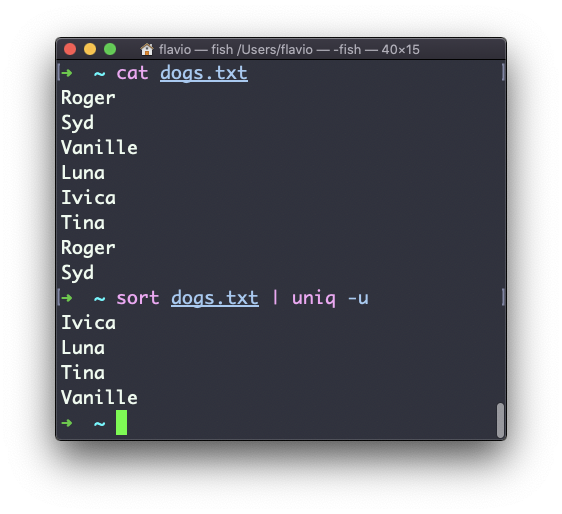
The -u option does the opposite. It only displays the lines that appear exactly once:
The option I use most is -c. It counts the occurrences of each line and prints the number in front of it:
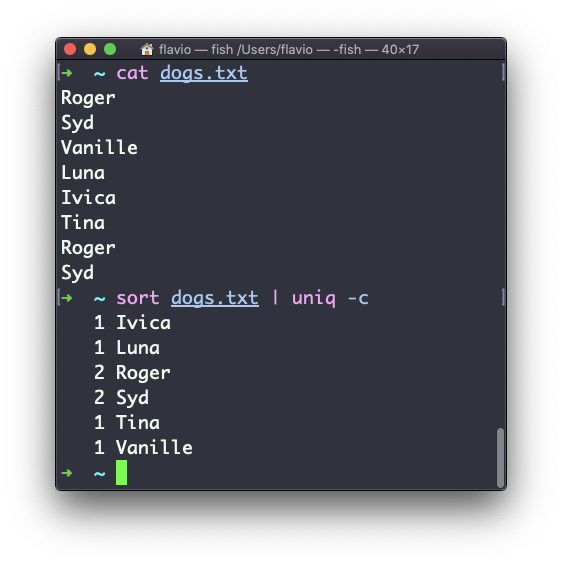
Now we have a count, but the list is still in alphabetical order. Add one more sort at the end, numeric and reversed, to order the lines by most frequent:
sort dogs.txt | uniq -c | sort -nr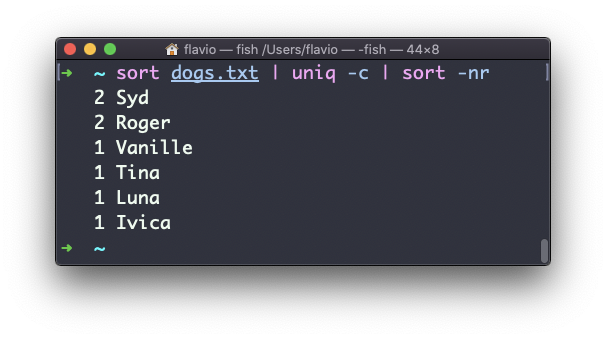
Remember this combination. It’s the terminal version of “group by and count”. I use it to find the most requested URLs in a web server log, or the most common words in a file, and it’s three commands long.
If uniq -c shows a name twice with a count of 1 each, you forgot the first sort. The duplicates were not adjacent, so uniq never saw them as the same line.
The uniq command works on Linux, macOS, WSL, and anywhere you have a UNIX environment
For a quick paste-and-clean pass over a block of text, I built a free line sorter that sorts lines and removes duplicates.
Lesson completed