Shell, system, and network tools
Linux commands: traceroute
Learn how the Linux traceroute command maps every router hop your packets take to reach a host, showing the IP and timing of each, and tuning samples with -q.
When you reach a host on the Internet, your packets don’t fly there in one jump. They go through your home router, then your ISP’s network, then the ISP’s upstream router, and so on, until they finally reach the host. Each of those routers is a hop.
traceroute shows you every hop along the way.
You invoke it with
traceroute <host>and it (slowly) gathers the information while the packets travel.
In this example I traced the route to my blog with traceroute flaviocopes.com:
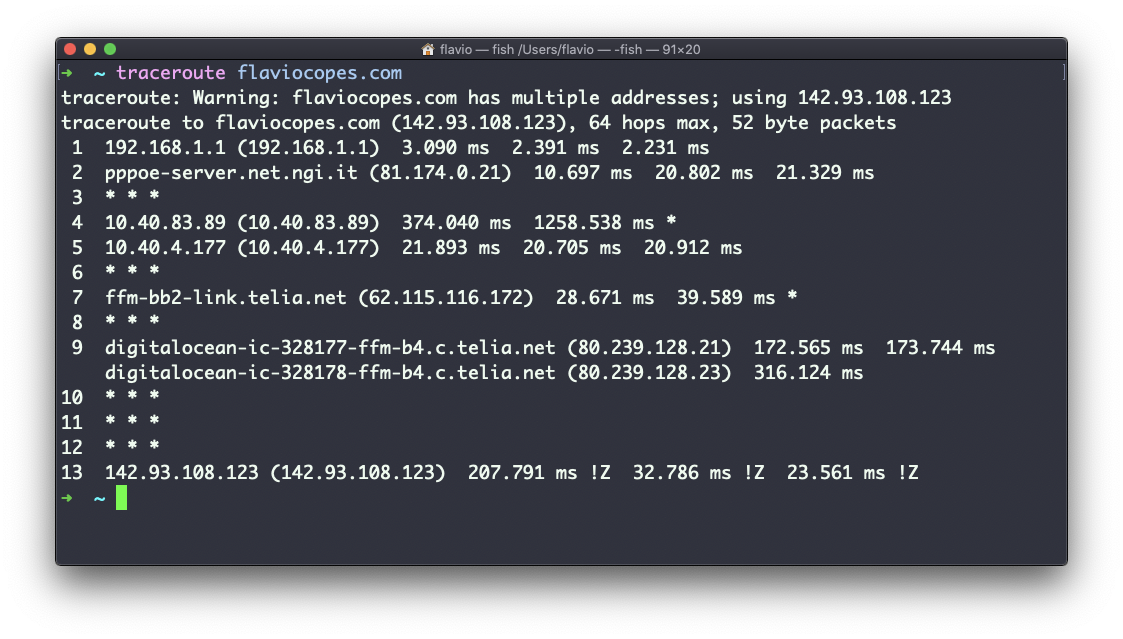
Each numbered line is one router. For each one we see the hostname, the IP address, and the time the answer took to come back.
Not every router along the way returns information. Some are configured to stay silent. In that case, traceroute prints * * * for that hop and moves on. A line of stars in the middle of a complete route is normal. Stars from some point all the way to the end usually mean a firewall is dropping your probes.
For every router we see 3 samples, because traceroute tries 3 times by default to give you a good indication of the time needed to reach it. This is why it takes so long compared to a ping: 13 hops times 3 probes, and each one waits for an answer or a timeout.
You can customize this number with the -q option:
traceroute -q 1 flaviocopes.com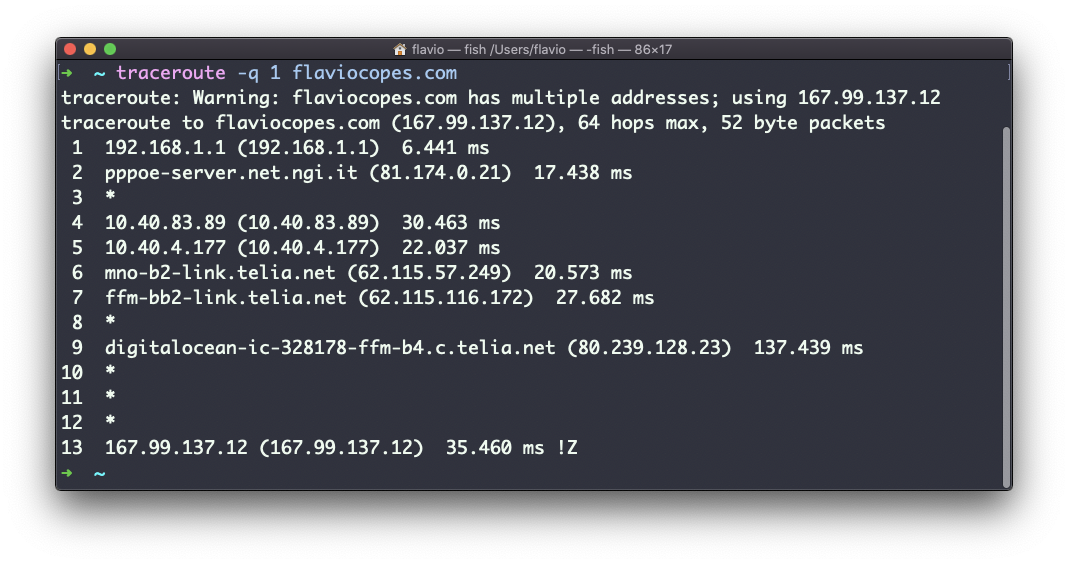
One probe per hop is much faster, and good enough when I just want to see the path.
The trick behind it is nice. Every packet carries a TTL (time to live), a counter that each router decreases by one. When it hits zero, that router throws the packet away and sends back an error saying “expired here”. traceroute sends a first packet with TTL 1, so the first router reports back. Then TTL 2, so the second router reports back. And so on, until the answer comes from the host itself.
traceroute is the tool to use when ping works but everything is slow. If the times jump from 10 ms to 200 ms at hop 6, the problem is at hop 6 or right after it, and it’s not your Wi-Fi.
One failure to expect: minimal Linux servers often don’t ship traceroute, and you get traceroute: command not found. On Debian and Ubuntu, sudo apt install traceroute adds it. macOS has it out of the box.
The traceroute command works on Linux, macOS, WSL, and anywhere you have a UNIX environment.
Lesson completed