Pipes and text
Linux commands: export
Learn how the Linux export command makes a variable available to child processes and subshells, how to append to PATH, and how to remove a variable with -n.
The export command makes a variable available to child processes.
What does this mean? Let’s see it with an example, because the difference is invisible until it bites you.
Suppose you define a variable TEST like this:
TEST="test"You can print its value using echo $TEST:
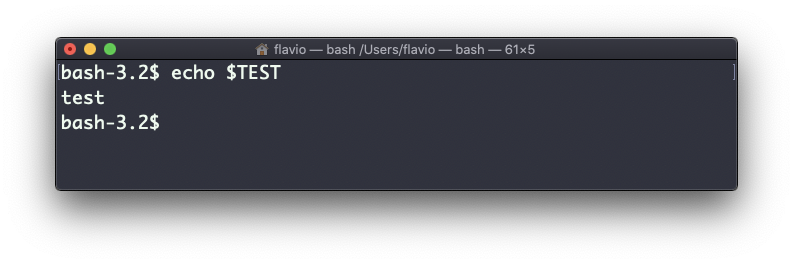
So far so good. Now write a Bash script in a file called script.sh, with that same echo $TEST line inside:
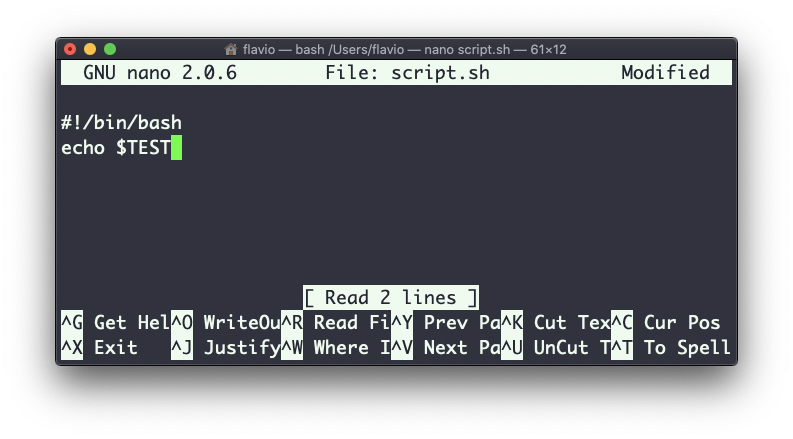
Make it executable with chmod u+x script.sh and run it with ./script.sh. The echo $TEST line prints nothing!
Here’s why. TEST is a shell variable, local to the shell you typed it in. When you run a script, or any other command, the shell starts a subshell, a new process, to execute it. That new process does not get the local variables of its parent.
To make the variable cross that boundary, define it not like this:
TEST="test"but like this:
export TEST="test"Run ./script.sh again and now it prints test:
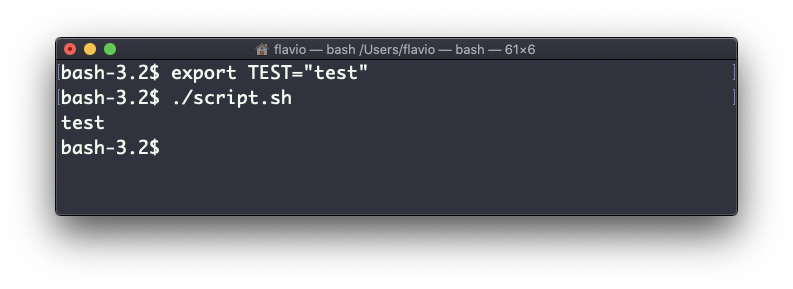
That’s the whole job of export: it turns a shell variable into an environment variable, one that every child process inherits.
Sometimes you need to append something to a variable instead of replacing it. The classic case is PATH, the list of folders the shell searches for commands. You use this syntax:
export PATH=$PATH:/new/path$PATH expands to the current value, and you add :/new/path at the end. Be careful not to write export PATH=/new/path by itself. That throws away the existing list, and suddenly ls and git are “not found” until you open a new terminal.
You use export when you create variables interactively, but also in the configuration files your shell reads at startup: .bash_profile or .bashrc with Bash, .zshenv with zsh. That’s how a variable survives from one terminal session to the next.
To remove a variable from the exported set, use the -n option:
export -n TESTThe variable still exists in your shell, but child processes no longer receive it.
Calling export without any argument lists all the exported variables. It’s a long list, so pipe it into grep when you’re looking for one: export | grep TEST.
The export command works on Linux, macOS, WSL, and anywhere you have a UNIX environment
Lesson completed