Shell, system, and network tools
Linux commands: ping
Learn how the Linux ping command checks if a host is reachable over the ICMP protocol, reports round-trip time and packet loss, and limits tries with -c.
ping checks whether a network host answers you. It works on the local network and on the Internet, and it’s the first command I type when “the network is down”.
You use it with the syntax ping <host>, where <host> can be a domain name or an IP address.
Here’s an example pinging google.com:
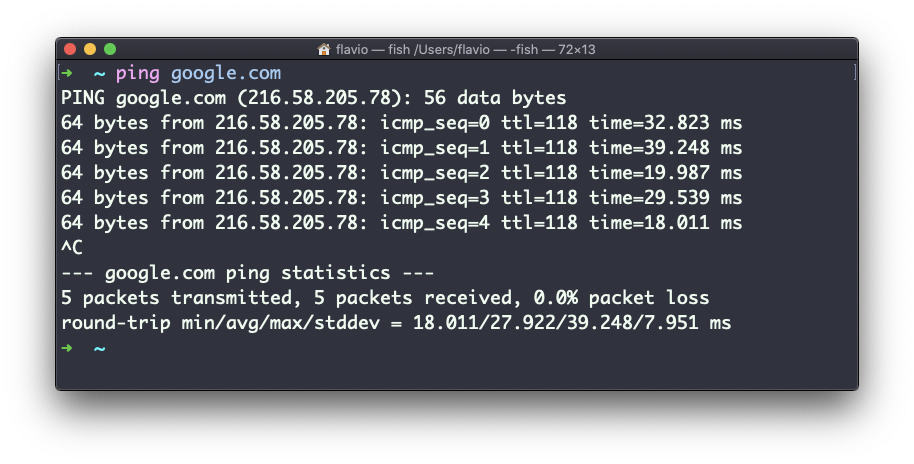
The command sends a small request to the server, and the server sends a response back.
ping keeps sending a request every second, by default, and keeps running until you stop it with ctrl-C. Or you pass the number of tries you want with the -c option: ping -c 2 google.com. Here’s what that printed on my machine:
ping -c 2 google.com
# PING google.com (142.251.13.100): 56 data bytes
# 64 bytes from 142.251.13.100: icmp_seq=0 ttl=104 time=66.762 ms
# 64 bytes from 142.251.13.100: icmp_seq=1 ttl=104 time=82.645 ms
#
# --- google.com ping statistics ---
# 2 packets transmitted, 2 packets received, 0.0% packet loss
# round-trip min/avg/max/stddev = 66.762/74.703/82.645/7.942 ms
Each line shows the host IP address and the time it took to get the response back. Once ping stops, it prints statistics: the percentage of packets lost, and the minimum, average and maximum round-trip time.
Two things I read from that output. 0.0% packet loss means the connection is stable. And time=66 ms tells me how far away the server is, in network terms.
Not all servers answer pings. In that case the requests time out:
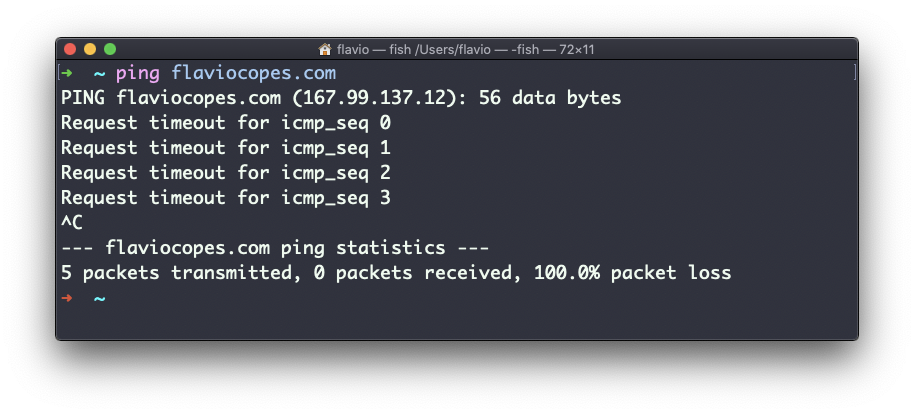
Sometimes this is done on purpose, to “hide” the server or just to reduce the load. Firewalls can also filter ping packets. So be careful: 100% packet loss doesn’t prove a server is down. My own site didn’t answer pings in that screenshot, and it was serving pages the whole time. Check with a browser or curl before you panic.
The other common failure looks different. If the name can’t be resolved, ping gives up right away with ping: cannot resolve nosuchhost.invalid: Unknown host. That’s a DNS problem or a typo, not a network problem.
ping works using the ICMP protocol (Internet Control Message Protocol), a network layer protocol just like TCP or UDP. The request sends a packet to the server with the ECHO_REQUEST message, and the server returns an ECHO_REPLY message. I won’t go into details, but this is the basic concept.
Pinging a host tells you two things: whether it’s reachable (supposing it answers pings), and how distant it is, in terms of how long a round trip takes. Usually the nearer the server is geographically, the less time it takes. Signals travel through cables at a finite speed, so a longer distance means more delay.
The ping command works on Linux, macOS, WSL, and anywhere you have a UNIX environment.
Lesson completed