Navigation basics
Linux commands: ls
Learn how the Linux ls command lists the files in a folder, and how the -al option adds details like permissions, owner, and size, plus hidden files.
Inside a folder you can list all the files that the folder contains using the ls command:
lsIf you add a folder name or path, it will print that folder’s contents instead:
ls /bin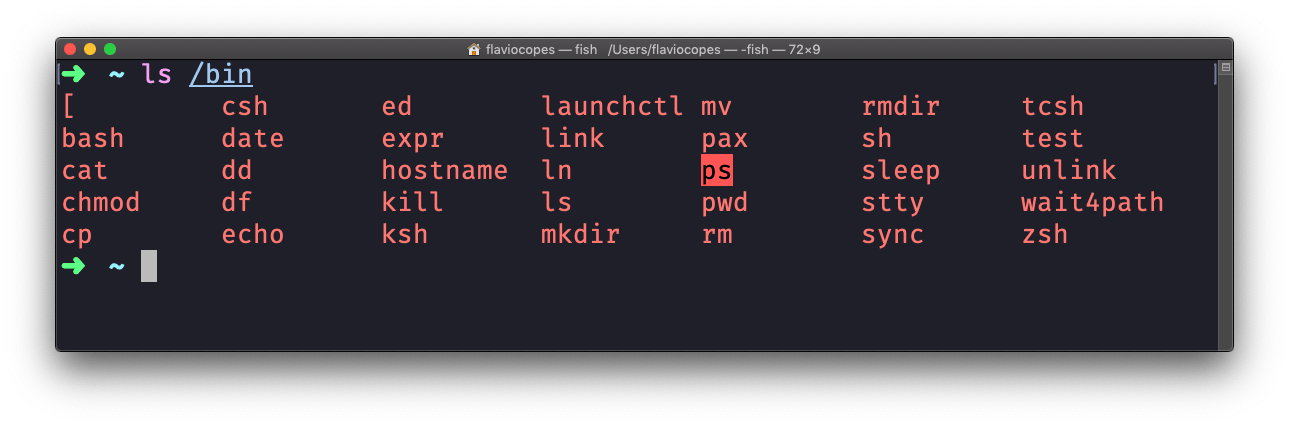
ls accepts a lot of options. One of my favorite combinations is -al. Try it:
ls -al /bin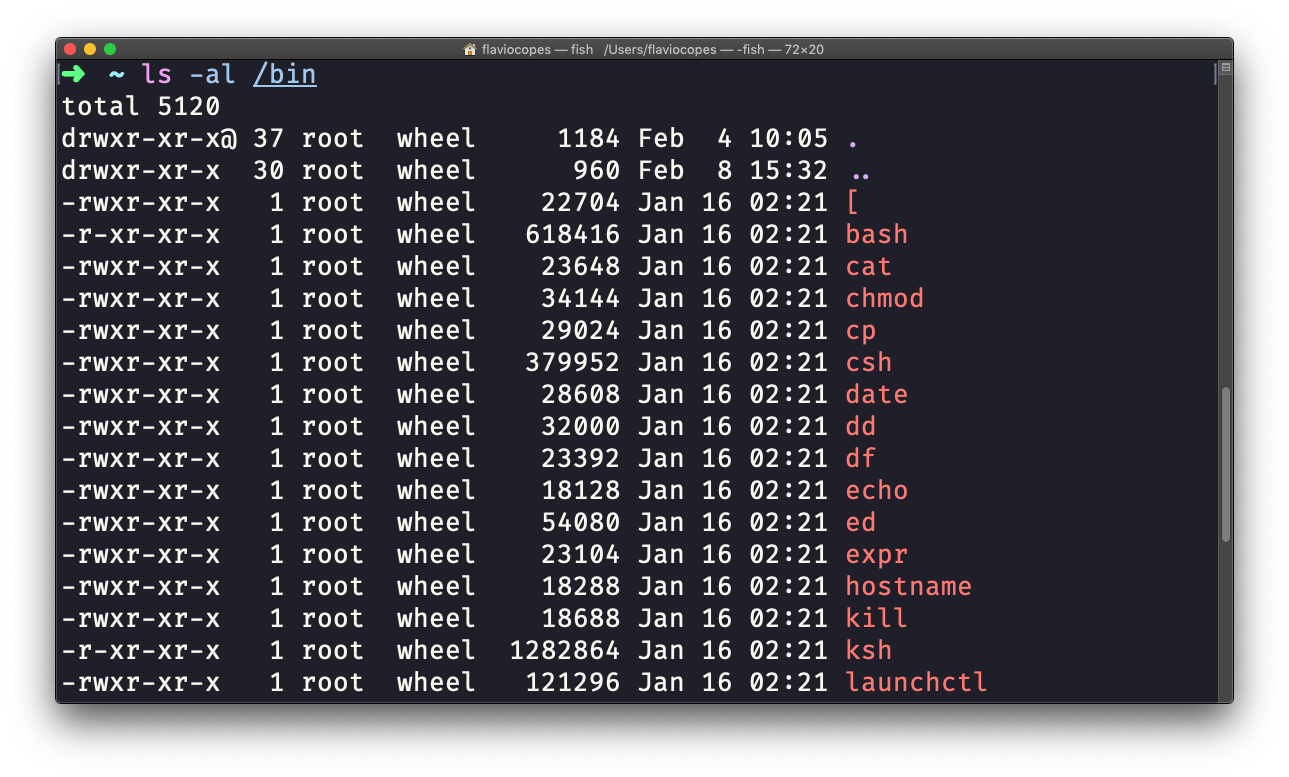
Compared to the plain ls, this returns much more information.
You have, from left to right:
- the file permissions (and if your system supports ACLs, you get an ACL flag as well)
- the number of links to that file
- the owner of the file
- the group of the file
- the file size in bytes
- the file modified datetime
- the file name
The l option generates this long format. The a option adds the hidden files.
Hidden files are files whose name starts with a dot (.). Your home folder is full of them: .zshrc, .gitconfig, .ssh. A plain ls hides them, which is why you need -a to see your shell configuration.
Let’s read one line of the long format. Create a small file and list it:
echo "hello" > notes.txt
ls -l notes.txt
-rw-r--r-- 1 flavio staff 6 Sep 8 18:22 notes.txtThe first - says it’s a regular file, not a directory. rw-r--r-- means I can read and write it, and everyone else can only read it. 1 is the link count, flavio is the owner, staff is the group, and 6 is the size in bytes (five letters plus the newline). Then the modification date and the name.
Two more options I use every day: -h prints sizes in a human-readable form like 4.2K or 12M instead of raw bytes, and -t sorts by modification time, newest first. ls -lth is my go-to when I want to see what changed most recently in a folder.
If you point ls at something that doesn’t exist, it tells you:
ls missing-folderls: missing-folder: No such file or directoryThis usually means a typo in the name, or you’re not in the folder you think you are. Run pwd to check where you are, then try again.
This command works on Linux, macOS, WSL, and anywhere you have a UNIX environment
Lesson completed