Archives and disk tools
Linux commands: diff
Learn how the Linux diff command compares two files or directories line by line, with -y for a side-by-side view and -u for the unified format Git uses.
diff compares two files and tells you exactly where they differ. I reach for it whenever two files look the same but something is off.
Suppose you have 2 files: dogs.txt and moredogs.txt. The difference is that moredogs.txt contains one more dog name:
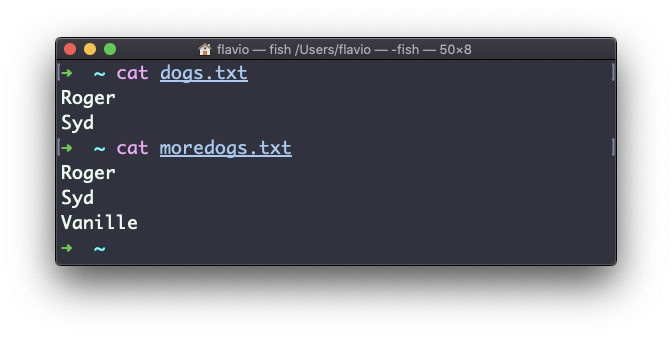
You can build the same two files yourself and follow along:
printf 'Roger\nSyd\n' > dogs.txt
printf 'Roger\nSyd\nVanille\n' > moredogs.txt
diff dogs.txt moredogs.txt tells you the second file has one more line, line 3, with the content Vanille:
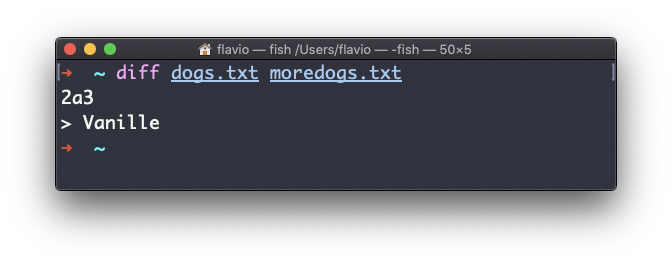
Read 2a3 as “after line 2, add line 3 of the second file”. The > marks a line that only exists in the second file.
If you invert the order of the files, it tells you the second file is missing line 3, whose content is Vanille:
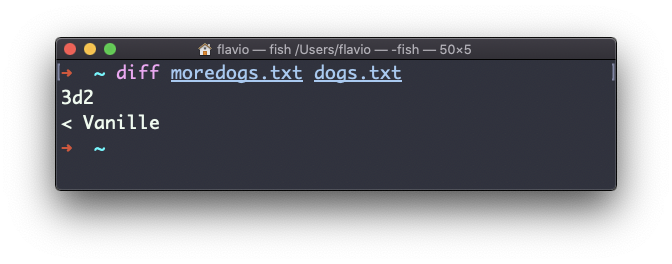
Now the code is 3d2, “delete line 3”, and the < marks a line that only exists in the first file.
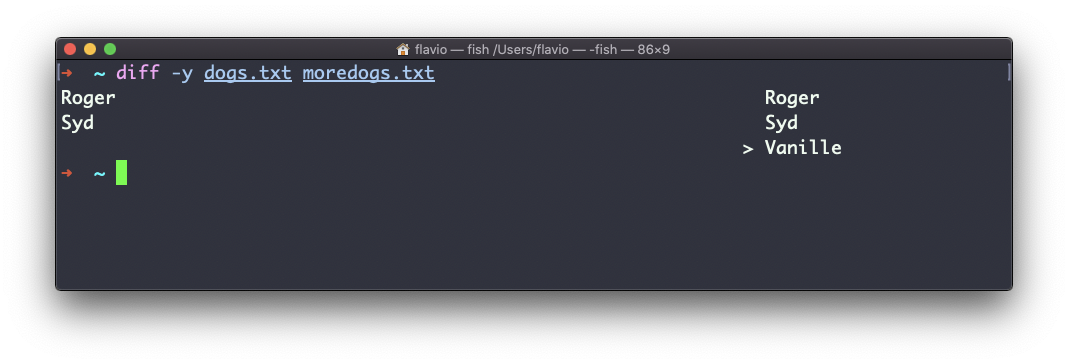
The -y option compares the 2 files side by side, line by line:
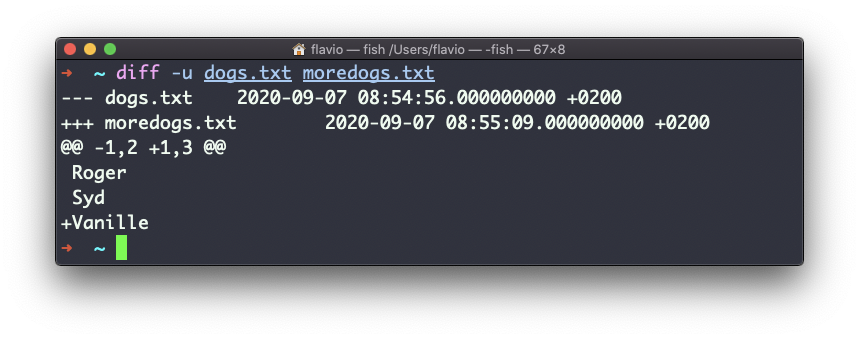
The -u option will look more familiar to you. It’s the unified format, the same one Git uses to show differences between versions, with + for added lines and - for removed ones:
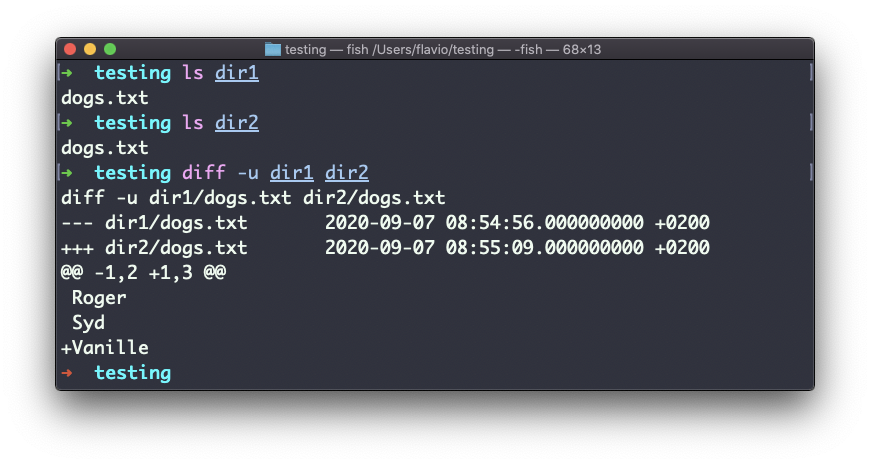
Comparing directories works the same way. Add the -r option to compare recursively, going into subdirectories:
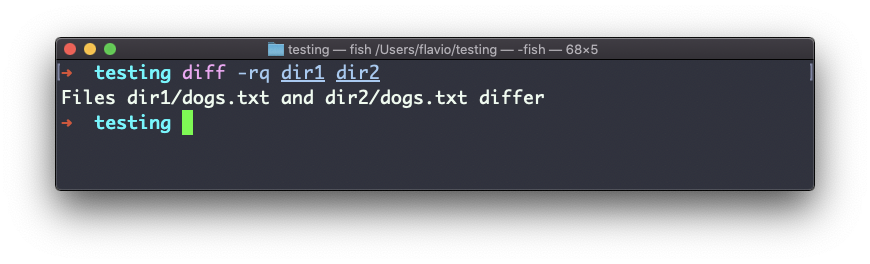
If you only want to know which files differ, and not how, combine r and q:
When the files are identical, diff prints nothing at all. Its exit status tells you the result: 0 means the files match, 1 means they differ. That’s what makes it useful in scripts.
The most common failure is a typo in a filename. diff stops with diff: dog.txt: No such file or directory and exits with status 2, which means trouble, not a real difference.
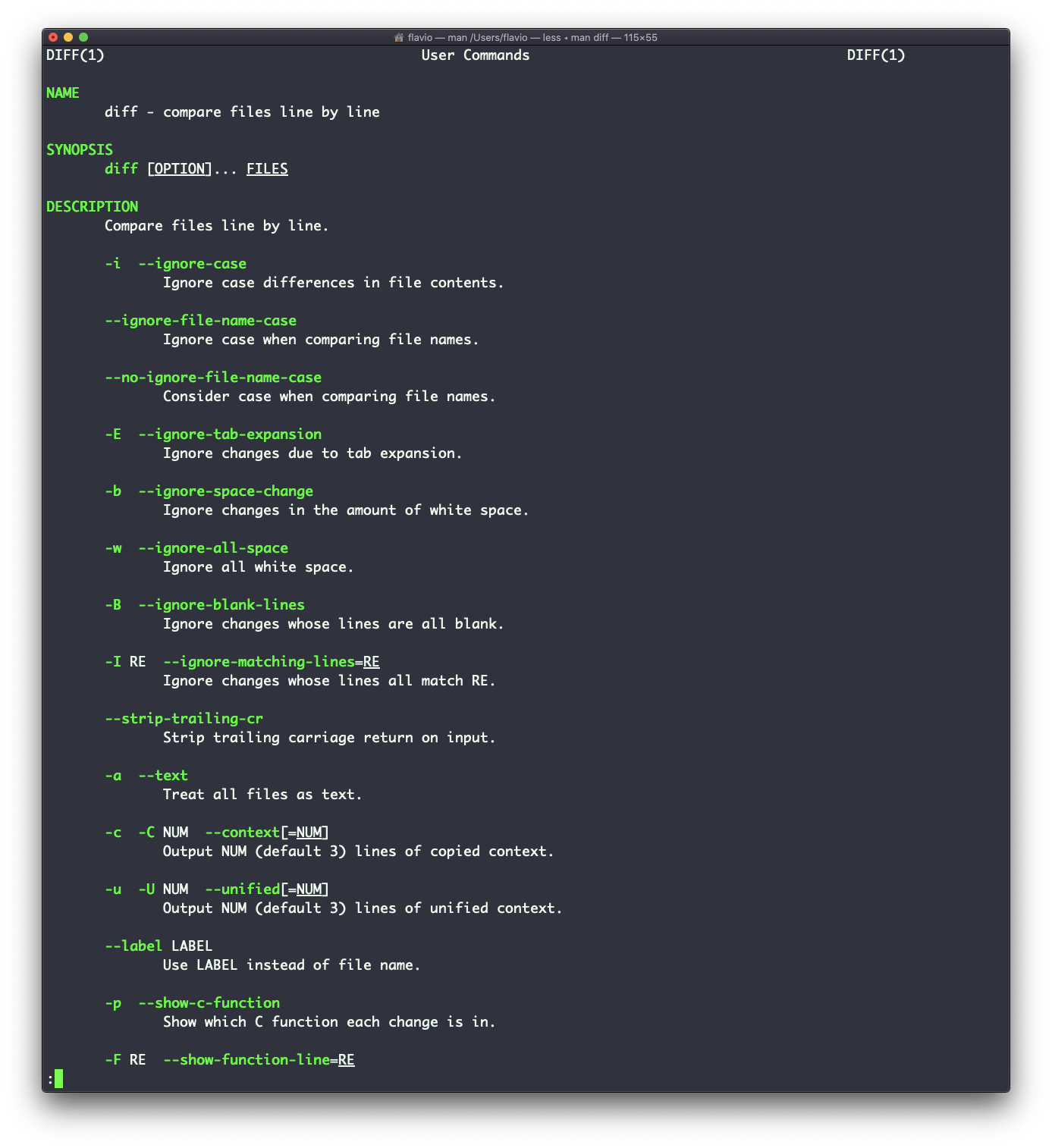
There are many more options you can explore in the man page, running man diff:
The diff command works on Linux, macOS, WSL, and anywhere you have a UNIX environment.
If you’d rather compare two texts in the browser, try my free diff checker.
Lesson completed