How to remove a property from a JavaScript object
By Flavio Copes
There are various ways to remove a property from a JavaScript object. Find out the alternatives and the suggested solution
The semantically correct way to remove a property from an object is to use the delete keyword.
Given the object
const car = {
  color: 'blue',
  brand: 'Ford'
}
you can delete a property from this object using
delete car.brandAfter this, the property is gone for real. It no longer shows up in Object.keys(), in for...in loops, or anywhere else:
console.log(car) //{ color: 'blue' }
Object.keys(car) //['color']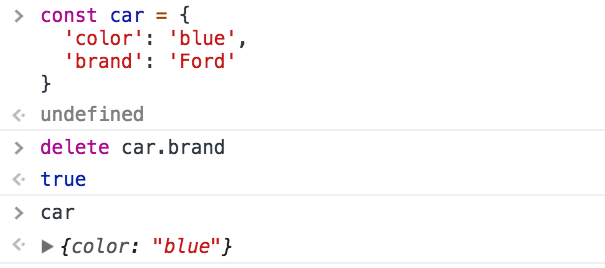
It works also expressed as:
delete car['brand']
delete car.brand
delete newCar['brand']
delete returns true when the operation succeeds, but you rarely need to check that.
Notice that this works even though car is declared with const. The const declaration protects the binding, not the object’s contents, so you can still add and remove properties.
Setting a property to undefined
If you need to perform this operation in a very optimized way, for example when you’re operating on a large number of objects in loops, another option is to set the property to undefined.
Due to its nature, delete is slower than a simple reassignment to undefined. How much slower depends on the engine.
However, keep in mind that the property is not deleted from the object. Its value is wiped, but it’s still there if you iterate the object:
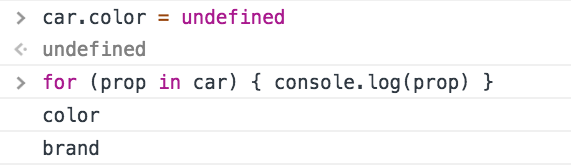
This is the pitfall with the undefined approach. The key survives:
const bike = {
  color: 'red',
  brand: 'Bianchi'
}
bike.brand = undefined

Object.keys(bike) //['color', 'brand']
'brand' in bike //true
JSON.stringify(bike) //'{"color":"red"}'
Object.keys() still lists the key, and the in operator still finds it. Only JSON.stringify() drops it, because it skips undefined values. If any code checks for the key’s existence, it will behave as if the property is still there. The fix is to use delete when you actually need the key gone.
Using delete is still very fast, you should only look into this kind of performance issues if you have a very good reason to do so, otherwise it’s always preferred to have a more clear semantic and functionality.
Remove a property without mutating the object
If mutability is a concern, the usual approach today is object rest. Omit the property, keep everything else:
const car = {
  color: 'blue',
  brand: 'Ford'
}

const { color, ...newCar } = car
// newCar is { brand: 'Ford' }
car stays untouched. That is what you want for state you should not mutate, like in React or Redux code. More on properties in JavaScript Object Properties.
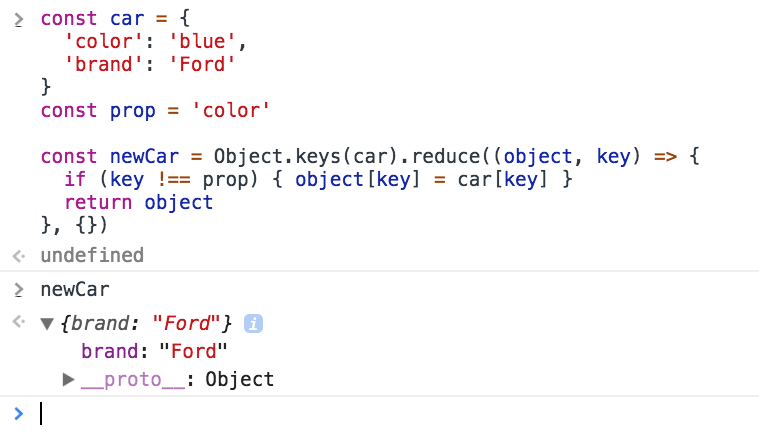
You can also copy with reduce if you want:
const car = {
  color: 'blue',
  brand: 'Ford'
}
const prop = 'color'

const newCar = Object.keys(car).reduce((object, key) => {
  if (key !== prop) {
    object[key] = car[key]
  }
  return object
}, {})
(see Object.keys())
Want me to talk about your product? You can sponsor this site.
Related posts about js: