How to create an exit intent popup
By Flavio Copes
Learn how to build an exit intent popup with plain JavaScript, listening for the DOM event fired when the mouse leaves the window to show the popup.
You know those annoying popups that appear when you try to close a browser window?
They somehow know you’re trying to close it, like if they can read your mind.
In reality it’s a pretty simple concept, you have to listen to a specific DOM event.
I certainly do not recommend the use of popups, because I find them annoying, but your company might ask you to implement one, so here we are.
I like to keep things simple, so here’s the HTML
<!doctype html>
<head>
  <title>Popup page</title>
</head>
<body>
  <div id="popup">
    <h3>Popup!</h3>
  </div>
</body>
Add this CSS:
body {
  font-family: system-ui;
  background-color: #f6d198;
}

#popup {
  position: fixed;
  width: 100%;
  visibility: hidden;
  z-index: 10002;
  top: 0;
  opacity: 0;
  transform: scale(0.5);
  transition: transform 0.2s, opacity 0.2s, visibility 0s 0.2s;
  position: relative;
  margin: 0 auto;
  text-align: center;
  box-shadow: 0 1px 10px rgba(0, 0, 0, 0.5);
  width: 60%;
  background: #862a5c;
  padding-bottom: 100px;
  padding-top: 50px;
  color: #fff;
  font-size: 2rem;
}
and this JavaScript:
const show = () => {
  const element = document.querySelector("#popup")
  element.style.visibility = "visible"
  element.style.opacity = "1"
  element.style.transform = "scale(1)"
  element.style.transition = "0.4s, opacity 0.4s"
}

document.addEventListener("DOMContentLoaded", () => {
  document.addEventListener("mouseout", (event) => {
    if (!event.toElement && !event.relatedTarget) {
      setTimeout(() => {
        show()
      }, 1000)
    }
  })
})
See it in Codepen: https://codepen.io/flaviocopes/pen/gOawyKr
The page should appear pretty boring:

If you try loading and getting in/out of the page with the mouse, you should see a popup appearing:
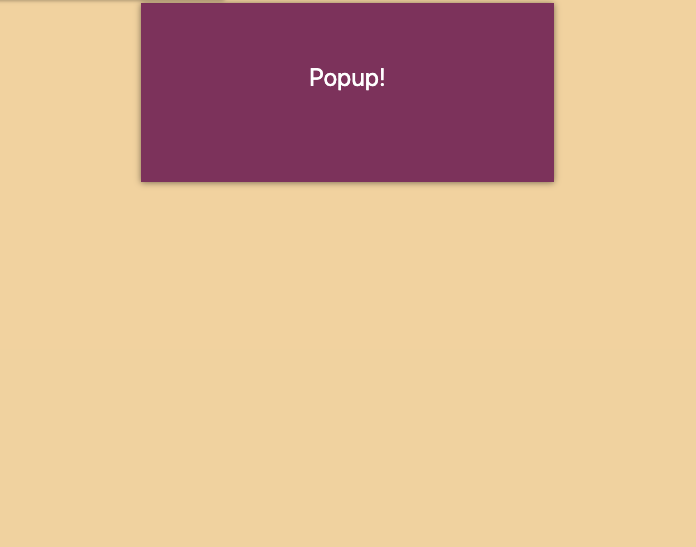
This is due to the fact we listen on the mouseout event, and we want 1 second before showing the popup.
Once you have the basics in, you can start adding fancy things like closing the popup if the user presses the Escape key:
const hide = () => {
  const element = document.querySelector("#popup")
  element.style.visibility = "hidden"
  element.style.opacity = "0"
  element.style.transform = "scale(0.5)"
  element.style.transition = "0.2s, opacity 0.2s, visibility 0s 0.2s"
}

document.addEventListener("DOMContentLoaded", () => {
  document.onkeydown = event => {
    event = event || window.event
    if (event.key === 'Escape') {
      hide()
    }
  }
})
You’ll find event.keyCode === 27 in older snippets. It’s the same check, but keyCode is deprecated, so use event.key.
And if the user clicks the document outside the modal:
let eventListener

//inside show()
eventListener = document.addEventListener("click", function (clickEvent) {
  let el = clickEvent.target
  let inPopup = false
  if (el.id === 'popup') {
    inPopup = true
  }
  while (el = el.parentNode) {
    if (el.id == "popup") {
      inPopup = true
    }
  }
  if (!inPopup) hide()
})

//inside hide()
if (eventListener) {
  document.removeEventListener(eventListener)
}
Example on Codepen: https://codepen.io/flaviocopes/pen/abvmrzg
Now, an interesting thing to do is to store the fact we showed the modal in a cookie, so we only show it once to every person.
This is a possible implementation: we set the popup=true cookie when we show the modal, and we check for the cookie before showing it again:
let showed = false;

const show = () => {
  if (showed) return;

  if (
    document.cookie.split(";").filter((item) => {
      return item.includes("popup=");
    }).length
  ) {
    return;
  } else {
    console.log(
      document.cookie.split(";").filter((item) => {
        return item.includes("popup=")
      }).length
    )
    console.log(document.cookie.split(";"))
  }

  document.cookie = "popup=true;path=/;max-age=15768000"
  showed = true

//...the remaining part of show()Want me to talk about your product? You can sponsor this site.
Related posts about js: